USA
USA UAE
UAESmall Business
Designed for startups and growing businesses
See More





Brand: Mastertrust
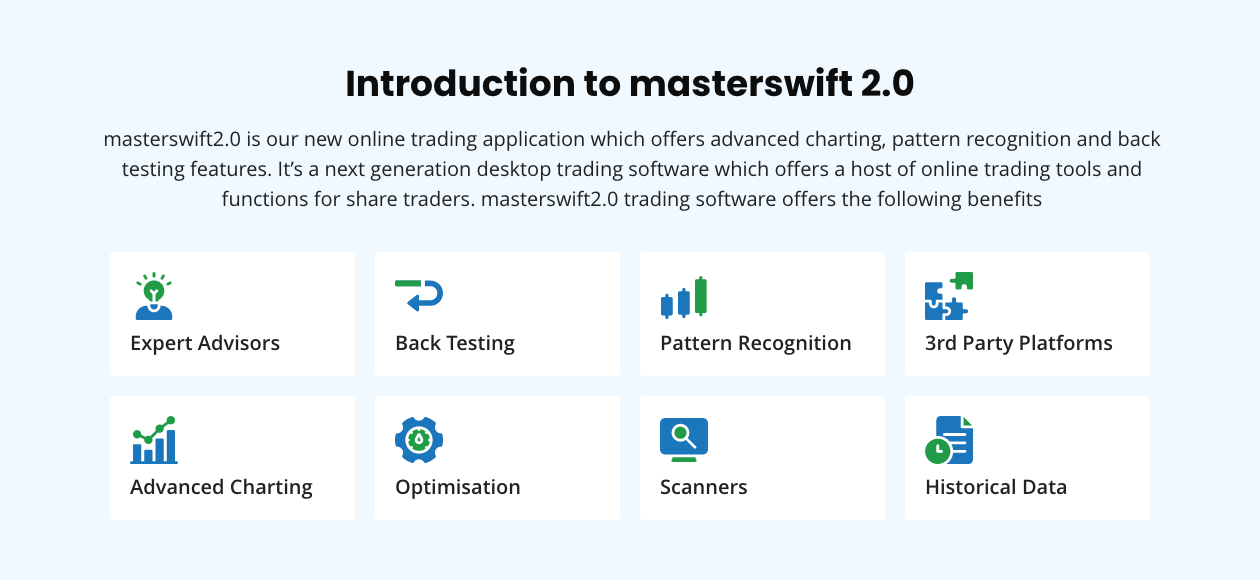
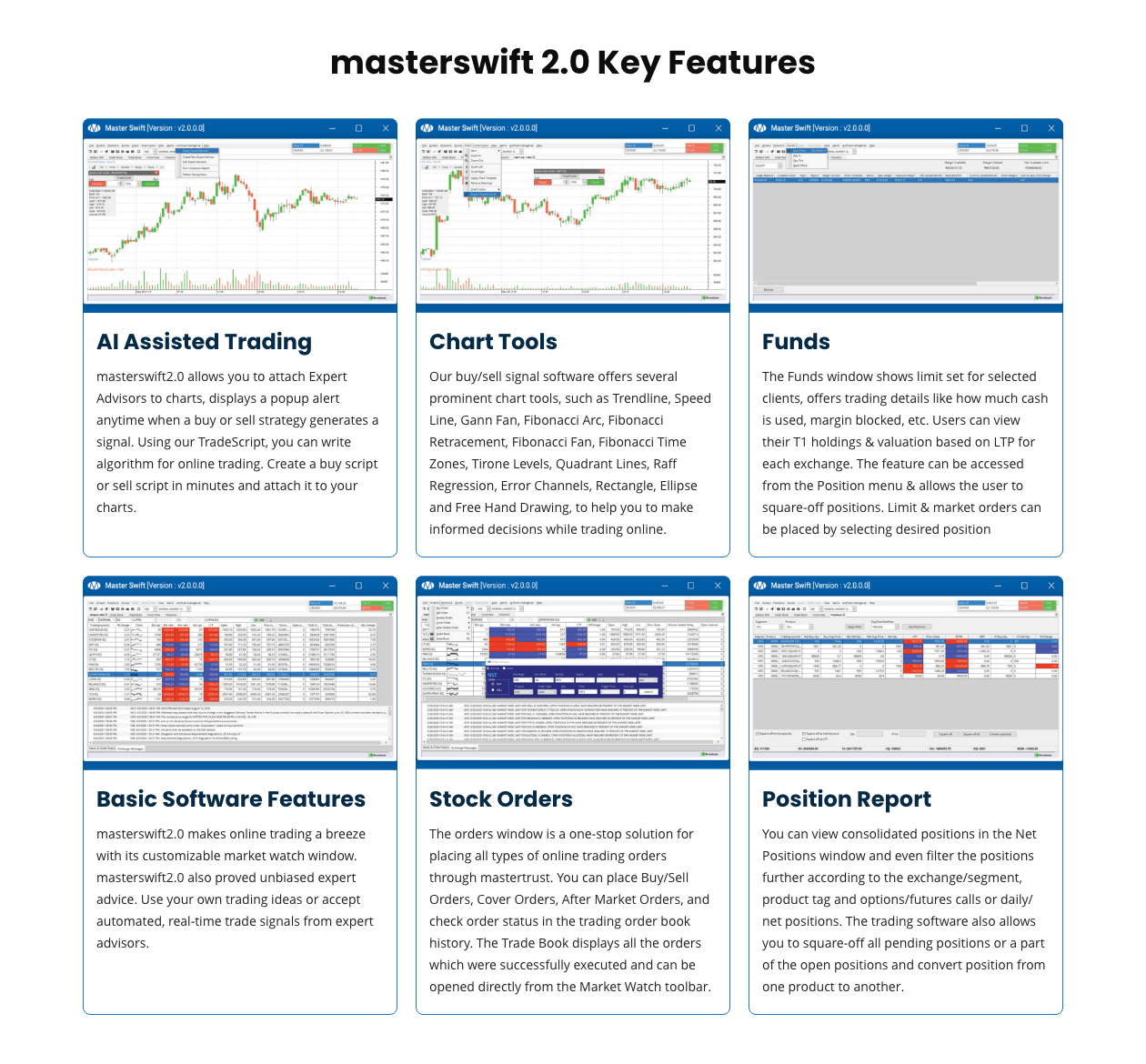
Masterswift 2.0 is a stock market software offering a variety of features including advanced charting, pattern recognition, order placement, stock performance, etc.
See MoreHave you used Masterswift 2.0 before?
Share your insights for better experience
Brand: Mastertrust
Founded Year: 1985
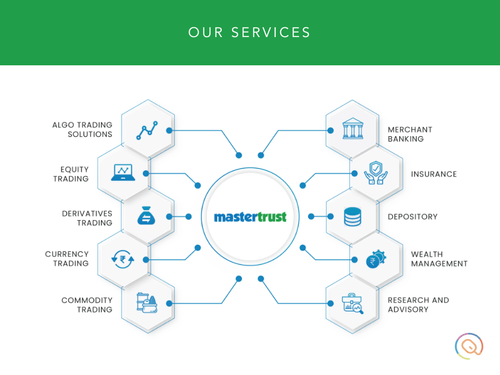
“Mastertrust” - is a one point shop for all the investment needs of a customer.
Looking for The Right Pricing?
Share your requirements and get a plan built around your business.
Price Available on Request
Get personalised Masterswift 2.0 pricing that fits your needs. Our team will connect with you.
Core Features
 Market Data Watchlist Charting Tools Order Control Order Execution Portfolio Management
 Order Execution
Limit Order Market Order Stop (Loss) Order Stop Limit Orders Trailing Stop Order Research and Analysis
Technical Analysis Fundamental Analysis Pattern Recognition Backtesting and Optimization Scanning Tools Smart drawing tools Trading Options
Mutual Funds Intraday Trading Algorithm Trading Options Trading Futures Trading Forex Trading Automatic Trading Margin Trading (MTF) Crypto Trading Paper Trading Stock SIP Account Management
Multi-Factor Authentication (MFA) Demat Account Creation Customizable User Interface Platform Migration Integrations
API Integration Financial Tools Integration Reporting & Analytics
Dashboards Automated Reports P&L Report Contract Note Report Customization Financial Transaction Report (CashLedger) Alerts & Notification
Price Alert Real Time Market Updates News Alerts Volume Alerts 

Watch the demo video to explore key features, real workflows, and how the software fits your business needs.


 Windows
  iOS
iOS  Android MacOS
  Desktop
  Mobile
  Tablet
  iPad
iPad  Cloud-Based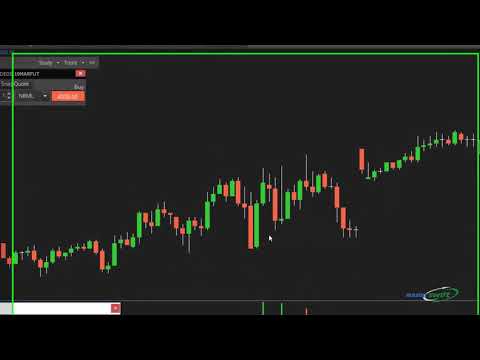

Small Business
Designed for startups and growing businesses
Medium Business
Built for business growth and flexibility
Enterprises
Designed for complex and large-scale business needs
4.3
Out of 5

Overall Rating
Based on
13 Verified Reviews
Rating Breakdown
87% Recommend this Product
Add ReviewCustomers generally appreciate Masterswift 2.0 for its comprehensive charting tools, automated trading capabilities, and effective risk management features, which enhance their trading efficiency and decision-making. Users find the platform valuable for tracking investments and analyzing market trends, often highlighting its user-friendly interface and real-time data. However, some users have noted a steep learning curve, particularly with advanced features and scripting for automation, and have expressed a desire for improved customer support and more intuitive tutorials. Overall, the sentiment is positive, with many recommending it for both beginners and experienced traders.
Pros
"Decent software with lots of optimization in this price segment"
"One of the best software in the market for the stoke and investment. Love this product"
"Not that much indulge in stocks but with this software guidance learnt a lot"
Cons
"expensive for the new user but after using it for some while u will know its worth"

Sep 2, 2024
Techjockey Verified
“Comprehensive Charting Tools That Help Me Trade Better”
Masterswift 2.0 provides detailed and customizable charting tools that help me analyze stock movements and trends more effectively. The various timeframes and indicators allow for deeper insights into price patterns. The pattern recognition algorithms are also a great addition. Overall, it’s a valuable tool for serious traders who need detailed analysis for making trades.
Pros
The charting tools in Masterswift 2.0 are one of its strongest features. I can customize the charts with different technical indicators, and the variety of drawing tools has really helped me visualize stock movements in detail. It’s made my trading process much more informed and precise.
Cons
It took me a while to learn how to fully customize the charts the way I wanted. Some of the options aren’t immediately obvious, and I had to experiment a lot to figure things out.
Reason to switch
I wanted a platform that offered better charting tools with more customization options. Masterswift 2.0 has exceeded my expectations in that regard.
Sep 3, 2024
Techjockey Verified
“Masterswift 2.0’s Automation Saved Me So Much Time”
Using Masterswift 2.0, I’ve been able to set up automated trading strategies that save me time. I can make trades at specific times or prices, which makes the whole process easier and more efficient. This feature has helped me stay on top of market trends, even when I’m busy with other things. It’s really improved my trading outcomes.
Pros
The automated trading feature is what I appreciate the most about Masterswift 2.0. I can develop strategies and let the platform execute them without constantly monitoring the market. It’s been a big help in saving me time, and it reduces the stress of missing out on opportunities.
Cons
The scripting language for automation is a bit technical for beginners. I had to spend time learning it, and it would have been great if there were more beginner-friendly guides or templates.
Reason to switch
I needed a platform that offered stronger automation tools since I don’t always have time to keep an eye on the market. Masterswift 2.0 has helped me automate trades and stay on top of things more easily.
Sep 11, 2024
Techjockey Verified
“Reliable Trading With Masterswift 2.0’s Risk Management Tools”
Masterswift 2.0 has made my trading process more secure by offering tools to manage my risks effectively. The platform provides real-time data and lets me make quick trading decisions based on my set limits. The automated trading feature is also great for setting up strategies in advance. Overall, it’s a good platform to help you minimize risks while trading.
Pros
One of the best features for me in Masterswift 2.0 is the risk management tools. It lets me set stop-loss and take-profit orders, which is great because I like to keep my losses to a minimum while still staying in the game. It’s helped me trade with more confidence.
Cons
I wish there were more detailed tutorials on how to fully utilize all the risk management options. Some features, like the risk assessment calculators, weren’t easy to figure out without extra research.
Reason to switch
I wanted better control over how much risk I take with each trade, and Masterswift 2.0 has more advanced risk management features than my previous software.

Masterswift 2.0
Price On Request
Desktop
Mobile
Web based
On Premises
Windows
Mac OS

StockMock
₹ 349
Desktop
Mobile
Web based
On Premises
Windows
Mac OS

AlgoTest
Price On Request
Desktop
Mobile
Web based
On Premises
Windows
Mac OS

Pocketful
Price On Request
Desktop
Mobile
Web based
On Premises
Windows
Mac OS

Edelweiss TX3
Price On Request
Desktop
Mobile
Web based
On Premises
Windows
Mac OS

Zerodha Kite
Price On Request
Desktop
Mobile
Web based
On Premises
Windows
Mac OS

Bajaj Broking
Price On Request
Desktop
Mobile
Web based
On Premises
Windows
Mac OS

Bigul
Price On Request
Desktop
Mobile
Web based
On Premises
Windows
Mac OS

Fidelity
Price On Request
Desktop
Mobile
Web based
On Premises
Windows
Mac OS
Trading Terminal
Price On Request
Desktop
Mobile
Web based
On Premises
Windows
Mac OS

QuantShare
Price On Request
Desktop
Mobile
Web based
On Premises
Windows
Mac OS
(0) Product(s) selected
Available
Price on Request
Available
Price on Request

Available
Price on Request

Available
Price on Request

Available
Price on Request

Available
Price on Request

Available
Price on Request

Available
Price on Request

Available
Price on Request
Yes, Masterswift stock trading software provides information about funds and investments. You can use the feature track portfolio to get information regarding mutual funds and investments.
Yes, the update option is built into the software for the latest returns and ratings updates.
Goal planning is an option attached to the software for doing risk assessments. These assessments are important for investment planning.
Value-added reports generated by Masterswift trading software are critical for currency reports, transaction summaries and annualized returns.
Back-testing support by Masterswift is important for testing trading strategies against the available historical data for risk reduction.
Yes, Masterswift 2.0 offers a mobile app for trading and finance management for Android and Apple.
0 0
Yes, you can create mean reversion strategies using MasterSwift 2.0. The platform includes features for spotting overbought or oversold conditions, allowing you to build algorithms that profit from market corrections. These methods can be backtested with historical data and parameters optimised to improve performance under certain market conditions.
0 0
To improve your technical analysis parameters in MasterSwift 2.0:
0 0
You can use MasterSwift 2.0 to analyse market microstructure data. The platform includes tools for analysing order flow, trade execution patterns, and liquidity measurements, allowing users to gain insights into market dynamics and optimise their trading methods using microstructure analysis.
0 0
MasterSwift 2.0 enables users to backtest strategies against various historical data sets by specifying time intervals and data sources. It gives extensive performance indicators to assess effectiveness across various market situations, assisting with plan refinement.
0 0
20,000+ Software Listed
Best Price Guranteed
Free Expert Consultation
2M+ Happy Customers
Terms and Condtions

Users with registered businesses can purchase goods from merchants on the platform to satisfy their business needs. Users are not permitted to utilize any products acquired through the platform for resale, advertising, business, or further distribution.
For each purchase made, users will receive a Tax Invoice (or 'GST invoice') that includes specific details such as:
the GSTIN of the user associated with their registered business, and
the specified Entity Name for their business.
It should be noted that not all products are eligible for GST Invoice. Only the products displayed by participating sellers with the 'GST-based Invoice Available' callout on the product description page would qualify.
Certain goods and services are not eligible to get a GST Invoice, including items with VAS, i.e., Value Added Services (e.g., Total Mobile Protection/Assured Buyback) and those involving an exchange offer at the time of purchase.
Users must ensure the accuracy of the GSTIN, and business entity name provided for the GST Invoice. Requests for corrections into GST Invoice would not be accommodated by Techjockey.com or any Seller, and any issues arising from user-provided information are the sole responsibility of users.
Techjockey.com is not liable for the GST Invoice or any associated input tax credit. To efficiently claim an input tax credit, users should select the registered place of business address as per the GST authority's data and follow the provisions of the GST Act and rules.
To claim an input tax credit, the delivery and billing addresses must match. Furthermore, input tax credits will not be granted if the delivery address and GSTIN on the invoice are from different states. In case of incorrect GST details provided during the order placement, the order will be canceled automatically.