linkedin
Media Shuttle logo
play The Signiant Journey – Media Shuttle
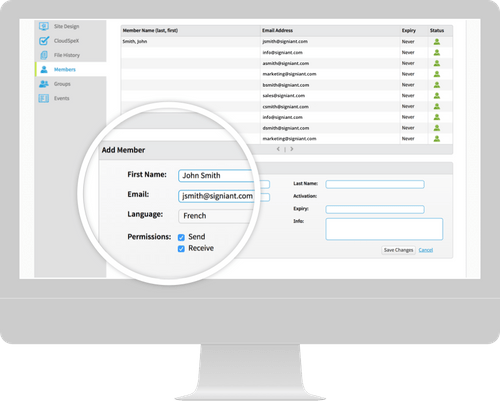
Media Shuttle members
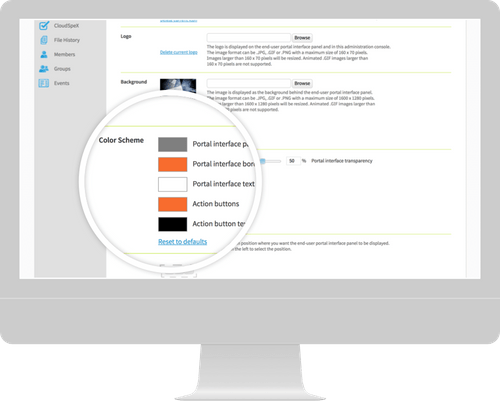
Media Shuttle colour scheme

Media Shuttle

Brand: Signiant

  • 4.5

  • 3 Ratings

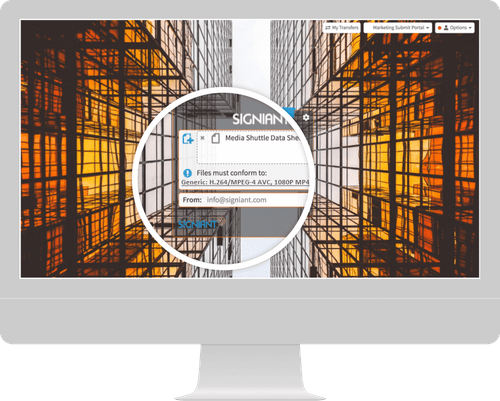
Media Shuttle is a cloud-based media sharing platform designed for creative teams. It simplifies the process of transferring large files, enabling efficient collaboration across various projects and teams.

See More

Have you used Media Shuttle before?

Share your insights for better experience

Add a Review

Price Available on Request

Questions about pricing or customization? We’re here to help, just a click away.

100% Genuine
Products
Best Price
Guaranteed
Safe & Secure
Payment
  • Description

  • Pricing

  • Features

  • Specification

  • Review

  • Compare

  • Alternatives

  • FAQ

Media Shuttle Software Overview

What is Media Shuttle?

Media Shuttle is a powerful business software and utility software specifically designed for high-speed file transfers. It caters to the needs of creative professionals, allowing users to send, share, and collaborate on large media files effortlessly. The platform is built to handle the challenges associated with large file sizes that traditional email systems cannot manage, providing a reliable alternative for media companies, agencies, and freelancers.

One of the standout features of Media Shuttle is its ability to facilitate seamless collaboration among team members and clients. Users can upload files, create links for sharing, and even set expiration dates for those links to enhance security. The service supports various file formats, making it a versatile tool for anyone in need of efficient file transfers, whether for video, audio, or graphic files. Media Shuttle is designed to streamline workflows, reduce downtime, and enhance productivity in creative projects.

Why Choose Media Shuttle File Transfer Software?

  • User-Friendly Interface: Media Shuttle offers an intuitive platform, making it easy for anyone to send and receive files without technical expertise.
  • Fast File Transfers: The service is optimized for speed, allowing users to send large files quickly, reducing waiting times.
  • Secure Sharing: Media Shuttle employs advanced encryption methods to ensure that all shared files are secure, protecting sensitive information.
  • Cross-Device Compatibility: Users can access Media Shuttle from any device, making it convenient for teams working remotely or on the go.
  • Real-Time Collaboration: The platform supports instant feedback and collaboration, enabling teams to work together more efficiently.

Benefits of Media Shuttle File Transfering Software

  • Streamlined Workflows: By simplifying file transfers, Media Shuttle helps creative teams work more efficiently, reducing the time spent on file management.
  • Cost-Effective Solution: The platform eliminates the need for costly physical storage solutions and allows for scalable plans that fit different budgets.
  • Enhanced Security: Media Shuttle provides peace of mind with its secure file transfer and storage solutions, protecting intellectual property.
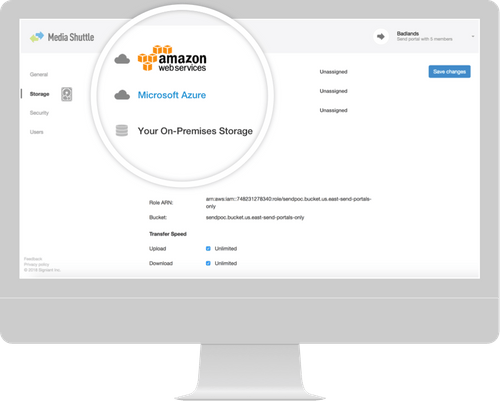
  • Flexible Storage Options: Users can choose from various storage solutions tailored to their needs, ensuring that all files are easily accessible.
  • Customizable Workflows: The platform allows for adjustments to suit specific business needs, enhancing overall productivity.

Pricing Of Media Shuttle

Media Shuttle price is available on request at techjockey.com. The pricing model is based on different parameters, including extra features, deployment type, and the total number of users. For further queries related to the product, you can contact our product team and learn more about the pricing and offers.

Read more

Signiant Company Details

Founded Year:  2000

Signiant enterprise software and services provide people and systems with fast, reliable, secure global access to valuable media assets ? regardless of storage type or location.

Director/Founders Margaret Craig
Company Size 101-500 Employees

Media Shuttle Pricing & Plans

Looking for The Right Pricing?

Share your requirements and get a plan built around your business.

  • Define your business needs
  • Get customised pricing
  • Choose features that fit your workflow

Price Available on Request

Get personalised Media Shuttle pricing that fits your needs. Our team will connect with you.

Media Shuttle Features

  • icon_check Portals for Every Use Case
    Media Shuttle offers tailored portals that cater to specific project needs, ensuring a personalized user experience.
  • icon_check Dashboards
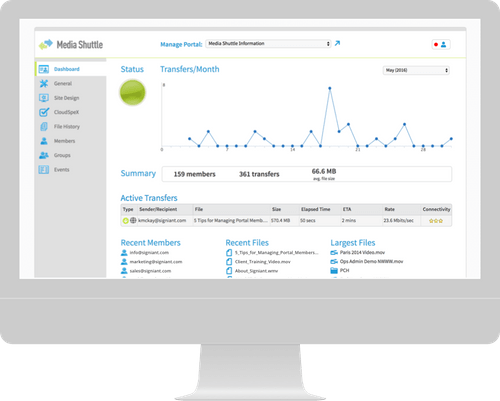
    Users can monitor their file transfers and activities in real-time, providing insights into usage and performance.
  • icon_check Access Control
    The platform allows administrators to set permissions, ensuring only authorized personnel can access sensitive files.
  • icon_check Customization
    Media Shuttle enables users to customize their portals, creating a unique brand experience for clients and teams.
  • icon_check Foreign Language
    The service supports multiple languages, making it accessible for international teams.
  • icon_check Storage
    Offers flexible storage solutions that accommodate varying amounts of data, making it suitable for businesses of all sizes.
  • icon_check Cloudspex
    This feature provides analytics and reporting tools, helping businesses track file transfers and user activity.
  • icon_check Custom Metadata Entry
    Users can add metadata to files for better organization and searchability within the platform.
  • icon_check Send & Share from Any Device
    Media Shuttle is accessible from desktop, tablet, or mobile, ensuring file sharing is convenient.
  • icon_check API
    The API integration allows businesses to connect Media Shuttle with other software tools to enhance functionality and workflow.
Media Shuttle Demo Video play icon

Get Media Shuttle Demo

Watch the demo video to explore key features, real workflows, and how the software fits your business needs.

Understand
Key Features
Personal
Demo Insights
Interactive
Demo Support

Media Shuttle Specifications

Supported Platforms
Windows Windows
Devices
Desktop Desktop
Deployment
Cloud-Based Cloud-Based
Suitable For
All Industries
Business Specific
All Businesses
Language
English

Explore the Best Alternative Solutions Similar to Your Business Size and Needs

Media Shuttle Review

4.5

Out of 5

img

Overall Rating

Based on
3 Verified Ratings

Rating Breakdown

  • Features 4.5
  • Value for Money 4.8
  • Ease of Use 4.6
  • Customer Support 4

96% Recommend this Product

Add Review

Techjockey Trusted Reviews from Verified Users

No reviews are currently available for Media Shuttle. Discover similar High Speed File Transfer Software reviews
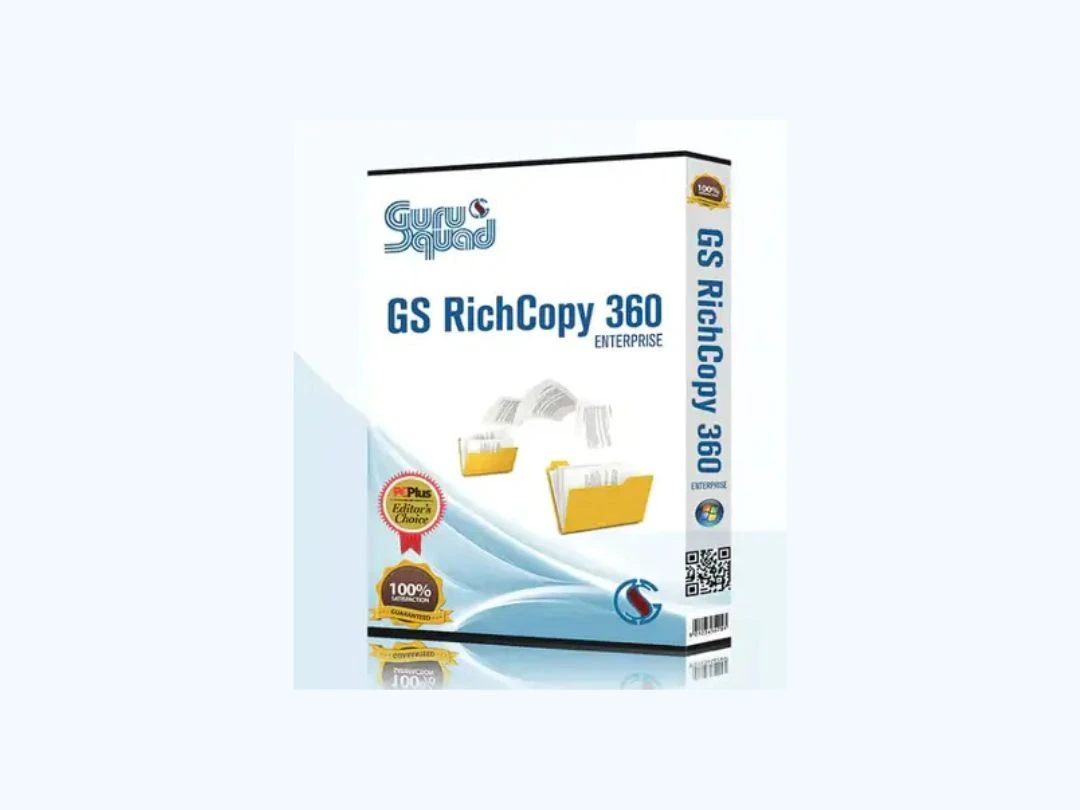
  • Gs Richcopy 360 Enterprise

    4.6

    Whats great - GS Richcopy 360 is exceptionally easy to set up and customize. It offers versatile backup options, allowing you to secure you... read more

  • SendAnywhere

    4.3

    Whats great - Team members can download files instantly. read more

  • TransferXL

    4.2

    Whats great - Lightning-fast speed. read more

Compare Media Shuttle With other High Speed File Transfer Software

Products
Ratings
Pricing
Device Supported
Deployment
Supported Platforms
  • img

    Media Shuttle

  • 4.5

  • Price On Request

  • Desktop

    Mobile

  • Web based

    On Premises

  • Windows

    Mac OS

  • img

    Innorix

  • 4.1

  • Price On Request

  • Desktop

    Mobile

  • Web based

    On Premises

  • Windows

    Mac OS

  • img

    Transfernow

  • 4.6

  • ₹ 800

  • Desktop

    Mobile

  • Web based

    On Premises

  • Windows

    Mac OS

  • img

    Pixeldrain

  • 4.3

  • Price On Request

  • Desktop

    Mobile

  • Web based

    On Premises

  • Windows

    Mac OS

  • img

    GSRichCopy360

  • 4.5

  • ₹ 4700

  • Desktop

    Mobile

  • Web based

    On Premises

  • Windows

    Mac OS

  • img

    SendGB

  • 4.4

  • Price On Request

  • Desktop

    Mobile

  • Web based

    On Premises

  • Windows

    Mac OS

  • img

    Blip

  • 4.2

  • Price On Request

  • Desktop

    Mobile

  • Web based

    On Premises

  • Windows

    Mac OS

  • img

    MOVEit MFT

  • 4.3

  • Price On Request

  • Desktop

    Mobile

  • Web based

    On Premises

  • Windows

    Mac OS

  • img

    Xender

  • 4.3

  • Price On Request

  • Desktop

    Mobile

  • Web based

    On Premises

  • Windows

    Mac OS

  • img

    TransferXL

  • 4.2

  • Price On Request

  • Desktop

    Mobile

  • Web based

    On Premises

  • Windows

    Mac OS

  • img

    FileZilla Pro

  • 4.5

  • Price On Request

  • Desktop

    Mobile

  • Web based

    On Premises

  • Windows

    Mac OS

(0) Product(s) selected

Media Shuttle Alternatives

See All Media Shuttle Alternatives
SAVE UPTO 37%

Blip

4.2

Starting Price:

$30 /Month

Available

Price on Request

Available

Price on Request

Available

Price on Request

Available

Price on Request

Available

Price on Request

Articles for Media Shuttle

See All Related Articles

What is Media Shuttle used for?

Media Shuttle is used for transferring large media files securely and efficiently, especially in creative industries.

How does Media Shuttle ensure security?

Media Shuttle uses advanced encryption and access control features to protect shared files and user data.

Can I use Media Shuttle on mobile devices?

Yes, Media Shuttle is accessible from any device, including smartphones and tablets.

What types of files can I send with Media Shuttle?

You can send various file types, including videos, images, and audio files, making it versatile for creative projects.

Is Media Shuttle user-friendly?

Absolutely! Media Shuttle has an intuitive interface that makes it easy for users to navigate and manage files.

Does Media Shuttle support multiple languages?

Yes, Media Shuttle offers support for various languages, making it user-friendly for international teams.

How can I track my file transfers?

Media Shuttle provides dashboards where users can monitor their transfers and access analytics for better insights.

Can I customize my Media Shuttle portal?

Yes, users can customize their portals to align with their brand and project requirements.

What storage options does Media Shuttle provide?

Media Shuttle offers flexible storage solutions, allowing users to choose the amount of storage that fits their needs.

Does Media Shuttle integrate with other tools?

Yes, Media Shuttle offers API integration, allowing businesses to connect it with other software for enhanced functionality.

20,000+ Software Listed

Best Price Guranteed

Free Expert Consultation

2M+ Happy Customers

Terms and Condtions

close

Users with registered businesses can purchase goods from merchants on the platform to satisfy their business needs. Users are not permitted to utilize any products acquired through the platform for resale, advertising, business, or further distribution.

For each purchase made, users will receive a Tax Invoice (or 'GST invoice') that includes specific details such as:

  • the GSTIN of the user associated with their registered business, and

  • the specified Entity Name for their business.

It should be noted that not all products are eligible for GST Invoice. Only the products displayed by participating sellers with the 'GST-based Invoice Available' callout on the product description page would qualify.

Certain goods and services are not eligible to get a GST Invoice, including items with VAS, i.e., Value Added Services (e.g., Total Mobile Protection/Assured Buyback) and those involving an exchange offer at the time of purchase.

Users must ensure the accuracy of the GSTIN, and business entity name provided for the GST Invoice. Requests for corrections into GST Invoice would not be accommodated by Techjockey.com or any Seller, and any issues arising from user-provided information are the sole responsibility of users.

Techjockey.com is not liable for the GST Invoice or any associated input tax credit. To efficiently claim an input tax credit, users should select the registered place of business address as per the GST authority's data and follow the provisions of the GST Act and rules.

To claim an input tax credit, the delivery and billing addresses must match. Furthermore, input tax credits will not be granted if the delivery address and GSTIN on the invoice are from different states. In case of incorrect GST details provided during the order placement, the order will be canceled automatically.