Description
Pricing
Features
Specification
Review
Compare
FAQs
Alternatives
 Get Free Advice
Get Quote

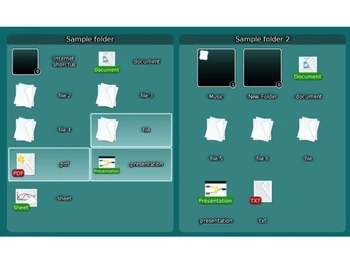
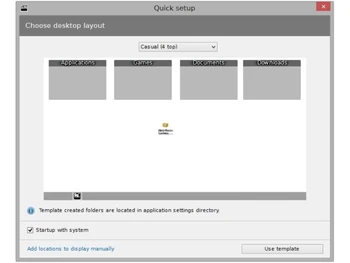


Brand : Nimi Places


Have Questions?
FREE
Save Extra with 2 Offers
 Save upto 18%, Get GST Invoice on your business purchase |
Users with registered businesses can purchase goods from merchants on the platform to satisfy their business needs. Users are not permitted to utilize any products acquired through the platform for resale, advertising, business, or further distribution.
For each purchase made, users will receive a Tax Invoice (or 'GST invoice') that includes specific details such as:
the GSTIN of the user associated with their registered business, and
the specified Entity Name for their business.
It should be noted that not all products are eligible for GST Invoice. Only the products displayed by participating sellers with the 'GST-based Invoice Available' callout on the product description page would qualify.
Certain goods and services are not eligible to get a GST Invoice, including items with VAS, i.e., Value Added Services (e.g., Total Mobile Protection/Assured Buyback) and those involving an exchange offer at the time of purchase.
Users must ensure the accuracy of the GSTIN, and business entity name provided for the GST Invoice. Requests for corrections into GST Invoice would not be accommodated by Techjockey.com or any Seller, and any issues arising from user-provided information are the sole responsibility of users.
Techjockey.com is not liable for the GST Invoice or any associated input tax credit. To efficiently claim an input tax credit, users should select the registered place of business address as per the GST authority's data and follow the provisions of the GST Act and rules.
To claim an input tax credit, the delivery and billing addresses must match. Furthermore, input tax credits will not be granted if the delivery address and GSTIN on the invoice are from different states. In case of incorrect GST details provided during the order placement, the order will be canceled automatically.
Buy Now & Pay Later, Check offer on payment page. A free utility software that creates customizable containers to manage files, folders, and shortcuts. ...Read more
 Get Instant Expert
  Safe & Secure
  Assured Best Price
 This product is available Free Forever.
Start using it instantly — no charges, no commitments.
Free Forever Plan
Get started immediately at no cost.
Upgrade anytime if your business needs grow.
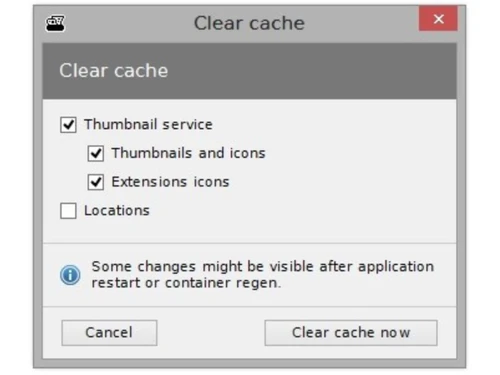
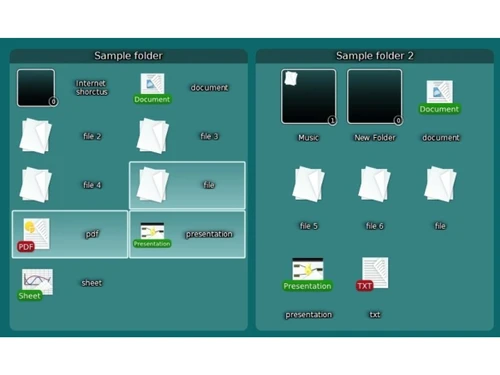
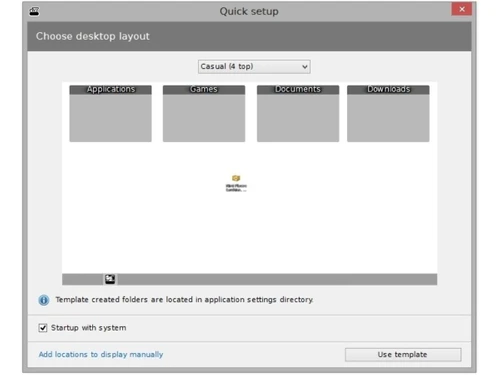
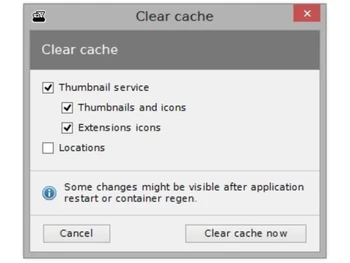
 Container Virtualization Software creates localized desktop containers that logically map to physical directory structures without altering file paths. Media Thumbnail Extraction The application employs internal codecs to generate high-quality visual previews for diverse video and image file formats. Conditional Rendering Container visibility is toggled based on active foreground process titles, specific time intervals, or geolocation data. Directory Synchronization Software monitors local file system changes in real-time to update container contents without requiring manual refreshing. Automated File Routing User-defined rules execute move or copy operations automatically when files matching specific patterns enter watched folders. Resolution Adaptation Dynamic UI scaling ensures container positions and dimensions are preserved when switching between different display outputs. Metadata Labeling Users apply color-coded tags to individual elements for visual categorization and prioritization within the desktop workspace. Preview Functionality An integrated front-end allows for the direct playback of audio and video streams without launching external media players. Absolute Grid Snapping Container positioning and resizing utilize a pixel-precise grid system to maintain uniform alignment across the desktop area. Instance Portability The executable environment supports standalone operation from removable storage media without requiring system registration. Recursive Subfolder View Containers provide navigational access to nested directory hierarchies while maintaining the parent container boundaries. Relative Path Mapping Configuration files utilize relative addressing to ensure functional file links when the application moves across volumes.

 20,000+ Software Listed
 Best Price Guaranteed
 Free Expert Consultation
 2M+ Happy Customers
 USA
USA UAE
UAE

 Write a Review