 USA
USA UAE
UAESmall Business
Designed for startups and growing businesses
See More




Brand: Nord Security
NordPass is a password manager that helps individuals and businesses securely store, manage, and share passwords, passkeys, and sensitive information. It simplifies access management while enhancing online security across devices.
See MoreHave you used NordPass before?
Share your insights for better experience
Brand: Nord Security
Founded Year: 2012
NordVPN was launched by childhood friends in 2012. They had spent a lot of time in different parts of the world, but saw the same picture
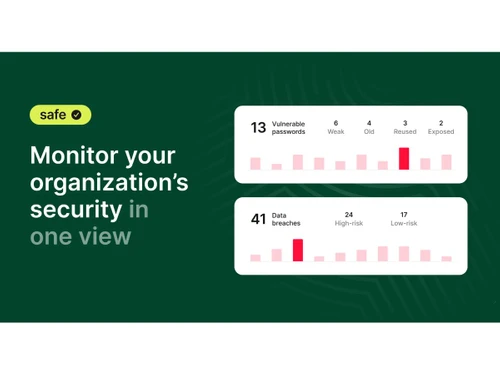
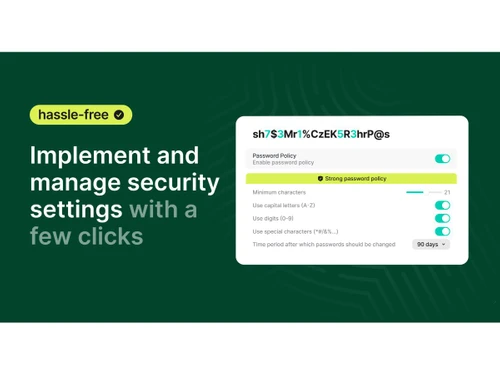
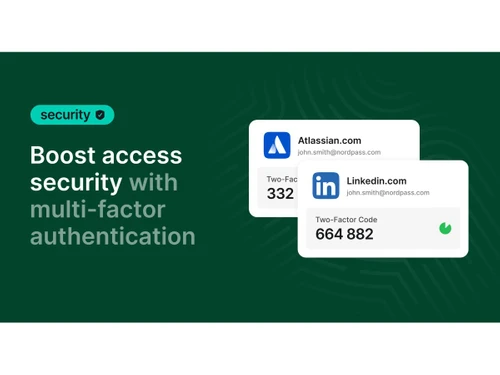
 Password Vault Autofill Password Generator Autosave Cross-Device Sync Multi-Factor Authentication (MFA) Password Health Data Breach Monitoring Secure Password Sharing Browser Extension Secure Storage Activity Logs Import/Export Management

Watch the demo video to explore key features, real workflows, and how the software fits your business needs.
 Windows
  iOS
iOS  Android MacOS
  Linux
Linux  Desktop
  Mobile
  Tablet
  iPad
iPad  Cloud-Based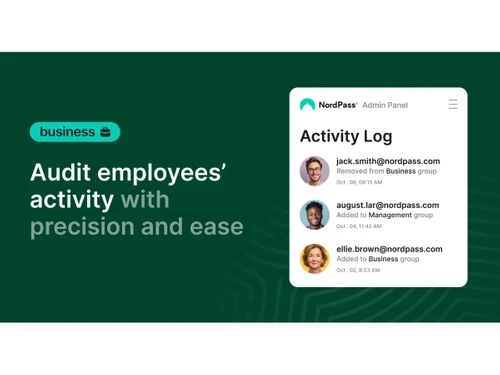
Small Business
Designed for startups and growing businesses
Medium Business
Built for business growth and flexibility
Enterprises
Designed for complex and large-scale business needs
Techjockey Trusted Reviews from Verified Users
No reviews are currently available for NordPass. Discover similar Password Management Software reviews

ElcomSoft Password Recovery Bundle
Whats great - I've utilized many programming in an eager exertion to beast power a secret phrase out of a solitary PDF. Up until this point... read more

Zoho Vault
Whats great - Two-factor confirmation accessible. Available from any program, any stage. Licenses sharing and exchanging of logins between ... read more

MailsDaddy PST Password Remover
Whats great - MailsDaddy PST Password Remover offers a fast and reliable password recovery process without compromising PST data integrity.... read more
NordPass
$ 23.88 excl. GST
Desktop
Mobile
Web based
On Premises
Windows
Mac OS
ElcomSoft Password Recovery Bundle
Price On Request
Desktop
Mobile
Web based
On Premises
Windows
Mac OS

LastPass
Price On Request
Desktop
Mobile
Web based
On Premises
Windows
Mac OS

Royal Passwords
₹ 4301
Desktop
Mobile
Web based
On Premises
Windows
Mac OS

bitwarden
Price On Request
Desktop
Mobile
Web based
On Premises
Windows
Mac OS

KeePass
Price On Request
Desktop
Mobile
Web based
On Premises
Windows
Mac OS
Zoho Vault
₹ 60
Desktop
Mobile
Web based
On Premises
Windows
Mac OS

Iolo ByePass
₹ 1450
Desktop
Mobile
Web based
On Premises
Windows
Mac OS

LogmeOnce
Price On Request
Desktop
Mobile
Web based
On Premises
Windows
Mac OS
MailsDaddy PST Password Remover
Price On Request
Desktop
Mobile
Web based
On Premises
Windows
Mac OS

Dashlane
Price On Request
Desktop
Mobile
Web based
On Premises
Windows
Mac OS
(2) Product(s) selected
Available
Price on Request
Starting Price:
$60 /Year

Starting Price:
$29 /License

Starting Price:
$3 /Month

Starting Price:
$20 /year

Starting Price:
$39 /License
NordPass price is USD 24 on techjockey.
Yes, NordPass app is available for both Android and iOS users.
NordPass is compatible with Windows, macOS, Linux, Android, and iOS platforms. It also offers browser extensions for major web browsers.
Yes, NordPass offers a free trial option for users who want to explore its features before purchasing a premium plan.
NordPass securely stores passwords, passkeys, payment information, and notes in an encrypted vault. It helps users generate strong passwords, autofill credentials, monitor security risks, and securely share information.
NordPass is used by individuals, families, professionals, and businesses seeking a secure solution for password and credential management.
Yes, users can explore NordPass through its free demo online.
Yes, NordPass offers a free plan with core password management capabilities, alongside premium plans with additional features and functionality.
20,000+ Software Listed
Best Price Guranteed
Free Expert Consultation
2M+ Happy Customers
Terms and Condtions

Users with registered businesses can purchase goods from merchants on the platform to satisfy their business needs. Users are not permitted to utilize any products acquired through the platform for resale, advertising, business, or further distribution.
For each purchase made, users will receive a Tax Invoice (or 'GST invoice') that includes specific details such as:
the GSTIN of the user associated with their registered business, and
the specified Entity Name for their business.
It should be noted that not all products are eligible for GST Invoice. Only the products displayed by participating sellers with the 'GST-based Invoice Available' callout on the product description page would qualify.
Certain goods and services are not eligible to get a GST Invoice, including items with VAS, i.e., Value Added Services (e.g., Total Mobile Protection/Assured Buyback) and those involving an exchange offer at the time of purchase.
Users must ensure the accuracy of the GSTIN, and business entity name provided for the GST Invoice. Requests for corrections into GST Invoice would not be accommodated by Techjockey.com or any Seller, and any issues arising from user-provided information are the sole responsibility of users.
Techjockey.com is not liable for the GST Invoice or any associated input tax credit. To efficiently claim an input tax credit, users should select the registered place of business address as per the GST authority's data and follow the provisions of the GST Act and rules.
To claim an input tax credit, the delivery and billing addresses must match. Furthermore, input tax credits will not be granted if the delivery address and GSTIN on the invoice are from different states. In case of incorrect GST details provided during the order placement, the order will be canceled automatically.
