 USA
USA UAE
UAESmall Business
Designed for startups and growing businesses
See More


![MailsDaddy PST Password Remover [Official] - Outlook Password Recovery](https://img.youtube.com/vi/yaNZ0vBKU24/default.jpg)
Brand: MailsDaddy
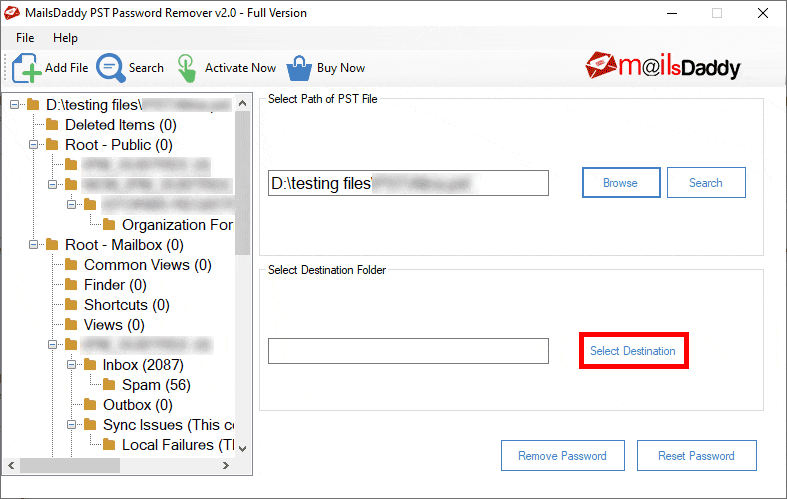
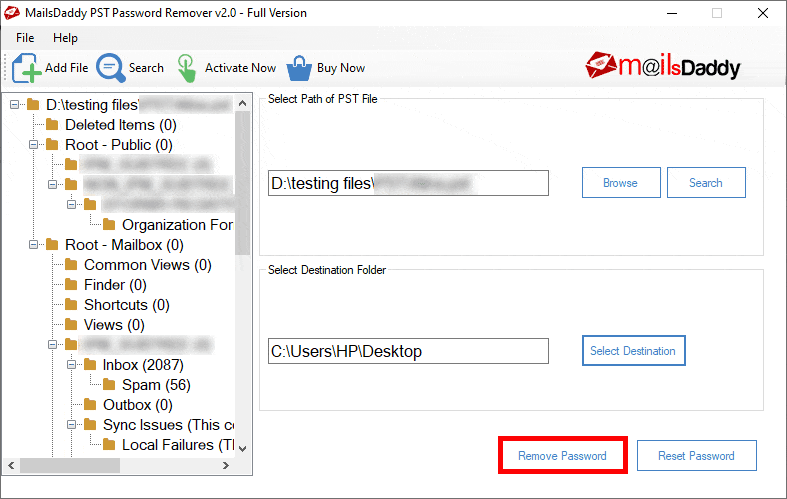
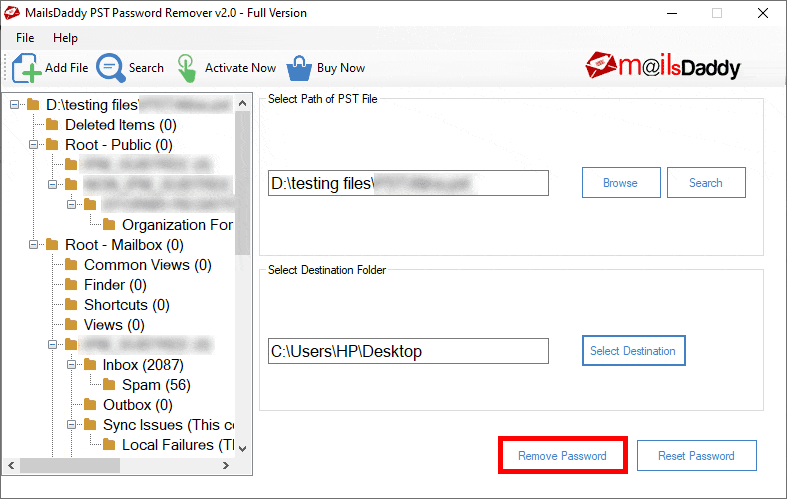
MailsDaddy PST Password Remover is a multipurpose password solution for Microsoft Outlook data files. Users can set, restore and remove passwords as per their convenience. It’s a standalone platform that allows users to do their job without having to integrate with Microsoft Outlook. Further, it can search files from the users’ Local Drive with ease. The advanced algorithm feature of MailsDad...
See MoreHave you used MailsDaddy PST Password Remover before?
Share your insights for better experience
Brand: MailsDaddy
Founded Year: 2017
MailsDaddy is a software development organization which provides solutions for Data Recovery, cloud backup and Email Migration.
 Remove Outlook PST Password Reset PST File Password Search PST file from Local Drive Unlock PST without MS Outlook Supports All Outlook Editions No PST Password is required Recovers Multilingual Password No 2GB PST File Size Limitation Support Unicode & ANSI PST One Click Solution to Unlock PST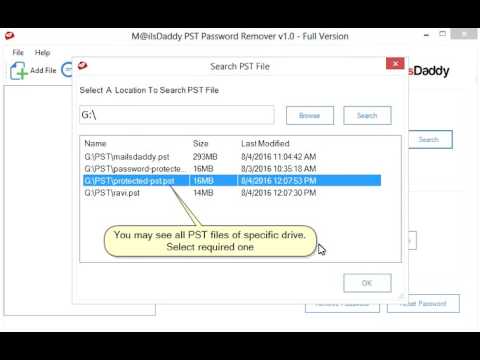

Watch the demo video to explore key features, real workflows, and how the software fits your business needs.
 Windows
  Perpetual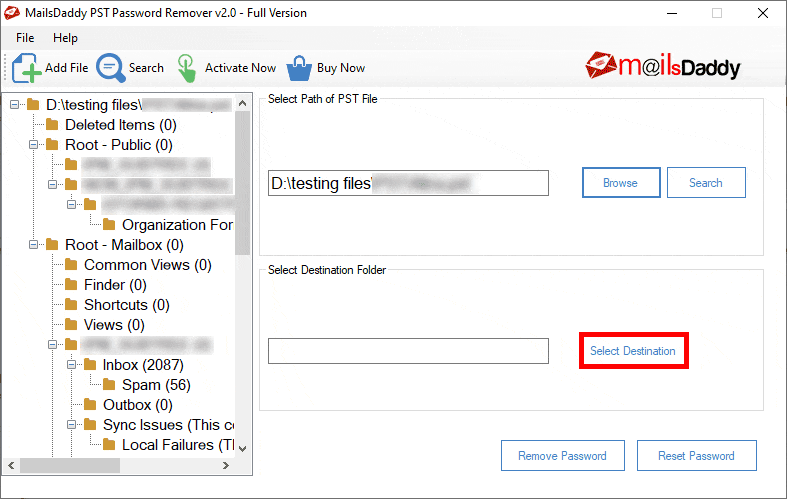
Small Business
Designed for startups and growing businesses
Medium Business
Built for business growth and flexibility
Enterprises
Designed for complex and large-scale business needs
4.3
Out of 5

Overall Rating
Based on
1 Verified Review
Rating Breakdown
90% Recommend this Product
Add Review
Jul 2, 2025
Techjockey Verified
“MailsDaddy PST Password Remover Review: Speed, Simplicity, and Reliable Results”
Experience with MailsDaddy PST Password Remover has been very positive. It’s fast, simple to use, and effectively unlocks PST files without hassle. While the interface could use a modern update, the tool does exactly what it promises, making it a reliable choice for anyone dealing with forgotten PST passwords.
Pros
MailsDaddy PST Password Remover offers a fast and reliable password recovery process without compromising PST data integrity. It supports both ANSI and Unicode PST files, works without needing Outlook installation, and runs smoothly on low-spec systems. With a clear, step-by-step interface, it’s ideal for both beginners and advanced users.
Cons
MailsDaddy PST Password Remover is limited by its lack of a mobile version and serves a single purpose, making it useful only for PST password-related tasks without offering broader functionality.

MailsDaddy PST Password Remover
Price On Request
Desktop
Mobile
Web based
On Premises
Windows
Mac OS

ElcomSoft Password Recovery Bundle
Price On Request
Desktop
Mobile
Web based
On Premises
Windows
Mac OS

KeePass
Price On Request
Desktop
Mobile
Web based
On Premises
Windows
Mac OS

LastPass
Price On Request
Desktop
Mobile
Web based
On Premises
Windows
Mac OS

bitwarden
Price On Request
Desktop
Mobile
Web based
On Premises
Windows
Mac OS

Zoho Vault
₹ 60
Desktop
Mobile
Web based
On Premises
Windows
Mac OS

LogmeOnce
Price On Request
Desktop
Mobile
Web based
On Premises
Windows
Mac OS

Royal Passwords
₹ 4301
Desktop
Mobile
Web based
On Premises
Windows
Mac OS

Iolo ByePass
₹ 1450
Desktop
Mobile
Web based
On Premises
Windows
Mac OS

Shoviv Outlook Password Recovery
Price On Request
Desktop
Mobile
Web based
On Premises
Windows
Mac OS

NordPass
Price On Request
Desktop
Mobile
Web based
On Premises
Windows
Mac OS
(0) Product(s) selected
Available
Price on Request
Starting Price:
₹4,301 /License

Starting Price:
$20 /year

Starting Price:
$60 /Year

Starting Price:
$3 /Month

Starting Price:
$39 /License
Yes, you can easily unlock a 20GB PST file with MailsDaddy PST Password Remover and browse it as well. The software does not set any limitation on the length of the file that can be unlocked.
Yes, MailsDaddy PST Password Remover supports all editions of MS Outlook 2000, 2003, 2007, 2013, 2016.
MailsDaddy PST Password Remover demo is available at Techjockey. You just need to send us a demo request along with a tentative time and date.
For using MailsDaddy PST Password Remover, you need a system with: RAM: 1GB RAM Processor: 2.4GHz Processor Hard Disk: 30MB out of the total space available within the Hard Disk.
MailsDaddy PST Password Remover does not have a mobile app as of now.
20,000+ Software Listed
Best Price Guranteed
Free Expert Consultation
2M+ Happy Customers
Terms and Condtions

Users with registered businesses can purchase goods from merchants on the platform to satisfy their business needs. Users are not permitted to utilize any products acquired through the platform for resale, advertising, business, or further distribution.
For each purchase made, users will receive a Tax Invoice (or 'GST invoice') that includes specific details such as:
the GSTIN of the user associated with their registered business, and
the specified Entity Name for their business.
It should be noted that not all products are eligible for GST Invoice. Only the products displayed by participating sellers with the 'GST-based Invoice Available' callout on the product description page would qualify.
Certain goods and services are not eligible to get a GST Invoice, including items with VAS, i.e., Value Added Services (e.g., Total Mobile Protection/Assured Buyback) and those involving an exchange offer at the time of purchase.
Users must ensure the accuracy of the GSTIN, and business entity name provided for the GST Invoice. Requests for corrections into GST Invoice would not be accommodated by Techjockey.com or any Seller, and any issues arising from user-provided information are the sole responsibility of users.
Techjockey.com is not liable for the GST Invoice or any associated input tax credit. To efficiently claim an input tax credit, users should select the registered place of business address as per the GST authority's data and follow the provisions of the GST Act and rules.
To claim an input tax credit, the delivery and billing addresses must match. Furthermore, input tax credits will not be granted if the delivery address and GSTIN on the invoice are from different states. In case of incorrect GST details provided during the order placement, the order will be canceled automatically.


