 USA
USA UAE
UAESmall Business
Designed for startups and growing businesses
See More





Brand: Zoho Corporation
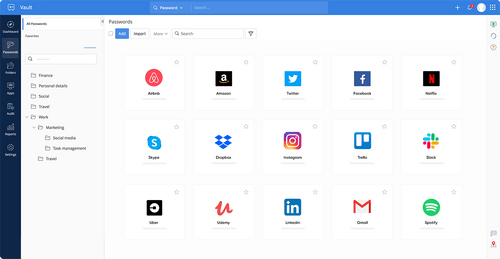
Zoho Vault is an advanced password management software for enterprises, teams and individuals which saves their unlimited passwords and other sensitive data with ease. The software features a powerful dashboard, enabling users to identify the weak passwords and get them changed in real-time. Moreover, you can organise different passwords into specific groups and share them with their employees an...
See MoreHave you used Zoho Vault before?
Share your insights for better experience
View plans
 Save upto 18%, Get GST Invoice on your business purchase T&C Buy Now & Pay Later, Check offer on payment page.
 Brand: Zoho Corporation
Founded Year: 1996
Zoho Corporation is an Indian multinational company that specialises in software development, cloud computing, and web-based business tools. It is best known for Zoho Office suite and its enterprise IT management division, ManageEngine
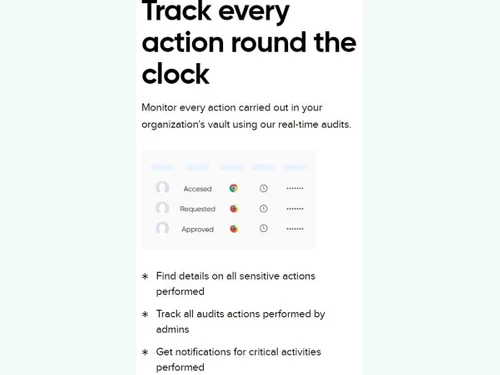
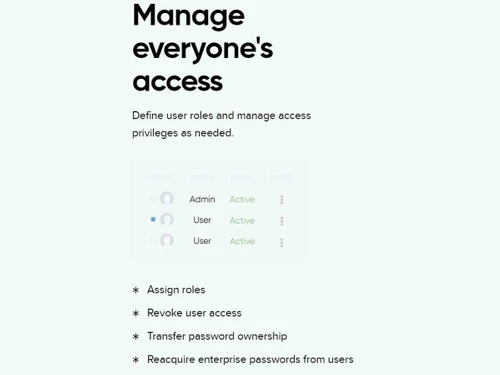
 Endpoint Protection Security Email Protection Integration Passwordless Authentication Password Protection Share passwords Direct login Ownership and roles Reports Tools Convenience

Watch the demo video to explore key features, real workflows, and how the software fits your business needs.
 Windows
  iOS
iOS  Android Windows(Phone)
  Desktop
  Mobile
  Tablet
  iPad
iPad  Cloud-Based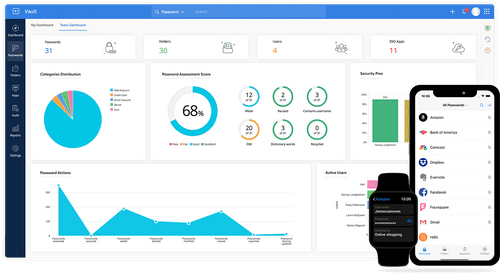
Small Business
Designed for startups and growing businesses
Medium Business
Built for business growth and flexibility
Enterprises
Designed for complex and large-scale business needs
4.4
Out of 5

Overall Rating
Based on
3 Verified Reviews
Rating Breakdown
93% Recommend this Product
Add ReviewUsers generally appreciate Zoho Vault for its accessibility and ease of use, highlighting features like two-factor confirmation and the ability to share licenses and logins. The support received from Techjockey is also praised, particularly for helping organizations find suitable software solutions. However, there are no significant complaints noted, indicating a positive overall sentiment among users who recommend the service highly.

Apr 15, 2019
Techjockey Verified
“Easy to accessible ”
Pros
Two-factor confirmation accessible. Available from any program, any stage. Licenses sharing and exchanging of logins between clients.
Cons
NO CONS
Feb 8, 2017
Techjockey Verified
“Techjockey Made My Job Easier”
Pros
We used Techjockey to aid us in finding a new EHR for our medical office. The representative that I spoke to was very helpful, and the list of compatible providers was very helpful. We still haven't made up our mind, but our main considerations did come from the list they provided us.
Cons
N/A
Feb 1, 2017
Techjockey Verified
“quick response & helpful”
Pros
Techjockey has been hugely helpful to my organization in finding a software provider to fit our needs. We quickly got advice on five providers who were a potentially good fit for a small non-profit like us. That led within a couple of days to having five calls arranged. The presentations provided by Techjockey on how to evaluate providers were very instructive for us as a small organization with little knowledge of this field, and their follow-up with us to check on how the process was going was timely and helpful. Having entered this field fairly clueless as to how to navigate all the options, the support of Techjockey has been invaluable.
Cons
N/A

Zoho Vault
₹ 60.00 excl. GST
Desktop
Mobile
Web based
On Premises
Windows
Mac OS

KeePass
Price On Request
Desktop
Mobile
Web based
On Premises
Windows
Mac OS

ElcomSoft Password Recovery Bundle
Price On Request
Desktop
Mobile
Web based
On Premises
Windows
Mac OS

LastPass
Price On Request
Desktop
Mobile
Web based
On Premises
Windows
Mac OS

bitwarden
Price On Request
Desktop
Mobile
Web based
On Premises
Windows
Mac OS

LogmeOnce
Price On Request
Desktop
Mobile
Web based
On Premises
Windows
Mac OS

Royal Passwords
₹ 4301
Desktop
Mobile
Web based
On Premises
Windows
Mac OS

Iolo ByePass
₹ 1450
Desktop
Mobile
Web based
On Premises
Windows
Mac OS

MailsDaddy PST Password Remover
Price On Request
Desktop
Mobile
Web based
On Premises
Windows
Mac OS
NordPass
Price On Request
Desktop
Mobile
Web based
On Premises
Windows
Mac OS

Shoviv Outlook Password Recovery
Price On Request
Desktop
Mobile
Web based
On Premises
Windows
Mac OS
(0) Product(s) selected
Available
Price on Request
Starting Price:
₹4,301 /License

Starting Price:
$20 /year

Starting Price:
$60 /Year

Starting Price:
$3 /Month

Starting Price:
$39 /License
Yes, you can easily access all passwords without the internet by downloading their offline copies using Zoho Vault.
Yes. As an admin you can restrict certain employees from sharing or getting backups of an individual password from Zoho Vault account.
Yes, you can request an online demo for Zoho Vault. Our in-house software experts will get back to you as per your preferred time schedule.
Yes, you can easily backup the data stored in Zoho Vault on multiple cloud services like Google Drive, Dropbox, Amazon S3, OneDrive and more.
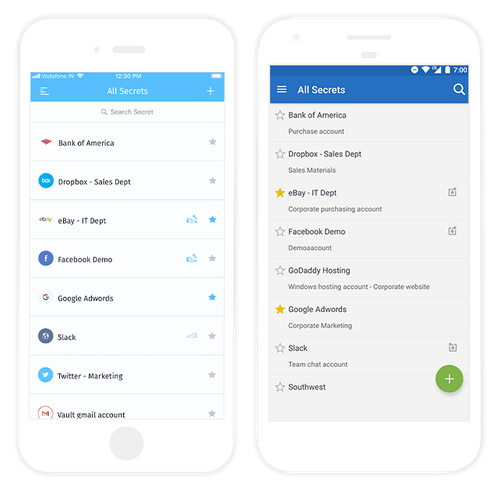
Zoho Vault has a dedicated mobile app which is compatible with Android, iOS and Windows mobile devices.
20,000+ Software Listed
Best Price Guranteed
Free Expert Consultation
2M+ Happy Customers
Terms and Condtions

Users with registered businesses can purchase goods from merchants on the platform to satisfy their business needs. Users are not permitted to utilize any products acquired through the platform for resale, advertising, business, or further distribution.
For each purchase made, users will receive a Tax Invoice (or 'GST invoice') that includes specific details such as:
the GSTIN of the user associated with their registered business, and
the specified Entity Name for their business.
It should be noted that not all products are eligible for GST Invoice. Only the products displayed by participating sellers with the 'GST-based Invoice Available' callout on the product description page would qualify.
Certain goods and services are not eligible to get a GST Invoice, including items with VAS, i.e., Value Added Services (e.g., Total Mobile Protection/Assured Buyback) and those involving an exchange offer at the time of purchase.
Users must ensure the accuracy of the GSTIN, and business entity name provided for the GST Invoice. Requests for corrections into GST Invoice would not be accommodated by Techjockey.com or any Seller, and any issues arising from user-provided information are the sole responsibility of users.
Techjockey.com is not liable for the GST Invoice or any associated input tax credit. To efficiently claim an input tax credit, users should select the registered place of business address as per the GST authority's data and follow the provisions of the GST Act and rules.
To claim an input tax credit, the delivery and billing addresses must match. Furthermore, input tax credits will not be granted if the delivery address and GSTIN on the invoice are from different states. In case of incorrect GST details provided during the order placement, the order will be canceled automatically.


