
Description
Pricing
Features
Specification
Review
Compare
FAQs
Questions
Alternatives

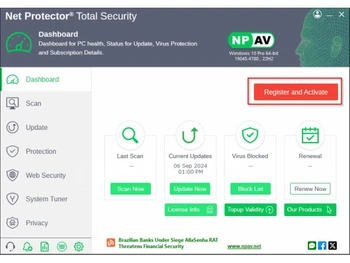
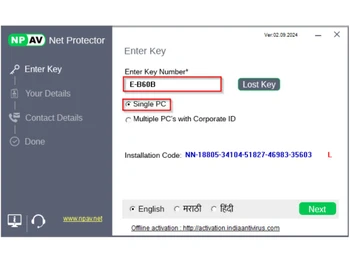
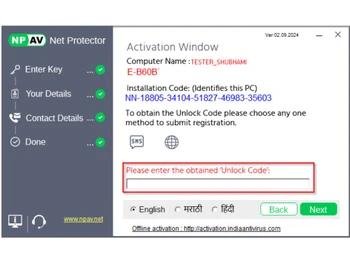


Brand : NPAV


4.2 
16 Ratings & 16 Reviews
Have Questions?
₹ 338 excl. GST ₹ 1,999 83% off
₹ 399 incl. GST
View plans
MRP: ₹1,999 /Year
Save Extra with 2 Offers
 Save upto 18%, Get GST Invoice on your business purchase |
Users with registered businesses can purchase goods from merchants on the platform to satisfy their business needs. Users are not permitted to utilize any products acquired through the platform for resale, advertising, business, or further distribution.
For each purchase made, users will receive a Tax Invoice (or 'GST invoice') that includes specific details such as:
the GSTIN of the user associated with their registered business, and
the specified Entity Name for their business.
It should be noted that not all products are eligible for GST Invoice. Only the products displayed by participating sellers with the 'GST-based Invoice Available' callout on the product description page would qualify.
Certain goods and services are not eligible to get a GST Invoice, including items with VAS, i.e., Value Added Services (e.g., Total Mobile Protection/Assured Buyback) and those involving an exchange offer at the time of purchase.
Users must ensure the accuracy of the GSTIN, and business entity name provided for the GST Invoice. Requests for corrections into GST Invoice would not be accommodated by Techjockey.com or any Seller, and any issues arising from user-provided information are the sole responsibility of users.
Techjockey.com is not liable for the GST Invoice or any associated input tax credit. To efficiently claim an input tax credit, users should select the registered place of business address as per the GST authority's data and follow the provisions of the GST Act and rules.
To claim an input tax credit, the delivery and billing addresses must match. Furthermore, input tax credits will not be granted if the delivery address and GSTIN on the invoice are from different states. In case of incorrect GST details provided during the order placement, the order will be canceled automatically.
Buy Now & Pay Later, Check offer on payment page. A suite that offers network security, online threat protection and anti-malware tools. ...Read more
 Get Instant Expert
  Safe & Secure
  Assured Best Price

Calculated Price (Exclusive of all taxes)
₹ 338 ₹1999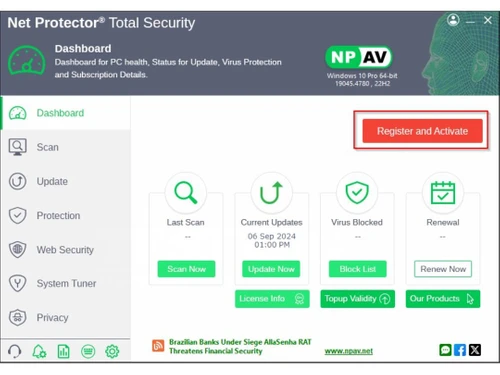
Core Protection
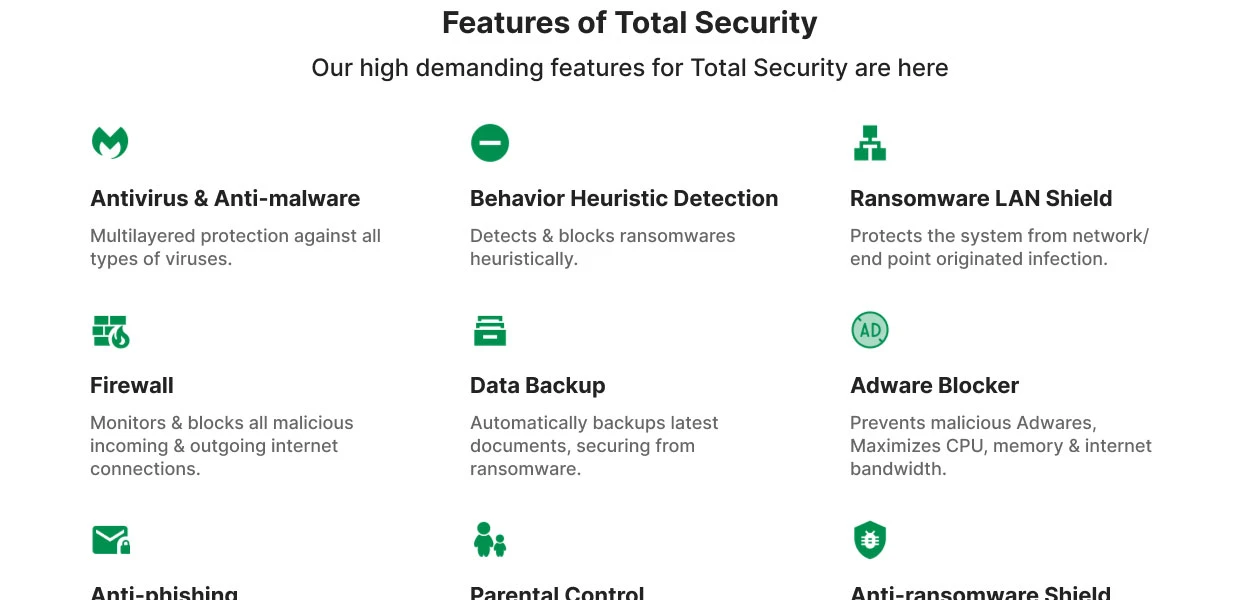
 Multi-Layered Malware Detection Uses layers to catch both known and new threats. Anti-Spyware Protects against spyware that steals personal data. Real-Time Threat Detection Instantly blocks malware as it appears. On-Demand & Scheduled Scanning Offers flexible scan options for malware detection. Behavioral Analysis Monitors apps for suspicious behavior patterns. USB Protection Scans and protects against USB-based threats. Threat Removal and Quarantine Isolates and removes dangerous files safely. Rootkit Detection & Removal Uncovers hidden rootkits and removes them securely. Exploit Prevention Blocks threats exploiting software vulnerabilities. Heuristic Analysis Detects unknown malware using heuristic techniques.
 Internet & Network Security
IDS / IPS Protection Monitors and prevents network intrusions. Firewall Protection Blocks unauthorized network access. Email Protection Scans emails for phishing and malware. Ad Blocker Blocks intrusive and potentially malicious ads. Web Protection & URL Filtering Blocks malicious websites and URLs. Wi-Fi Security Detects and warns about risky Wi-Fi networks. Anti-Spam Filters Keeps spam and phishing emails out of your inbox. Advanced Threat Protection
Ransomware Protection Shields files from ransomware attacks. File Rollback Restores files affected by ransomware to a safe state. Behavioral Ransomware Protection Detects ransomware based on behavior. Application Whitelisting Allows only trusted apps to run. Data Protection and Privacy
Data Encryption Secures sensitive files with encryption. Webcam Protection Prevents unauthorized access to the webcam. Privacy Control Manages app permissions to protect privacy. Anti-Phishing & Identity Protection Blocks phishing and ID theft attempts. Data Shredder Permanently deletes files to prevent recovery. Browser Privacy Tools Blocks tracking and enhances browser privacy. Data Leak Prevention Stops sensitive data from being leaked. VPN (Virtual Private Network) Hides IP and secures internet browsing. Dark Web Monitoring Alerts if personal data is found on the dark web. Device Performance and Optimization
Disk Cleanup and Junk File Removal Clears space by deleting junk files. System Optimization Tools Improves device performance and speed. Battery Saver Extends battery life by optimizing settings. Startup Manager Controls which apps run at startup. Game Mode Reduces lag by pausing non-essential processes. Network Performance Monitor Manages bandwidth for optimal network speed. Family and Parental Controls
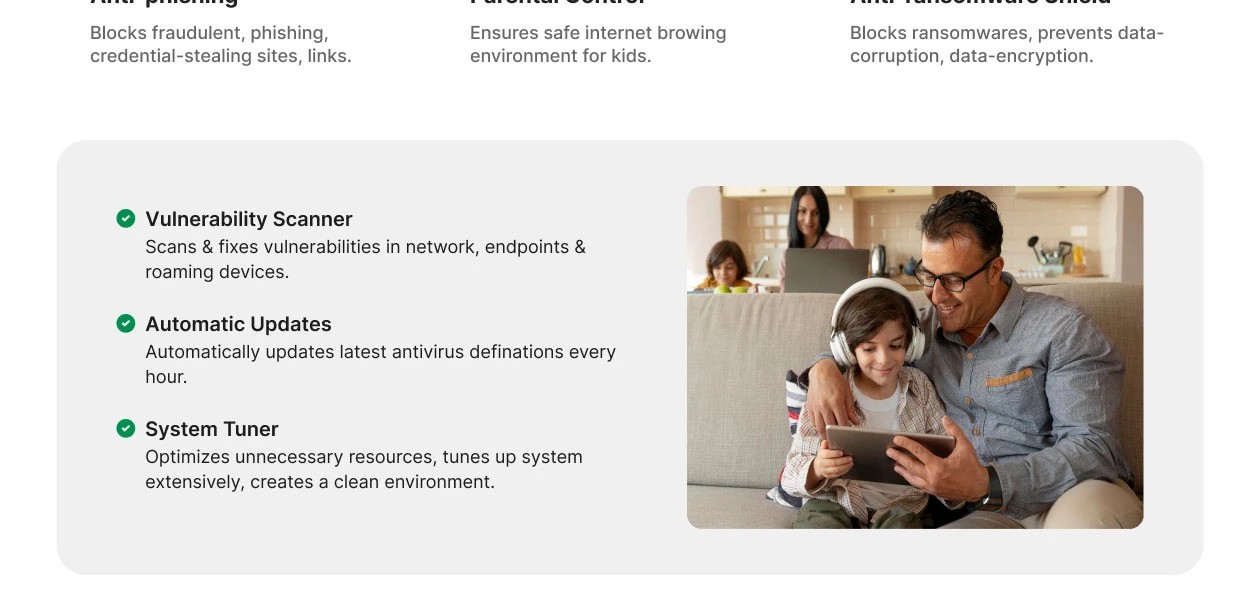
Parental Control Manages and restricts children’s online activities. App Monitoring Tracks and limits usage of certain apps. Content Filtering Blocks inappropriate content for safer browsing. Geo-Fencing and Location Tracking Alerts when a device crosses set boundaries. Activity Reports Provides insights into kids' internet usage patterns. Backup and Data Recovery
Automatic Backup Regularly backs up important files automatically. Cloud Backup Stores essential files safely in the cloud. System Restore Options Restores the system to a previous safe state. Administrative Features
User-Friendly Dashboard Easy-to-navigate interface for quick access. Remote Management Console Central control of antivirus settings. Compliance & Reporting Generates reports for security compliance. Alerts & Notifications
Real-Time Updates Ensures virus definitions stay up-to-date. Suspicious Activity Alerts Alerts about unusual device behavior. Scan Results Notifications Provides updates on completed scans. Ransomware Detection Alerts Alerts of ransomware-like activities. Network Security Alerts Notifies on risky network connections. Customizable Notifications Allows personalized alert settings. Real-Time Threat Alerts Instantly notifies when threats are detected. Phishing and Malicious Website Warnings Warns when visiting dangerous sites. Webcam and Microphone Access Warnings Alerts if accessed without consent. Location and Geo-Fencing Alerts Alerts if location boundaries are crossed. Others
Tamper protection LAN Protection Share Protection Anti-Keylogger Microphone Protection
Have recommended this product
Overall Score
Review this product
Your valuable feedback helps others like you make a better decision.
Pros
 “Very customizable scanning options, I like that I can schedule scans or run quick scans as needed.” Akash Singh - Dec 9, 2024
“The developers really know how to keep updating the software, I appreciate that it keeps updating its virus definitions to handle new threats.” Faizullah Dilawer - Nov 23, 2024
“I am all about going local, so I was happy to hear that NPAV Net Protector Total Security was an Indian brand, and it feels good to support a homegrown cybersecurity solution.” Alphonce Kotok - Nov 18, 2024
Cons
 “Although it gives customizable scanning options, running a complete scan takes longer than expected compared to other antivirus tools.” Akash Singh - Dec 9, 2024
“Even though the interface is functional, the design feels old-fashioned and really needs a refresh.” Faizullah Dilawer - Nov 23, 2024
“I find it distracting how the software sometimes shows of promotional pop-ups.” Alphonce Kotok - Nov 18, 2024

“NPAV & Habuild | Total Security Activation Benefits”
4.5
Review by: Saurabh
Verified reviewer:
101-500 Employees
Software user since: 6-12 months
Reviewed on: Dec 9, 2024
Verified reviewer:
Software Engineer, IT
2-100 Employees
Software user since: < 6 months
Reviewed on: Nov 18, 2024
Verified reviewer:
Network Administrator, Security
2-100 Employees
Software user since: 6-12 months
Reviewed on: Sep 21, 2024
| Brand Name | NPAV |
| Information | NPAV is a leading, award-winning Cyber Security Company. We are pioneers of Cyber-security with Antivirus, Anti-Ransomware, Secure Data Backup, Anti-malware which provides total security to your digital life. We provide next-generation Cybersecurity solutions and we are a robust must-have security. |
| Founded Year | 2005 |
| Director/Founders | Sumeet Kela 3rd degree contact |
| Company Size | 101-500 Employees |
| Other Products | NPAV Net Protector Antivirus, Net Protector Mobile Security, Net Protector Endpoint Security, Net Protector Z Security, Net Protector Corporate Web Control |


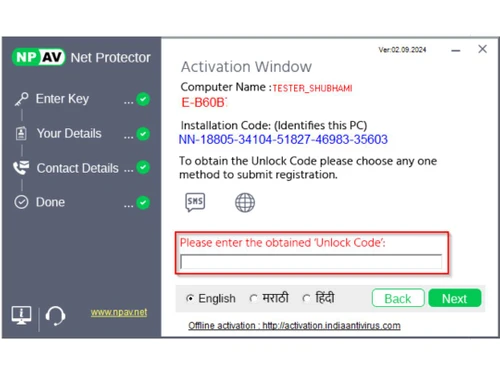
In NPAV Total Security (Net Protector Anti Virus) this is the feature that, user doesn't need to run updater manually, Anti virus will Update Automatically. But there is optional for the user, if the user wants to update his Anti Virus manually he can do this, after doing small setting change.
Following are the steps which can be done for Disabling the Auto Update setting.
After these small steps, you can disable the Auto Update setting. If you want to enable the Auto Update, do the same process, only check the Activate this Schedule.


Top Selling Products
 20,000+ Software Listed
 Best Price Guaranteed
 Free Expert Consultation
 2M+ Happy Customers
 USA
USA UAE
UAE





 4.4
4.4 


