USA
USA UAE
UAE


Dell EMC VxRail
Whats great - The top feature of this software is that storage is integrated with VxRail which eliminates the hassles of any sort of naviga... read more





Brand: Organic Intelligence
A hyperconverged infrastructure solution that delivers ultra-fast, sub-500ms virtual desktop environments for running applications, AI workflows, and automation tasks across Windows and Linux.
See MoreHave you used Orgo before?
Share your insights for better experience
 Rapid Instance Booting Headless Desktop Control Cross-Platform Support Interactive Stream Access Python Script Integration Visual State Capture File Management Browser Based Automation Model Agnostic Integration Persistent State Management Remote Resource Lifecycle Automated Delay Handling Secure Token Authentication

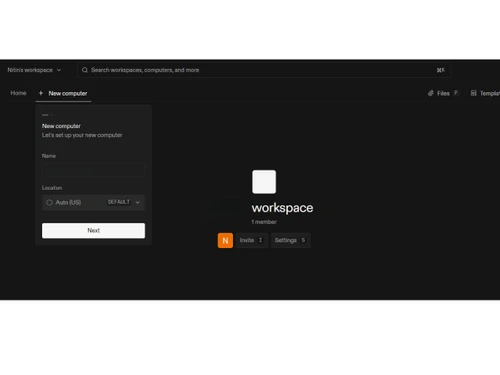
Watch the demo video to explore key features, real workflows, and how the software fits your business needs.
 Ubuntu
  Windows
  MacOS
MacOS  Linux
Linux  Desktop
  Cloud-Based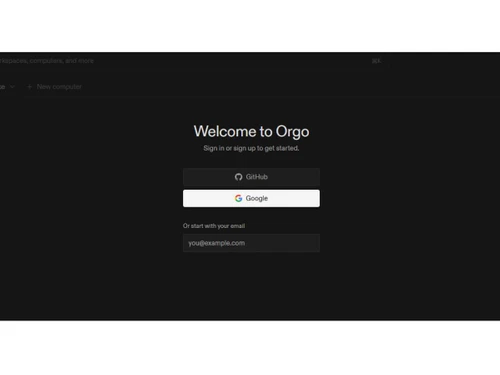

4.4
Out of 5

Overall Rating
Based on
3 Verified Ratings
Rating Breakdown
80% Recommend this Product
Add ReviewTechjockey Trusted Reviews from Verified Users
No reviews are currently available for Orgo. Discover similar Hyperconverged Infrastructure Solutions reviews
Dell EMC VxRail
Whats great - The top feature of this software is that storage is integrated with VxRail which eliminates the hassles of any sort of naviga... read more

NetApp HCI
Whats great - The app is designed with virtual computing infrastructure to enable an encrypted public cloud experience. This latest technol... read more

Split
Whats great - Split has everything we need for both feature flagging and experimenting. The ability to monitor and roll out features based ... read more
Orgo price starts at USD 20 at Techjockey.com.
Orgo deploys as a software-defined platform on commodity hardware, virtualizing compute, storage, and networking to deliver ultra-fast virtual desktops with low-latency streaming.
It is used by IT departments for data center modernization, remote workforce enablement, AI/ML developers needing fast compute environments, and businesses supporting branch offices.
Yes, Orgo provides native support for both Windows and Linux environments, allowing you to run diverse workloads simultaneously on the same infrastructure.
Absolutely, Orgo is built with AI in mind, offering fast boot times, Python script integration, headless desktop control, and automation tools ideal for AI/ML workflows.
No, Orgo is designed to run on standard commodity hardware, which helps reduce costs and avoid dependency on proprietary vendor equipment.
20,000+ Software Listed
Best Price Guranteed
Free Expert Consultation
2M+ Happy Customers
Terms and Condtions

Users with registered businesses can purchase goods from merchants on the platform to satisfy their business needs. Users are not permitted to utilize any products acquired through the platform for resale, advertising, business, or further distribution.
For each purchase made, users will receive a Tax Invoice (or 'GST invoice') that includes specific details such as:
the GSTIN of the user associated with their registered business, and
the specified Entity Name for their business.
It should be noted that not all products are eligible for GST Invoice. Only the products displayed by participating sellers with the 'GST-based Invoice Available' callout on the product description page would qualify.
Certain goods and services are not eligible to get a GST Invoice, including items with VAS, i.e., Value Added Services (e.g., Total Mobile Protection/Assured Buyback) and those involving an exchange offer at the time of purchase.
Users must ensure the accuracy of the GSTIN, and business entity name provided for the GST Invoice. Requests for corrections into GST Invoice would not be accommodated by Techjockey.com or any Seller, and any issues arising from user-provided information are the sole responsibility of users.
Techjockey.com is not liable for the GST Invoice or any associated input tax credit. To efficiently claim an input tax credit, users should select the registered place of business address as per the GST authority's data and follow the provisions of the GST Act and rules.
To claim an input tax credit, the delivery and billing addresses must match. Furthermore, input tax credits will not be granted if the delivery address and GSTIN on the invoice are from different states. In case of incorrect GST details provided during the order placement, the order will be canceled automatically.