USA
USA UAE
UAESmall Business
Designed for startups and growing businesses


See More


Brand: Paybooks
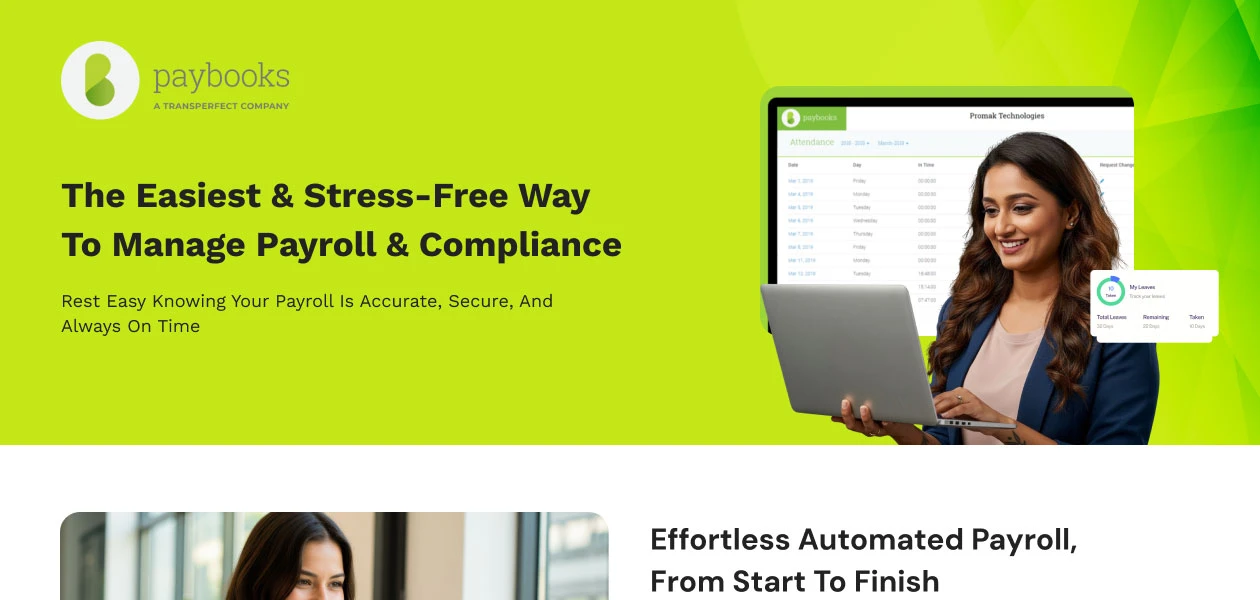
Paybooks is a cloud-based payroll software that automates payroll, compliance, and employee management.
See MoreHave you used Paybooks before?
Share your insights for better experience
View plans
 Save upto 18%, Get GST Invoice on your business purchase T&C Buy Now & Pay Later, Check offer on payment page.
 Brand: Paybooks
Founded Year: 2012
Paybooks is on a mission to make payroll simple and delightful for businesses. Since 2012, we have helped 3,000+ businesses across India in automating their payroll, staying compliant and delighting their employees.
Payroll Management
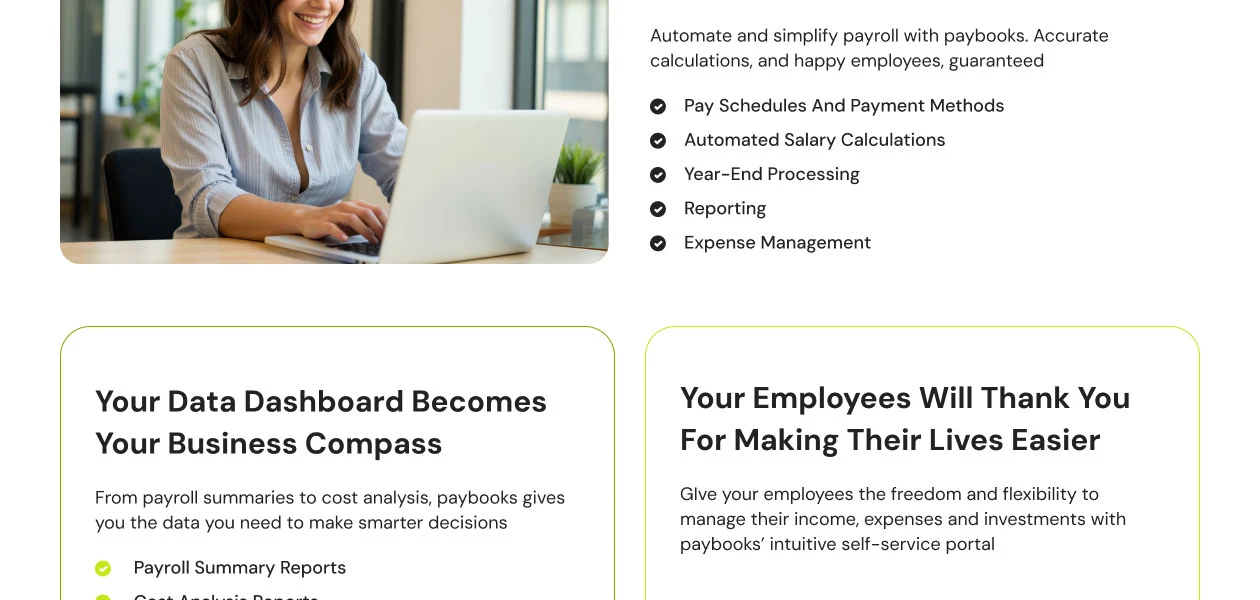
 Overtime Management Gratuity Calculation Automated Payroll Direct Bank Transfers Off-Cycle Payroll Processing Multiple Pay Rates and Schedules Variable Pay & Commission Management Expense Reimbursements Employee Benefits Management Bonus and Incentive Management Tax Deductions
 Compliance Management
Income Tax (TDS) Management Provident Fund (PF) Compliance Professional Tax (PT) Compliance Labour Welfare Fund (LWF) Management Employee State Insurance (ESI) Compliance Time, Attendance & Leave Management
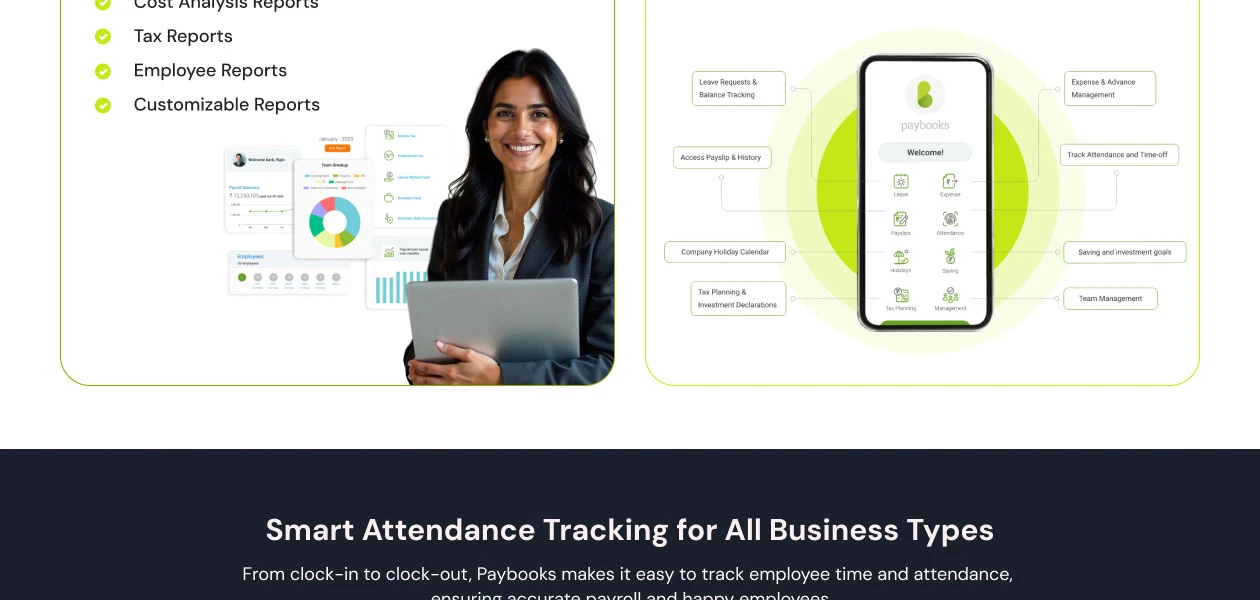
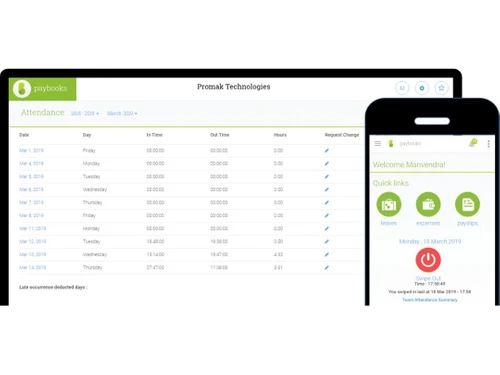
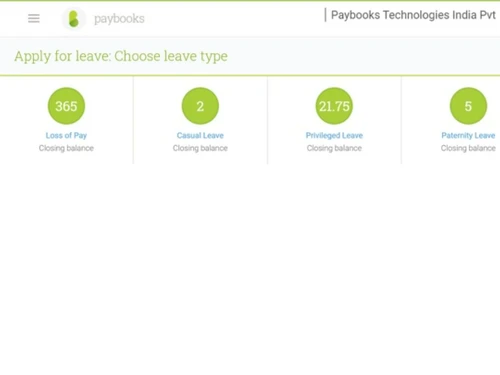
Leave & Absence Management Sick Leave and Vacation Tracking Attendance Tracking Leave Policy Customization Holiday & Leave Calendar Employee Self-Service (ESS)
Income Tax Planner Payslip Access Expense Claims Employee Lifecycle Management
Employee Database Document Management Employee Shift Scheduling F&F Settlement Banking Integration & Payment Processing
Direct Deposit Scheduling Bank Transfer Files Cheque Processing Multi-Bank Support Automation and Customization
Alerts & Notifications API Access Scheduled Payroll Processing Custom Payroll Rules and Policies Configurable Workflows & Approvals Security and Data Privacy
User Access Management Two-Factor Authentication (2FA) Data Backup and Recovery Encrypted Data Transmission Audit Logs and Monitoring Integrations
API Integration Performance Management Third Party Integration Biometric Integration Accounting Software HRMS Payment Gateway Reporting and Analytics
Payroll Reports Compliance Reports Leave and Attendance Reports Employee Master Report 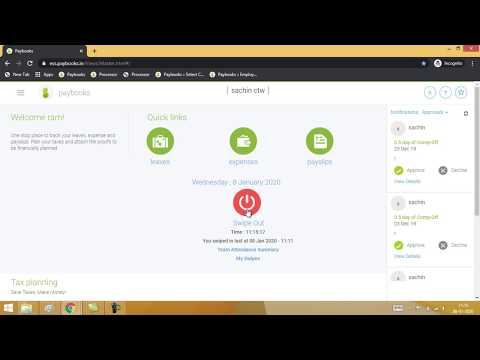

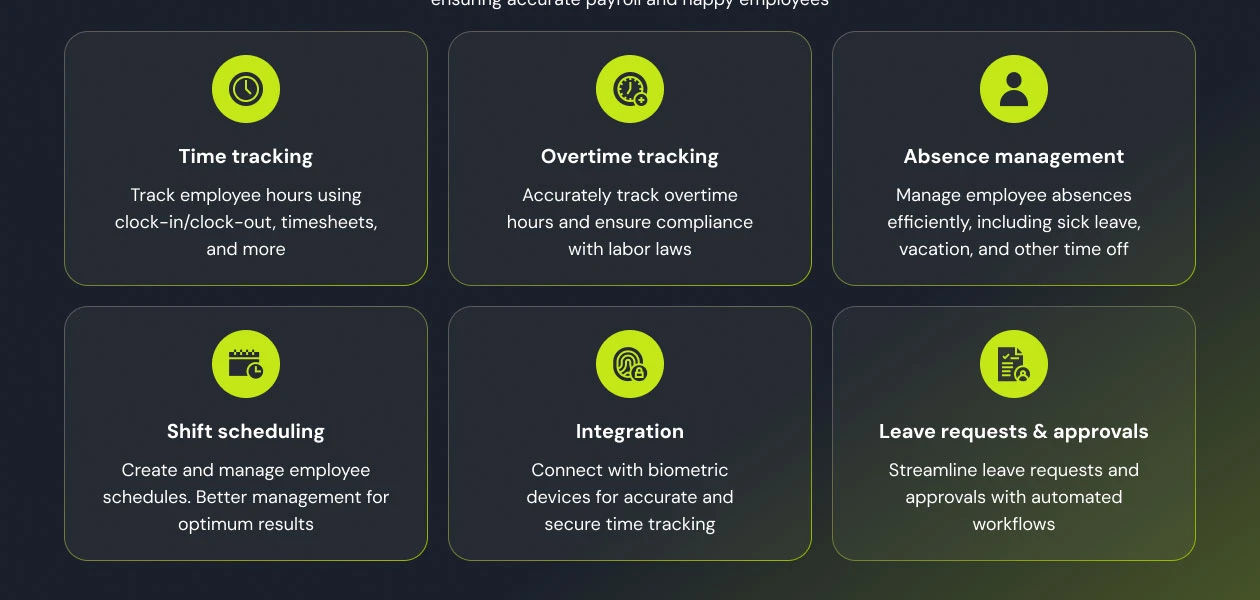
Watch the demo video to explore key features, real workflows, and how the software fits your business needs.
 Ubuntu
  Windows
  iOS
iOS  Android MacOS
  Linux
Linux  Desktop
  Mobile
  Tablet
  iPad
iPad  Cloud-Based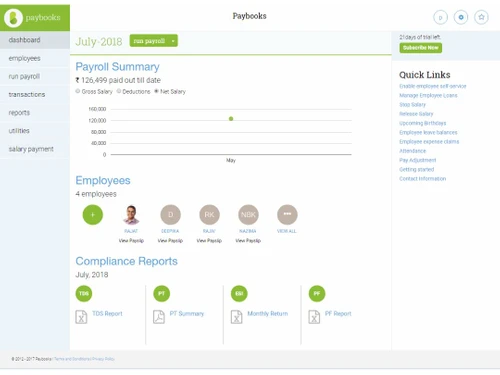
Small Business
Designed for startups and growing businesses
Medium Business
Built for business growth and flexibility
Enterprises
Designed for complex and large-scale business needs
4.3
Out of 5

Overall Rating
Based on
12 Verified Reviews
Rating Breakdown
81% Recommend this Product
Add ReviewCustomers generally appreciate Paybooks for its user-friendly interface and efficiency in managing payroll, attendance, and expense tracking. Many users highlight the convenience of mobile access and responsive customer support as significant advantages. However, there are recurring concerns regarding the speed of updates, particularly for attendance records, and some find the tax management feature complex. A few users also express a desire for more flexibility in payroll configurations. Overall, Paybooks is seen as a solid tool, though there are areas for improvement.
Pros
"I think Paybooks is really helpful for managing payroll and attendance. The platform is easy to navigate, and I love how quickly the support team responds to my queries."
"Paybooks have really helped me streamline payroll tasks. I can manage everything from salary calculations to payslip distributions with ease, which is a big relief."
"What I appreciate about Paybooks is the straightforward way it manages salaries. I can view my payslip details anytime, and applying for leave is very simple."
Cons
"The limited options for selecting payroll configurations can be frustrating at times, as I would like to see more flexibility. "
"One downside is that it can be a bit slow when I need to update my information, particularly in busy periods. "
"One issue I’ve encountered is that updates can take longer than expected, especially when recording attendance. "

Sep 18, 2024
Techjockey Verified
“Paybooks: A Convenient Payroll Software”
The ability to manage everything online is fantastic, but the mobile app’s performance leaves something to be desired. I hope to see enhancements in future updates.
Pros
Paybooks have really helped me streamline payroll tasks. I can manage everything from salary calculations to payslip distributions with ease, which is a big relief.
Cons
I haven’t faced any issues.
Reason to switch
I found Paybooks to be a better fit for my needs due to its simpler interface and more efficient support.
Sep 4, 2024
Techjockey Verified
“Paybooks: Perfect Attendance Management”
Paybooks provide a reliable way to track employee attendance. The user-friendly design makes it easy to navigate.
Pros
I find Paybooks really effective for managing employee attendance. The system allows me to easily monitor everything, and it’s simple to use.
Cons
One issue I’ve encountered is that updates can take longer than expected, especially when recording attendance.
Reason to switch
I chose Paybooks because it integrates attendance and payroll management better, making my tasks more efficient.
Jun 14, 2024
Techjockey Verified
“Paybooks: Great for Managing Payslips”
Using Paybooks has improved how I manage my payslips. The mobile accessibility is a huge advantage, but I think the tax management system needs to be more straightforward for better usability.
Pros
Paybooks has made it really easy for me to access my payslips. I can check everything I need right from my mobile device, which is very convenient.
Cons
The tax management feature could definitely be simpler. It feels complicated and hard to navigate, especially for someone not familiar with tax laws.
Reason to switch
I made the switch to Paybooks because it allows for easier access and a more streamlined approach to handling payroll.

Paybooks
₹ 2499.00 excl. GST
Desktop
Mobile
Web based
On Premises
Windows
Mac OS
PagarBook
₹ 499
Desktop
Mobile
Web based
On Premises
Windows
Mac OS
PayWise
₹ 300
Desktop
Mobile
Web based
On Premises
Windows
Mac OS

Zoho Payroll
₹ 1250
Desktop
Mobile
Web based
On Premises
Windows
Mac OS
ADP Vista
Price On Request
Desktop
Mobile
Web based
On Premises
Windows
Mac OS

QuickBooks Payroll
Price On Request
Desktop
Mobile
Web based
On Premises
Windows
Mac OS

RazorpayX Payroll
₹ 29988
Desktop
Mobile
Web based
On Premises
Windows
Mac OS

Papaya Global
Price On Request
Desktop
Mobile
Web based
On Premises
Windows
Mac OS

UnboxPayroll
₹ 2000
Desktop
Mobile
Web based
On Premises
Windows
Mac OS

HivePayroll
₹ 1499
Desktop
Mobile
Web based
On Premises
Windows
Mac OS

SPIKYARC Payroll
Price On Request
Desktop
Mobile
Web based
On Premises
Windows
Mac OS
(0) Product(s) selected
Available
Price on Request
Starting Price:
$15
Available
Price on Request

Available
Price on Request

Starting Price:
₹10 /Month

Starting Price:
₹25 /Month

Starting Price:
$25 /Employee/Month

Available
Price on Request

Starting Price:
$39 /Month



Yes, Paybooks Payroll software is available for 7-day trial. To avail it, please request a call. Our sales team will get in touch with you at the earliest.
Paybooks Payroll software can be used in any office with HR requirements. It includes start-ups, SMEs, Enterprises, manufacturing industries, etc
Paybooks Payroll software supports both android and iPhone. The app is available with the subscription.
Paybooks Payroll software is a web-based tool that can be accessed easily with the browsers. Hence, there is no specific hardware and system requirements to run Paybooks Payroll software
Paybooks Payroll software is a cloud-based software that saves all your data online rather than taking space in your PC.
Paybooks automates tax calculations, including income tax, Professional Tax, and other statutory deductions. The software computes taxes in real time and reflects them accurately in payroll reports.
Yes, Paybooks uses cloud-based security protocols to ensure your payroll data is securely stored and only accessible to authorized users. Additionally, it offers data backup and recovery features for added protection.
Yes, Paybooks offers an employee self-service portal where employees can access their payslips, submit leave requests, view tax declarations, and manage other payroll-related information.
Paybooks ensure compliance with Indian statutory laws such as Provident Fund (PF), Employee State Insurance (ESI), TDS, and Professional Tax. The software is regularly updated to reflect the latest regulations, helping businesses stay compliant effortlessly.
Yes, Paybooks supports multiple payroll cycles, allowing businesses to process payrolls for different departments or regions at varying intervals without any confusion.
Yes, Paybooks integrates seamlessly with popular accounting software such as QuickBooks, Tally, and Zoho Books, allowing you to sync your payroll data effortlessly with your financial system.
Yes, Paybooks automatically generates digital payslips for employees each payroll cycle. These payslips can be accessed through the employee self-service portal.
Paybooks integrate with various attendance systems and allow HR managers to configure leave policies. It automates leave tracking, attendance management, and their impact on payroll calculations.
Yes, Paybooks can handle payroll for both full-time and contract employees. You can configure salary and payment schedules according to contractual terms.
Yes, you can get a free demo of Paybooks at techjockey.com.
Paybooks payroll solution pricing starts from INR 2,499/month at techjockey.com.
To edit a payslip in Paybooks, follow the steps given below:
0 0
To view and download pay slips in Paybooks, follow the steps given below:
0 0
To calculate salaries with and without income tax for specific employees in Paybooks, follow the steps given below:
0 0
To stop or release an employee's payment in Paybooks, follow the steps given below:
0 0
In Paybooks, one can simply choose the location you wish to process payroll for when starting the payroll run. They can choose a different location each time you run payroll, giving you the ability to set distinct payroll dates for every location in the system.
0 0
20,000+ Software Listed
Best Price Guranteed
Free Expert Consultation
2M+ Happy Customers
Terms and Condtions

Users with registered businesses can purchase goods from merchants on the platform to satisfy their business needs. Users are not permitted to utilize any products acquired through the platform for resale, advertising, business, or further distribution.
For each purchase made, users will receive a Tax Invoice (or 'GST invoice') that includes specific details such as:
the GSTIN of the user associated with their registered business, and
the specified Entity Name for their business.
It should be noted that not all products are eligible for GST Invoice. Only the products displayed by participating sellers with the 'GST-based Invoice Available' callout on the product description page would qualify.
Certain goods and services are not eligible to get a GST Invoice, including items with VAS, i.e., Value Added Services (e.g., Total Mobile Protection/Assured Buyback) and those involving an exchange offer at the time of purchase.
Users must ensure the accuracy of the GSTIN, and business entity name provided for the GST Invoice. Requests for corrections into GST Invoice would not be accommodated by Techjockey.com or any Seller, and any issues arising from user-provided information are the sole responsibility of users.
Techjockey.com is not liable for the GST Invoice or any associated input tax credit. To efficiently claim an input tax credit, users should select the registered place of business address as per the GST authority's data and follow the provisions of the GST Act and rules.
To claim an input tax credit, the delivery and billing addresses must match. Furthermore, input tax credits will not be granted if the delivery address and GSTIN on the invoice are from different states. In case of incorrect GST details provided during the order placement, the order will be canceled automatically.