 USA
USA UAE
UAESmall Business
Designed for startups and growing businesses


See More

Brand: Posiflex
Posiflex Jiva XT-2614Q feature widescreen screen display, true-flat PCAP touch supporting multi-touch, energy-efficient ARM-based processor and various I/O expansions in a beautifully crafted body, and couples with Android 4.4 operating system.
See MoreHave you used Posiflex Jiva XT-2614Q before?
Share your insights for better experience
Looking for The Right Pricing?
Share your requirements and get a plan built around your business.
Price Available on Request
Get personalised Posiflex Jiva XT-2614Q pricing that fits your needs. Our team will connect with you.
 System Configuration Display & Touch I/O & Expansion Physical Dimension Build-in options
 Brand: Posiflex
Founded Year: 1984
Posiflex has designed and manufactured world-class POS solutions for more than 30 years. Since 2016, the company has acquired KIOSK and Portwell, further expanding into self-service and embedded PC offerings. The global Posiflex group is in place to provide world-class B2B Serviced IoT solutions.
Small Business
Designed for startups and growing businesses
Medium Business
Built for business growth and flexibility
Enterprises
Designed for complex and large-scale business needs
4.4
Out of 5

Overall Rating
Based on
2 Verified Reviews
Rating Breakdown
90% Recommend this Product
Add Review
May 13, 2019
Techjockey Verified
“Easy to use POS”
Pros
Very stylish POS terminal as it attracts customers at my fast grocery store in Delhi. It is working incredible and is very easy to understand.
Cons
NO CONS
Aug 20, 2018
Techjockey Verified
“Great product & service”
Pros
Recommended and set me up with practice software. The process was smooth and targeted to my needs. I signed up Techjockey So far so good.
Cons
N/A

Posiflex Jiva XT-2614Q
Price On Request
Desktop
Mobile
Web based
On Premises
Windows
Mac OS

Airpay Mobile POS
₹ 500
Desktop
Mobile
Web based
On Premises
Windows
Mac OS

Posiflex PS-3316E
Price On Request
Desktop
Mobile
Web based
On Premises
Windows
Mac OS

Posiflex MT4008 A
Price On Request
Desktop
Mobile
Web based
On Premises
Windows
Mac OS

Posiflex CR 4000 CASH DRAWER
Price On Request
Desktop
Mobile
Web based
On Premises
Windows
Mac OS

Paytm POS Machine
₹ 6641
Desktop
Mobile
Web based
On Premises
Windows
Mac OS
Bzo POS
₹ 2500
Desktop
Mobile
Web based
On Premises
Windows
Mac OS
Zoho POS Machine
Price On Request
Desktop
Mobile
Web based
On Premises
Windows
Mac OS

Nukkad Shops
₹ 39580
Desktop
Mobile
Web based
On Premises
Windows
Mac OS
Sunmi V2
Price On Request
Desktop
Mobile
Web based
On Premises
Windows
Mac OS

Bijlipay Mobile POS
₹ 4500
Desktop
Mobile
Web based
On Premises
Windows
Mac OS
(0) Product(s) selected
Starting Price:
₹500 /Month
Available
Price on Request
Available
Price on Request
Available
Price on Request
Available
Price on Request
Available
Price on Request

Available
Price on Request
Available
Price on Request
Available
Price on Request

Available
Price on Request

Available
Price on Request
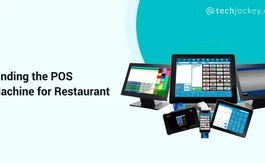
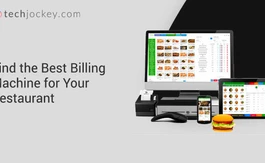
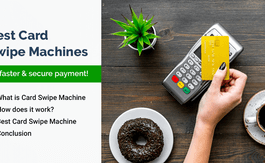

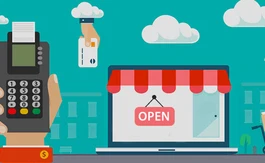
A POS or point of sale generally means any location where a sale or transaction may take place. If you look at the bigger picture, a POS or point of sale can easily mean a mall, a market or a city because these are locations where something likely is going to get bought or sold.
A retail point of sale system typically includes a cash register (which in recent times comprises a computer, monitor, cash drawer, receipt printer, customer display and a barcode scanner) and the majority of retail POS systems also include a debit/credit card reader.
20,000+ Software Listed
Best Price Guranteed
Free Expert Consultation
2M+ Happy Customers
Terms and Condtions

Users with registered businesses can purchase goods from merchants on the platform to satisfy their business needs. Users are not permitted to utilize any products acquired through the platform for resale, advertising, business, or further distribution.
For each purchase made, users will receive a Tax Invoice (or 'GST invoice') that includes specific details such as:
the GSTIN of the user associated with their registered business, and
the specified Entity Name for their business.
It should be noted that not all products are eligible for GST Invoice. Only the products displayed by participating sellers with the 'GST-based Invoice Available' callout on the product description page would qualify.
Certain goods and services are not eligible to get a GST Invoice, including items with VAS, i.e., Value Added Services (e.g., Total Mobile Protection/Assured Buyback) and those involving an exchange offer at the time of purchase.
Users must ensure the accuracy of the GSTIN, and business entity name provided for the GST Invoice. Requests for corrections into GST Invoice would not be accommodated by Techjockey.com or any Seller, and any issues arising from user-provided information are the sole responsibility of users.
Techjockey.com is not liable for the GST Invoice or any associated input tax credit. To efficiently claim an input tax credit, users should select the registered place of business address as per the GST authority's data and follow the provisions of the GST Act and rules.
To claim an input tax credit, the delivery and billing addresses must match. Furthermore, input tax credits will not be granted if the delivery address and GSTIN on the invoice are from different states. In case of incorrect GST details provided during the order placement, the order will be canceled automatically.



