linkedin
Rhino logo
play New in Rhino 8 Teaser
rhino-model
rhino-layout

Rhino

Brand: Robert McNeel and Associates

  • No Ratings & Reviews

A 3D design software turns complex designs into smooth, workable creations. Precision meets creativity in a tool built for real designers!

See More

Have you used Rhino before?

Share your insights for better experience

Add a Review
Starting Price
$995

View plans

100% Genuine
Products
Best Price
Guaranteed
Safe & Secure
Payment
  • Description

  • Pricing

  • Features

  • Specification

  • Review

  • FAQ

Starting at $995

Rhino Software Overview

What is Rhino?

Rhino is a modern 3D design software built for creating accurate 3D models. It allows users to shape curves and surfaces with careful control. Many industries rely on it for producing complex and refined designs. It supports work that requires both detail and flexibility. Designers across various disciplines frequently turn to this tool to ground their visions.

The trusted software solution provides a necessary skeleton for ideas while leaving ample room for imagination to roam around freely. Work, of course, becomes much more rewarding when artistic vision and technical accuracy stay in balance. In every sense, Rhino acts as a strong foundation for handling detailed professional design tasks.

Why Choose Rhino Software?

  • High Design Precision: Accurate curves and surfaces support detailed modeling work. Complex shapes follow exact measurements without confusion.
  • Creative Freedom Space: The flexible design approach allows ideas to take any form. Unique concepts develop without rigid limitations.
  • Wide Industry Usage: Many different fields (or industries) rely on Rhino for design tasks. It fits naturally into different professional workflows.
  • Smooth Workflow Experience: Design processes move forward without unnecessary interruptions. Work feels steady across different stages.
  • Strong File Compatibility: Many different file formats work together without major issues. Data exchange across tools feels more reliable.
  • Detailed Modeling Support: Fine elements receive careful attention during design stages. Results carry better structure and clarity.
  • Balanced Design Control: Creative ideas and technical accuracy work side by side. Projects follow a clear and steady path.

Benefits of Rhino Software

  • Quick Design Adjustments: Changes can be applied easily during ongoing modeling work. Design ideas develop faster across different stages.
  • Parametric Design Support: Adjustable parameters help refine designs with better control. Changes apply smoothly across connected elements.
  • Efficient Surface Creation: Smooth surfaces form with better continuity and flow. Complex structures appear cleaner during development.
  • Integrated Rendering Output: Visual previews help present designs with clear detail. Concepts appear more refined during project stages.
  • Better Prototyping Flow: Early models help guide physical production planning. Designs move closer to real-world application.
  • Clear Visualization Results: Models display strong visual clarity across different views. Details appear well defined during inspection.
  • Support for Large Models: Bigger projects can handle multiple elements without heavy slowdowns. Work continues with stable performance.

Rhino Pricing

Rhino price starts at USD 995.00 (one-time charge) at Techjockey. The pricing model is based on different parameters, including extra features, deployment type, and the total number of users. For further queries related to the product, you can contact our product team and learn more about the pricing and offers.

Read more

Robert McNeel and Associates Company Details

Founded Year:  1978

Robert McNeel & Associates develops Rhino 3D (Rhinoceros®), one of the most versatile 3D modeling tools in the world.

Director/Founders Robert McNeel and Associates
Company Size 101-500 Employees

Rhino Pricing & Plans

Rhino 8 - Single Concurrent User
Key Features
  • Model Creation Tools
  • Editing
  • Interface
  • Rendering and Presentation
  • Drafting
  • Digital Fabrication
  • Mesh Tools
Starting at $995
    • Quantity

      Quantity
      Quantity

Key Features

  • Model Creation Tools

  • Editing

  • Interface

  • Rendering and Presentation

  • Drafting

  • Digital Fabrication

  • Mesh Tools

Rhino Features

  • icon_check NURBS Geometry
    Utilizes Non-Uniform Rational B-Splines to represent curves and surfaces with extreme mathematical precision and accuracy.
  • icon_check Gumball Widget
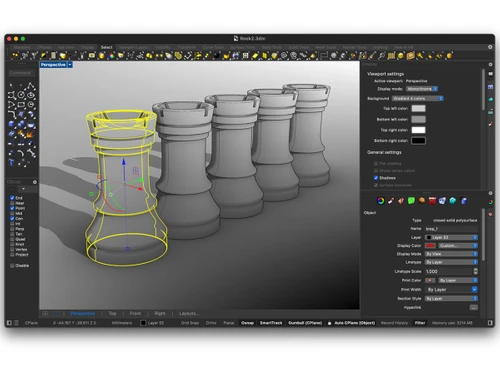
    Displays a multi-functional graphical interface on selected objects to perform move, scale, and rotate transformations.
  • icon_check Boolean Tools
    Executes union, difference, and intersection operations on solids and surfaces to construct complex volumetric geometries.
  • icon_check SubD Modeling
    Implements subdivision surface technology to create smooth, high-precision organic shapes with high-speed editing controls.
  • icon_check Layer Management
    Organizes complex models into a hierarchical structure for controlling object visibility, color, and material properties.
  • icon_check Object Snapping
    Constrains the cursor to specific geometric locations like end points, midpoints, or tangents for exact spatial alignment.
  • icon_check Loft Operation
    Generates a smooth surface that passes through a series of profile curves, defining the overall shape of the 3D geometry.
  • icon_check Sweep Functions
    Extrudes a profile curve along one or more rail curves to create complex tubular or surface forms with variable profiles.
  • icon_check Mesh Conversion
    Translates precise NURBS surfaces into polygonal mesh data for use in rendering, 3D printing, and computational analysis.
  • icon_check Drafting Tools
    Supports 2D technical drawing through annotation, dimensioning, and the generation of flattened layouts from 3D models.
  • icon_check Viewports System
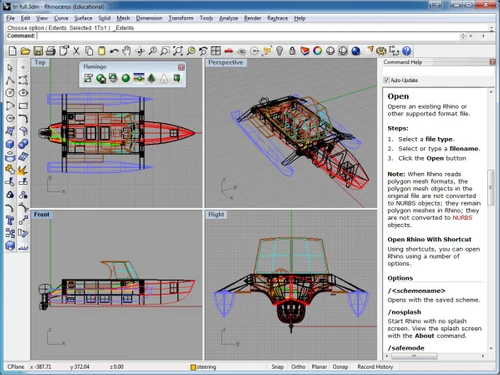
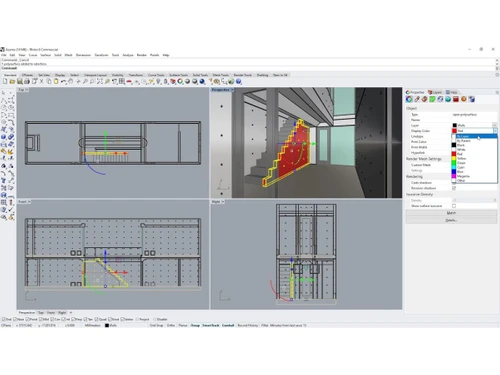
    Displays multiple simultaneous perspectives of the workspace, including top, front, right, and 3D perspective views.
  • icon_check Block Definitions
    Groups multiple objects into a single reusable instance to reduce file size and maintain consistency across assemblies.
  • icon_check File Interoperability
    Supports over thirty distinct file formats for importing and exporting geometry between different CAD and BIM platforms.
Rhino Demo Video play icon

Get Rhino Demo

Watch the demo video to explore key features, real workflows, and how the software fits your business needs.

Understand
Key Features
Personal
Demo Insights
Interactive
Demo Support

Rhino Specifications

Supported Platforms
Windows Windows MacOS MacOS
Devices
Desktop Desktop
Deployment
Perpetual Perpetual
Suitable For
All Industries
Business Specific
All Businesses
Business Size
Individual Small Business Medium Business Enterprises SMBs MSMEs Freelancers
Customer Support
Email Communities
Language
English
Training Resources
Videos

Rhino Review

Techjockey Trusted Reviews from Verified Users

No reviews are currently available for Rhino. Discover similar 3D Design Software reviews

  • Power NURBS Pro

    4.8

    Whats great - PowerNurbs is an incredible NURBS apparatus, natural and amazing. 3Ds max joined with PowerNurbs winds up a standout amongst ... read more
  • Autodesk Autocad Plant 3D Toolset

    4.6

    Whats great - Produce and offer isometrics, orthographics, and materials reports. read more

  • Power Translator Pro

    4.4

    Whats great - Exquisite on the grounds that its planners imagined the sorts of reports and situations that individuals need to decipher. read more

How much does Rhino cost?

It starts at USD 995.00 (one-time charge) at Techjockey. The final cost may vary based on feature selections, setup type, and number of users.

Who uses Rhino Software?

Rhino is mostly used by professionals in design fields like architecture, jewelry, and product modeling. Different industries may rely on it for handling complex 3D design work.

Is there a mobile app available for Rhino Software?

Yes, there is a mobile app called iRhino 3D for iOS devices.

Which operating systems are compatible with Rhino Software?

Rhino works with Windows and macOS systems. It supports smooth usage across both platforms.

Does Rhino Software offer a free trial?

Yes, Rhino does offer a free trial. Users can explore its capabilities before making a purchase.

How does Rhino Software function?

Rhino uses NURBS-based modeling to create precise curves, surfaces, and solids. Users can design complex 3D models with high accuracy.

20,000+ Software Listed

Best Price Guranteed

Free Expert Consultation

2M+ Happy Customers

Terms and Condtions

close

Users with registered businesses can purchase goods from merchants on the platform to satisfy their business needs. Users are not permitted to utilize any products acquired through the platform for resale, advertising, business, or further distribution.

For each purchase made, users will receive a Tax Invoice (or 'GST invoice') that includes specific details such as:

  • the GSTIN of the user associated with their registered business, and

  • the specified Entity Name for their business.

It should be noted that not all products are eligible for GST Invoice. Only the products displayed by participating sellers with the 'GST-based Invoice Available' callout on the product description page would qualify.

Certain goods and services are not eligible to get a GST Invoice, including items with VAS, i.e., Value Added Services (e.g., Total Mobile Protection/Assured Buyback) and those involving an exchange offer at the time of purchase.

Users must ensure the accuracy of the GSTIN, and business entity name provided for the GST Invoice. Requests for corrections into GST Invoice would not be accommodated by Techjockey.com or any Seller, and any issues arising from user-provided information are the sole responsibility of users.

Techjockey.com is not liable for the GST Invoice or any associated input tax credit. To efficiently claim an input tax credit, users should select the registered place of business address as per the GST authority's data and follow the provisions of the GST Act and rules.

To claim an input tax credit, the delivery and billing addresses must match. Furthermore, input tax credits will not be granted if the delivery address and GSTIN on the invoice are from different states. In case of incorrect GST details provided during the order placement, the order will be canceled automatically.