linkedin
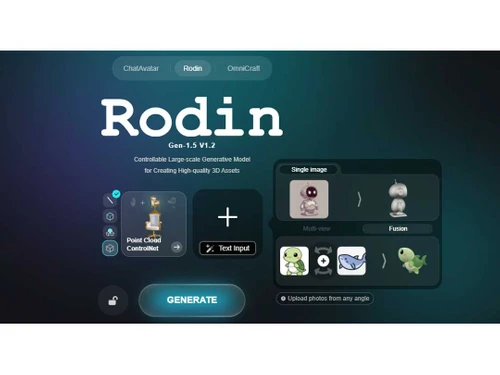
Rodin AI logo
Rodin-ai
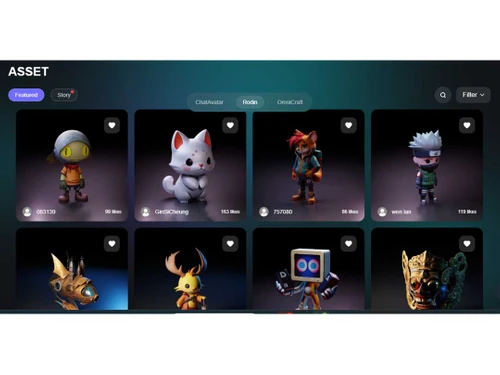
Rodin-asset
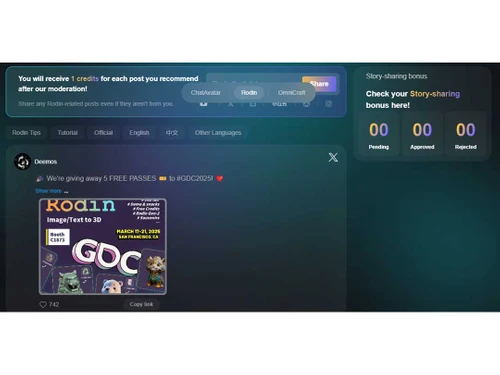
Rodin story

Rodin AI

Brand: Deemos Inc

  • 4.4

  • 4 Ratings

Rodin AI uses artificial intelligence to transform text descriptions or images into detailed, production-ready 3D models, making 3D content creation faster and more accessible.

See More

Have you used Rodin AI before?

Share your insights for better experience

Add a Review
Starting Price
$15

View plans

100% Genuine
Products
Best Price
Guaranteed
Safe & Secure
Payment
  • Description

  • Pricing

  • Features

  • Specification

  • Review

  • Compare

  • Alternatives

  • FAQ

Starting at $15

Rodin AISoftware Overview

What is Rodin AI?

Rodin AI is a 3D design software that leverages artificial intelligence to transform text descriptions or images into detailed, production-ready 3D models. This innovative platform is designed to streamline the 3D modeling process, making it more accessible and efficient for creators across various industries.

With Rodin AI, users can input a simple text prompt or upload images, and the AI generates high-quality 3D models complete with textures and optimized geometry. The system supports both single and multi-view image inputs, allowing for versatile model creation.

The platform also provides tools for fine-tuning the generated models, including options to adjust polygon count, texture complexity, and edge sharpness.

Once satisfied with the creation, users can export the models in various formats such as OBJ or FBX, compatible with major 3D software like Blender, Maya, and game engines.

Why Choose Rodin AI Software?

  • Text-to-3D Conversion: Generate 3D models directly from text prompts, facilitating rapid prototyping and ideation.
  • Image-to-3D Conversion: Upload images to create 3D models, useful for digitizing real-world objects or concepts.
  • High-Quality Output: Produces models with quad faces and physically based rendering (PBR) textures, ensuring realism and quality.
  • Customizable Parameters: Adjust polygon counts, texture details, and other settings to meet specific project requirements.
  • Multi-Format Export: Export models in various formats, including OBJ, FBX, and USD, compatible with popular 3D software.
  • Real-Time Preview: Allows users to visualize models instantly as they make adjustments, enhancing the design workflow.
  • Rapid Generation: Generates detailed 3D models quickly, reducing the time spent on manual modeling tasks.
  • Advanced AI Algorithms: Utilizes neural networks trained on extensive datasets to produce accurate and detailed models.
  • Retopology and UV Unwrapping: Automatically optimizes models for performance and texture mapping.
  • PBR Texture Generation: Creates realistic textures that enhance the visual quality of models.

Benefits of Rodin AI Software

  • Multi-View Fusion: Combines multiple images to generate comprehensive 3D models from different perspectives.
  • OmniCraft Tool Suite: Includes HDRI lighting generation, AI quad meshing, and texture synthesis for complete pipeline integration.
  • Sketch Tier Mode: Facilitates rapid prototyping by producing low-resolution models suitable for early-stage visualization.
  • Regular Tier Mode: Delivers detailed models with customizable polygon counts and high-quality textures, balancing detail and efficiency.
  • High Pack Option: Offers 4K textures and high-poly models for projects demanding higher resolution.
  • Credit-Based Flexibility: Operates on a pay-as-you-go system, allowing users to generate models without upfront costs.
  • Free Redo Options: Provides up to 50 free redos before charges apply, ensuring user satisfaction.
  • In-Browser Sculpting: Enables basic adjustments to models within the platform before exporting to professional software.
  • API Access: Offers API integration for batch processing and automation, enhancing workflow efficiency.
  • Educational Use: Serves as a valuable tool for teaching 3D modeling concepts and techniques.
  • Community Support: Offers a platform for users to share tips, tutorials, and resources.
  • Security Measures: Ensures the protection of user data and intellectual property.
  • Cloud-Based Access: Allows users to access the platform from anywhere with an internet connection.

Rodin AI Pricing

Rodin AI price in India starts at $15 at techjockey.com.

The pricing model is based on different parameters, including extra features, deployment type, and the total number of users. For further queries related to the product, you can contact our product team and learn more about the pricing and offers.

Read more

Deemos Inc Company Details

Founded Year:  2020

At Deemos, we are pushing the boundaries of generative 3D technologies, creating digital humans and 3D assets for your enthusiasts, designers, and enterprises around the globe.

Director/Founders Deemos
Company Size 1-100 Employees

Rodin AI Pricing & Plans

Creator
Starting at $15
    • Monthly

      Monthly
      Monthly

Key Features

  • All benefits in Free Tier

  • 47% Discount on Credits

  • Unlimited Private Models

  • Fuse multiple images into a single 3D models

  • Use another image as texture reference

  • More Poly - Count options

  • Geometry Redo: ×20; Material Redo: ×6

Business
Starting at $60
    • Monthly

      Monthly
      Monthly

Key Features

  • All Benefits in Creator Tier

  • 69% Discount on Credits

  • ChatAvatar: Free preview before payments

  • Export avatars for commercial use

  • 4K textures & High-Poly (100K) export

  • Geometry Redo: ×50; Material Redo: ×15

Rodin AI Features

  • icon_check 3D Modeling
    Automates creating 3D models with AI, saving time and effort.
  • icon_check Real-Time Rendering
    Instantly produces high-quality 3D visuals to speed up workflows.
  • icon_check User-Friendly Interface
    Easy to use, allowing quick creation and customization.
  • icon_check Multi Format Support
    Supports exporting in popular 3D file formats for broad compatibility.
  • icon_check API Integration
    Connects smoothly with other tools to extend capabilities.
  • icon_check PBR-Material & Texture Generation
    Automatically generate realistic textures (albedo, normals, roughness etc.) — essential for realistic rendering.
  • icon_check Texture Generation
    Automatically generates realistic textures for models.
  • icon_check Mesh Optimization & Remeshing
    Re-mesh / optimize/refine the model topology to adapt for different use-cases like low-poly, high-poly.
  • icon_check API & Automation Support
    Developers or studios can integrate Rodin into pipelines (via API) — good for scalable or automated asset generation.
  • icon_check Mesh Optimization
    Reduces model complexity while preserving details for better performance.

Rodin AI Specification

Supported Platforms
Windows Windows MacOS MacOS Linux Linux
Devices
Desktop Desktop
Deployment
Web-Based Web-Based Perpetual Perpetual
Suitable For
Media House Designers
Business Specific
All Businesses
Business Size
Small Business Medium Business Enterprises SMEs MSMBs MSMEs
Customer Support
Forums
Language
English
Integration
API Integration
Training Resources
Live Online

Explore the Best Alternative Solutions Similar to Your Business Size and Needs

Rodin AI Review

4.4

Out of 5

img

Overall Rating

Based on
4 Verified Ratings

Rating Breakdown

  • Features 4.8
  • Value for Money 4.1
  • Ease of Use 4.1
  • Customer Support 4.5

87% Recommend this Product

Add Review

Techjockey Trusted Reviews from Verified Users

No reviews are currently available for Rodin AI. Discover similar 3D Design Software reviews

  • Power NURBS Pro

    4.8

    Whats great - PowerNurbs is an incredible NURBS apparatus, natural and amazing. 3Ds max joined with PowerNurbs winds up a standout amongst ... read more

  • Autodesk Autocad Plant 3D Toolset

    4.6

    Whats great - Produce and offer isometrics, orthographics, and materials reports. read more

  • Power Translator Pro

    4.4

    Whats great - Exquisite on the grounds that its planners imagined the sorts of reports and situations that individuals need to decipher. read more

Compare Rodin AI With other 3D Design Software

Products
Ratings
Pricing
Device Supported
Deployment
Supported Platforms
  • img

    Rodin AI

  • 4.4

  • Price On Request

  • Desktop

    Mobile

  • Web based

    On Premises

  • Windows

    Mac OS

  • img

    CLO 3D Fashion

  • 4.7

  • Price On Request

  • Desktop

    Mobile

  • Web based

    On Premises

  • Windows

    Mac OS

  • img

    Coohom

  • 4.4

  • ₹ 750

  • Desktop

    Mobile

  • Web based

    On Premises

  • Windows

    Mac OS

  • img

    Pacdora

  • 4.2

  • Price On Request

  • Desktop

    Mobile

  • Web based

    On Premises

  • Windows

    Mac OS

  • img

    Bambu Studio

  • 4.3

  • Price On Request

  • Desktop

    Mobile

  • Web based

    On Premises

  • Windows

    Mac OS

  • img

    Autodesk 3DS Max

  • 4.3

  • Price On Request

  • Desktop

    Mobile

  • Web based

    On Premises

  • Windows

    Mac OS

  • img

    Spline

  • 4.1

  • Price On Request

  • Desktop

    Mobile

  • Web based

    On Premises

  • Windows

    Mac OS

  • img

    MeshLab

  • 4.2

  • Price On Request

  • Desktop

    Mobile

  • Web based

    On Premises

  • Windows

    Mac OS

  • img

    Sweet Home 3D

  • 4.1

  • Price On Request

  • Desktop

    Mobile

  • Web based

    On Premises

  • Windows

    Mac OS

  • img

    Houdini

  • 4.4

  • Price On Request

  • Desktop

    Mobile

  • Web based

    On Premises

  • Windows

    Mac OS

(0) Product(s) selected

Rodin AI Alternatives

See All Rodin AI Alternatives

Starting Price:

$18 /Month

Starting Price:

$15 /Seat/Month

Available

Price on Request

Available

Price on Request

Starting Price:

$2,645 /Quantity
Available

Price on Request

in3D

4.3

Available

Price on Request

Starting Price:

$299 /Month

How much does Rodin AI Software cost?

Rodin AI pricing in India starts at $15, as listed on techjockey.com.

Is there a mobile app available for Rodin AI Software?

Currently, Rodin AI is primarily available as a web-based platform, with no dedicated mobile app.

Which operating systems are compatible with Rodin AI Software?

Rodin AI works on any OS that supports modern web browsers, including Windows, macOS, and Linux.

Does Rodin AI Software offer a free trial?

Yes, Rodin AI offers a free trial to explore its features before purchasing.

How does Rodin AI Software function?

Rodin AI uses AI to convert text and images into detailed 3D models automatically.

Who uses Rodin AI Software?

Designers, game developers, animators, and creative professionals can benefit from Rodin AI.

Is a free demo available for Rodin AI Software?

Yes, Rodin AI free demo is available upon request.

Is Rodin AI Software available for free?

Rodin AI offers limited free access, but full features require a paid subscription.

20,000+ Software Listed

Best Price Guranteed

Free Expert Consultation

2M+ Happy Customers

Terms and Condtions

close

Users with registered businesses can purchase goods from merchants on the platform to satisfy their business needs. Users are not permitted to utilize any products acquired through the platform for resale, advertising, business, or further distribution.

For each purchase made, users will receive a Tax Invoice (or 'GST invoice') that includes specific details such as:

  • the GSTIN of the user associated with their registered business, and

  • the specified Entity Name for their business.

It should be noted that not all products are eligible for GST Invoice. Only the products displayed by participating sellers with the 'GST-based Invoice Available' callout on the product description page would qualify.

Certain goods and services are not eligible to get a GST Invoice, including items with VAS, i.e., Value Added Services (e.g., Total Mobile Protection/Assured Buyback) and those involving an exchange offer at the time of purchase.

Users must ensure the accuracy of the GSTIN, and business entity name provided for the GST Invoice. Requests for corrections into GST Invoice would not be accommodated by Techjockey.com or any Seller, and any issues arising from user-provided information are the sole responsibility of users.

Techjockey.com is not liable for the GST Invoice or any associated input tax credit. To efficiently claim an input tax credit, users should select the registered place of business address as per the GST authority's data and follow the provisions of the GST Act and rules.

To claim an input tax credit, the delivery and billing addresses must match. Furthermore, input tax credits will not be granted if the delivery address and GSTIN on the invoice are from different states. In case of incorrect GST details provided during the order placement, the order will be canceled automatically.