linkedin
Sage Payroll logo
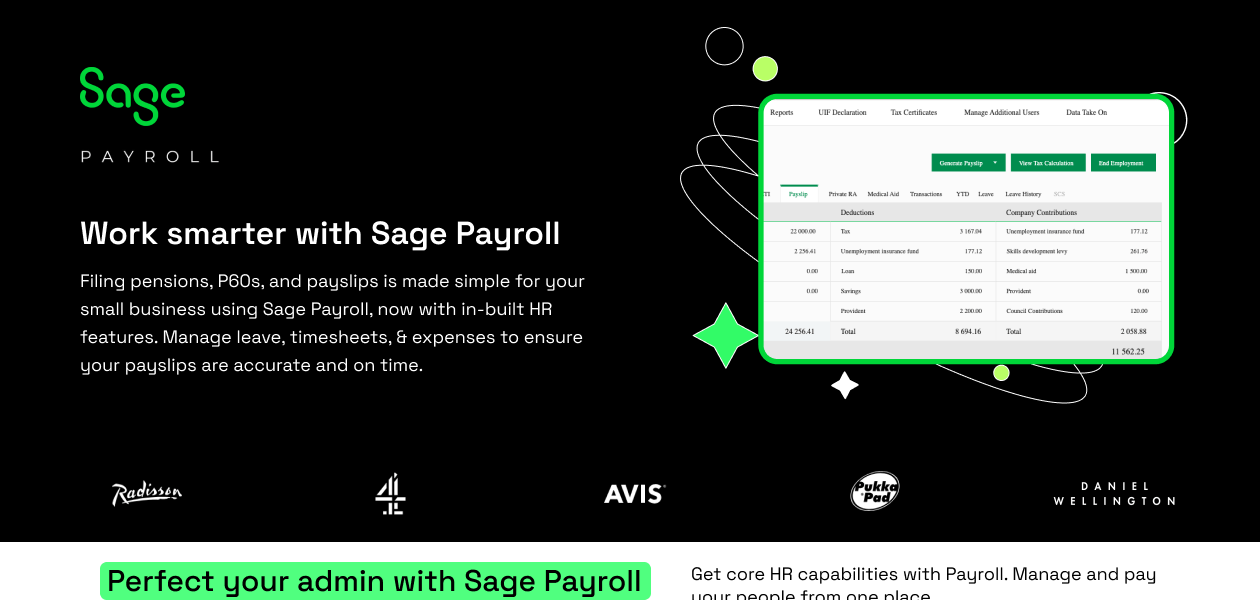
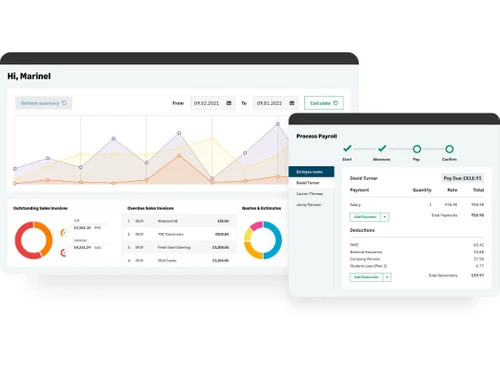
Sage Payroll Dashboard
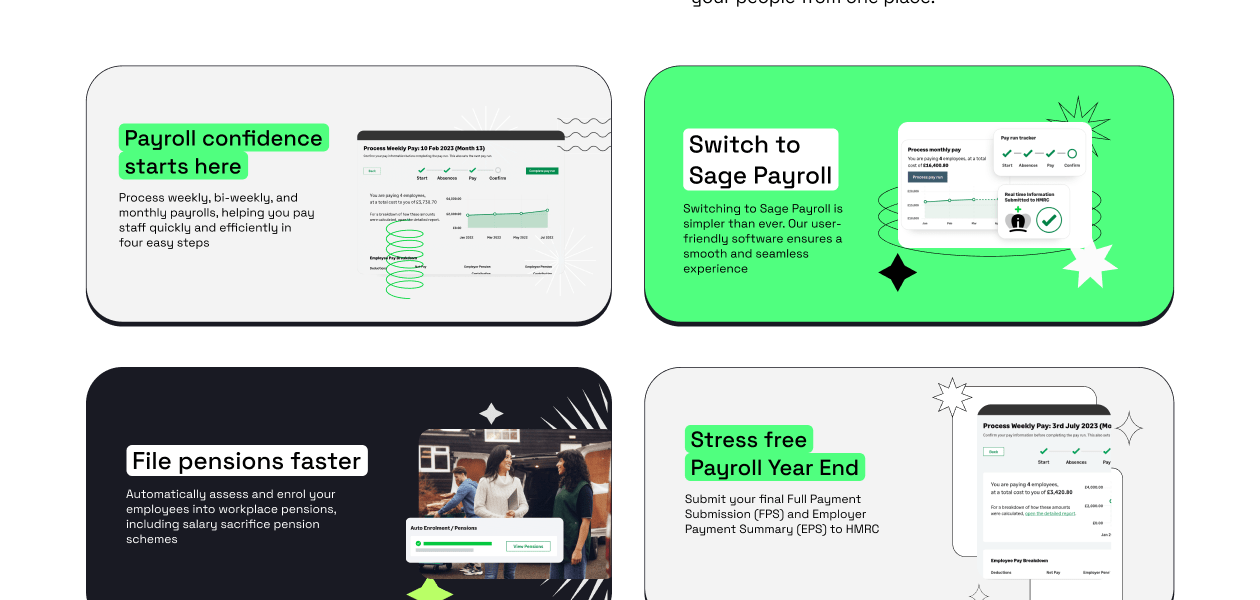
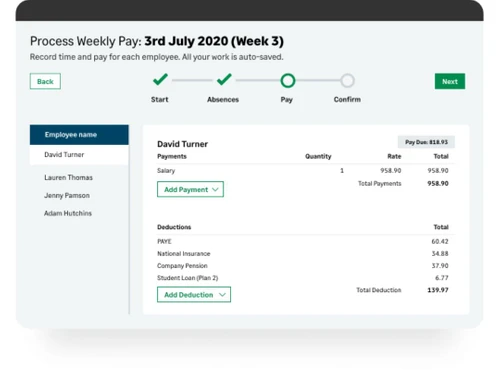
Sage Payroll Payroll Weekly Process Completed
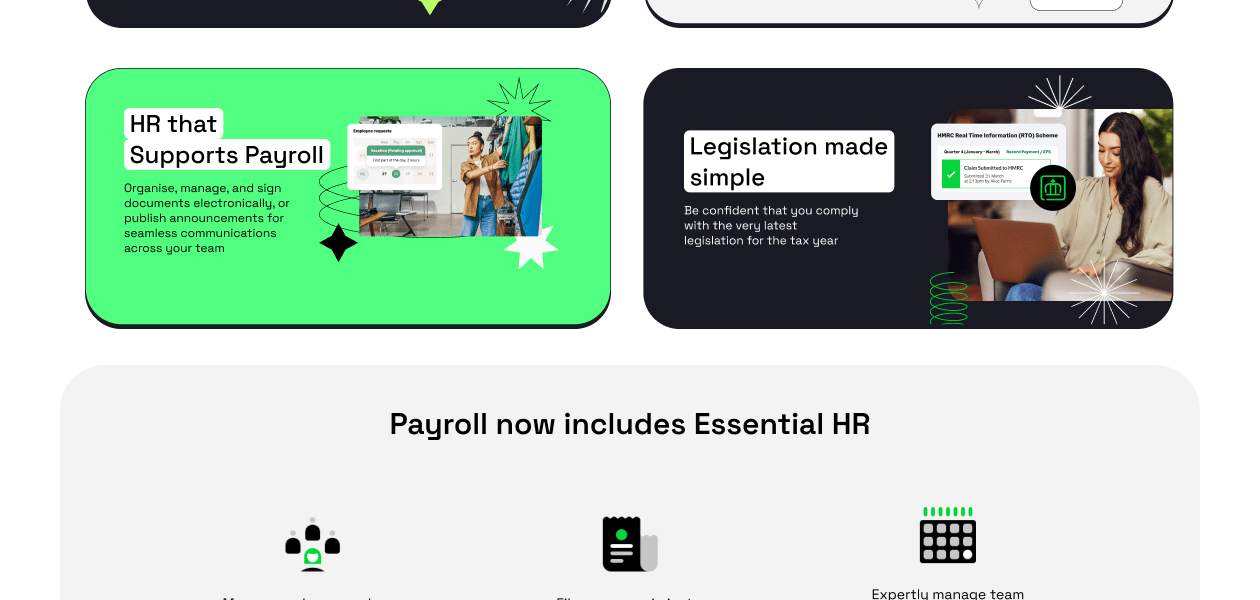
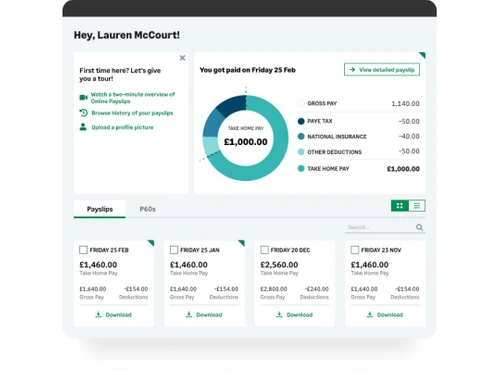
Sage Payroll Payslips Employee Pay Breakdown

Sage Payroll

Brand: Sage Group plc

  • 4.2

  • 4 Ratings

Sage Payroll is a cloud-based software that aims to serve small and medium-sized enterprises with their payroll processing. The payroll management system has active integrations with Sage Accounting, facilitating automated posting of comprehensive salary journals into the accounts of a user, offering a detailed overview of their business. Organizations can enroll their employees within the workpl...

See More

Have you used Sage Payroll before?

Share your insights for better experience

Add a Review
Starting Price
£10

View plans

100% Genuine
Products
Best Price
Guaranteed
Safe & Secure
Payment
  • Description

  • Pricing

  • Features

  • Specification

  • Review

  • Compare

  • Alternatives

  • FAQ

Starting at £10

Sage Payroll Software Overview

What is Sage Payroll?

Sage Payroll is a cloud-based software that aims to serve small and medium-sized enterprises with their payroll processing. The payroll management system has active integrations with Sage Accounting, facilitating automated posting of comprehensive salary journals into the accounts of a user, offering a detailed overview of their business. Organizations can enroll their employees within the workplace pension system as part of their 4-step payroll process. They can also monitor workplace pension schemes for NEST, NOW, and people’s pensions or select any provider of their own choice. Business houses can also forward enrolment letters to individual employees either by taking printouts or by sending the particulars via email. 

How does Sage Payroll’s payroll management module help enterprises in streamlining their pay runs?

Sage Payroll can be used to streamline multiple payroll-related attributes including emailing payslips, taking printouts of the same, recording the current deductions and payments of an individual employee, and more. Enterprises also get access to the following features: 

  1. They can manage pension contribution, NIC based deductions, income tax, student loan, along with statutory payments like maternity leave, sick leave, etc using Sage Payroll.
  2. Enterprises can achieve on-time and accurate salary disbursement through four stages of payroll processing on a weekly, bi-weekly, four weekly, and monthly basis. 
  3. With Sage Payroll, business houses get access to multiple historical pay runs and reprint payslips for each employee, as per their convenience.
  4. The software offers access to the same features in every payroll tier, enabling them to manage up to 50 employees at once.  

Benefits of Sage Payroll

  1. Accurate and on-time corrections: All the corrections get updated in real-time facilitating easy payroll processing. The built-in correction feature facilitates quick edits within previous pay runs. The new changes are being reflected in the current payslip with amends and updates stated in a clear form. 
  2. Sage Accounting Integration: The software has active integrations with Sage Accounting, which offers a unified view of users' business, based on the automated posting of salary journals. Complete information regarding Pay Run gets directly posted on Sage Accounting, eliminating duplication.  
  3. Access to Accountant: Admins can offer secure access to their accountants, allowing them to spot and fix mistakes within payroll processing in an accurate manner.

Pricing of Sage Payroll

Sage Payroll price starts at £10 at Techjockey.com.

The pricing model is based on different parameters, including extra features, deployment type, and the total number of users. For further queries related to the product, you can contact our product team and learn more about the pricing and offers.

Read more

Sage Group plc Company Details

Founded Year:  1981

Sage provide businesses with software and services that are simple and easy to use, as we work with you to give you that feeling of confidence. Customers trust our Payroll, HR, and Finance software to make business flow with ease.

Director/Founders Chad Ruff, Colin Cooper, David Goldman, Graham Wylie, P. Addo-Nyarko, Paul Milford Muller, Simonetta
Company Size 1000+ Employees

Sage Payroll Pricing & Plans

Payroll Essentials
Starting at £10
    • Licenses

      Licenses
      Licenses
    • Monthly

      Monthly
      Monthly

Key Features

  • 5 employees. Add more starting at £2.00 /mo

  • Complete a pay run in 4 simple steps

  • Employees self-serve payslips and P60s

  • HMRC real time information

  • Automatic pension enrolment

Payroll Standard
Starting at £20
    • Licenses

      Licenses
      Licenses
    • Monthly

      Monthly
      Monthly

Key Features

  • Everything from Payroll Essentials

  • 5 employees. Add more starting at £4.00 /mo

  • Personalised portal for onboarding

  • Build your company's org chart

  • Automate approval workflows and actions

Payroll Premium
Starting at £30
    • Licenses

      Licenses
      Licenses
    • Monthly

      Monthly
      Monthly

Key Features

  • Everything from Payroll Standard

  • 5 employees. Add more starting at £6.00 /mo

  • Manage timesheets and overtime online

  • Log time per project or per day

  • Manage shifts in schedule planning

Sage Payroll Features

Payroll Management

  • icon_check Overtime Management
    Tracks and calculates employee overtime hours.
  • icon_check Automated Payroll
    Streamlined payroll calculations for timely processing.
  • icon_check Direct Bank Transfers
    Automated salary deposits directly to bank accounts.
  • icon_check Off-Cycle Payroll Processing
    Process unscheduled payrolls for bonuses or adjustments.
  • icon_check Multiple Pay Rates and Schedules
    Supports varied pay rates and custom pay cycles.
  • icon_check Bonus and Incentive Management
    Configures and manages employee bonuses and incentives.
  • icon_check Expense Reimbursements
    Automates employee expense reimbursement processing.
  • icon_check Tax Deductions
    Calculates pre-tax and post-tax deductions for compliance.
  • icon_check Employee Benefits Management
    Administers employee health, retirement, and other benefits.
  • icon_check Variable Pay & Commission Management
    Manages variable pay and commissions accurately.
  • icon_check Gratuity Calculation
    Calculates gratuity as per Indian statutory requirements.

Compliance Management

  • icon_check Provident Fund (PF) Compliance
    Ensures timely PF contributions and reporting.
  • icon_check Professional Tax (PT) Compliance
    Manages PT deductions per state regulations.
  • icon_check Income Tax (TDS) Management
    Automates TDS calculations and deductions.
  • icon_check Labour Welfare Fund (LWF) Management
    Manages LWF deductions for eligible employees.
  • icon_check Employee State Insurance (ESI) Compliance
    Tracks and manages ESI contributions.

Time, Attendance & Leave Management

  • icon_check Leave & Absence Management
    Tracks leave balances and employee absences.
  • icon_check Sick Leave and Vacation Tracking
    Manages sick and vacation leave with accruals.
  • icon_check Holiday & Leave Calendar
    Manages holiday schedules and leave tracking.
  • icon_check Attendance Tracking
    Monitors employee attendance for accurate payroll.
  • icon_check Leave Policy Customization
    Customizable leave policies to suit company rules.

Employee Self-Service (ESS)

  • icon_check Income Tax Planner
    Allows employees to plan and declare tax exemptions.
  • icon_check Payslip Access
    Provides digital payslips for employee download.
  • icon_check Expense Claims
    Employees submit and track expense reimbursements.

Employee Lifecycle Management

  • icon_check Employee Database
    Centralized repository for all employee information.
  • icon_check Document Management
    Stores important employee documents securely.
  • icon_check Employee Shift Scheduling
    Schedules shifts for diverse work hour needs.
  • icon_check F&F Settlement
    Automates final settlements upon employee exit.

Banking Integration & Payment Processing

  • icon_check Bank Transfer Files
    Generates files for seamless bank transfers.
  • icon_check Cheque Processing
    Supports cheque payments for payroll processing.
  • icon_check Direct Deposit Scheduling
    Schedules direct salary deposits on paydays.
  • icon_check Multi-Bank Support
    Integrates with multiple banks for payroll.

Automation and Customization

  • icon_check Alerts & Notifications
    Sends automated notifications for payroll events.
  • icon_check API Access
    Provides API for integrations with other systems.
  • icon_check Scheduled Payroll Processing
    Automates scheduled payroll cycles.
  • icon_check Custom Payroll Rules and Policies
    Customizable payroll rules for flexibility.
  • icon_check Configurable Workflows & Approvals
    Set workflows for approvals in payroll.

Security and Data Privacy

  • icon_check User Access Management
    Manages access permissions to secure payroll data.
  • icon_check Two-Factor Authentication (2FA)
    Enhances security with 2FA for logins.
  • icon_check Data Backup and Recovery
    Ensures secure data backup and easy recovery.
  • icon_check Encrypted Data Transmission
    Protects payroll data during transfers.
  • icon_check Audit Logs and Monitoring
    Tracks and logs activities for audit compliance.

Integrations

  • icon_check API Integration
    Connects to external systems for data exchange.
  • icon_check Payment Gateway
    Integrates with gateways for payment processing.
  • icon_check Third Party Integration
    Integrates with third-party software solutions.
  • icon_check Accounting Software
    Integrates with accounting systems for seamless data.
  • icon_check HRMS
    Syncs with HRMS for unified employee data.
  • icon_check Performance Management
    Connects with PMS for performance-linked pay.
  • icon_check Biometric Integration
    Links with biometric systems for attendance.

Reporting and Analytics

  • icon_check Payroll Reports
    Detailed reports on payroll processing and expenses.
  • icon_check Compliance Reports
    Provides reports on statutory compliance.
  • icon_check Leave and Attendance Reports
    Tracks leave and attendance records.
  • icon_check Employee Master Report
    Comprehensive report on employee details.
Product Enrichment Section Image

Sage Payroll Specifications

Supported Platforms
Windows Windows iOS iOS Android Android MacOS MacOS
Devices
Desktop Desktop Mobile Mobile Tablet Tablet iPad iPad
Deployment
Cloud-Based Cloud-Based
Suitable For
All Industries
Business Specific
All Businesses
Business Size
Small Business Startups Medium Business Enterprises
Customer Support
Email Communities
Language
English
Training Resources
Videos

Explore the Best Alternative Solutions Similar to Your Business Size and Needs

Sage Payroll Review

4.2

Out of 5

img

Overall Rating

Based on
4 Verified Ratings

Rating Breakdown

  • Features 4.3
  • Value for Money 4.3
  • Ease of Use 3.8
  • Customer Support 4.3

92% Recommend this Product

Add Review

Techjockey Trusted Reviews from Verified Users

No reviews are currently available for Sage Payroll. Discover similar Payroll Software reviews

  • Spine Payroll Software

    4.4

    Whats great - Pay Slip Employee Muster read more

  • UnboxPayroll

    4.9

    Whats great - Easy to use and understand. read more

  • Paysquare

    4.3

    Whats great - I’ve been very happy with Paysquare because it takes care of payroll in a reliable way. read more

Compare Sage Payroll With other Payroll Software

Products
Ratings
Pricing
Device Supported
Deployment
Supported Platforms
  • img

    Sage Payroll

  • 4.2

  • Price On Request

  • Desktop

    Mobile

  • Web based

    On Premises

  • Windows

    Mac OS

  • img

    PagarBook

  • 4.2

  • ₹ 499

  • Desktop

    Mobile

  • Web based

    On Premises

  • Windows

    Mac OS

  • img

    TankhaPay

  • 4.9

  • ₹ 40

  • Desktop

    Mobile

  • Web based

    On Premises

  • Windows

    Mac OS

  • img

    PayWise

  • 4.5

  • ₹ 300

  • Desktop

    Mobile

  • Web based

    On Premises

  • Windows

    Mac OS

  • img

    Zoho Payroll

  • 3.8

  • ₹ 1250

  • Desktop

    Mobile

  • Web based

    On Premises

  • Windows

    Mac OS

  • img

    ADP Vista

  • 4.2

  • Price On Request

  • Desktop

    Mobile

  • Web based

    On Premises

  • Windows

    Mac OS

  • img

    QuickBooks Payroll

  • 4.2

  • Price On Request

  • Desktop

    Mobile

  • Web based

    On Premises

  • Windows

    Mac OS

  • img

    RazorpayX Payroll

  • 3.9

  • ₹ 29988

  • Desktop

    Mobile

  • Web based

    On Premises

  • Windows

    Mac OS

  • img

    Papaya Global

  • 4.6

  • Price On Request

  • Desktop

    Mobile

  • Web based

    On Premises

  • Windows

    Mac OS

  • img

    UnboxPayroll

  • 4.8

  • ₹ 2000

  • Desktop

    Mobile

  • Web based

    On Premises

  • Windows

    Mac OS

  • img

    HivePayroll

  • 4.9

  • ₹ 1499

  • Desktop

    Mobile

  • Web based

    On Premises

  • Windows

    Mac OS

(2) Product(s) selected

Sage Payroll Alternatives

See All Sage Payroll Alternatives

Available

Price on Request

Available

Price on Request
Starting Price:

₹10 /Month

Warp

4.3

Starting Price:

$25 /Employee/Month

Articles for Sage Payroll

See All Related Articles

How to streamline employee payroll on Sage Payroll?

Select the employee> Click on Payroll and select enter payments> Enter hourly rates of deductions and payments> Select the summary tab and run detailed checks over the entered amount> Click on save/next.

Does Sage Payroll help you with PAYE calculation?

Yes, Sage Payroll takes care of PAYE, SDL, UIF calculations.

Do you offer an online demo of Sage Payroll?

Yes, you can request an online demo of Sage Payroll. Our software experts will get back to you in real-time.

How does Sage Payroll help enterprises with their P60s, Payslips and reporting?

Enterprises can email or take printouts of payslips, reports and P60s related to their business. The payslips are encrypted ensuring proper security.

Does Sage Payroll have a dedicated mobile application?

No, Sage Payroll does not have a dedicated mobile app as of now.

20,000+ Software Listed

Best Price Guranteed

Free Expert Consultation

2M+ Happy Customers

Terms and Condtions

close

Users with registered businesses can purchase goods from merchants on the platform to satisfy their business needs. Users are not permitted to utilize any products acquired through the platform for resale, advertising, business, or further distribution.

For each purchase made, users will receive a Tax Invoice (or 'GST invoice') that includes specific details such as:

  • the GSTIN of the user associated with their registered business, and

  • the specified Entity Name for their business.

It should be noted that not all products are eligible for GST Invoice. Only the products displayed by participating sellers with the 'GST-based Invoice Available' callout on the product description page would qualify.

Certain goods and services are not eligible to get a GST Invoice, including items with VAS, i.e., Value Added Services (e.g., Total Mobile Protection/Assured Buyback) and those involving an exchange offer at the time of purchase.

Users must ensure the accuracy of the GSTIN, and business entity name provided for the GST Invoice. Requests for corrections into GST Invoice would not be accommodated by Techjockey.com or any Seller, and any issues arising from user-provided information are the sole responsibility of users.

Techjockey.com is not liable for the GST Invoice or any associated input tax credit. To efficiently claim an input tax credit, users should select the registered place of business address as per the GST authority's data and follow the provisions of the GST Act and rules.

To claim an input tax credit, the delivery and billing addresses must match. Furthermore, input tax credits will not be granted if the delivery address and GSTIN on the invoice are from different states. In case of incorrect GST details provided during the order placement, the order will be canceled automatically.