linkedin
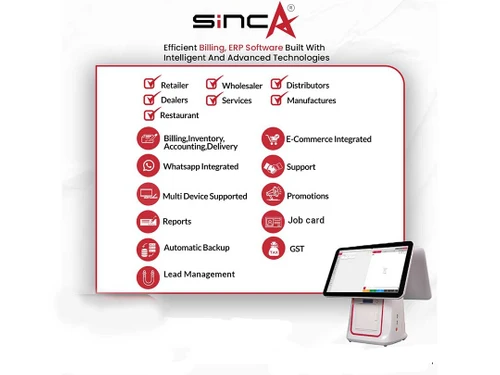
Sinca logo
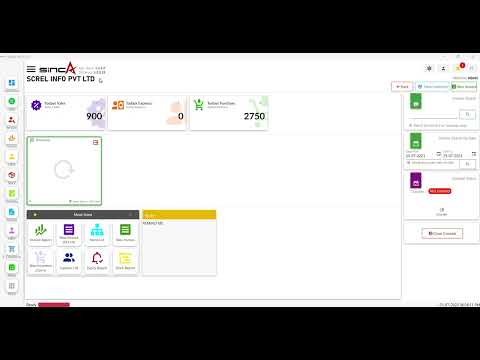
play Introducing SincA: Your Ultimate ERP Solution | Dashboard Overview & Feature Highlights
play Invoice Creation with SINCA Billing Software | Billing Software | Invoice | Billing | ERP Software
play SINCA Restaurant POS Billing Software | POS Billing | Billing Software For Restaurant | SinCA

Sinca

Brand: SCREL ts_icon_wide

  • 4.9

  • 12 Ratings & 11 Reviews

Introducing SincA, your business' intelligent companion for effortless accounting. This user-friendly software not only simplifies financial tasks but also boasts features like customizable invoices, multi-currency support, and real-time inventory management. Sinca goes beyond, offering a secure clo...

See More

Have you used Sinca before?

Share your insights for better experience

Add a Review
Starting Price
₹4,236 excl.GST
₹ 4,999 incl. GST

View plans

100% Genuine
Products
Best Price
Guaranteed
Safe & Secure
Payment
  • Description

  • Pricing

  • Features

  • Specification

  • Review

  • Compare

  • Alternatives

  • FAQ

Starting at ₹4,236

Sinca Software Overview

What is SincA?

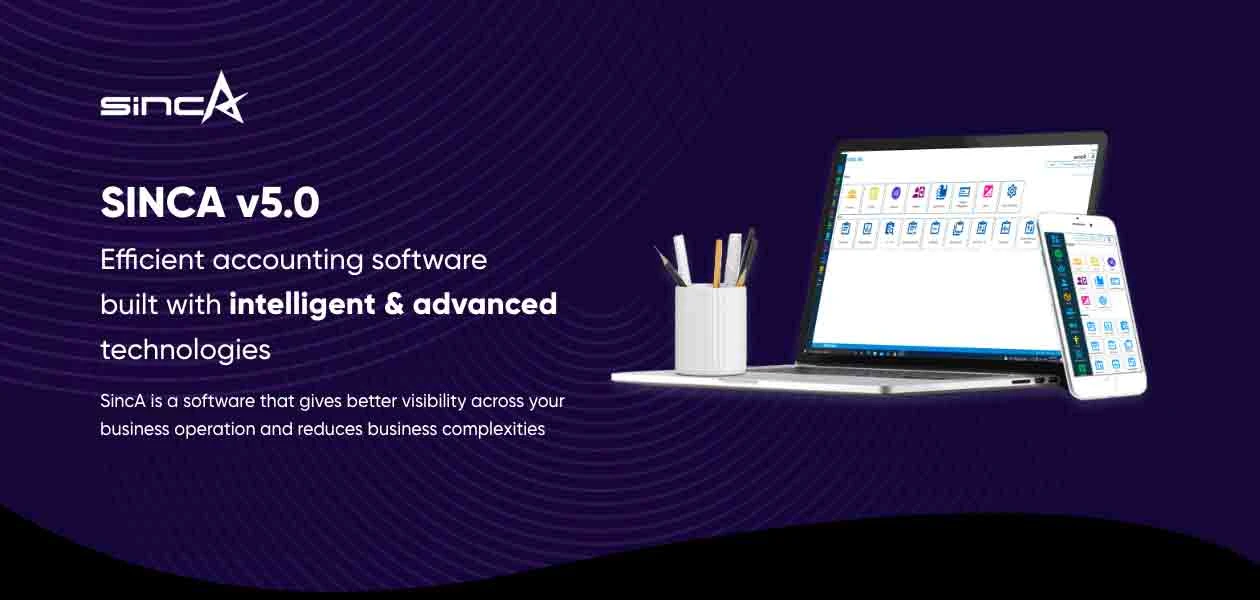
SincA is your business' brilliant companion in the world of accounting. It's more than just software – it's a user-friendly solution tailored for businesses of all sizes. Imagine effortlessly creating and customizing invoices, managing inventory with real-time updates, and enjoying the flexibility of multi-currency support.

SincA also ensures your data's safety through secure cloud backup, making it accessible anytime, anywhere. Whether you're a retailer, service company, or restaurant, this accounting software simplifies your financial management, making it a must-have ally for seamless business operations.

But that's not all – with SincA, access insightful online reports at your fingertips and enjoy the peace of mind that comes with 24/7 customer support. Whether you're tracking sales, analyzing financial data, or needing assistance, SincA stands by your side, making business operations smoother and more efficient.

Why Choose SincA?

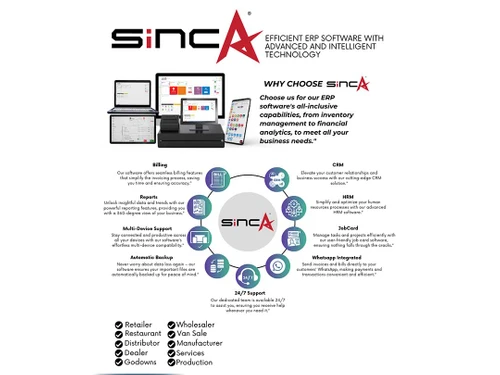
  • All-in-One Solution: SincA serves as both billing and ERP software, offering a comprehensive suite of tools for seamless business operations.
  • Round-the-Clock Support: Benefit from 24/7 customer support, ensuring assistance whenever you encounter challenges or need guidance with SincA.
  • User-Friendly Interface: Sinca prides itself on being very user-friendly, making it easy for businesses to navigate and utilize its powerful features.
  • Versatile Inventory System: Experience the efficiency of a powerful inventory system that simplifies stock management and streamlines your supply chain.

Benefits of SincA

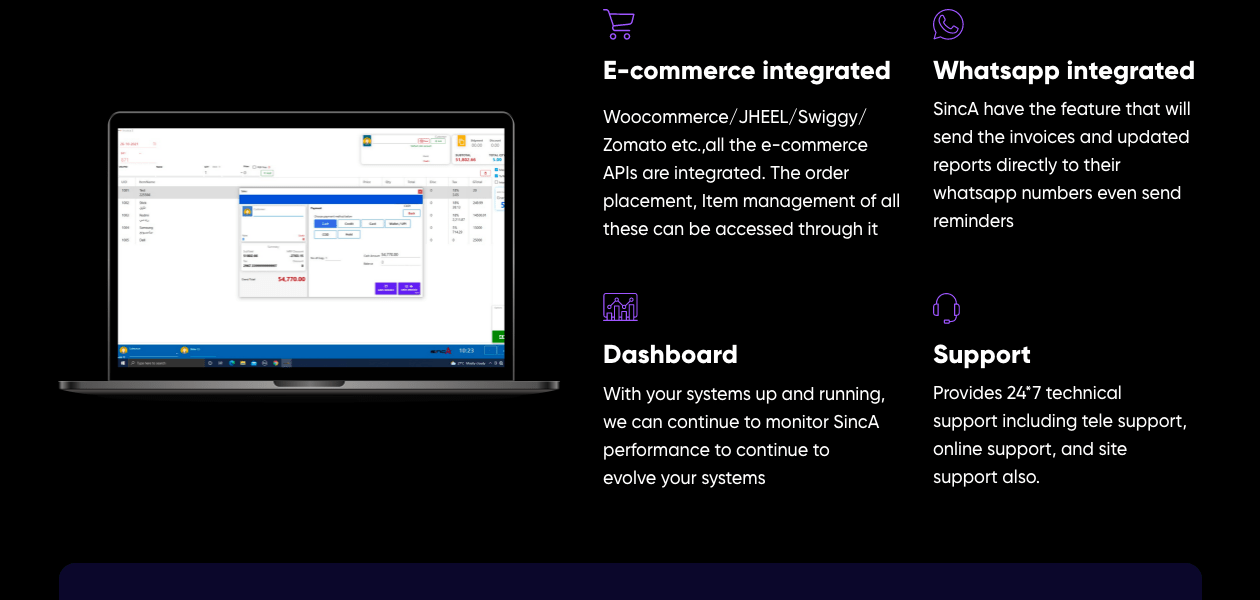
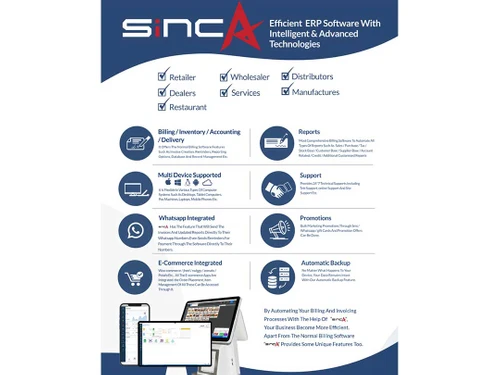
  • WhatsApp Integration: Stay connected with customers effortlessly through WhatsApp integration, enhancing communication and customer engagement.
  • Instore and Online Selling: SincA enables businesses to sell both in-store and online, providing flexibility to reach customers through various channels.
  • Fast Billing: Speed up your billing processes with SincA's fast billing feature, ensuring efficient transactions for your business.
  • Automatic Backup: Enjoy peace of mind with automatic backup functionality, safeguarding your data against unexpected losses.

SincA Pricing

SincA offers a straightforward pricing model at 4999/-, inclusive of GST. This transparent pricing ensures that you get comprehensive billing and ERP features without any hidden charges, providing value for your investment.

With SincA's pricing at 4999/-, customers have the flexibility to use the software on two computers simultaneously, maximizing the value for the same amount.

Read more

SCREL Company Details

Founded Year:  2019

SCREL INFO PVT LTD is a dynamic and client centric technology company based in india with global perspectives. It has successfully catered to the needs of small & medium scale Corporate Businesses.

Director/Founders Mr. Abdulkalam Kolkalakath, Mrs. Sadiya Shaikh, Mr. Mohammaed Fazil, Mr. Rashik
Company Size 1-100 Employees

Sinca Pricing & Plans

Sinca
Key Features
  • Order Management
  • Customer Support
  • Shopping Cart
  • User Friendly
  • Real Time Tracking

Calculated Price

4236 Exclusive of all taxes
    • Quantity

      Quantity
      Quantity

Key Features

  • Order Management

  • Customer Support

  • Shopping Cart

  • User Friendly

  • Real Time Tracking

Sinca Features

  • icon_check Dashboards
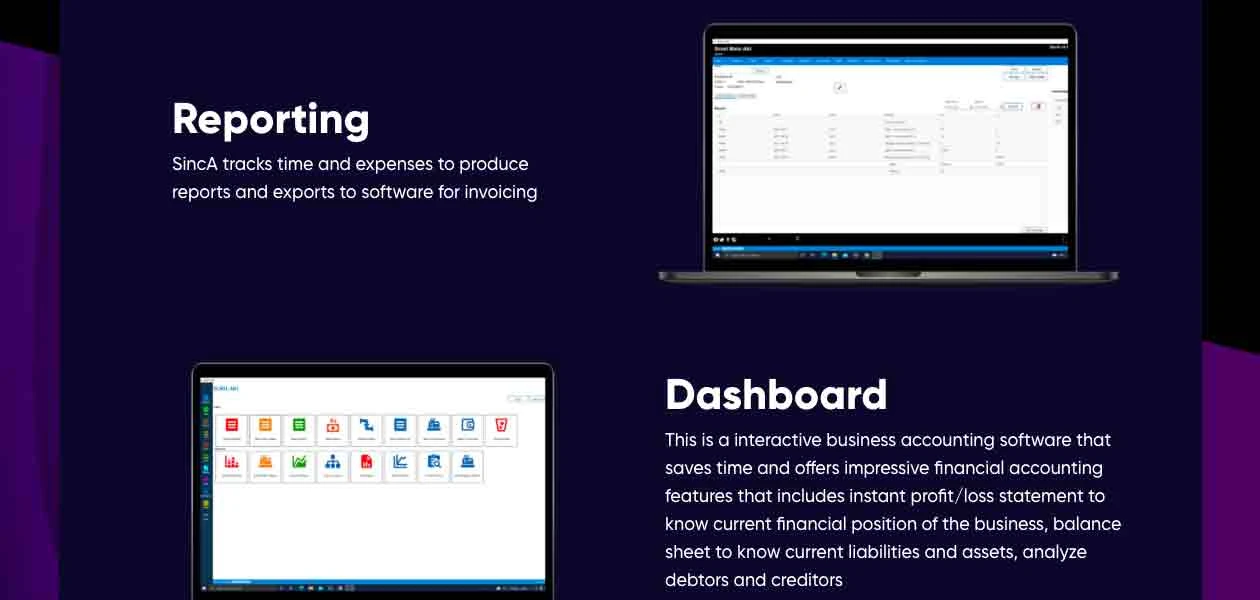
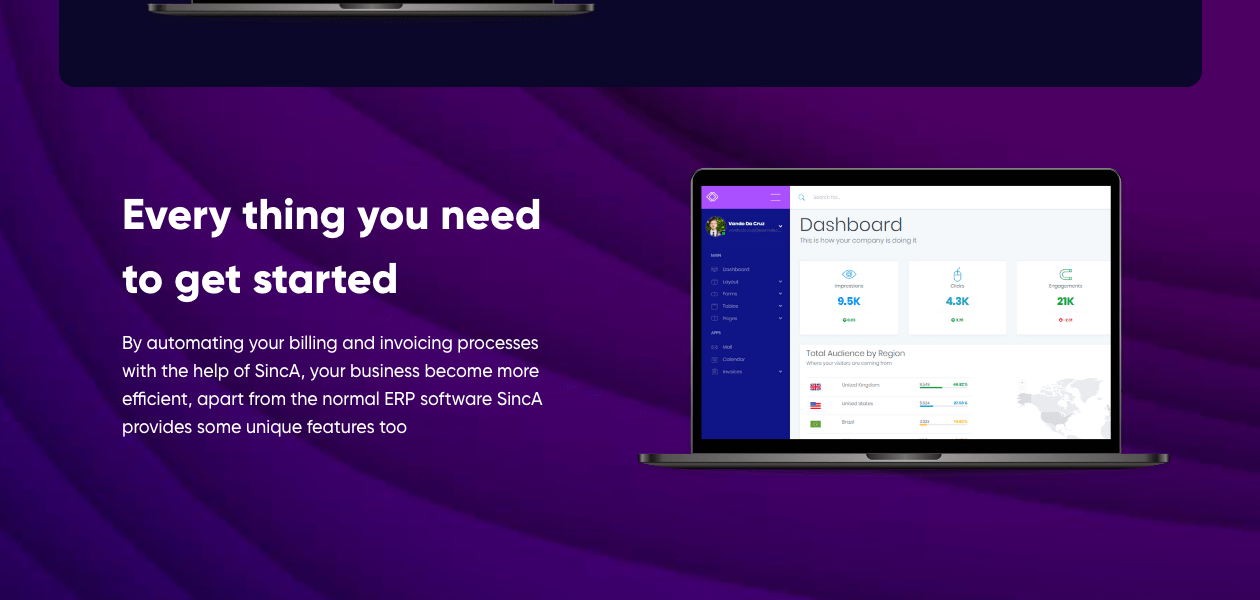
    Access instant profit/loss statements, balance sheets, and analyses of debtors and creditors, customers, etc., on the dashboard.
  • icon_check Customer Management
    Allows businesses to manage cutsomer information and also send them reminders for due payments.
  • icon_check Sales Management
    SincA helps is analyzing your salesperson’s performance along with giving you an overview of the total sales.
  • icon_check Expense Management
    Track all your expenses incurred in the particular month, or a financial year.
  • icon_check Inventory Management
    Keep a check on your inventory to effectively manage and add stuff as and when demand peaks.
  • icon_check Multi Currency
    Generate invoices in multiple currency and make doing business internationally more simple.
  • icon_check GST Invoicing & Billing
    Generate GST-compliant invoices using the accounting software.
  • icon_check Reports
    Track your expense reports and share it further with WhatsApp integration.
  • icon_check Printer Compatibility
    Sinca supports all types of printers, ensuring compatibility with your existing hardware for a smooth transition.
  • icon_check CRM and HRM Modules
    Effectively manage customers and employees with dedicated CRM and HRM modules.
  • icon_check POS Billing
    Experience seamless Point of Sale (POS) billing for enhanced customer interactions and quick transactions.
  • icon_check Multi-Currency Support
    Expand your business horizon with its multi-currency support, facilitating transactions and reaching new markets effortlessly.
  • icon_check Extensive Reporting
    Online access to over 100 reports, providing valuable insights into your business performance for strategic decision-making
  • icon_check GST Filing
    Simplify your tax compliance with Sinca's GST filing feature, ensuring accuracy and efficiency in your financial processes.
  • icon_check Jobcard and Barcode Management
    Streamline operations with features like job card management and barcode support, optimizing efficiency in various processes.
  • icon_check Loyalty Program
    Enhance customer loyalty with SincA's loyalty programs, adding value to your customer relationships.
  • icon_check Recipe and Stock Management:
    Efficiently manage recipes and stock levels, ensuring optimal inventory control and production planning.
  • icon_check Counter and Shift Closing
    Facilitate smooth counter and shift closings, enhancing operational efficiency for your business.
  • icon_check Online Backup
    Secure your data with online backup options, providing an extra layer of protection against data loss.
  • icon_check Free Trial, No Hidden Charges
    Explore SincA risk-free with a 7-day free trial, with the assurance of transparent pricing and no hidden charges.
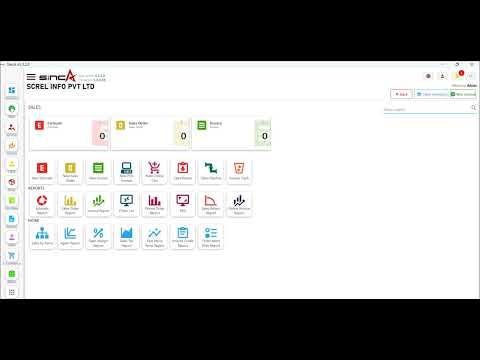
Sinca Demo Video play icon

Get Sinca Demo

Watch the demo video to explore key features, real workflows, and how the software fits your business needs.

Understand
Key Features
Personal
Demo Insights
Interactive
Demo Support
Product Enrichment Section Image

Sinca Specification

Supported Platforms
Ubuntu Ubuntu Windows Windows iOS iOS Android Android MacOS MacOS Linux Linux
Devices
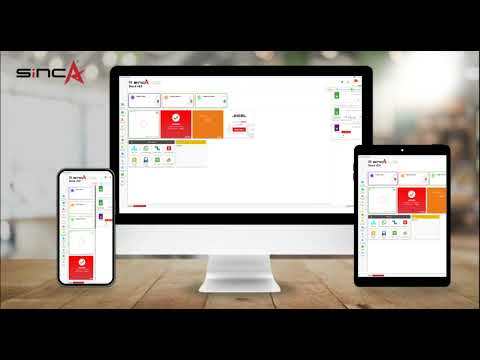
Desktop Desktop Mobile Mobile Tablet Tablet iPad iPad
Deployment
Web-Based Web-Based
Suitable For
All Industries
Business Specific
All Businesses
Business Size
Small Business Startups Medium Business Enterprises SMBs SMEs MSMBs MSMEs
Customer Support
Phone Email Live Chat
Language
عربى বাংলা English ગુજરાતી हिन्दी മലയാളം मराठी தமிழ்
Integration
API Integration
Training Resources
Live Online Documentation Videos
AI Features
AI Integrated
Technology
Next Generation
Compliance Regulation
CCPA

Sinca Reviews

4.9

Out of 5

img

Overall Rating

Based on
11 Verified Reviews

Rating Breakdown

  • Features 4.9
  • Value for Money 4.9
  • Ease of Use 4.8
  • Customer Support 5

98% Recommend this Product

Add Review

Pros

  • "This has so many extra features and excellent ERP software for your business at an affordable price i am very very thankful to Sinca you have fulfilled my needs."

    MadiyaaJan 24, 2024

  • "Customer services are there for you 24/7. I have been using this software for past 2 years if i get any confusion the customer service are there for you 24/7."

    TabbyJan 20, 2024

  • "Mujhe yeh product bhut impressive laga please invest once I m sure you liked the quality of the product too."

    SamreenJan 19, 2024

Cons

  • "Mujhe is product mai koi bhi cons nhi mile I am100% satisfied with this software"

    SamreenJan 19, 2024

  • "If I talk about cons I don't have any problem with this product have been using it for the past 1 and a half years and I don't even get any cons about this product"

    KhanJan 19, 2024

  • "Honestly, there is nothing disliking things in this software."

    ShanidJan 11, 2024

Priyanshu

Cybersecurity Analyst

Industry: Customer Support

5

Reviewed on: Jan 25, 2024

Techjockey Verified

“Sinca is user friendly solution with extra features”

Pros

There are many features in Sinca like access to instant profit /loss statement balance sheets and analysis of debtors and credit customers on the dashboard and we talk about prices the prices are very reasonable according to the services the customer services are there for you 24/7.

Cons

Mobile phone app

Switched from ABM Accounting

Reason to switch

Slow services that's why I am switching to tech jockey Sinca and I am very thankful to Sinca

Madiyaa

IT Manager

Industry: Graphic Design

4.7

Reviewed on: Jan 24, 2024

Techjockey Verified

“Good experience with this software”

Mostly the interface and easy understanding of the sections there is a reason why I switched to this product help me to inform my offers to my saved customers through WhatsApp.

Pros

This has so many extra features and excellent ERP software for your business at an affordable price i am very very thankful to Sinca you have fulfilled my needs.

Cons

Noo cons are there in this software

Switched from Rushda accounting software

Reason to switch

Slow software and i found that sinca is the best

Tabby

Network Administrator

Industry: Oil & Energy

4.5

Reviewed on: Jan 20, 2024

Techjockey Verified

“Very nice software easy to use and value for money”

Pros

Customer services are there for you 24/7. I have been using this software for past 2 years if i get any confusion the customer service are there for you 24/7.

Cons

I didn't get any cons in this software

Switched from Ahead SoftPro Universal Accounting Pro
See All Sinca Reviews

Compare Sinca With other Restaurant Billing Software

Products
Ratings
Pricing
Device Supported
Deployment
Supported Platforms
  • img

    Sinca

  • 4.9

  • ₹ 4236.44 excl. GST

  • Desktop

    Mobile

  • Web based

    On Premises

  • Windows

    Mac OS

  • img

    BillByteKOT

  • 5

  • ₹ 1999

  • Desktop

    Mobile

  • Web based

    On Premises

  • Windows

    Mac OS

  • img

    DSO Restaurant

  • 4.7

  • ₹ 6999

  • Desktop

    Mobile

  • Web based

    On Premises

  • Windows

    Mac OS

  • img

    Petpooja

  • 4.2

  • ₹ 10000

  • Desktop

    Mobile

  • Web based

    On Premises

  • Windows

    Mac OS

  • img

    Ciferon POS

  • 4.2

  • ₹ 7499

  • Desktop

    Mobile

  • Web based

    On Premises

  • Windows

    Mac OS

  • img

    eRe4u

  • 4.6

  • ₹ 4000

  • Desktop

    Mobile

  • Web based

    On Premises

  • Windows

    Mac OS

  • img

    Limetray

  • 4.6

  • Price On Request

  • Desktop

    Mobile

  • Web based

    On Premises

  • Windows

    Mac OS

  • img

    Digirestro

  • 4.7

  • ₹ 8000

  • Desktop

    Mobile

  • Web based

    On Premises

  • Windows

    Mac OS

  • img

    Captain App

  • 4.3

  • Price On Request

  • Desktop

    Mobile

  • Web based

    On Premises

  • Windows

    Mac OS

(0) Product(s) selected

Sinca Alternatives

See All Sinca Alternatives

Available

Price on Request

Available

Price on Request

Available

Price on Request

Available

Price on Request

Which operating system does SincA support?

SincA accounting software is compatible with Windows and macOS.

Is there any SincA app?

Currently, Sinca is in the process of developing a dedicated app. The app is expected to be ready soon, enhancing accessibility for users on the go.

What is the deployment type of SincA?

SincA accounting software supports web-based deployment type.

How much does SincA cost?

Sinca is priced at 4999/-, inclusive of GST. This transparent pricing model ensures comprehensive billing and ERP features without any hidden charges.

Who are the potential users of SincA?

Sinca is tailored for a wide range of businesses, including distributors, retailers, wholesalers, service companies, beauty salons, electronics shops, restaurants, clothing stores, and more. Its user-friendly design caters to both tech-savvy and non-tech-savvy individuals, making it versatile for businesses of various sizes and industries.

Is there any free trial or demo available for SincA?

Yes, Sinca offers a 7-day free trial, allowing users to explore its features and functionalities. This trial period provides an opportunity to experience the software firsthand before making a commitment.

Is SincA free?

While Sinca offers a 7-day free trial for users to explore its features, it is not entirely free beyond the trial period. The software is priced at 4999/-, inclusive of GST, providing comprehensive billing and ERP features with transparent pricing and no hidden charges.

How can you download SincA?

Sinca is an offline software, and users cannot download it independently. To install Sinca, please contact our dedicated support team, and they will guide you through the installation process to ensure a seamless setup.

How does SincA work?

After installation, input your business data, customize features, and utilize the user-friendly interface for tasks like invoicing, inventory management, and more. For assistance, contact our 24/7 support team.

20,000+ Software Listed

Best Price Guranteed

Free Expert Consultation

2M+ Happy Customers

Terms and Condtions

close

Users with registered businesses can purchase goods from merchants on the platform to satisfy their business needs. Users are not permitted to utilize any products acquired through the platform for resale, advertising, business, or further distribution.

For each purchase made, users will receive a Tax Invoice (or 'GST invoice') that includes specific details such as:

  • the GSTIN of the user associated with their registered business, and

  • the specified Entity Name for their business.

It should be noted that not all products are eligible for GST Invoice. Only the products displayed by participating sellers with the 'GST-based Invoice Available' callout on the product description page would qualify.

Certain goods and services are not eligible to get a GST Invoice, including items with VAS, i.e., Value Added Services (e.g., Total Mobile Protection/Assured Buyback) and those involving an exchange offer at the time of purchase.

Users must ensure the accuracy of the GSTIN, and business entity name provided for the GST Invoice. Requests for corrections into GST Invoice would not be accommodated by Techjockey.com or any Seller, and any issues arising from user-provided information are the sole responsibility of users.

Techjockey.com is not liable for the GST Invoice or any associated input tax credit. To efficiently claim an input tax credit, users should select the registered place of business address as per the GST authority's data and follow the provisions of the GST Act and rules.

To claim an input tax credit, the delivery and billing addresses must match. Furthermore, input tax credits will not be granted if the delivery address and GSTIN on the invoice are from different states. In case of incorrect GST details provided during the order placement, the order will be canceled automatically.