linkedin
DSO Restaurant logo
play DSO Restaurant Billing Software
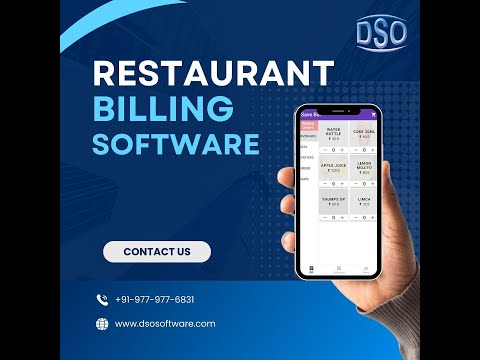
play Android restaurant Software
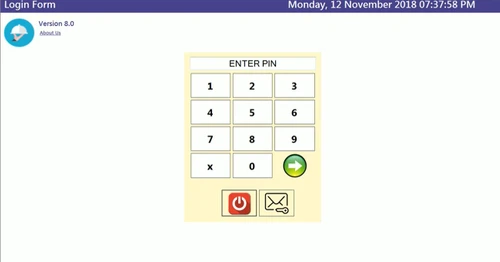
POS SYSTEM LOGIN PIN

DSO Restaurant

Brand: DSO Software

  • 4.7

  • 3 Ratings & 2 Reviews

DSO Restaurant is a smart, cloud-based, GST-ready POS system that streamlines billing, orders, and inventory for all food businesses, maximizing profits and efficiency.

See More

Have you used DSO Restaurant before?

Share your insights for better experience

Add a Review
Starting Price
₹6,999 excl.GST
₹ 8,259 incl. GST

View plans

100% Genuine
Products
Best Price
Guaranteed
Safe & Secure
Payment
  • Description

  • Pricing

  • Features

  • Specification

  • Review

  • Compare

  • Alternatives

  • FAQ

Starting at ₹6,999

DSO Restaurant Software Overview

What is DSO Restaurant?

DSO Restaurant is a sophisticated, cloud-based Point of Sale (POS) and management software specifically engineered for the food and hospitality industry. It serves as a comprehensive, GST-ready solution for a wide range of establishments, including fine-dining restaurants, quick-service restaurants (QSRs), cafes, food trucks, and delivery-focused cloud kitchens. The platform is designed to be a powerful, efficient, and fully customizable system that centralizes and simplifies core business operations.

At its heart, DSO Restaurant streamlines the entire workflow from order taking to final billing. It provides robust tools for managing orders, tracking inventory in real-time, and handling complex billing scenarios with ease. By integrating these critical functions into a single, intuitive interface, the software helps business owners enhance operational efficiency, improve order accuracy, and deliver a seamless and satisfying experience for their customers.

Why Choose DSO Restaurant?

  • Increased Efficiency: The software automates and simplifies daily tasks such as order processing, billing, and reporting. This reduces manual workload and allows staff to focus on providing excellent customer service.
  • Reduced Errors: By digitizing the order-taking and billing process, DSO Restaurant minimizes the risk of human error, leading to greater order accuracy and improved customer satisfaction.
  • Maximized Profitability: With features like real-time inventory tracking and detailed sales analytics, owners can make informed decisions to control costs, reduce waste, and identify opportunities to boost revenue.
  • Enhanced Customer Experience: Fast billing, flexible payment options, and efficient table management contribute to a smooth and pleasant dining experience, encouraging repeat business and customer loyalty.
  • Operational Flexibility: The system is fully equipped to handle various service models, including dine-in, takeaway, and home delivery, making it a versatile solution for any type of food establishment.
  • Data-Driven Insights: The live dashboard and comprehensive reporting tools provide valuable insights into sales trends, staff performance, and overall business health, empowering managers to make strategic decisions.

Advanced Features of DSO Restaurant

  • Order Management: Enables fast, accurate, and streamlined handling of customer orders from placement to fulfillment.
  • Menu Customization: Offers the flexibility to easily create, modify, and manage your menu items, categories, and pricing.
  • Table Management: Allows staff to assign, track, and manage the status of all tables within the restaurant effortlessly.
  • Split Billing: Provides a flexible and convenient option for guests to split their bills according to their preferences.
  • Multiple Payment Options: Supports a wide range of payment methods, including cash, credit/debit cards, digital wallets, and gift cards.
  • Discounts & Promotions: Facilitates the creation and management of special offers, discounts, and loyalty programs to attract and retain customers.
  • Automatic Tax Calculation: Ensures accurate and compliant tax handling for all transactions, including GST.
  • Inventory Integration: Features smart stock and ingredient tracking to monitor inventory levels, manage supplies, and reduce waste.
  • Analytics & Reporting: Delivers detailed reports and analytics on sales, performance, and customer data to inform business strategy.
  • Customer Database: Helps build and maintain a database of customer history and preferences for personalized service.
  • Bill Printing and Emailing: Generates professional bills and receipts that can be printed or emailed directly to customers.
  • Security and Compliance: Ensures data security and regulatory compliance, particularly around the handling of customer payment information.

Modules of DSO Restaurant

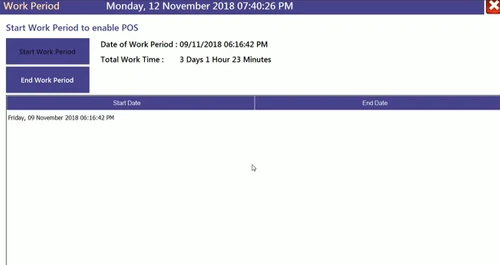
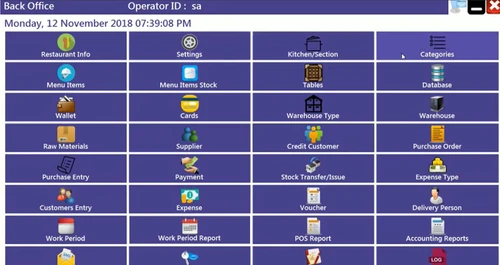
  1. Restaurant POS System: This is the core of the platform, providing a reliable and powerful solution for all daily transactions. It features an intuitive interface for express billing, working period management, and a live dashboard for a real-time overview of operations. It seamlessly handles dine-in, takeaway, and home delivery billing.
  2. Captain App: Designed specifically for waiters and servers, this mobile application streamlines the order-taking process. Staff can select tables, take customer orders directly on a mobile device, and send them instantly to the kitchen. This eliminates delays, reduces manual errors, and ensures a faster, more convenient dining experience for guests, especially during peak hours.
  3. Admin App: This powerful mobile application gives owners and managers complete control and visibility over their business from anywhere. It provides access to real-time reports, inventory monitoring, and transaction tracking. Administrators can use it to detect irregularities like deleted bills, prevent financial leakage, and maintain full transparency across all operations.
  4. Zomato & Swiggy Integration: A direct API integration brings orders from Zomato and Swiggy straight into the POS system. It handles menu synchronization, order notifications and acceptance, kitchen printing or display, and order status updates, streamlining payment reconciliation and inventory tracking for delivery-focused operations.
  5. QR Ordering System: A contactless ordering solution that lets customers scan a QR code to access a digital menu, select items, and pay, eliminating the need for physical menus or direct server interaction. Orders flow straight through to the kitchen.

How to Use DSO Restaurant?

DSO Restaurant is designed with an intuitive and user-friendly interface, ensuring that staff can be trained quickly and can operate the system with minimal effort. The workflow is logical and straightforward, simplifying complex daily operations.

The process typically begins with staff using the Captain App to take orders at the table, which are then instantly relayed to the kitchen. The core POS system manages billing, applying any relevant discounts or taxes automatically and processing payments through various methods. For managers and owners, the Admin App provides a constant, real-time connection to the business's performance.

To fully understand the software's capabilities and how it can be tailored to your specific needs, it is recommended to request a personalized demonstration from the DSO Software team. This will provide a hands-on look at the system's features and functionality in action.

DSO Restaurant Pricing

DSO Restaurant price starts at INR 6,999 at techjockey.com.

The pricing model is based on different parameters, including extra features, deployment type, and the total number of users. For further queries related to the product, you can contact our product team and learn more about the pricing and offers.

Read more

DSO Software Company Details

Founded Year:  2013

DSO Software provides ERP software, Hotel management software, school management software, restaurants and bars POS software.

Director/Founders Manish Bhargav
Company Size 1-100 Employees

DSO Restaurant Pricing & Plans

Silver

Calculated Price

₹ 6999 Exclusive of all taxes
    • Quantity (License)

      Quantity (License)
      Quantity (License)

Key Features

  • POS Software With Single User

  • Point of Sale (POS)

  • Expense Management

  • Purchase Management

  • Swiggy/Zomato/Uber-Eats Channels

Gold

Calculated Price

₹ 8999 Exclusive of all taxes
    • Quantity (License)

      Quantity (License)
      Quantity (License)

Key Features

  • POS Software

  • Admin App

  • Captain App

  • Point of Sale (POS)

  • Expense Management

  • Purchase Management

  • Swiggy/Zomato/Uber-Eats Channels

Diamond

Calculated Price

₹ 11999 Exclusive of all taxes
    • Quantity (License)

      Quantity (License)
      Quantity (License)

Key Features

  • POS Software

  • Captain App

  • QR Ordering

  • KDS App

  • Point of Sale (POS)

  • Expense Management

  • Purchase Management

  • Swiggy/Zomato/Uber-Eats Channels

DSO Restaurant Features

  • icon_check Feedbacks
    A digital reputation tool that allows you to collect and analyze customer reviews directly through the system, helping you
  • icon_check Menu Management
    A flexible configuration engine that lets you instantly update item prices, add seasonal dishes, or toggle "out of stock" status
  • icon_check Online Orders Management
    A centralized hub that aggregates orders from your website and app, providing a unified queue for preparation and dispatch
  • icon_check Loyalty Program
    A customer retention suite that tracks diner spending patterns and automates reward points or discount tiers to encourage repeat
  • icon_check Point of Sale (POS)
    The high-speed operational core that handles billing, split-checks, and multiple payment modes (UPI, Cards, Cash) with a
  • icon_check Expense Management
    A specialized accounting utility that records all overhead costs—from rent to utilities—allowing you to track your true daily
  • icon_check Purchase Management
    A procurement module that manages vendor profiles, tracks incoming raw materials, and compares purchase orders against actual
  • icon_check Swiggy and Zomato Integrated
    A powerful API-driven connection that auto-accepts aggregator orders, syncs your menu live, and prints invoices directly from
  • icon_check Inventory Management
    A real-time stock-tracking engine that monitors ingredient levels and sends "low-stock" alerts, helping you maintain optimal par
  • icon_check Home Delivery Management
    A logistics coordinator that tracks delivery boy assignments, calculates transit times, and provides real-time status updates to
  • icon_check KOT Management
    An automated communication system that instantly sends order details to kitchen printers or displays, ensuring chefs receive
  • icon_check Customer Management
    A centralized CRM database that stores diner preferences, birthdays, and order history, enabling personalized marketing and "VIP"
  • icon_check Recipe Management
    A precision cost-control tool that links menu items to specific ingredient quantities, automatically deducting raw materials from
DSO Restaurant Demo Video play icon

Get DSO Restaurant Demo

Watch the demo video to explore key features, real workflows, and how the software fits your business needs.

Understand
Key Features
Personal
Demo Insights
Interactive
Demo Support

DSO Restaurant Specifications

Supported Platforms
Windows Windows
Devices
Desktop Desktop
Deployment
Perpetual Perpetual
Suitable For
Cafe & Restaurants Bakery Ice-Cream Parlour
Business Specific
All Businesses
Business Size
Small Business Startups Medium Business SMBs SMEs
Customer Support
Phone Email
Language
English
Training Resources
Videos

Explore the Best Alternative Solutions Similar to Your Business Size and Needs

DSO Restaurant Reviews

4.7

Out of 5

img

Overall Rating

Based on
2 Verified Reviews

Rating Breakdown

  • Features 4.8
  • Value for Money 4.8
  • Ease of Use 4.7
  • Customer Support 4.6

93% Recommend this Product

Add Review

Navdeep Kaur

5

Reviewed on: Jul 28, 2023

Techjockey Verified

“Customization Options , Reliable Customer Support , User Friendly Interface .”

Pros

Easy bills have transformed the way we handle orders. The reporting feature is a goldmine of information. As a restaurant owner, data security is paramount.

Cons

NO CONS

Pankaj Vashishth

User

4.3

Reviewed on: Oct 3, 2018

Techjockey Verified

“best pricing & customer support”

Pros

Using Techjockey saved me a lot of time. I worked with Brittany Walther. She called me back after what seemed like only a few minutes. From asking a few key questions, she sent me a list of 5 vendors that were appropriate for the size of my organization and were familiar with higher education. Within a day or two I had calls scheduled with all the vendors. It really cut down on the work I had to do. We are still evaluating products but I would not have progress this fast without the help of Techjockey.

Cons

N/A

Compare DSO Restaurant With other Restaurant Billing Software

Products
Ratings
Pricing
Device Supported
Deployment
Supported Platforms
  • img

    DSO Restaurant

  • 4.7

  • ₹ 6999.00 excl. GST

  • Desktop

    Mobile

  • Web based

    On Premises

  • Windows

    Mac OS

  • img

    Sinca

  • 4.9

  • ₹ 4236

  • Desktop

    Mobile

  • Web based

    On Premises

  • Windows

    Mac OS

  • img

    BillByteKOT

  • 5

  • ₹ 1999

  • Desktop

    Mobile

  • Web based

    On Premises

  • Windows

    Mac OS

  • img

    Petpooja

  • 4.2

  • ₹ 10000

  • Desktop

    Mobile

  • Web based

    On Premises

  • Windows

    Mac OS

  • img

    Ciferon POS

  • 4.2

  • ₹ 7499

  • Desktop

    Mobile

  • Web based

    On Premises

  • Windows

    Mac OS

  • img

    eRe4u

  • 4.6

  • ₹ 4000

  • Desktop

    Mobile

  • Web based

    On Premises

  • Windows

    Mac OS

  • img

    Limetray

  • 4.6

  • Price On Request

  • Desktop

    Mobile

  • Web based

    On Premises

  • Windows

    Mac OS

  • img

    Digirestro

  • 4.7

  • ₹ 8000

  • Desktop

    Mobile

  • Web based

    On Premises

  • Windows

    Mac OS

  • img

    Captain App

  • 4.3

  • Price On Request

  • Desktop

    Mobile

  • Web based

    On Premises

  • Windows

    Mac OS

(0) Product(s) selected

DSO Restaurant Alternatives

See All DSO Restaurant Alternatives

Available

Price on Request

Available

Price on Request

Available

Price on Request

Which operating system does DSO Restaurant support?

DSO Restaurant Software is compatible with Windows operating systems.

Is there any DSO Restaurant app?

DSO Restaurant Software app is not available.

What is deployment type of DSO Restaurant?

DSO Restaurant supports Perpetual.

How much does DSO Restaurant cost?

DSO Restaurant Software pricing starts at Rs.5999.

Who are the potential users of DSO Restaurant?

DSO Restaurant is typically used in Cafe & Restaurants, Bakery and Ice-Cream Parlour.

Is there any free trial or demo for DSO Restaurant?

DSO Restaurant demo is available for free at Techjockey.com.

Is DSO Restaurant free?

DSO Restaurant Restaurant Billing Software offers a free trial. However, the premium plan with advanced features available at Techjockey.

How can you download DSO Restaurant?

For DSO Restaurant Restaurant Billing Software installation, insert the given CD/USB flash storage in your system and open the Setup Wizard to get started.

How does DSO Restaurant work?

DSO Restaurant Restaurant Billing Software helps with Inventory Management,Home Delivery Management,KOT Management and Customer Management. It's a complete solution for Recipe Management,Feedbacks,Menu Management and Online Orders Management.

What does DSO Restaurant do?

DSO Restaurant is a GST-ready, cloud-based POS software designed to streamline billing, manage orders, track inventory, and simplify overall operations for various food businesses like restaurants, cafes, QSRs, and cloud kitchens. It aims to boost efficiency, reduce errors, and maximize profits for modern businesses.

How much does DSO Restaurant cost?

DSO Restaurant price starts at INR 6,999 at techjockey.com.

What are the main features of DSO Restaurant?

DSO Restaurant offers key features such as order management, menu customization, table management, split billing, multiple payment options, and tax calculation. It also includes a comprehensive Restaurant POS System, a Captain App for efficient order taking, and an Admin App for business oversight and reporting.

Who can use DSO Restaurant?

DSO Restaurant is designed for a wide range of food businesses, including fine-dine restaurants, cafes, quick service restaurants (QSRs), food trucks, multi-cuisine food courts, and delivery-based cloud kitchens. It caters to any establishment looking to streamline their billing and operational processes.

How does DSO Restaurant handle order management?

DSO Restaurant facilitates fast and accurate order handling through its core POS system and the dedicated Captain App, which allows waiters to efficiently take customer orders, assign them to tables, and send them directly to the kitchen, minimizing delays and errors.

What kind of reporting and analytics does DSO Restaurant provide?

DSO Restaurant offers robust analytics and reporting features, enabling businesses to track sales performance and gain valuable insights. The Admin App provides owners and managers with real-time reports, inventory monitoring, and transaction tracking to enhance efficiency and prevent losses.

Is DSO Restaurant suitable for cloud kitchens and food trucks?

Yes, DSO Restaurant is specifically designed to cater to the unique needs of cloud kitchens and food trucks, alongside traditional restaurants, cafes, and QSRs, providing a versatile billing and management solution.

How does DSO Restaurant ensure accurate tax calculation?

DSO Restaurant is a GST-ready software that ensures automatic and accurate tax calculation for all transactions, simplifying compliance and reducing manual errors for businesses.

20,000+ Software Listed

Best Price Guranteed

Free Expert Consultation

2M+ Happy Customers

Terms and Condtions

close

Users with registered businesses can purchase goods from merchants on the platform to satisfy their business needs. Users are not permitted to utilize any products acquired through the platform for resale, advertising, business, or further distribution.

For each purchase made, users will receive a Tax Invoice (or 'GST invoice') that includes specific details such as:

  • the GSTIN of the user associated with their registered business, and

  • the specified Entity Name for their business.

It should be noted that not all products are eligible for GST Invoice. Only the products displayed by participating sellers with the 'GST-based Invoice Available' callout on the product description page would qualify.

Certain goods and services are not eligible to get a GST Invoice, including items with VAS, i.e., Value Added Services (e.g., Total Mobile Protection/Assured Buyback) and those involving an exchange offer at the time of purchase.

Users must ensure the accuracy of the GSTIN, and business entity name provided for the GST Invoice. Requests for corrections into GST Invoice would not be accommodated by Techjockey.com or any Seller, and any issues arising from user-provided information are the sole responsibility of users.

Techjockey.com is not liable for the GST Invoice or any associated input tax credit. To efficiently claim an input tax credit, users should select the registered place of business address as per the GST authority's data and follow the provisions of the GST Act and rules.

To claim an input tax credit, the delivery and billing addresses must match. Furthermore, input tax credits will not be granted if the delivery address and GSTIN on the invoice are from different states. In case of incorrect GST details provided during the order placement, the order will be canceled automatically.