USA
USA UAE
UAESmall Business
Designed for startups and growing businesses

See More




Brand: Limetray
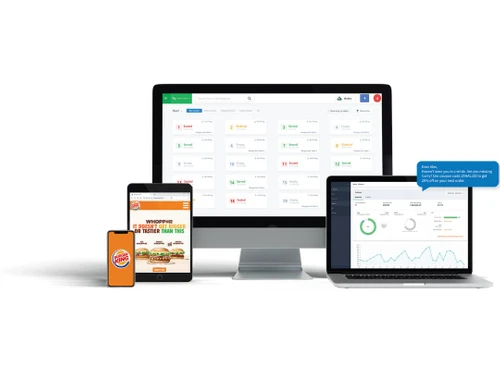
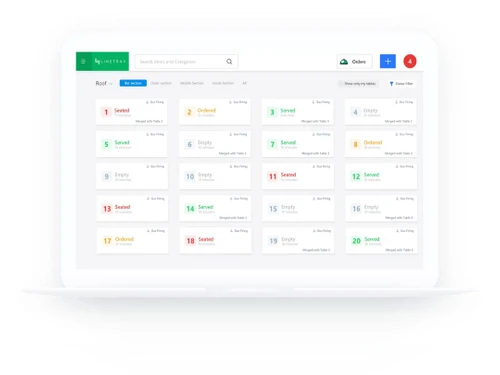
LimeTray is one of the best restaurant management software for managing your restaurant operations end to end. It allows restaurants to digitalize their workflows and offer them all the essential tools they need to manage their businesses. It helps you build a brand, an image, and engage with your customers by making your restaurant professional which makes it different from other limetray compet...
See MoreHave you used Limetray before?
Share your insights for better experience
Brand: Limetray
Founded Year: 2013
LimeTray is a web-presence and web-marketing platform for local businesses.
Looking for The Right Pricing?
Share your requirements and get a plan built around your business.
Price Available on Request
Get personalised Limetray pricing that fits your needs. Our team will connect with you.
 Analytics & Reporting Billing & Invoicing Customer Management Feedbacks Menu Management Third Party Integration Inventory Management KOT Management Online Orders Management Loyalty Program Point of Sale (POS) Table Management Payment Gateway Market Place Integration Mobile App Campaign Management Website Builder Schemes & Offers Advance Order Booking Email/SMS Alerts Expense Management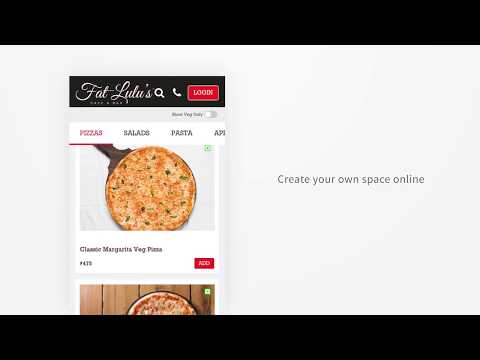

Watch the demo video to explore key features, real workflows, and how the software fits your business needs.
 Windows
  iOS
iOS  Android
  Desktop
  Mobile
  Cloud-Based

Small Business
Designed for startups and growing businesses
Medium Business
Built for business growth and flexibility
Enterprises
Designed for complex and large-scale business needs
4.6
Out of 5

Overall Rating
Based on
27 Verified Reviews
Rating Breakdown
84% Recommend this Product
Add ReviewCustomers generally express satisfaction with Limetray, highlighting its user-friendly interface and effective support, which contribute to improved operational efficiency in restaurant management. Many users appreciate the software's capabilities in managing online orders and generating insightful reports. However, some reviews mention occasional lagging issues and a lack of mobile support as areas for improvement. Overall, users recommend Limetray for its value and functionality, despite some concerns about customization and support response times.
Pros
"Outstanding ability to manage online orders and reserve tables. Stunning reporting with in-the-moment data analysis."
"Functional both offline and online. a private cloud environment with multiple user login support. provide a thorough history of customers. touch-enabled POS."
"We access real-time data analysis with informative report generation. We also use it to oversee our online ordering tasks without a single misreporting!"
Cons
"Limetray requires a lot of time to learn and its operation can be pretty tedious at times."
"Limetray faces lagging issues every now and then. It does not create massive errors, but it can be bothersome at times. It would be great to have that part of the software fixed."
"Limetray can improve its functionality is its customizations. Building a more customizable friendly interface will help us a lot."


Nov 8, 2021
Techjockey Verified
“Limetray consists a lot of beneficial features other than just POS which helps!”
Pros
Limetray has proved to be very profitable for us. It offers multiple user login facilities, which saves huge operational costs. It has easy to use features with smooth backend management tools.
Cons
Limetray requires a lot of time to learn and its operation can be pretty tedious at times.
Reason to switch
Poster POS a very bad software for the business. We would lose money on it because of its poor order management.
Mar 15, 2021
Techjockey Verified
“Limetray provides easy to POS features with the best in class operability”
Pros
If you are running a mid to small scale restaurant operation then I would suggest you to stick with Limetray. It is reasonable. Here’s some quick reasons as to why: 1. Easy on pocket as it is reasonably cheap 2. You can operate delivery business 3. Save overhead operational costs 4. Makes data accessible anywhere at any time There aren’t many solutions like it in its category.
Cons
Limetray has no mobile support which limits its functionality. If they offer a specific mobile application with all the capabilities of the software, it will be convenient. In addition to that, Limetray gave us a tough time while working over inventory list. It should be easier and efficient. Except these there are no major complaints.
Reason to switch
Slick POS was good but it functioned at a limited capacity. Plus, with Slick POS integrations were a hassle. We weren’t able to grow.
Nov 25, 2020
Techjockey Verified
“Limetray has improved our competency in customer satisfaction and operation.”
Pros
Limetray opens window to an enhanced scale of operational improvements. It has helped us monitoring all the activities from order receival to kitchen activity to customer satisfaction.
Cons
Limetray faces lagging issues every now and then. It does not create massive errors, but it can be bothersome at times. It would be great to have that part of the software fixed.
Reason to switch
Bad operability.

Limetray
Price On Request
Desktop
Mobile
Web based
On Premises
Windows
Mac OS

POSist
₹ 36800
Desktop
Mobile
Web based
On Premises
Windows
Mac OS
Etable Restro Manager
₹ 5988
Desktop
Mobile
Web based
On Premises
Windows
Mac OS

eRe4u
₹ 4000
Desktop
Mobile
Web based
On Premises
Windows
Mac OS

Eatlot
Price On Request
Desktop
Mobile
Web based
On Premises
Windows
Mac OS
OrderSeva
₹ 2000
Desktop
Mobile
Web based
On Premises
Windows
Mac OS

HDRestaurant
Price On Request
Desktop
Mobile
Web based
On Premises
Windows
Mac OS
ALLPOS Restaurant HUB
₹ 10000
Desktop
Mobile
Web based
On Premises
Windows
Mac OS

FoodBox
₹ 61654
Desktop
Mobile
Web based
On Premises
Windows
Mac OS

Smart Dine-in
Price On Request
Desktop
Mobile
Web based
On Premises
Windows
Mac OS

Microtech POS
₹ 5000
Desktop
Mobile
Web based
On Premises
Windows
Mac OS
(2) Product(s) selected
Available
Price on Request
Starting Price:
₹10,000 /Outlet/Year
Starting Price:
₹2,990 /Month

Starting Price:
₹12,500
Starting Price:
$349 /Month

Starting Price:
₹10,000 /yearly

Starting Price:
₹5,500 /Yearly

Available
Price on Request

Starting Price:
₹13,983 /Yearly

Starting Price:
$330 /Month/Location
Yes, Limetray Restaurant Management is available for demo. Kindly request a call, and our sales team will get in touch with you.
Limetray Restaurant Management is typically used by the food delivery services, restaurants, etc
Limetray Restaurant Management works for Android right now.
Limetray Restaurant Management comes with yearly subscription plans for users.
Limetray Restaurant Management is a cloud-oriented software. It saves all your data on cloud, however it does provide an offline mode.
Online Food Ordering App is available for ordering online.
Cafes & bakery, Restaurants & Bars, Dine-in restaurants, Cloud Kitchen QSR etc
LimeTray price varies on several factors such as the number of outlets, size of outlet, etc. Please connect with our expert for pricing.
20,000+ Software Listed
Best Price Guranteed
Free Expert Consultation
2M+ Happy Customers
Terms and Condtions

Users with registered businesses can purchase goods from merchants on the platform to satisfy their business needs. Users are not permitted to utilize any products acquired through the platform for resale, advertising, business, or further distribution.
For each purchase made, users will receive a Tax Invoice (or 'GST invoice') that includes specific details such as:
the GSTIN of the user associated with their registered business, and
the specified Entity Name for their business.
It should be noted that not all products are eligible for GST Invoice. Only the products displayed by participating sellers with the 'GST-based Invoice Available' callout on the product description page would qualify.
Certain goods and services are not eligible to get a GST Invoice, including items with VAS, i.e., Value Added Services (e.g., Total Mobile Protection/Assured Buyback) and those involving an exchange offer at the time of purchase.
Users must ensure the accuracy of the GSTIN, and business entity name provided for the GST Invoice. Requests for corrections into GST Invoice would not be accommodated by Techjockey.com or any Seller, and any issues arising from user-provided information are the sole responsibility of users.
Techjockey.com is not liable for the GST Invoice or any associated input tax credit. To efficiently claim an input tax credit, users should select the registered place of business address as per the GST authority's data and follow the provisions of the GST Act and rules.
To claim an input tax credit, the delivery and billing addresses must match. Furthermore, input tax credits will not be granted if the delivery address and GSTIN on the invoice are from different states. In case of incorrect GST details provided during the order placement, the order will be canceled automatically.