linkedin
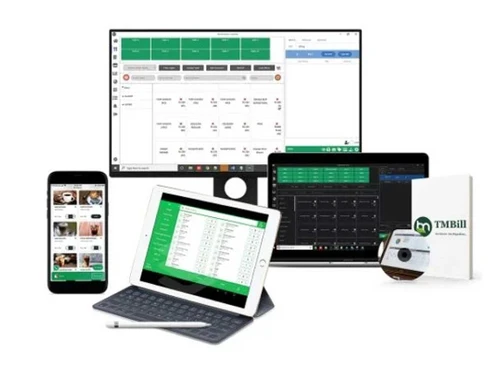
TMBill POS logo
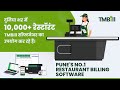
play How to Add Tables,Menu and Restaurant Details in TMBill Pacific POS
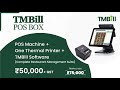
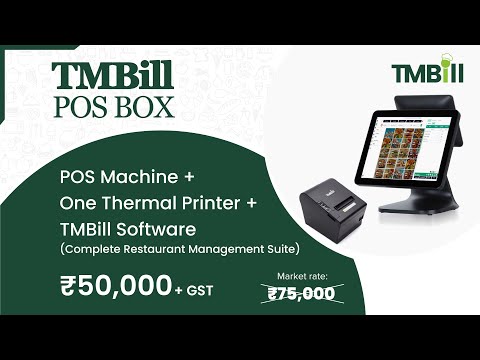
play TMBill POS BOX
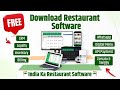
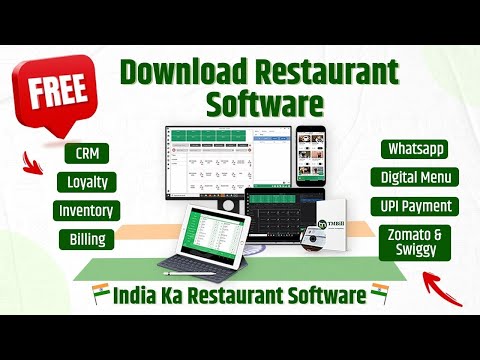
play Download & Setup Restaurant Software | Free Restaurant POS Demo | TMBill Restaurant Software

TMBill POS

Brand: TMBill ts_icon_wide

  • 4.4

  • 29 Ratings & 23 Reviews

  • TMBill POS is a retail billing and inventory software.
  • It helps manage sales, stock, and customer data.
  • It simplifies billing with fast and easy checkout.
See More

Have you used TMBill POS before?

Share your insights for better experience

Add a Review
Starting Price
₹5,999 excl.GST
₹ 7,079 incl. GST

View plans

offer Save upto 18%, Get GST Invoice on your business purchase T&C
offer Buy Now & Pay Later, Check offer on payment page.
Buy Now
100% Genuine
Products
Best Price
Guaranteed
Safe & Secure
Payment
  • Description

  • Pricing

  • Features

  • Specification

  • Review

  • Compare

  • Alternatives

  • FAQ

Starting at ₹5,999
Buy Now

TMBill POSSoftware Overview

What is TMBill POS?

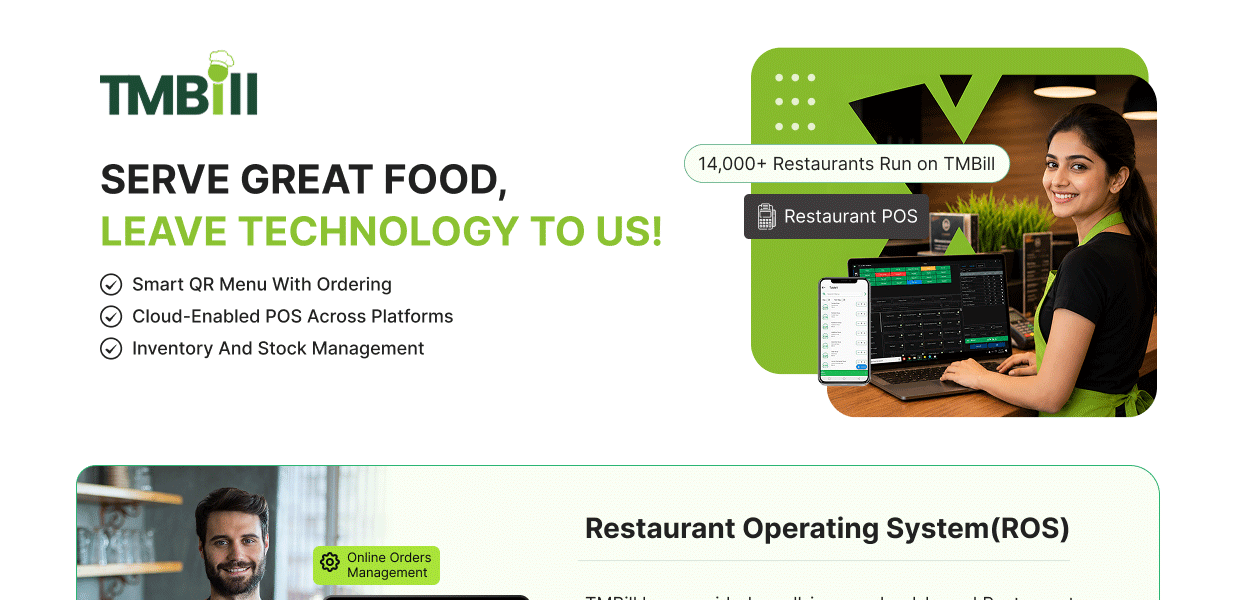
TMBill POS is a restaurant POS software that has been created to work with small and medium businesses. It assists shop owners in managing their day-to-day tasks of billing, inventory, customer management, and reporting via one platform. The software is normally applied in retail outlets, supermarkets, electronics stores, garment outlets, and other trading companies.

The system is aimed at making the billing process easier, avoiding any errors in the records of stock. It enables users to make invoices within a short period of time, handle the categories of products, track purchase and sales transactions, and monitor the stock levels in real time. This assists companies in preventing shortages and oversupply of stock.

TMBill POS also offers valuable business reports, which aid in the knowledge of the owner about the sales trends, performance of the products, and the store activity. It is easily usable with its user-friendly interface and convenient functionality, and would fit well with the shop owner who is interested in a simple billing and inventory package.

What are the Benefits of Choosing TMBill POS?

  • Fast and Simple Billing: The software will allow rapid generation of invoices, thereby minimizing the waiting time at the checkout desk, ensuring improved customer flow, and rapid day-to-day transactions.
  • Real-Time Inventory Tracking: TMBill POS automatically corrects the stock at every sale or purchase, and this will ensure that the business always has the right inventory records.
  • Customer Management: It also stores customer information and history of purchases to make the service and repeat application easier to serve the customers and enable the retailers to establish a stronger customer relationship.
  • Detailed Sales Reports: Reports on the top-selling products, daily sales, and the general performance of the business can be accessed by the users, enabling them to make sound business decisions.
  • Multi-Store Support: Multi-outlet businesses can monitor sales and inventory through a single system, making it easier to organize and centralize business operations.
  • Barcode Integration: The program assists barcode scanners in making product entries and billing faster. Hence, minimizing the errors made by hand and enhancing the accuracy of checkout.
  • Purchase and Supplier Management: The user can monitor purchase orders, supplier information, and stock refills without a problem. This ensures that products are always available.
  • User-Friendly Interface: TMBill POS has a simple layout that enables the staff to learn and use easily, and this saves time on training and enhances efficiency.

TMBill POS Pricing

The pricing for TMBill POS starts from INR 5,999 at Techjockey. You can contact them for more information regarding the software.

Read more

TMBill POS Pricing & Plans

Billing Package

Calculated Price

5999 Exclusive of all taxes
    • Licenses

      Licenses
      Licenses
    • Yearly

      Yearly
      Yearly

Key Features

  • Atlantic Cloud POS (Unlimited Devices / Unlimited

  • Billing & KOT Management

  • Menu/Table Management

  • Discount & Additional Charges Configuration

  • Multilingual Language

  • Anti-Theft Management/CRM

  • Backoffice / Head Office

  • Section Wise Billing/Merchant / Owner App

Standard Package

Calculated Price

8999 Exclusive of all taxes
    • Licenses

      Licenses
      Licenses
    • Yearly

      Yearly
      Yearly

Key Features

  • All Features of Billing Package

  • Live Tracking

  • Digital Menu

  • Third Party Integration

  • Multi Terminal (Unlimited Devices and Users)

  • Inventory/Vendors Management

  • Recipe Management/Purchase Management

  • Facebook and Instagram Integration

TMBill POS Features

  • icon_check Restaurant POS
    Comprehensive cloud-based billing software designed to streamline dine-in, takeaway, and quick service restaurant operations.
  • icon_check QR Code Ordering Platform
    Contactless digital menu and ordering system allowing customers to scan, browse, and place orders directly from their tables.
  • icon_check Channel Manager
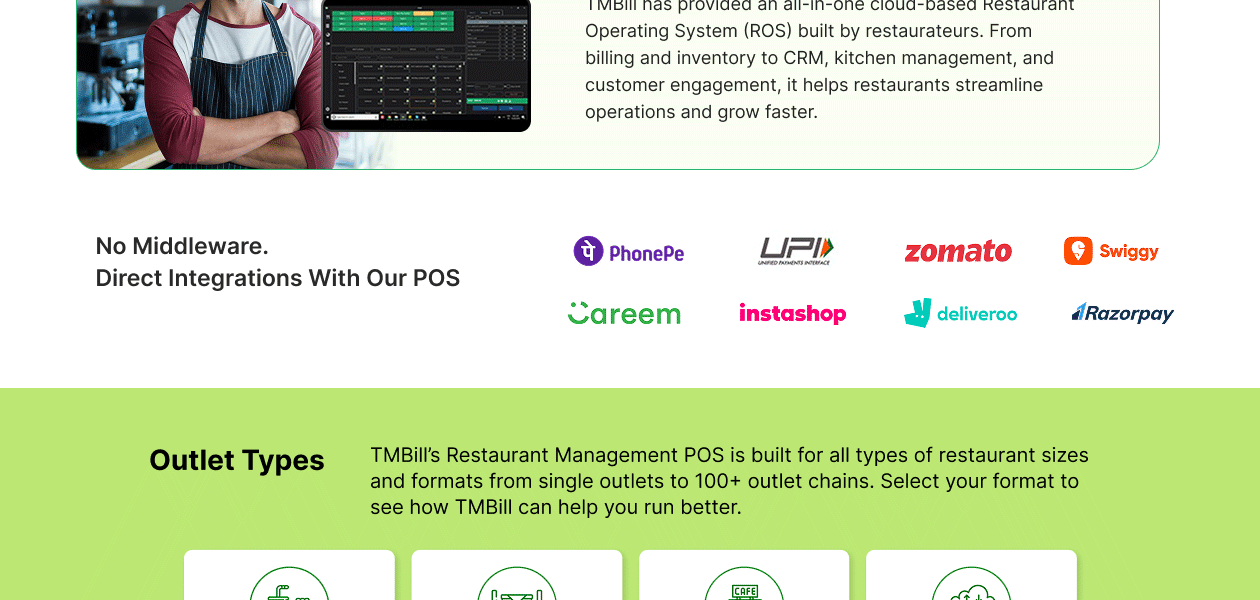
    Effortlessly sync and manage your restaurant menu and orders across major aggregators like Zomato, Swiggy, and Dunzo daily.
  • icon_check Loyalty Program
    Build lasting customer relationships by creating custom rewards, points systems, and personalized offers for your patrons.
  • icon_check Online Orders Management
    Centralized dashboard to track and process all incoming orders from various online platforms and your own branded website.
  • icon_check Mobile App
    Branded Android and iOS applications designed to give your restaurant a professional mobile presence and direct order flow.
  • icon_check KOT Management
    Streamline kitchen communication by sending instant, clear Kitchen Order Tickets to help chefs prepare meals without errors.
  • icon_check Inventory Management
    Track your raw materials and stock levels in real-time to prevent wastage and ensure you never run out of essential items.
  • icon_check Kitchen Management
    Optimize back-of-house workflow with a digital Kitchen Display System that improves ticket times and order consistency.
  • icon_check Menu Management
    Easily add, edit, or update your restaurant menu items and pricing across all platforms from a single centralized dashboard.
  • icon_check Feedback Management
    Collect and analyze digital feedback from customers to improve service quality and understand your guests' preferences.
  • icon_check Manage Privileges
    Enhance security by defining specific user roles and access levels for staff members within your restaurant management system.
  • icon_check Vendor Management
    Keep a complete record of your vendors, GST details, and transaction history to streamline your procurement and payments.
  • icon_check Recipe Management
    Define standard ingredients and cooking processes for every dish to maintain consistent taste and manage food costing.
  • icon_check Delivery Management
    Efficiently track home deliveries with automated SMS alerts for customers containing bill details and delivery boy info.
  • icon_check Offer Management
    Drive sales by creating promo codes and special deals with set rules for minimum order values and specific date ranges.
  • icon_check Integrations
    Seamlessly connect your POS with third-party applications, payment gateways, and accounting tools for a unified ecosystem.
TMBill POS Demo Video play icon

Get TMBill POS Demo

Watch the demo video to explore key features, real workflows, and how the software fits your business needs.
Understand
Key Features
Personal
Demo Insights
Interactive
Demo Support
Product Enrichment Section Image

TMBill POS Specification

Supported Platforms
Windows Windows iOS iOS Android Android
Devices
Desktop Desktop Mobile Mobile Tablet Tablet iPad iPad
Deployment
Web-Based Web-Based Perpetual Perpetual
Suitable For
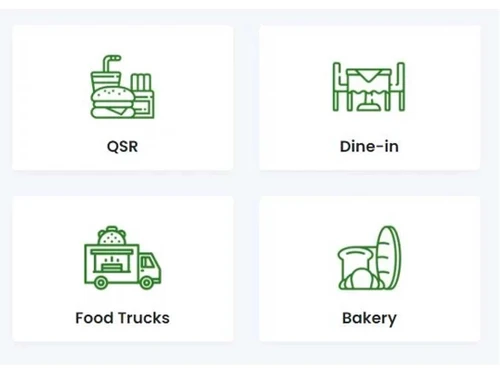
Restaurant Cafe & Restaurants
Business Specific
Restaurants
Business Size
Small Business Startups Medium Business Enterprises SMBs SMEs MSMBs
Customer Support
Phone Email Live Chat
Language
English
Integration
API Integration
Training Resources
Live Online Documentation Videos
Technology
Next Generation

Explore the Best Alternative Solutions Similar to Your Business Size and Needs

TMBill POS Reviews

4.4

Out of 5

img

Overall Rating

Based on
23 Verified Reviews

Rating Breakdown

  • Features 4.4
  • Value for Money 4.4
  • Ease of Use 4.3
  • Customer Support 4.3

85% Recommend this Product

Add Review

Pros

  • "We are greatly satisfied with the TM Billing software. They have excellent service and customer support."

    PASSANGSApr 12, 2025

  • "The system is very clearly designed.24/7 very good support service from the whole team."

    Mukesh KumarDec 11, 2024

  • "Everything is the best about tmbill but the quick bill is the best feature of tmbill."

    Saheel ShaikhJan 4, 2023

Cons

  • "I dont want yo give you dislike because theres no one to give you dislike."

    PASSANGSApr 12, 2025

  • "They are not supportable at all , worst services especially for payment integration they are making fool from last 1.5 months, don't buy this software."

    Arvind Singh NegiFeb 13, 2024

  • "I will update as and how cons come up. I am fairly new to the software. "

    Yash RanaJan 13, 2023

TMBill POS Video Review

youtubeVideoId

4.4

“Unlocking Efficiency: Sana Restaurant's Success with TMBill Software”

Review by: Snoonu

Abhishek

Co-founder

Industry: Food & Beverages

1

Reviewed on: May 14, 2025

Techjockey Verified

“Worst/Scamming Company and Employees”

Pros

No expertise and solution offered, only duping people.

Cons

No 24*7 support and support does not have any expertise what they are doing. Lost my money and also suffered loss in business after purchasing the TMBill software from Pune office. Go ahead but this solution is to make yourself fool and losses to your business.

Switched from Devourin

Reason to switch

Nice customization and effective solution done.

Akshay

Founder

Industry: Food & Beverages

5

Reviewed on: May 1, 2025

Techjockey Verified

“Teamax cafe Experience with the TMBill”

I received excellent support from the TMBill team. Truly appreciate their dedication and helpful service throughout.

Pros

Easy to use and Learn.

Cons

No cons

PASSANGS

Chief Executive Officer

Industry: Food & Beverages

5

Reviewed on: Apr 12, 2025

Techjockey Verified

“Really easy to use”

Pros

We are greatly satisfied with the TM Billing software. They have excellent service and customer support.

Cons

I dont want yo give you dislike because theres no one to give you dislike.

Switched from Recaho POS
See All TMBill POS Reviews

Compare TMBill POS With other Restaurant POS Software

Products
Ratings
Pricing
Device Supported
Deployment
Supported Platforms
  • img

    TMBill POS

  • 4.4

  • ₹ 5999.00 excl. GST

  • Desktop

    Mobile

  • Web based

    On Premises

  • Windows

    Mac OS

  • img

    Petpooja

  • 4.2

  • ₹ 10000

  • Desktop

    Mobile

  • Web based

    On Premises

  • Windows

    Mac OS

  • img

    Feedo

  • 4.7

  • ₹ 899

  • Desktop

    Mobile

  • Web based

    On Premises

  • Windows

    Mac OS

  • img

    SpotOn

  • 4.3

  • Price On Request

  • Desktop

    Mobile

  • Web based

    On Premises

  • Windows

    Mac OS

  • img

    SpeedLine POS

  • 4.5

  • Price On Request

  • Desktop

    Mobile

  • Web based

    On Premises

  • Windows

    Mac OS

  • img

    Rezku POS

  • 4.4

  • Price On Request

  • Desktop

    Mobile

  • Web based

    On Premises

  • Windows

    Mac OS

  • img

    Track My Table

  • 4.2

  • ₹ 399

  • Desktop

    Mobile

  • Web based

    On Premises

  • Windows

    Mac OS

  • img

    RestoMPOS

  • 4.3

  • Price On Request

  • Desktop

    Mobile

  • Web based

    On Premises

  • Windows

    Mac OS

  • img

    Solo Billing

  • 4.1

  • ₹ 8000

  • Desktop

    Mobile

  • Web based

    On Premises

  • Windows

    Mac OS

  • img

    FoodyQueen

  • 4.1

  • ₹ 4188

  • Desktop

    Mobile

  • Web based

    On Premises

  • Windows

    Mac OS

  • img

    Lavu

  • 4.1

  • Price On Request

  • Desktop

    Mobile

  • Web based

    On Premises

  • Windows

    Mac OS

(0) Product(s) selected

TMBill POS Alternatives

See All TMBill POS Alternatives

Starting Price:

$55 /Month

Starting Price:

$49 /Month

Available

Price on Request

Lavu

4.1

Available

Price on Request

Starting Price:

$49 /Month

Available

Price on Request

How does TMBill POS work?

TMBill POS manages billing, inventory, and customer data from a single platform, allowing businesses to handle daily retail operations efficiently.

How much does TMBill POS cost?

The pricing of TMBill POS starts from INR 5,999 at Techjockey.com

Who should use TMBill POS?

Retail shop owners, small businesses, supermarkets, and trading companies can benefit from this software.

Does TMBill POS support barcode billing?

Yes, it supports barcode scanners for faster and more accurate billing.

Can TMBill POS track inventory automatically?

Yes, the system updates stock levels automatically after each transaction.

Does it provide sales reports?

Yes, it offers detailed sales and performance reports for better business decisions.

Is TMBill POS suitable for multiple stores?

Yes, it supports multi-store management from a single system.

Is TMBill POS easy to use?

Yes, it is designed with a simple interface suitable for non-technical users.

20,000+ Software Listed

Best Price Guranteed

Free Expert Consultation

2M+ Happy Customers

Terms and Condtions

close

Users with registered businesses can purchase goods from merchants on the platform to satisfy their business needs. Users are not permitted to utilize any products acquired through the platform for resale, advertising, business, or further distribution.

For each purchase made, users will receive a Tax Invoice (or 'GST invoice') that includes specific details such as:

  • the GSTIN of the user associated with their registered business, and

  • the specified Entity Name for their business.

It should be noted that not all products are eligible for GST Invoice. Only the products displayed by participating sellers with the 'GST-based Invoice Available' callout on the product description page would qualify.

Certain goods and services are not eligible to get a GST Invoice, including items with VAS, i.e., Value Added Services (e.g., Total Mobile Protection/Assured Buyback) and those involving an exchange offer at the time of purchase.

Users must ensure the accuracy of the GSTIN, and business entity name provided for the GST Invoice. Requests for corrections into GST Invoice would not be accommodated by Techjockey.com or any Seller, and any issues arising from user-provided information are the sole responsibility of users.

Techjockey.com is not liable for the GST Invoice or any associated input tax credit. To efficiently claim an input tax credit, users should select the registered place of business address as per the GST authority's data and follow the provisions of the GST Act and rules.

To claim an input tax credit, the delivery and billing addresses must match. Furthermore, input tax credits will not be granted if the delivery address and GSTIN on the invoice are from different states. In case of incorrect GST details provided during the order placement, the order will be canceled automatically.