 USA
USA UAE
UAESmall Business
Designed for startups and growing businesses


See More


Brand: Typof Technologies Private Limited
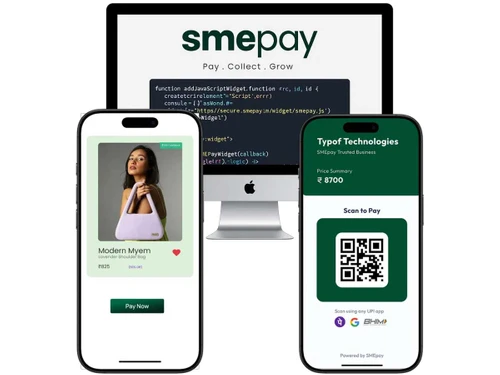
SMEPay is a simple platform for Indian small businesses to instantly accept UPI payments via payment links or QR codes with zero commission and only a flat fee.
See MoreHave you used SMEPay before?
Share your insights for better experience
Brand: Typof Technologies Private Limited
Founded Year: 2021
Typof is the commerce platform, built for SEO and Performance reducing dependency on 3rd party tools.
Looking for The Right Pricing?
Share your requirements and get a plan built around your business.
Price Available on Request
Get personalised SMEPay pricing that fits your needs. Our team will connect with you.
Core Functionalities
 Pre-onboarding Assistance Branding & Customization Mobile Responsiveness Payment Links Guest Checkout Store Creation Landing Page Creation Instant Settlements Automated Reconciliation Dedicated POS Multi Currency Support Currency Conversion Coupons and Offers Engine Multi-Language Checkout Split Payments Dedicated Account Manager Loyalty Management
 Payment Methods
QR Code Based Payments UPI Debit / Credit Cards Net Banking Digital Wallet Cardless EMI Buy Now, Pay Later (BNPL) Cryptocurrency ACH Payments Subscription Management
Reccuring Payments Proration Dunning Administrative Features
Reporting & Analytics Merchant Portal Invoice Generation User Access Management Tax Management Security Features
Fraud Detection & Prevention PCI DSS Compliance Tokenization Two-Factor Authentication (2FA) Multi-Factor Authentication (MFA) Risk Management Automatic Device Recognition Integrations Supported
Third Party Integration API Integration E-Commerce Integration SDK Integration CRM Integration Order Management POS Integration Alerts & Notifications
Transaction Notifications Security Alerts Downtime Alerts Discrepancy Alerts Custom Event Notifications  Windows
  Android
  Linux
Linux  Desktop
  Cloud-Based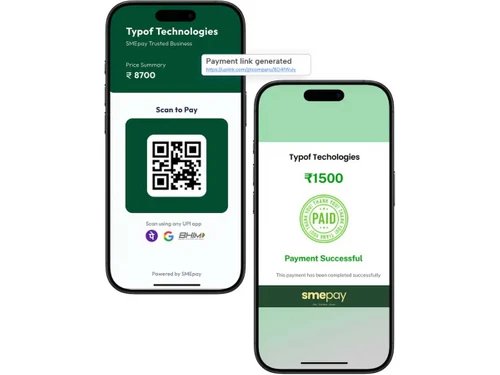
4.3
Out of 5

Overall Rating
Based on
10 Verified Reviews
Rating Breakdown
86% Recommend this Product
Add ReviewCustomers generally appreciate SMEPay for its user-friendly interface, efficient bulk payment capabilities, and strong financial analytics, which enhance cash flow management. Many users highlight the platform's affordability and quick support, making it particularly appealing for SMEs. However, some limitations are noted, including a lack of recurring UPI mandates, limited international payment options, and occasional delays in notifications or support response times. Overall, SMEPay is viewed as a reliable solution for simplifying business payments and improving financial oversight.
Pros
"Uploading payment files in bulk via Excel is super easy. UPI transfers happen instantly."
"No hidden fees, low transaction charges, and quick support response."
"The financial analytics feature gives clear visibility on inflow and outflow."
Cons
"Occasional mismatch errors when invoices aren’t tagged properly."
"The mobile app still lacks some features available on the web version."

Oct 28, 2025
Techjockey Verified
“Streamlined Payments with UPI and Bulk Uploads”
SMEPay simplified how we pay our vendors and employees. I can upload bulk files and schedule them for specific days. UPI payments make it lightning-fast.
Pros
Uploading payment files in bulk via Excel is super easy. UPI transfers happen instantly.
Cons
Would be nice if it supported recurring UPI mandates.
Reason to switch
SMEPay’s bulk upload and instant UPI settlement features were far more convenient than Cashfree’s batch system.
Sep 29, 2025
Techjockey Verified
“Affordable Business Banking for Startups”
I was pleasantly surprised by how cost-effective SMEPay is. For a small business like mine, every rupee matters. Their transparent pricing is a huge plus.
Pros
No hidden fees, low transaction charges, and quick support response.
Cons
Limited international payment options.
Reason to switch
SMEPay had lower fees and more flexible UPI-based settlement options than Open.
Sep 10, 2025
Techjockey Verified
“Excellent Cash Flow Insights and Analytics”
SMEPay helps me understand my business’s cash movement at a glance. I can easily forecast expenses and track upcoming payables.
Pros
The financial analytics feature gives clear visibility on inflow and outflow.
Cons
Reports could include more visual graphs.
Reason to switch
SMEPay provided deeper cash flow visualization without requiring a separate analytics tool.

SMEPay
Price On Request
Desktop
Mobile
Web based
On Premises
Windows
Mac OS

airpay
Price On Request
Desktop
Mobile
Web based
On Premises
Windows
Mac OS

Touras
Price On Request
Desktop
Mobile
Web based
On Premises
Windows
Mac OS

UnPay
Price On Request
Desktop
Mobile
Web based
On Premises
Windows
Mac OS

Razorpay
Price On Request
Desktop
Mobile
Web based
On Premises
Windows
Mac OS

Cashfree
Price On Request
Desktop
Mobile
Web based
On Premises
Windows
Mac OS

Paytm for Business
Price On Request
Desktop
Mobile
Web based
On Premises
Windows
Mac OS

PayU
Price On Request
Desktop
Mobile
Web based
On Premises
Windows
Mac OS

Verifone
Price On Request
Desktop
Mobile
Web based
On Premises
Windows
Mac OS

PayDollar
₹ 10000
Desktop
Mobile
Web based
On Premises
Windows
Mac OS

Worldline
Price On Request
Desktop
Mobile
Web based
On Premises
Windows
Mac OS
(0) Product(s) selected
Available
Price on Request
Available
Price on Request
Available
Price on Request
Available
Price on Request
Available
Price on Request

Available
Price on Request

Starting Price:
$25 /Month

Available
Price on Request

Available
Price on Request

Available
Price on Request



SMEPay pricing is available upon request on techjockey.com.
Yes, SMEPay offers an Android mobile app.
SMEPay is compatible with Windows and Linux.
No, SMEPay does not offer a traditional free trial; you sign up, complete KYC, and start using immediately with a flat fee per successful UPI transaction.
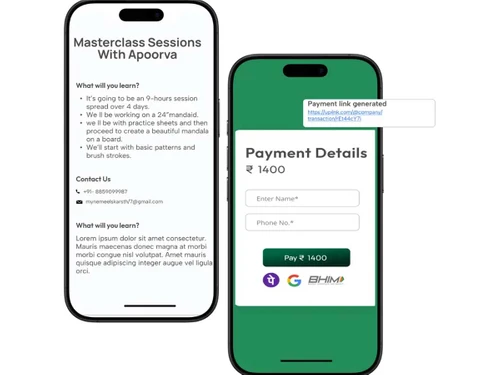
Users create payment links or branded pages instantly, share them, and collect UPI payments with real-‘time alerts and instant settlements.
Freelancers, homepreneurs, local sellers, and small to medium Indian businesses use SMEPay to collect payments easily.
No free demo is available; users can sign up and explore the platform directly in live usage.
The service is free to sign up, but charges a flat INR3 per successful payment with no monthly or hidden fees.
20,000+ Software Listed
Best Price Guranteed
Free Expert Consultation
2M+ Happy Customers
Terms and Condtions

Users with registered businesses can purchase goods from merchants on the platform to satisfy their business needs. Users are not permitted to utilize any products acquired through the platform for resale, advertising, business, or further distribution.
For each purchase made, users will receive a Tax Invoice (or 'GST invoice') that includes specific details such as:
the GSTIN of the user associated with their registered business, and
the specified Entity Name for their business.
It should be noted that not all products are eligible for GST Invoice. Only the products displayed by participating sellers with the 'GST-based Invoice Available' callout on the product description page would qualify.
Certain goods and services are not eligible to get a GST Invoice, including items with VAS, i.e., Value Added Services (e.g., Total Mobile Protection/Assured Buyback) and those involving an exchange offer at the time of purchase.
Users must ensure the accuracy of the GSTIN, and business entity name provided for the GST Invoice. Requests for corrections into GST Invoice would not be accommodated by Techjockey.com or any Seller, and any issues arising from user-provided information are the sole responsibility of users.
Techjockey.com is not liable for the GST Invoice or any associated input tax credit. To efficiently claim an input tax credit, users should select the registered place of business address as per the GST authority's data and follow the provisions of the GST Act and rules.
To claim an input tax credit, the delivery and billing addresses must match. Furthermore, input tax credits will not be granted if the delivery address and GSTIN on the invoice are from different states. In case of incorrect GST details provided during the order placement, the order will be canceled automatically.




