 USA
USA UAE
UAESmall Business
Designed for startups and growing businesses


See More


![CCavenue Payment Gateway Integration [Official]](https://img.youtube.com/vi/a_5vz_maaEo/default.jpg)


Brand: Infibeam Avenues
Experience seamless and secure payment processing with CCAvenue Payment Gateway. From multiple payment options, multi-currency processing, to customizable checkout pages, enhance your business operations.
See MoreHave you used Ccavenue before?
Share your insights for better experience
Brand: Infibeam Avenues
Founded Year: 2007
Infibeam Avenues is an Indian multinational Financial Technology Company.
Looking for The Right Pricing?
Share your requirements and get a plan built around your business.
Price Available on Request
Get personalised Ccavenue pricing that fits your needs. Our team will connect with you.
Core Functionalities
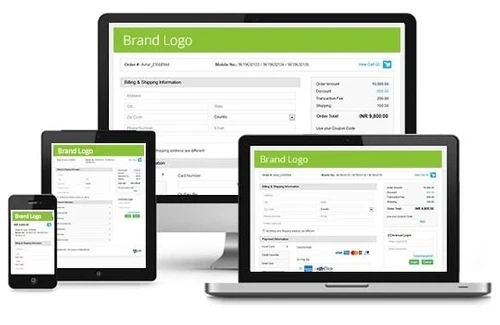
 Multi Currency Support Multi-Language Checkout Store Creation Split Payments Loyalty Management Dedicated POS Pre-onboarding Assistance Branding & Customization Currency Conversion Coupons and Offers Engine Mobile Responsiveness Payment Links Guest Checkout Landing Page Creation Instant Settlements Dedicated Account Manager Automated Reconciliation
 Payment Methods
QR Code Based Payments Digital Wallet UPI Debit / Credit Cards Net Banking Cardless EMI Buy Now, Pay Later (BNPL) Cryptocurrency ACH Payments Subscription Management
Reccuring Payments Proration Dunning Administrative Features
Invoice Generation Reporting & Analytics Merchant Portal User Access Management Tax Management Security Features
Two-Factor Authentication (2FA) PCI DSS Compliance Fraud Detection & Prevention Tokenization Risk Management Multi-Factor Authentication (MFA) Automatic Device Recognition Integrations Supported
Order Management CRM Integration API Integration Third Party Integration E-Commerce Integration POS Integration SDK Integration Alerts & Notifications
Downtime Alerts Transaction Notifications Security Alerts Discrepancy Alerts Custom Event Notifications 

Watch the demo video to explore key features, real workflows, and how the software fits your business needs.
 Ubuntu
  Windows
  iOS
iOS  Android MacOS
  Linux
Linux  Desktop
  Mobile
  Tablet
  Cloud-Based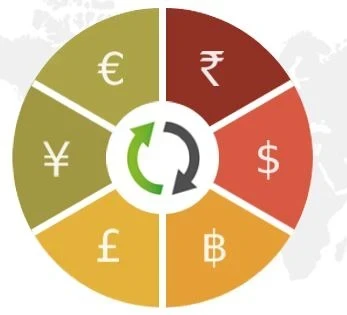

4.2
Out of 5

Overall Rating
Based on
13 Verified Reviews
Rating Breakdown
89% Recommend this Product
Add ReviewUsers generally appreciate CCAvenue for its extensive range of payment options and strong security features, making it suitable for larger businesses. However, common concerns include unreliable customer support, complicated integration processes, and high transaction fees, particularly affecting smaller businesses. While many recommend the platform for its versatility, frustrations with slow payment processing and a non-intuitive user interface are notable drawbacks. Overall, users find value in its capabilities but highlight significant areas for improvement.
Pros
"Offers a variety of payment options and multi-currency processing."
"High security and fraud detection features. Good for keeping transactions safe."
"Offers a variety of payment options and multi-currency processing."
Cons
"Charges high transaction fees, which can add up for small businesses."
"The setup and integration process is complicated and time-consuming."
"Customer support is unreliable and slow to respond to issues."


Jul 9, 2024
Techjockey Verified
“Unreliable Support”
CCAvenue has good features but poor customer support.
Pros
Offers a variety of payment options and multi-currency processing.
Cons
Customer support is unreliable and slow to respond to issues.
Reason to switch
We needed more reliable customer support.
Jul 8, 2024
Techjockey Verified
“Not User-Friendly”
While secure, CCAvenue's interface is difficult to use.
Pros
Supports many payment methods and offers high security.
Cons
The user interface is not very intuitive and can be hard to navigate.
Reason to switch
We needed a more user-friendly payment gateway.
Jun 12, 2024
Techjockey Verified
“Good for Large Businesses”
CCAvenue is best for larger businesses with the need for extensive payment options.
Pros
Offers a comprehensive range of payment options and multi-currency processing.
Cons
Not ideal for small businesses due to high fees and complicated setup.
Reason to switch
We needed a gateway that could handle large volumes of transactions.

Ccavenue
Price On Request
Desktop
Mobile
Web based
On Premises
Windows
Mac OS

airpay
Price On Request
Desktop
Mobile
Web based
On Premises
Windows
Mac OS

Touras
Price On Request
Desktop
Mobile
Web based
On Premises
Windows
Mac OS

UnPay
Price On Request
Desktop
Mobile
Web based
On Premises
Windows
Mac OS

Razorpay
Price On Request
Desktop
Mobile
Web based
On Premises
Windows
Mac OS

Cashfree
Price On Request
Desktop
Mobile
Web based
On Premises
Windows
Mac OS

Paytm for Business
Price On Request
Desktop
Mobile
Web based
On Premises
Windows
Mac OS

PayU
Price On Request
Desktop
Mobile
Web based
On Premises
Windows
Mac OS

Verifone
Price On Request
Desktop
Mobile
Web based
On Premises
Windows
Mac OS

PayDollar
₹ 10000
Desktop
Mobile
Web based
On Premises
Windows
Mac OS

Worldline
Price On Request
Desktop
Mobile
Web based
On Premises
Windows
Mac OS
(2) Product(s) selected
Available
Price on Request
Available
Price on Request
Available
Price on Request
Available
Price on Request
Available
Price on Request

Available
Price on Request

Starting Price:
$25 /Month

Available
Price on Request

Available
Price on Request

Available
Price on Request


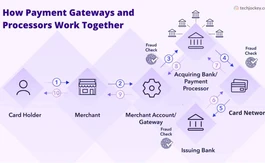
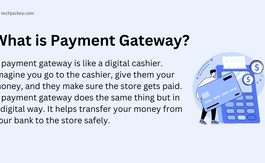

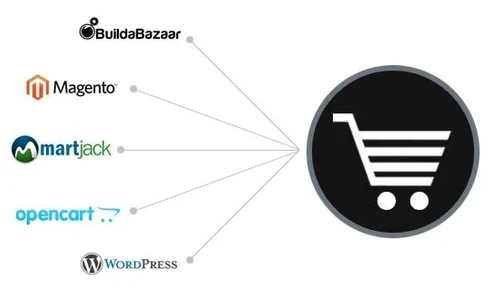
CCAvenue offers detailed documentation, SDKs, and plugins for various platforms, making integration quick and easy.
Yes, CCAvenue supports multi-currency transactions, allowing you to accept payments from customers worldwide.
Yes, CCAvenue provides support for setting up and managing recurring payments for subscription-based services.
CCAvenue offers comprehensive payment analytics and reporting tools to help you track and analyze your transactions.
CCAvenue charges transaction fees ranging from 2.00% for domestic cards to 4.99% for international cards.
Yes, CCAvenue allows you to process refunds easily and efficiently through the dashboard.
CCAvenue does not charge any setup fee. You only pay for the transactions you process.
CCAvenue is an online payment gateway that provides its users with net banking as a payment option. The platform offers net banking options from over 54 banks, some of which include:
0 0
To submit product photos to CCAvenue, follow the steps given below:
0 0
To integrate a CCAvenue payment gateway to your e-commerce website, follow the steps given below:
0 0
To check the amount payable to you by CCAvenue, open your CCAvenue merchant account, and view your current balance by accessing your transaction history. Here, you can check the total amount owed to you from payments that have been processed.
You can also get the detailed settlements and transaction reports using the 'Merchant Accounting & Reporting System (MARS)' feature.
0 0
CCAvenue uses several security measures to protect customer data like VeriSign SSL, AES (Advanced Encryption Standard), Tokenization, Security firewalls and In-house security guidelines
0 0
20,000+ Software Listed
Best Price Guranteed
Free Expert Consultation
2M+ Happy Customers
Terms and Condtions

Users with registered businesses can purchase goods from merchants on the platform to satisfy their business needs. Users are not permitted to utilize any products acquired through the platform for resale, advertising, business, or further distribution.
For each purchase made, users will receive a Tax Invoice (or 'GST invoice') that includes specific details such as:
the GSTIN of the user associated with their registered business, and
the specified Entity Name for their business.
It should be noted that not all products are eligible for GST Invoice. Only the products displayed by participating sellers with the 'GST-based Invoice Available' callout on the product description page would qualify.
Certain goods and services are not eligible to get a GST Invoice, including items with VAS, i.e., Value Added Services (e.g., Total Mobile Protection/Assured Buyback) and those involving an exchange offer at the time of purchase.
Users must ensure the accuracy of the GSTIN, and business entity name provided for the GST Invoice. Requests for corrections into GST Invoice would not be accommodated by Techjockey.com or any Seller, and any issues arising from user-provided information are the sole responsibility of users.
Techjockey.com is not liable for the GST Invoice or any associated input tax credit. To efficiently claim an input tax credit, users should select the registered place of business address as per the GST authority's data and follow the provisions of the GST Act and rules.
To claim an input tax credit, the delivery and billing addresses must match. Furthermore, input tax credits will not be granted if the delivery address and GSTIN on the invoice are from different states. In case of incorrect GST details provided during the order placement, the order will be canceled automatically.




