 USA
USA UAE
UAESmall Business
Designed for startups and growing businesses
See More



Brand: SmartBear
Soapui Pro is a software used for testing APIs, without accessing the detailed processing knowledge of Application Programming Interface. This software monitors API transactions, thereby, creating easy tests to help you get overall information about APIs. It takes away the burden of assimilating exhaustive information regarding the implementation of the Application Programming Interface. Therefor...
See MoreHave you used SoapUI before?
Share your insights for better experience
Brand: SmartBear
Founded Year: 2009
SmartBear provides a portfolio of trusted tools that give software development teams around the world visibility into end-to-end quality through test management and automation, API development lifecycle, and application stability.
Looking for The Right Pricing?
Share your requirements and get a plan built around your business.
Price Available on Request
Get personalised SoapUI pricing that fits your needs. Our team will connect with you.
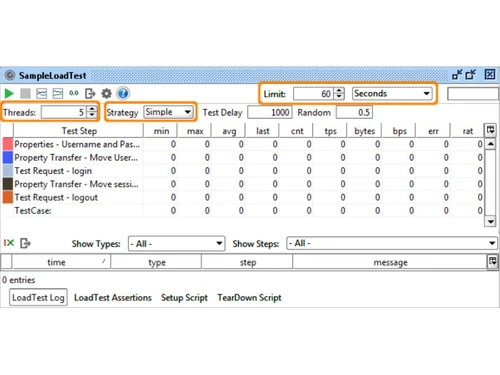
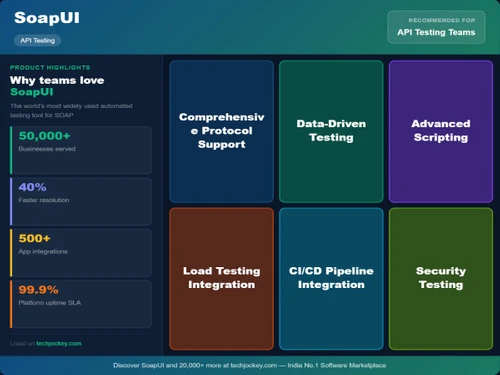
 Test Automation Assertions and Validation Test Coverage Analysis Environment Configuration Service Simulation Reporting & Analytics Asynchronous Testing Functional API Testing Scriptless Test Creation Load Testing Security Testing Multi-Protocol Support
  Windows
  Desktop
  Perpetual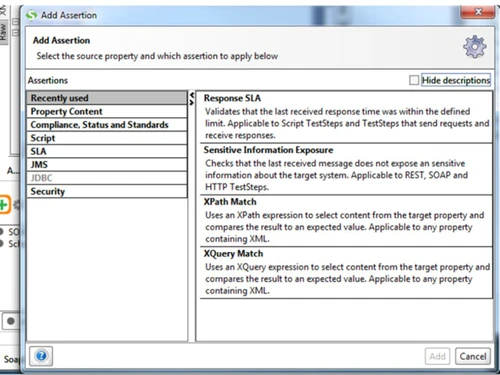
Small Business
Designed for startups and growing businesses
Medium Business
Built for business growth and flexibility
Enterprises
Designed for complex and large-scale business needs
4.3
Out of 5

Overall Rating
Based on
4 Verified Ratings
Rating Breakdown
92% Recommend this Product
Add ReviewThis product has no reviews yet. Be the first to leave your feedback.
Add Review
SoapUI
Price On Request
Desktop
Mobile
Web based
On Premises
Windows
Mac OS
Swagger
Price On Request
Desktop
Mobile
Web based
On Premises
Windows
Mac OS

ReadyAPI
Price On Request
Desktop
Mobile
Web based
On Premises
Windows
Mac OS

RapidAPI
Price On Request
Desktop
Mobile
Web based
On Premises
Windows
Mac OS

Apidog
Price On Request
Desktop
Mobile
Web based
On Premises
Windows
Mac OS

Hoppscotch
Price On Request
Desktop
Mobile
Web based
On Premises
Windows
Mac OS

Thunder Client
Price On Request
Desktop
Mobile
Web based
On Premises
Windows
Mac OS

Kong Insomnia
Price On Request
Desktop
Mobile
Web based
On Premises
Windows
Mac OS

Testfully
Price On Request
Desktop
Mobile
Web based
On Premises
Windows
Mac OS

Testsigma API Testing
Price On Request
Desktop
Mobile
Web based
On Premises
Windows
Mac OS

Karate DSL
Price On Request
Desktop
Mobile
Web based
On Premises
Windows
Mac OS
(0) Product(s) selected
Starting Price:
$895 /license
Starting Price:
$8 /Month
Starting Price:
$64 /month

Starting Price:
$15 /Month

Starting Price:
$200

Starting Price:
$25 /month

Starting Price:
$199 /Month

Starting Price:
$19 /month
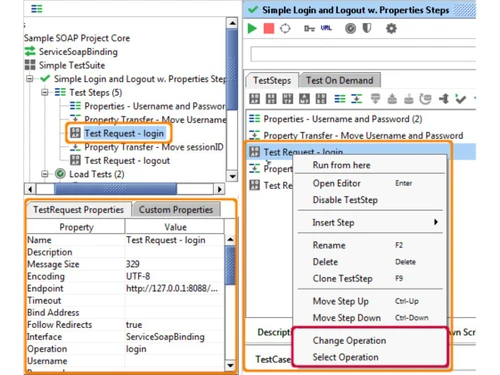
Yes, the users can start automated API tests by using this software, right after installing it. First, the user needs to create a new test on Soapui Menu or dashboard. Then, you can run the test to be assured that the test is configured properly.
Using the SoapUI Pro Command-Line Interface, one can integrate several popular tools including Jenkins, Microsoft Azure DevOps, TeamCity, ANT's, Hudson, Bamboo build, Apache Marven Project and TestRunner.
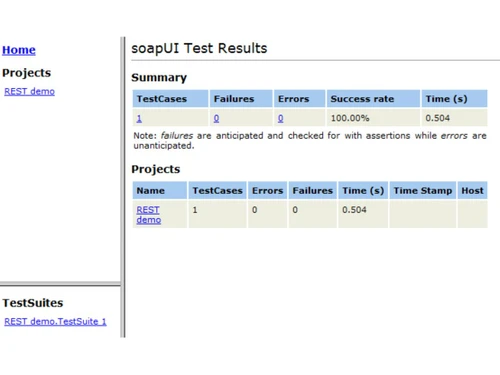
With a baseline, users can quickly diagnose problems and compare their capabilities. With three main screens, namely, History, Compare and Transaction Log, you can easily manage the test history data. While the Test History screen shows past test executions, the Compare screen lets you diagnose various failures from previous and current test runs. The Transaction Log screen, on the other hand, helps drill down the screenshots of the archived test runs into request and responses.
It is an automated software, which makes sure that the API is ready to run at a competitive pace.
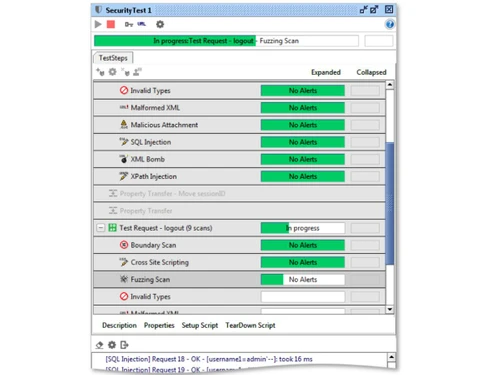
The software adds security scans to the functional tests, which ensures that your APIs are free from any security vulnerability.
20,000+ Software Listed
Best Price Guranteed
Free Expert Consultation
2M+ Happy Customers
Terms and Condtions

Users with registered businesses can purchase goods from merchants on the platform to satisfy their business needs. Users are not permitted to utilize any products acquired through the platform for resale, advertising, business, or further distribution.
For each purchase made, users will receive a Tax Invoice (or 'GST invoice') that includes specific details such as:
the GSTIN of the user associated with their registered business, and
the specified Entity Name for their business.
It should be noted that not all products are eligible for GST Invoice. Only the products displayed by participating sellers with the 'GST-based Invoice Available' callout on the product description page would qualify.
Certain goods and services are not eligible to get a GST Invoice, including items with VAS, i.e., Value Added Services (e.g., Total Mobile Protection/Assured Buyback) and those involving an exchange offer at the time of purchase.
Users must ensure the accuracy of the GSTIN, and business entity name provided for the GST Invoice. Requests for corrections into GST Invoice would not be accommodated by Techjockey.com or any Seller, and any issues arising from user-provided information are the sole responsibility of users.
Techjockey.com is not liable for the GST Invoice or any associated input tax credit. To efficiently claim an input tax credit, users should select the registered place of business address as per the GST authority's data and follow the provisions of the GST Act and rules.
To claim an input tax credit, the delivery and billing addresses must match. Furthermore, input tax credits will not be granted if the delivery address and GSTIN on the invoice are from different states. In case of incorrect GST details provided during the order placement, the order will be canceled automatically.



