linkedin
TeamUp logo
play TeamUp: Software that does things differently that you and your clients will love.
play Join TeamUp's Happy Business Owners and take away the complexity of running your gym, box, or studio
teamup appointments

TeamUp

Brand: TeamUp

  • 4.3

  • 6 Ratings

TeamUp is a comprehensive business software that helps fitness studios, gyms, and personal trainers manage their operations seamlessly. It offers features like membership management, online booking, payment processing, and scheduling, allowing businesses to focus on delivering quality services to th...

See More

Have you used TeamUp before?

Share your insights for better experience

Add a Review
Starting Price
$104

View plans

100% Genuine
Products
Best Price
Guaranteed
Safe & Secure
Payment
  • Description

  • Pricing

  • Features

  • Specification

  • Review

  • Compare

  • Alternatives

  • FAQ

Starting at $104

TeamUp Software Overview

What is TeamUp?

TeamUp is an all-in-one business software, including membership management software and gym management software, designed to help fitness studios, gyms, and trainers manage their memberships and daily operations. From handling memberships to booking classes and managing payments, TeamUp simplifies these tasks, making it easier for businesses to stay organized and focus on their customers.

This software is popular in the fitness industry because it combines several essential tools into one platform. You can easily manage memberships, process payments, schedule classes, and generate detailed reports all from a single dashboard. By streamlining these processes, TeamUp allows fitness professionals to spend less time on admin work and more time helping their clients achieve their fitness goals. Whether you're running a small studio or a large gym, TeamUp provides the tools to keep your business running smoothly, all while delivering a user-friendly experience.

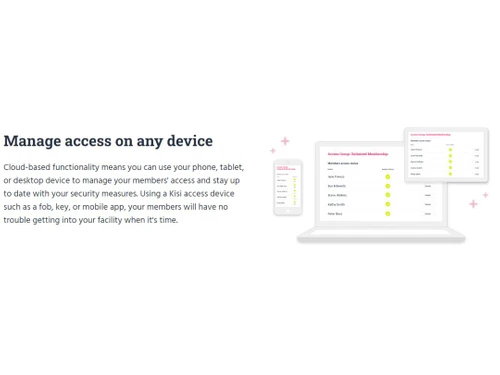
With TeamUp, you get access to important features like calendar management, customer referrals, and self-service signups, making it convenient for your clients to interact with your business. The platform also offers integration options, allowing you to connect with other tools and software that can enhance your operations further.

Why Choose TeamUp Gym Management Software?

  • User-Friendly Interface: TeamUp offers an intuitive and easy-to-use interface that makes managing memberships, payments, and bookings straightforward.
  • Customizable Options: It allows you to customize memberships, classes, and schedules according to the specific needs of your business.
  • Time-Saving Automation: The platform automates important tasks like payment processing, class scheduling, and reporting, saving you time and reducing manual work.
  • Client Self-Service: It empowers your clients to manage their bookings, payments, and memberships through a convenient self-service portal.
  • Comprehensive Integrations: TeamUp supports integration with other tools, enabling you to streamline business operations and enhance efficiency.

Benefits of TeamUp

  • Efficient Membership Management: Manage memberships and class sign-ups with ease, reducing administrative overhead and manual work.
  • Automated Payment Processing: TeamUp automates payment collection, ensuring timely and hassle-free transactions.
  • Improved Client Experience: The self-service portal allows clients to manage their schedules and bookings independently, enhancing customer satisfaction.
  • Scalability: Whether you're a small fitness studio or a large gym, TeamUp scales according to your business size and needs.
  • Detailed Reporting: Generate accurate reports on attendance, payments, and memberships, helping you make data-driven decisions.
  • Customizable Dashboards: Tailor your dashboard to include key metrics and tools for quick access to vital information.
  • Seamless Integrations: Connect TeamUp with other software systems to streamline operations and improve efficiency.
  • Enhanced Customer Engagement: The customer referral feature helps increase your clientele through word-of-mouth marketing, incentivizing your existing members.
  • Calendar and Scheduling Flexibility: Manage multiple classes and schedules with ease, allowing clients to book their preferred slots without any confusion.
  • Security and Compliance: TeamUp ensures secure payment processing and maintains compliance with industry standards, giving you peace of mind.

Pricing Of TeamUp

TeamUp's price starts at $ 104 at techjockey.com. The pricing model is based on different parameters, including extra features, deployment type, and the total number of users. For further queries related to the product, you can contact our product team and learn more about the pricing and offers.

Read more

TeamUp Company Details

Founded Year:  2011

TeamUp is the most recommended management software for in-person and online classes at fitness studios, boxes, and gyms, worldwide.

Director/Founders Matthew Pegler, Tom Larsen
Company Size 1-100 Employees

TeamUp Pricing & Plans

ACTIVE CUSTOMERS-[0-100 Customers]
Key Features
  • Complete booking platform
  • Online payments
  • Financial reporting
  • Classes, appointments, courses
  • Member mobile app
  • Website widgets
  • Security and data protection
  • Free data migration
Starting at $104
    • Monthly

      Monthly
      Monthly

Key Features

  • Complete booking platform

  • Online payments

  • Financial reporting

  • Classes, appointments, courses

  • Member mobile app

  • Website widgets

  • Security and data protection

  • Free data migration

TeamUp Features

  • icon_check Membership Management
    Streamlines managing memberships, allowing for easy renewal, cancellation, and tracking of member activities.
  • icon_check Online Booking
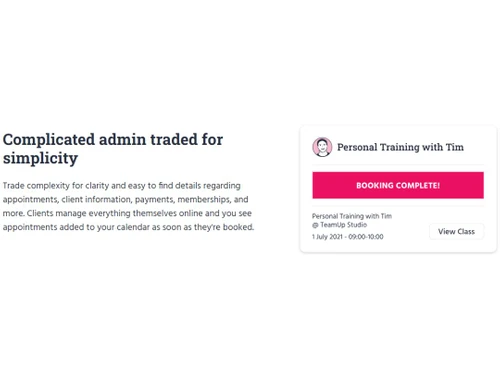
    Allows clients to book classes and sessions online, making it convenient and hassle-free for both customers and businesses.
  • icon_check Payment Processing
    Automates and securely handles payment transactions, ensuring timely and error-free billing.
  • icon_check Calendar Management
    Manage and organize your classes, events, and bookings in one place, with an easy-to-use calendar interface.
  • icon_check Classes & Scheduling
    Enables efficient scheduling of fitness classes, ensuring proper organization and preventing overlaps.
  • icon_check Reports
    Generate insightful reports on revenue, attendance, and member engagement to help with data-driven decisions.
  • icon_check Self-Service Signup
    Lets clients sign up for memberships and classes themselves, reducing your workload and improving the client experience.
  • icon_check Customer Referrals
    Build your customer base with a referral program that rewards existing clients for bringing in new members.
  • icon_check Dashboards
    Create personalized dashboards that display key business metrics for quick access and better management.
  • icon_check Integrations
    Easily integrate TeamUp with other software tools, including marketing, accounting, and CRM systems.
TeamUp Demo Video play icon

Get TeamUp Demo

Watch the demo video to explore key features, real workflows, and how the software fits your business needs.

Understand
Key Features
Personal
Demo Insights
Interactive
Demo Support

TeamUp Specifications

Supported Platforms
Ubuntu Ubuntu Windows Windows MacOS MacOS Linux Linux
Devices
Desktop Desktop
Deployment
Cloud-Based Cloud-Based
Suitable For
Gym
Business Specific
Gym Yoga
Business Size
Small Business Startups Medium Business Enterprises
Customer Support
Email Live Chat Communities
Language
English
Integration
API Integration
Training Resources
Videos

Explore the Best Alternative Solutions Similar to Your Business Size and Needs

TeamUp Review

4.3

Out of 5

img

Overall Rating

Based on
6 Verified Ratings

Rating Breakdown

  • Features 4.4
  • Value for Money 4.4
  • Ease of Use 4.5
  • Customer Support 4.1

88% Recommend this Product

Add Review

Techjockey Trusted Reviews from Verified Users

No reviews are currently available for TeamUp. Discover similar Gym Management Software reviews

  • YourDigitalLift

    4.6

    Whats great - Ease to use the software read more

  • Global Gym Software

    4.9

    Whats great - The working of the software very good with Android and IOS Application. It has QR Code Attedance System and ESSL Device Direc... read more

  • Easy Gym Software

    4.5

    Whats great - The AI chatbot is particularly useful for gym businesses, as it handles customer queries smoothly and reduces the need for tr... read more

Compare TeamUp With other Gym Management Software

Products
Ratings
Pricing
Device Supported
Deployment
Supported Platforms
  • img

    TeamUp

  • 4.3

  • Price On Request

  • Desktop

    Mobile

  • Web based

    On Premises

  • Windows

    Mac OS

  • img

    YourDigitalLift

  • 4.6

  • Price On Request

  • Desktop

    Mobile

  • Web based

    On Premises

  • Windows

    Mac OS

  • img

    Fitness NU

  • 4.8

  • ₹ 9999

  • Desktop

    Mobile

  • Web based

    On Premises

  • Windows

    Mac OS

  • img

    AdviceFit

  • 4.6

  • ₹ 8000

  • Desktop

    Mobile

  • Web based

    On Premises

  • Windows

    Mac OS

  • img

    GymVale

  • 5

  • ₹ 3999

  • Desktop

    Mobile

  • Web based

    On Premises

  • Windows

    Mac OS

  • img

    MyGymDesk

  • 5

  • ₹ 999

  • Desktop

    Mobile

  • Web based

    On Premises

  • Windows

    Mac OS

(0) Product(s) selected

TeamUp Alternatives

See All TeamUp Alternatives

Starting Price:

₹299 /Month ₹500

SAVE UPTO 40%

Starting Price:

₹899 /Month

Starting Price:

₹735

Articles for TeamUp

See All Related Articles

What is TeamUp used for?

TeamUp is a business management tool designed for fitness studios and gyms to manage memberships, class bookings, payments, and reports.

How does TeamUp help with payment processing?

TeamUp automates payment collection, making it easy to process payments on time and without manual effort.

Can clients book classes online with TeamUp?

Yes, TeamUp allows clients to book classes online, simplifying the scheduling process for both the business and its clients.

Is TeamUp suitable for small fitness studios?

Yes, TeamUp is scalable and can be used by fitness studios of any size, including small businesses and personal trainers.

What integrations does TeamUp support?

TeamUp supports various integrations, including marketing tools, accounting software, and CRMs, enhancing business efficiency.

Can I generate reports using TeamUp?

Yes, TeamUp allows you to generate reports on attendance, revenue, and other key metrics to track business performance.

How does TeamUp improve client engagement?

With self-service signups and customer referral features, TeamUp helps keep clients engaged and encourages word-of-mouth marketing.

Does TeamUp offer a customizable dashboard?

Yes, you can customize your dashboard to display essential metrics and tools, making it easier to manage your business operations.

20,000+ Software Listed

Best Price Guranteed

Free Expert Consultation

2M+ Happy Customers

Terms and Condtions

close

Users with registered businesses can purchase goods from merchants on the platform to satisfy their business needs. Users are not permitted to utilize any products acquired through the platform for resale, advertising, business, or further distribution.

For each purchase made, users will receive a Tax Invoice (or 'GST invoice') that includes specific details such as:

  • the GSTIN of the user associated with their registered business, and

  • the specified Entity Name for their business.

It should be noted that not all products are eligible for GST Invoice. Only the products displayed by participating sellers with the 'GST-based Invoice Available' callout on the product description page would qualify.

Certain goods and services are not eligible to get a GST Invoice, including items with VAS, i.e., Value Added Services (e.g., Total Mobile Protection/Assured Buyback) and those involving an exchange offer at the time of purchase.

Users must ensure the accuracy of the GSTIN, and business entity name provided for the GST Invoice. Requests for corrections into GST Invoice would not be accommodated by Techjockey.com or any Seller, and any issues arising from user-provided information are the sole responsibility of users.

Techjockey.com is not liable for the GST Invoice or any associated input tax credit. To efficiently claim an input tax credit, users should select the registered place of business address as per the GST authority's data and follow the provisions of the GST Act and rules.

To claim an input tax credit, the delivery and billing addresses must match. Furthermore, input tax credits will not be granted if the delivery address and GSTIN on the invoice are from different states. In case of incorrect GST details provided during the order placement, the order will be canceled automatically.