linkedin
Things logo
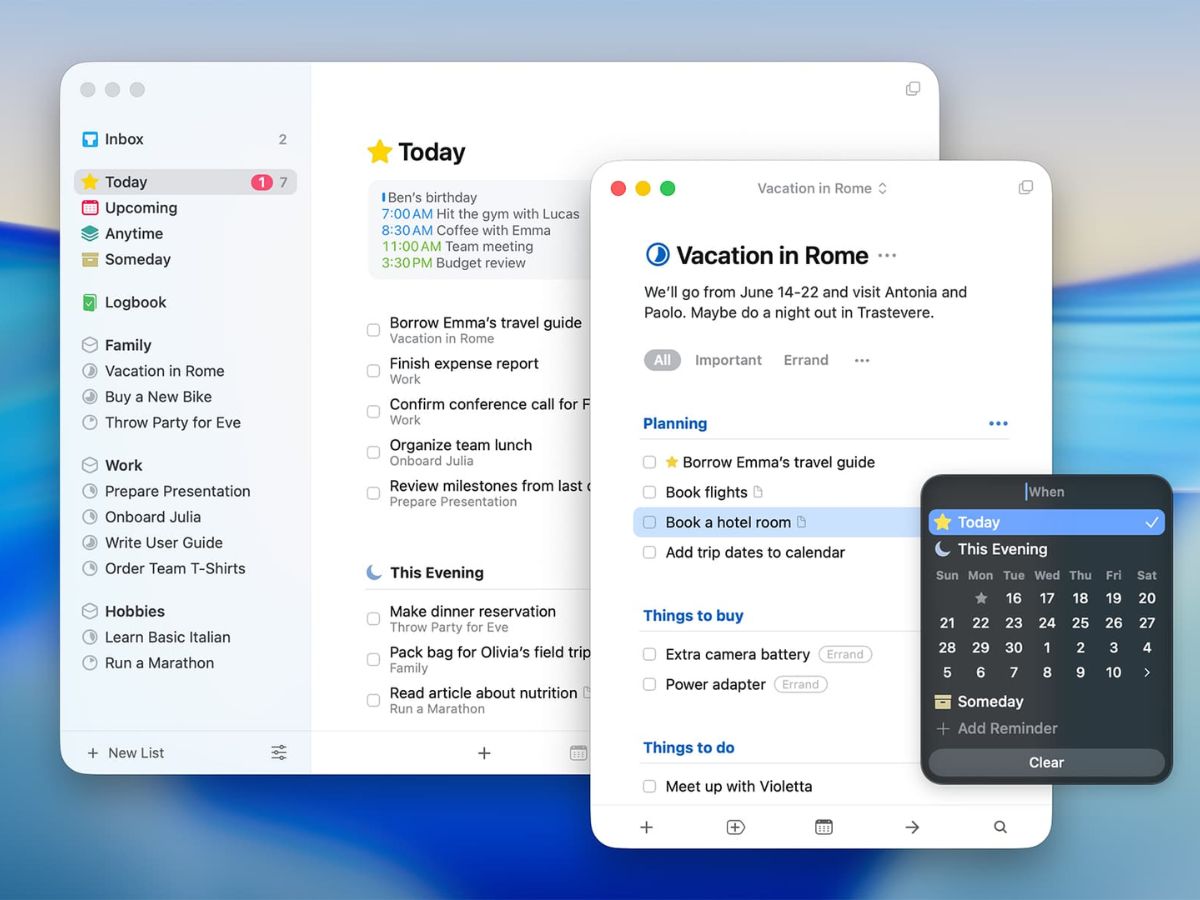
Things-reminder
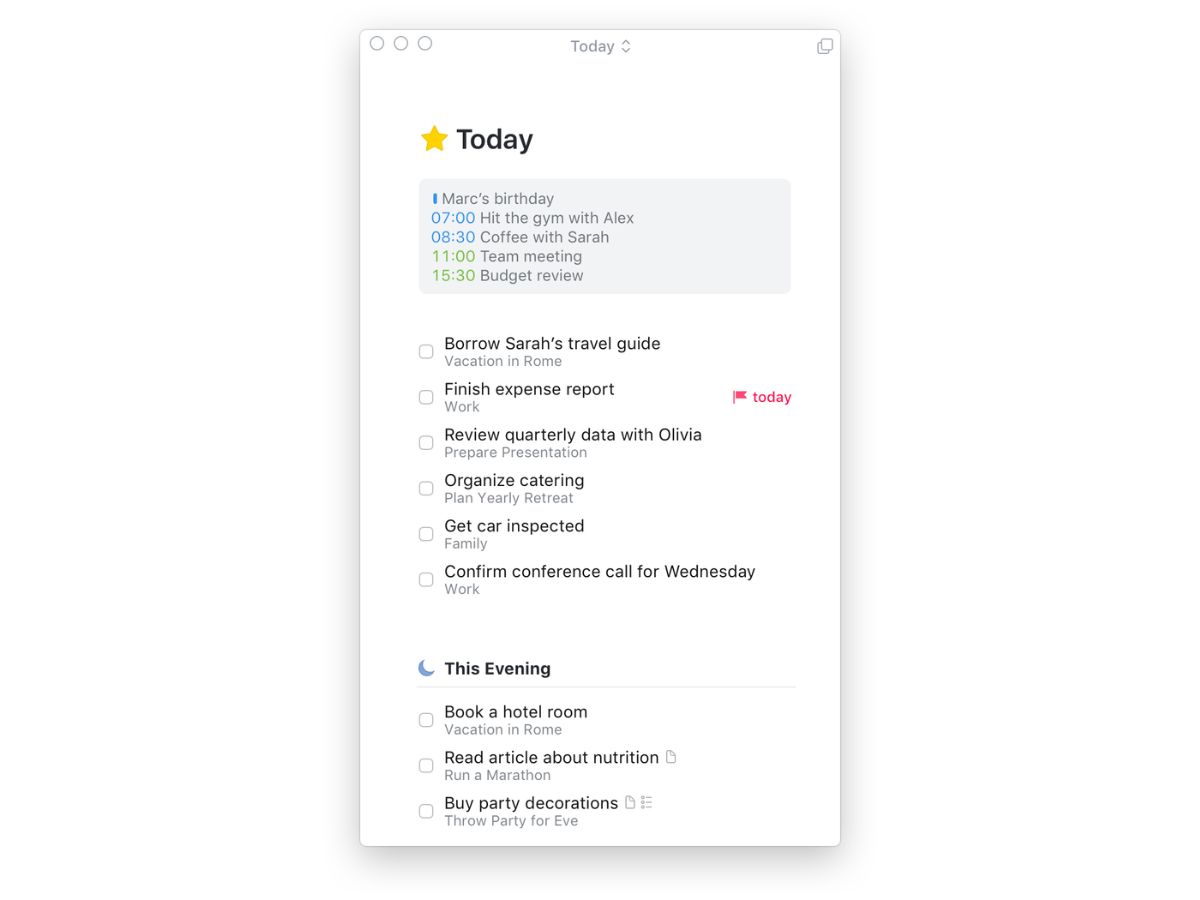
Things-calendar
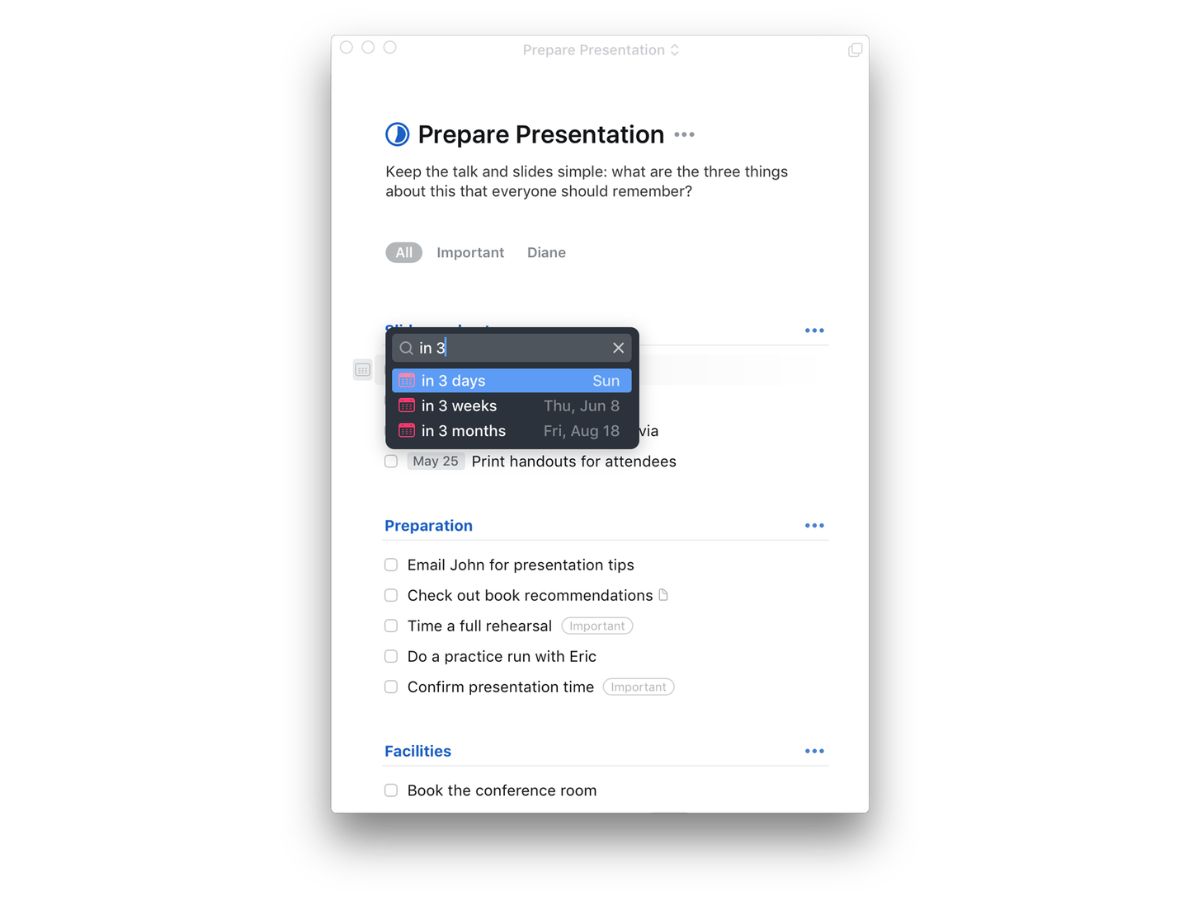
Things-presentation

Things

Brand: Cultured Code

  • No Ratings & Reviews

Things is an award-winning task manager that combines powerful task management features with a clean, intuitive design to help you stay organized and achieve your goals.

See More

Have you used Things before?

Share your insights for better experience

Add a Review
Starting Price
$50

View plans

100% Genuine
Products
Best Price
Guaranteed
Safe & Secure
Payment
  • Description

  • Pricing

  • Features

  • Specification

  • Review

  • Compare

  • Alternatives

Starting at $50

Things Software Overview

What is Things?

Things is an award-winning personal task management application designed exclusively for the Apple ecosystem. It serves as a comprehensive tool to help users organize their daily tasks, manage complex projects, and make tangible progress toward their most important goals. The software is engineered to be both powerful and straightforward, allowing users to quickly capture thoughts and structure their to-do lists, from routine errands to long-term life ambitions. Its core philosophy centers on providing a clean, distraction-free interface that promotes focus and clarity, making it a preferred choice for individuals seeking a blend of elegant design and robust functionality.

Built from the ground up for Mac, iPhone, iPad, Apple Watch, and Vision Pro, Things offers a seamless and consistent experience across all devices. It ensures that your tasks and projects are always in sync and accessible, whether you are at your desk or on the go. The application has been recognized for its exceptional design and user experience, earning the prestigious Apple Design Award twice.

Why Choose Things?

  • Award-Winning Design and User Experience: Things is celebrated for its clean, polished interface that is both beautiful and highly functional. Critics describe it as a "joy to use," with thoughtful animations and a layout that feels like a "clean, crisp piece of paper," helping users focus on their work without distraction.
  • Simply Powerful: While simple enough for anyone to pick up and use within minutes, Things does not compromise on power. It offers robust features for detailed project management and organization, satisfying the needs of both casual users and productivity experts.
  • -
  • Flexible and Unobtrusive: Unlike some task managers that enforce a rigid methodology, Things provides a flexible framework that adapts to your personal workflow. It empowers you to organize your tasks in a way that makes the most sense for you.
  • Seamless Ecosystem Integration: As a native application for Apple devices, Things offers deep integration with the operating system's features, including fast, reliable cloud sync, keyboard shortcuts, and native support for the Shortcuts app, enabling powerful automation.

Advanced Features of Things

  • Projects and Areas: Organize related tasks into Projects to track progress on specific goals. For a higher level of organization, group multiple projects and tasks into Areas of Responsibility, such as "Work," "Personal," or "Health," to keep different parts of your life neatly separated.
  • Fast, Reliable Sync: The app's proprietary sync service works quickly and seamlessly in the background to ensure your to-do lists are always identical and up-to-date across your Mac, iPhone, iPad, and Apple Watch.
  • Rich Task Notes: Enhance your to-dos with detailed notes. Things supports Markdown, allowing you to format your notes with headings, lists, bold text, and more, providing clarity and context for each task.
  • Powerful Automation with Shortcuts: With native support for Apple's Shortcuts app, you can create powerful custom workflows to automate repetitive actions, such as creating tasks from other apps or generating daily reports.
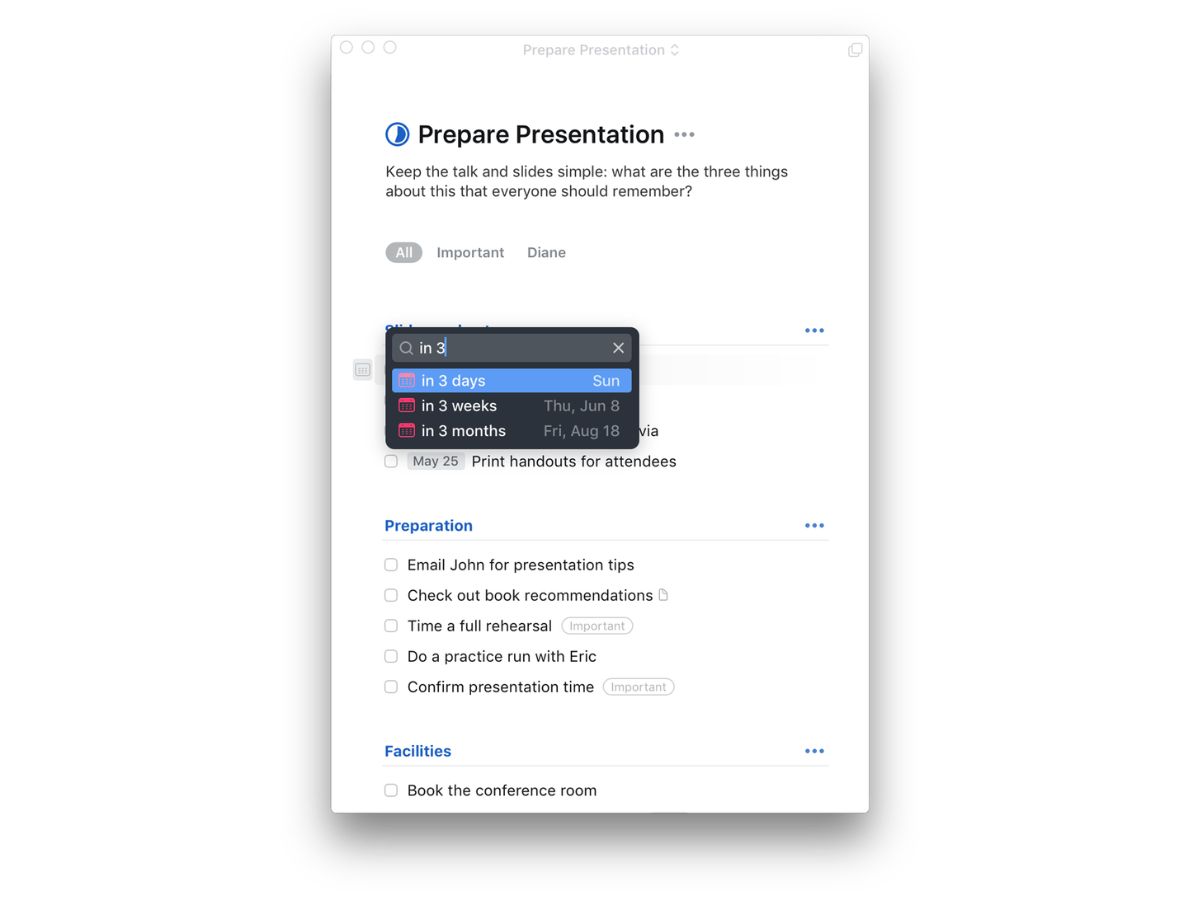
  • Intuitive Scheduling and Deadlines: Easily assign due dates to tasks. The "Upcoming" view provides a clear overview of your schedule, while flexible reminders ensure you never miss an important deadline.
  • Efficient Keyboard Navigation: On Mac and iPad, an extensive collection of keyboard shortcuts allows you to navigate the app, create tasks, and organize your lists with remarkable speed and efficiency.

Key Capabilities of Things

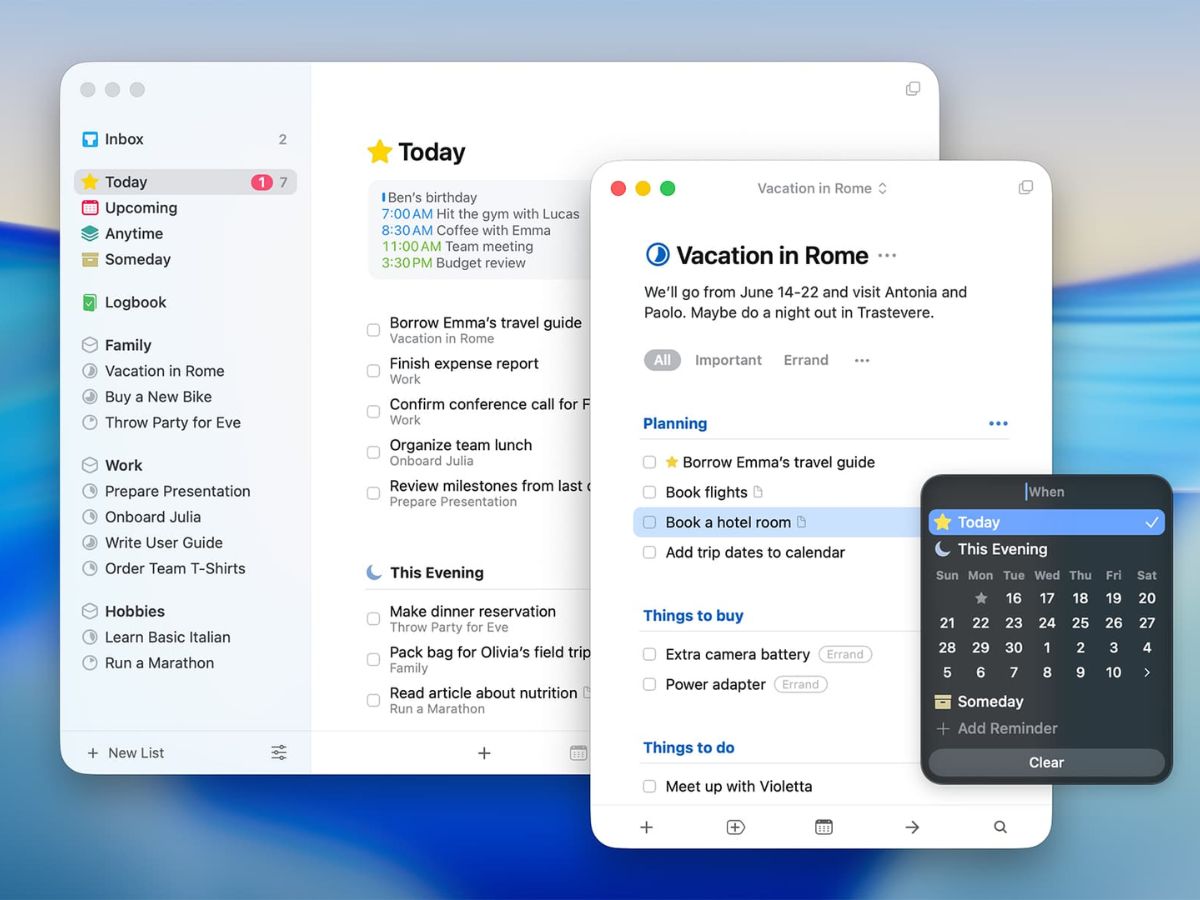
  • Inbox: The central hub for capturing all your thoughts and tasks as they arise. This allows you to perform a quick "mind sweep" without worrying about immediate organization.
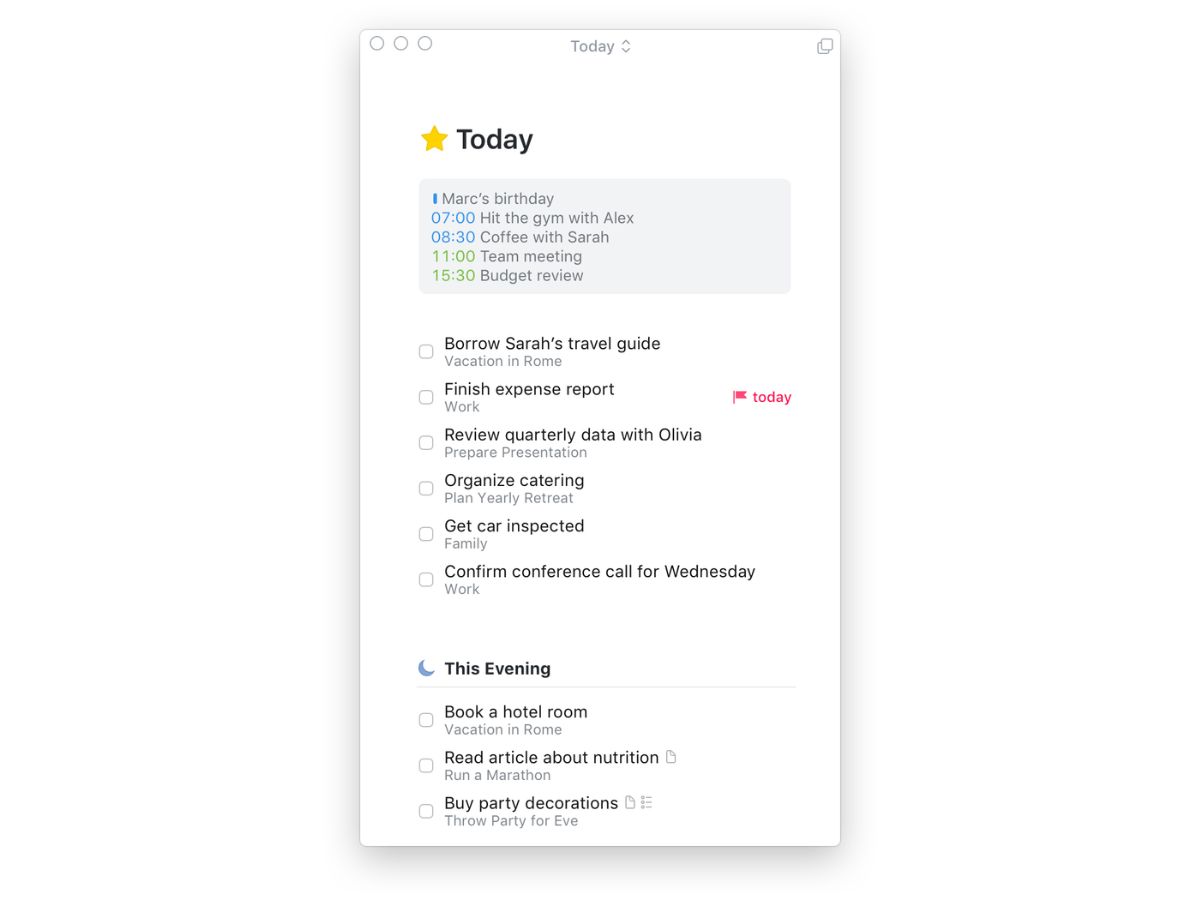
  • Today: Your primary focus for the day. This list automatically populates with tasks that are due today and any you manually schedule, providing a clear, actionable plan.
  • Upcoming: Look ahead at your schedule with this view, which shows tasks and projects with future due dates, helping you plan your time effectively.
  • Anytime: A list for tasks you want to accomplish soon but that don't have a strict deadline.
  • Someday: A place for ideas and future goals that you aren't ready to act on yet, keeping them out of sight until you are ready to tackle them.
  • Logbook: An automatically generated archive of all your completed tasks, allowing you to review your accomplishments and track your productivity over time.

How to Use Things?

  1. Capture: Begin by adding every task, idea, and reminder into the Inbox. Use the Quick Entry feature on Mac or the share extension on iOS to capture items from anywhere.
  2. Organize: Regularly process your Inbox. Clarify each item by adding notes, assigning it to a Project or Area, adding tags for context, and setting a deadline if necessary.
  3. Plan: Each morning, review your lists and move the tasks you intend to accomplish into the Today view. This creates a focused to-do list for the day ahead.
  4. Execute: Work through your Today list. As you complete each task, mark it as done to see your progress and maintain momentum.
  5. Review: Periodically use the Upcoming view and review your Projects and Areas to ensure you are on track with your long-term goals and upcoming deadlines.

Things Pricing

Things price starts at USD 50 at techjockey.com.

The pricing model is based on different parameters, including extra features, deployment type, and the total number of users. For further queries related to the product, you can contact our product team and learn more about the pricing and offers.

Read more

Cultured Code Company Details

Founded Year:  2004

Cultured Code is a software company that makes Things, an award-winning task manager for Mac, iPad, iPhone, and Apple Watch.

Director/Founders Werner Jainek
Company Size 1-100 Employees

Things Pricing & Plans

macOS
Key Features
  • Task Management
  • Project Management
  • Task Prioritization
  • Due Date Management
  • Recurring Tasks
Starting at $50
    • Quantity

      Quantity
      Quantity

Key Features

  • Task Management

  • Project Management

  • Task Prioritization

  • Due Date Management

  • Recurring Tasks

Things Features

  • icon_check Task Management
    Create, organize, prioritize, and track tasks efficiently with clear workflows and progress visibility.
  • icon_check Project Management
    Group related tasks into projects and manage deadlines, milestones, and completion status easily.
  • icon_check Task Prioritization
    Assign priorities to important tasks and focus on high-impact work throughout the day.
  • icon_check Due Date Management
    Schedule due dates for tasks and receive timely reminders to avoid missed deadlines.
  • icon_check Recurring Tasks
    Automate repetitive tasks with customizable recurrence schedules for ongoing activities.
  • icon_check Task Scheduling
    Plan tasks across days, weeks, and months with flexible scheduling and calendar support.
  • icon_check Tag Management
    Categorize tasks using tags to improve organization, filtering, and task discovery.
  • icon_check Task Reminders
    Receive notifications and reminders to stay on track with upcoming assignments and deadlines.
  • icon_check Calendar Integration
    Sync tasks with calendars to view schedules and manage commitments from one place.
  • icon_check Progress Tracking
    Monitor task and project completion status through organized views and progress indicators.
  • icon_check Task List
    Create multiple task lists for personal, professional, or project-specific activities and goals.
  • icon_check Quick Task Capture
    Capture ideas, notes, and tasks instantly before they are forgotten or overlooked.
  • icon_check Search and Filter
    Find tasks quickly using search tools and filters based on tags, dates, or projects.
  • icon_check Cross-Device Sync
    Access and update tasks seamlessly across supported devices with automatic synchronization.
  • icon_check Notes and Details
    Add detailed notes, checklists, and supporting information to individual tasks and projects.
  • icon_check Dashboards
    View today's priorities, upcoming tasks, and project activities from a centralized workspace.
  • icon_check Keyboard Shortcuts
    Speed up task creation and navigation using productivity-focused keyboard shortcuts.
  • icon_check Offline Access
    Manage and update tasks without internet connectivity and sync changes when reconnected.
  • icon_check Custom Organization
    Organize work into areas, projects, and categories for better structure and control.
  • icon_check Activity Planning
    Plan daily and future workloads with dedicated views for current and upcoming responsibilities.

Things Specifications

Supported Platforms
iOS iOS MacOS MacOS
Devices
Desktop Desktop Mobile Mobile iPad iPad
Deployment
Cloud-Based Cloud-Based
Suitable For
All Industries
Business Specific
All Businesses
Business Size
Individual Small Business Startups Medium Business Enterprises SMBs SMEs MSMBs MSMEs Freelancers
Customer Support
Email
Language
English
Training Resources
Documentation

Explore the Best Alternative Solutions Similar to Your Business Size and Needs

Things Review

Techjockey Trusted Reviews from Verified Users

No reviews are currently available for Things. Discover similar Task Management Software reviews

  • Task Tracker

    4.9

    Whats great - Task Tracker is a very easy-to-use application, as it is having attendance feature with accurate geolocation, assigning tasks... read more

  • Kerika

    4.9

    Whats great - Ease of Use: The software is designed to be user-friendly, making it accessible to a wide range of users within the organisat... read more

  • TaskOPad

    4.8

    Whats great - Would recommend this app for managing your daily activities. After-service is quite nice. read more
Compare Things With other Task Management Software

Products
Ratings
Pricing
Device Supported
Deployment
Supported Platforms
  • img

    Things

  • Price On Request

  • Desktop

    Mobile

  • Web based

    On Premises

  • Windows

    Mac OS

  • img

    TickTick

  • 4.3

  • Price On Request

  • Desktop

    Mobile

  • Web based

    On Premises

  • Windows

    Mac OS

  • img

    Task Tracker

  • 4.9

  • ₹ 225

  • Desktop

    Mobile

  • Web based

    On Premises

  • Windows

    Mac OS

  • img

    TaskOPad

  • 4.7

  • Price On Request

  • Desktop

    Mobile

  • Web based

    On Premises

  • Windows

    Mac OS

  • img

    Zoho ToDo

  • 4.5

  • Price On Request

  • Desktop

    Mobile

  • Web based

    On Premises

  • Windows

    Mac OS

  • img

    Taskmaan

  • 4.5

  • ₹ 2000

  • Desktop

    Mobile

  • Web based

    On Premises

  • Windows

    Mac OS

  • img

    Akiflow

  • 4.7

  • Price On Request

  • Desktop

    Mobile

  • Web based

    On Premises

  • Windows

    Mac OS

  • img

    Todoist

  • 4.5

  • ₹ 330

  • Desktop

    Mobile

  • Web based

    On Premises

  • Windows

    Mac OS

  • img

    Sunsama

  • 4.4

  • Price On Request

  • Desktop

    Mobile

  • Web based

    On Premises

  • Windows

    Mac OS

(0) Product(s) selected

Things Alternatives

See All Things Alternatives

Starting Price:

$4 /Month

SAVE UPTO 17%

Available

Price on Request

Starting Price:

$34 /month

Starting Price:

$20 /month

Starting Price:

$7 /month

SAVE UPTO 50%

Starting Price:

$4 /Month

Starting Price:

$30 /Month

Articles for Things

See All Related Articles

20,000+ Software Listed

Best Price Guranteed

Free Expert Consultation

2M+ Happy Customers

Terms and Condtions

close

Users with registered businesses can purchase goods from merchants on the platform to satisfy their business needs. Users are not permitted to utilize any products acquired through the platform for resale, advertising, business, or further distribution.

For each purchase made, users will receive a Tax Invoice (or 'GST invoice') that includes specific details such as:

  • the GSTIN of the user associated with their registered business, and

  • the specified Entity Name for their business.

It should be noted that not all products are eligible for GST Invoice. Only the products displayed by participating sellers with the 'GST-based Invoice Available' callout on the product description page would qualify.

Certain goods and services are not eligible to get a GST Invoice, including items with VAS, i.e., Value Added Services (e.g., Total Mobile Protection/Assured Buyback) and those involving an exchange offer at the time of purchase.

Users must ensure the accuracy of the GSTIN, and business entity name provided for the GST Invoice. Requests for corrections into GST Invoice would not be accommodated by Techjockey.com or any Seller, and any issues arising from user-provided information are the sole responsibility of users.

Techjockey.com is not liable for the GST Invoice or any associated input tax credit. To efficiently claim an input tax credit, users should select the registered place of business address as per the GST authority's data and follow the provisions of the GST Act and rules.

To claim an input tax credit, the delivery and billing addresses must match. Furthermore, input tax credits will not be granted if the delivery address and GSTIN on the invoice are from different states. In case of incorrect GST details provided during the order placement, the order will be canceled automatically.