 USA
USA UAE
UAE
Small Business
Designed for startups and growing businesses


See More





Brand: URVA
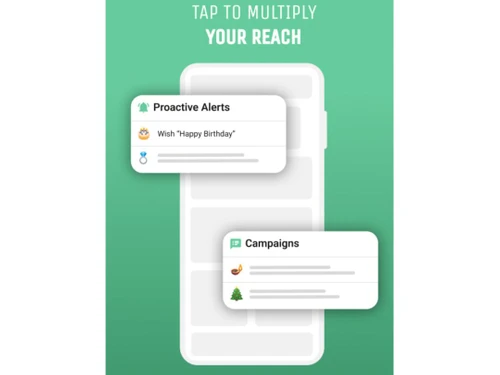
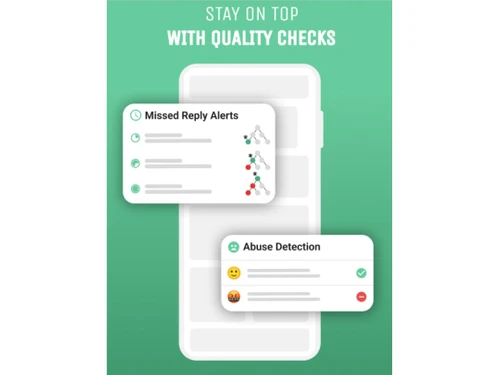
URVA Connect is a communication platform that unifies messaging, voice/video chats, and analytics for business interactions and management.
See More
22+ people visited in last 30 minutes
Brand: URVA
Founded Year: 2015
URVA is a Field Force Automation Software which enables an organisation to manage, track and analyse the working of their entire workforce. With powerful features built directly into URVA, you can be assured to minimize your costs, effectively utilise your resources and boost your sales.
Customer Data Management (CDM)
 Contact Management Account Management Customer Profiles Contact Segmentation Activity History
 Sales Management
Lead Management Order Management Quote Management Sales Automation Workflow Automation and Management Opportunity & Pipeline Management Contract Management Sales Forecasting Territory Management Deal Management Marketing Automation
Campaign Management Customer Journey Tracking Customer Segmentation Automated Campaigns Email Marketing Lead Nurturing Event-Triggered Workflows Data Sourcing / Integrations
Social Media Integration Data Import/Export API Access Calendar Integration Third Party Integrations Email Marketing Tools Integration Marketing Tools Integration Interactive Voice Response (IVR) Integration eCommerce Integrations Collaboration Tools
Team Communication Document Sharing & File Storage Omnichannel Support & Engagement Task / Activity Management Security & Compliance
Role-Based Access Control (RBAC) Data Encryption Backup & Disaster Recovery GDPR & Data Privacy Audit Trail AI & Machine Learning
Predictive Analytics Lead Scoring Chatbots Reporting & Analytics
Real Time Analytics Custom Dashboards Customer Insights Predictive Analytics Sales Performance Reports Campaign Performance Forecasting & Trends Performance Tracking Alerts & Notifications
Customer Interaction Alerts Event-Triggered Notifications Custom Workflow Alerts System Errors/Failures Workflow Trigger Alerts SLA Violations Lead Activity Alerts Others
Call Masking Chat Thread Management Customer Assignment Automation CCPA compliant 

Watch the demo video to explore key features, real workflows, and how the software fits your business needs.
 Ubuntu
  Windows
  iOS
iOS  Android MacOS
  Linux
Linux  Desktop
  Mobile
  Tablet
  iPad
iPad  Cloud-Based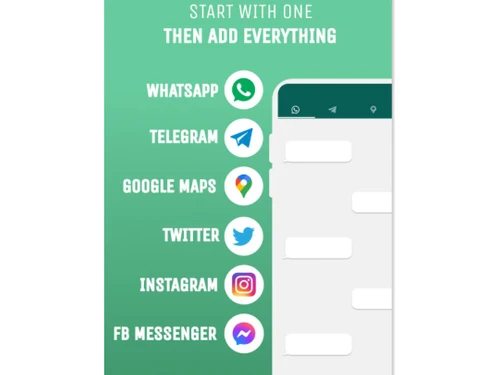
Small Business
Designed for startups and growing businesses
Medium Business
Built for business growth and flexibility
Enterprises
Designed for complex and large-scale business needs
4.4
Out of 5

Overall Rating
Based on
4 Verified Ratings
Rating Breakdown
100% Recommend this Product
Add ReviewTechjockey Trusted Reviews from Verified Users
No reviews are currently available for URVA Connect. Discover similar CRM Software reviews

Kylas CRM
Whats great - Allowed me to track everything I needed to succeed. With Kylas, I now have all the information at hand and can use that data ... read more

NCH Reflect CRM
Whats great - The fields you require can be modified by adding additional fields and can customize them. read more

Salesforce CRM
Whats great - Salesforce CRM’s beat notification feature ensures timely updates, helping sales teams stay on top of their schedules and cli... read more

URVA Connect
Price On Request
Desktop
Mobile
Web based
On Premises
Windows
Mac OS

Zoho CRM
₹ 1300
Desktop
Mobile
Web based
On Premises
Windows
Mac OS

Odoo CRM
₹ 760
Desktop
Mobile
Web based
On Premises
Windows
Mac OS

CrmOne
Price On Request
Desktop
Mobile
Web based
On Premises
Windows
Mac OS

Solid Performers CRM
₹ 500
Desktop
Mobile
Web based
On Premises
Windows
Mac OS
Kylas CRM
₹ 12999
Desktop
Mobile
Web based
On Premises
Windows
Mac OS

Zendesk Sell
Price On Request
Desktop
Mobile
Web based
On Premises
Windows
Mac OS

Cleomitra
₹ 999
Desktop
Mobile
Web based
On Premises
Windows
Mac OS

In-Sync CRM
₹ 5000
Desktop
Mobile
Web based
On Premises
Windows
Mac OS
Salesforce CRM
Price On Request
Desktop
Mobile
Web based
On Premises
Windows
Mac OS

LeadSquared CRM
Price On Request
Desktop
Mobile
Web based
On Premises
Windows
Mac OS
(0) Product(s) selected
Starting Price:
$99 /Month
Starting Price:
$19 /Agent/Month
Starting Price:
₹999 /Month ₹2,000
Starting Price:
₹5,000 /Month

Starting Price:
$97 /Month
Starting Price:
€300 /User/Year
Starting Price:
₹3,900 /Year ₹4,900

Starting Price:
₹1,299 /Month

Available
Price on Request

Starting Price:
₹500

Available
Price on Request




URVA Connect is compatible with Windows, Linux, MacOS, Ubuntu and operating systems.
The URVA Connect app is available for Android and iOS mobile devices.
URVA Connect system supports web-based deployment type.
URVA Connect pricing starts from $10 at techjockey.com.
URVA Connect is used in various industries, such as telecom, gas, banking, and retail, by relationship managers, field technicians, and sales teams for efficient communication, data collection, and customer satisfaction.
The URVA Connect demo is available for free with techjockey.com
URVA Connect offers a free trial. However, the premium plan with advanced features starts at $11.
URVA Connect installation is not required, as it is web-based. Just open the Setup Wizard to get started.
URVA Connect helps with communication optimization with unified messaging, voice/video chats, analytics, and automated features, enhancing efficiency, sales, and customer interactions.
20,000+ Software Listed
Best Price Guranteed
Free Expert Consultation
2M+ Happy Customers
Terms and Condtions

Users with registered businesses can purchase goods from merchants on the platform to satisfy their business needs. Users are not permitted to utilize any products acquired through the platform for resale, advertising, business, or further distribution.
For each purchase made, users will receive a Tax Invoice (or 'GST invoice') that includes specific details such as:
the GSTIN of the user associated with their registered business, and
the specified Entity Name for their business.
It should be noted that not all products are eligible for GST Invoice. Only the products displayed by participating sellers with the 'GST-based Invoice Available' callout on the product description page would qualify.
Certain goods and services are not eligible to get a GST Invoice, including items with VAS, i.e., Value Added Services (e.g., Total Mobile Protection/Assured Buyback) and those involving an exchange offer at the time of purchase.
Users must ensure the accuracy of the GSTIN, and business entity name provided for the GST Invoice. Requests for corrections into GST Invoice would not be accommodated by Techjockey.com or any Seller, and any issues arising from user-provided information are the sole responsibility of users.
Techjockey.com is not liable for the GST Invoice or any associated input tax credit. To efficiently claim an input tax credit, users should select the registered place of business address as per the GST authority's data and follow the provisions of the GST Act and rules.
To claim an input tax credit, the delivery and billing addresses must match. Furthermore, input tax credits will not be granted if the delivery address and GSTIN on the invoice are from different states. In case of incorrect GST details provided during the order placement, the order will be canceled automatically.

