USA
USA UAE
UAESmall Business
Designed for startups and growing businesses


See More





Brand: Sapphire Software Solution
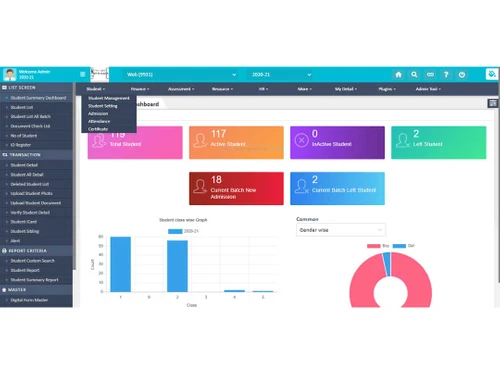
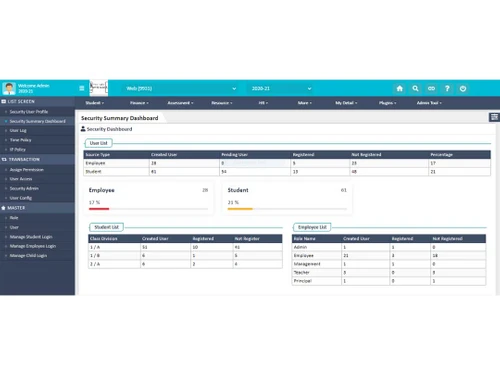
Vidyalaya is an integrated school management software that is tailor-made to meet the needs of all the administrative staff of the institution. Vidyalaya tends to provide a complete setup for school management to handle the entire campus operations and administration. It provides an interactive application for the entire management team of the organization. This software looks after the cumberso...
See MoreHave you used Vidyalaya School ERP before?
Share your insights for better experience
Looking for The Right Pricing?
Share your requirements and get a plan built around your business.
Price Available on Request
Get personalised Vidyalaya School ERP pricing that fits your needs. Our team will connect with you.
 Time and Attendance SMS Integration Tally Integration Biometric Support Online Payment Barcode Integration Exam Management and Payroll Management Results Analysis Assessments Student Portal Online Classroom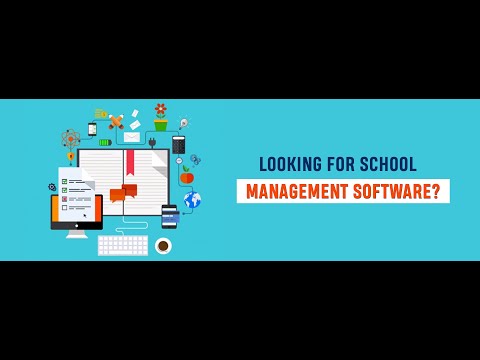

Watch the demo video to explore key features, real workflows, and how the software fits your business needs.
 Windows
  iOS
iOS  Android
  Desktop
  Mobile
  Cloud-Based
  Perpetual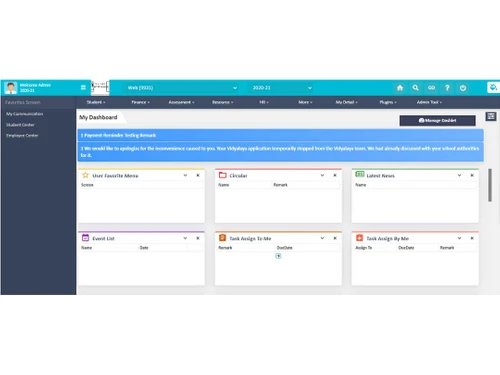
Small Business
Designed for startups and growing businesses
Medium Business
Built for business growth and flexibility
Enterprises
Designed for complex and large-scale business needs
4.9
Out of 5

Overall Rating
Based on
434 Verified Reviews
Rating Breakdown
98% Recommend this Product
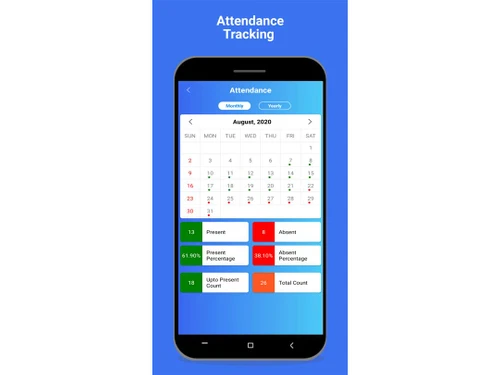
Add ReviewOverall, users express high satisfaction with Vidyalaya School ERP, praising its user-friendly interface, comprehensive features, and effective support team. Many highlight the software's ability to streamline various administrative tasks, such as fee management, attendance tracking, and report generation, which significantly reduces manual workload. However, some users mention occasional delays in service support and the need for additional features or integrations, particularly concerning customization options and mobile app functionality. Despite these minor concerns, the general sentiment is overwhelmingly positive, with many recommending the software for educational institutions.
Pros
"has been extremely helpful to me both during the pandemic and since as a teacher."
"I have had an excellent overall experience, and I would unquestionably suggest it to other professors who are open to giving it a shot."
"Both parents and students find it simple to use, and my experiences with the site have been good."
Cons
"The application is very useful and user friendly. So the cons have not been found so far."
"There is nothing to dislike because everything works well and is simple to use."
"What is there to not like? It exactly complies with our needs."

Jul 1, 2021
Techjockey Verified
“Vidyalaya helped us manage our data in a well-organized way.”
Pros
Multiple modules to manage data easily.
Cons
Nothing as such.
Reason to switch
Vidyalaya is helping us to reduce communication gap between parents and teachers.
Jul 6, 2021
Techjockey Verified
“Vidyalaya has decent enough features to manage your campus”
Pros
The finance management is a good feature
Cons
There are some good features but if they add student details adding screen in the mobile then it would be great
Reason to switch
very good software for school management
Aug 5, 2021
Techjockey Verified
“Vidyalaya is the answer to all school needs, because of its features.”
Pros
Data monitoring with biometric- is a big pro.
Cons
Due to server updates, it works slow sometimes
Reason to switch
Software is helping us for attendance and making Exams and Results and also for Manage to all Staff and Students in our school.

Vidyalaya School ERP
Price On Request
Desktop
Mobile
Web based
On Premises
Windows
Mac OS

School Magica
₹ 20000
Desktop
Mobile
Web based
On Premises
Windows
Mac OS

Edunext School ERP
Price On Request
Desktop
Mobile
Web based
On Premises
Windows
Mac OS

E-School ERP
₹ 40000
Desktop
Mobile
Web based
On Premises
Windows
Mac OS

Edu Manage Plus
₹ 18
Desktop
Mobile
Web based
On Premises
Windows
Mac OS
Vedcool
₹ 11000
Desktop
Mobile
Web based
On Premises
Windows
Mac OS

Gati School ERP
Price On Request
Desktop
Mobile
Web based
On Premises
Windows
Mac OS

EducateSync
₹ 999
Desktop
Mobile
Web based
On Premises
Windows
Mac OS

SchoolEZY
₹ 25000
Desktop
Mobile
Web based
On Premises
Windows
Mac OS
EduOpus
Price On Request
Desktop
Mobile
Web based
On Premises
Windows
Mac OS

Ranndass School ERP
Price On Request
Desktop
Mobile
Web based
On Premises
Windows
Mac OS
(0) Product(s) selected
Available
Price on Request
Available
Price on Request
Starting Price:
₹999 /License
Available
Price on Request
Available
Price on Request

Available
Price on Request
Starting Price:
₹180 /Month
Available
Price on Request

Available
Price on Request

Starting Price:
₹12,000 /Year

Starting Price:
₹5,000 /Year
Yes, this software can be used for effective payroll management as it keeps a note of the attendance of every working employee in the organization. This software also manages the leaves of employees.
Yes, Vidyalaya school management software can be used for generating gate passes and also for keeping a note on the purpose and in and out time for the visitors.
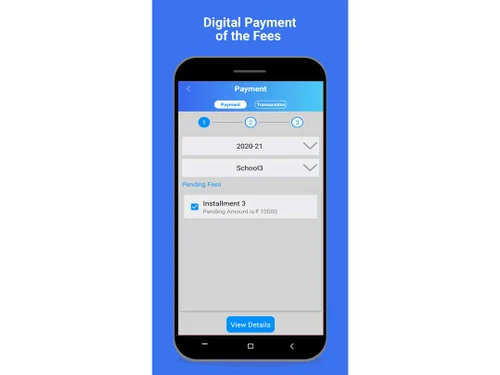
Yes, you can have online fee payment through this software, making it easier to handle bulk transactions.
Yes, for the efficient management of business accounts users can easily integrate Tally over this software to handle the accounts associated with the school.
20,000+ Software Listed
Best Price Guranteed
Free Expert Consultation
2M+ Happy Customers
Terms and Condtions

Users with registered businesses can purchase goods from merchants on the platform to satisfy their business needs. Users are not permitted to utilize any products acquired through the platform for resale, advertising, business, or further distribution.
For each purchase made, users will receive a Tax Invoice (or 'GST invoice') that includes specific details such as:
the GSTIN of the user associated with their registered business, and
the specified Entity Name for their business.
It should be noted that not all products are eligible for GST Invoice. Only the products displayed by participating sellers with the 'GST-based Invoice Available' callout on the product description page would qualify.
Certain goods and services are not eligible to get a GST Invoice, including items with VAS, i.e., Value Added Services (e.g., Total Mobile Protection/Assured Buyback) and those involving an exchange offer at the time of purchase.
Users must ensure the accuracy of the GSTIN, and business entity name provided for the GST Invoice. Requests for corrections into GST Invoice would not be accommodated by Techjockey.com or any Seller, and any issues arising from user-provided information are the sole responsibility of users.
Techjockey.com is not liable for the GST Invoice or any associated input tax credit. To efficiently claim an input tax credit, users should select the registered place of business address as per the GST authority's data and follow the provisions of the GST Act and rules.
To claim an input tax credit, the delivery and billing addresses must match. Furthermore, input tax credits will not be granted if the delivery address and GSTIN on the invoice are from different states. In case of incorrect GST details provided during the order placement, the order will be canceled automatically.