linkedin
VMware vCenter Server logo
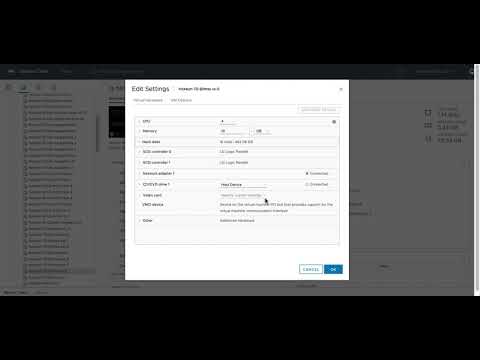
play vCenter Server Multihoming in vSphere 7
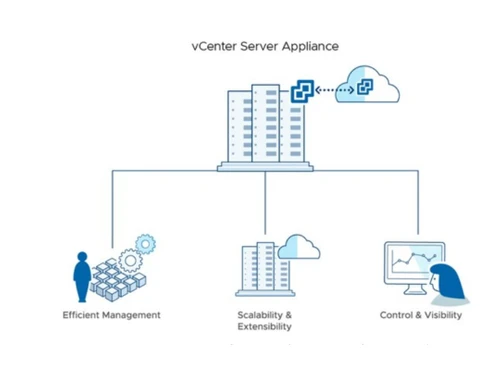
vCenter Server Server appliance
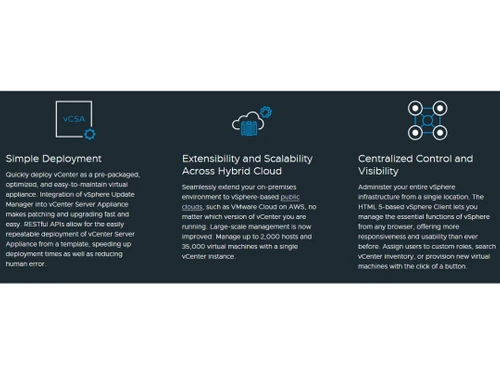
vCenter Server Simple deployment

VMware vCenter Server

Brand: VMware

  • 4.0

  • 4 Ratings

VMware vCenter Server enhances IT infrastructure efficiency through centralized control and comprehensive monitoring of virtualized environments.

See More

Have you used VMware vCenter Server before?

Share your insights for better experience

Add a Review

Price Available on Request

Questions about pricing or customization? We’re here to help, just a click away.

100% Genuine
Products
Best Price
Guaranteed
Safe & Secure
Payment
  • Description

  • Pricing

  • Features

  • Specification

  • Review

  • Compare

  • Alternatives

  • FAQ

VMware vCenter Server Software Overview

What is VMware vCenter Server Software?

VMware vCenter Server is a solution for efficient, scalable, and secure virtual infrastructure management. It offers robust tools for integration with existing systems, streamlines products and management, and extends system control.

It offers an HTML 5-based vSphere Client that enables centralized control of the entire vSphere infrastructure. It’s user-friendly interface is accessible from any browser, and users can efficiently manage resources, assign custom roles, search inventory, and provision virtual machines. You can manage up to 70,000 virtual machines and 5,000 hosts across 15 vCenter instances, ensuring resource optimization at scale. Extensibility and scalability across hybrid clouds are at your fingertips. Seamlessly integrate your on-premises environment with vSphere-based public clouds, like VMware Cloud on AWS, regardless of your vCenter version.

VMware vCenter Server simplifies virtual infrastructure management with centralized control and visibility over the entire vSphere environment. Native high availability ensures minimal downtime, while native backup and restore simplify data protection and recovery. With a strong partner ecosystem and certified plug-ins, you can manage third-party elements directly from vCenter, enhancing overall operational efficiency. VMware vCenter Server is your comprehensive solution for efficient, scalable, and secure virtual infrastructure management.

Why Choose VMware vCenter Server System?

  • Simple Deployment:Rapidly deploy and upgrade vCenter Server Appliance for streamlined management.
  • Extensibility and Scalability:Extensively scale on-premises environments to vSphere-based public clouds.
  • Centralized Control:Administer the entire vSphere infrastructure from a single HTML 5-based vSphere Client effortlessly.
  • Proactive Optimization:Efficiently allocate resources for up to 70,000 virtual machines and 5,000 hosts across multiple instances.
  • Improved Management:Simplify server management and integration with web services APIs and mixed-version provisioning.
  • Plug-in Extensibility:Leverage partner plug-ins for comprehensive data center management within vCenter.
  • Native Elements:Benefit from native high availability, backup, and restore capabilities, enhancing reliability and recovery.
  • Backup & Restore Scheduler:Schedule and control vCenter Server Appliance backups for data protection.
  • Migration Tool:Facilitate migration to different VMware vCenter versions while ensuring compatibility.

Benefits of VMware vCenter Sever Solution

  • Streamlined management enhances efficiency by simplifying operations.
  • Unified control of hybrid cloud environments provides a cohesive management experience.
  • Quick recovery with native backup and restore ensures data resilience.
  • Simplified resource allocation optimizes performance effortlessly.
  • Robust security with single sign-on enhances system protection.
  • Seamless migration between VMware vCenter versions facilitates platform evolution.
  • High availability guarantees uninterrupted operations for mission-critical systems.

Pricing of VMware vCenter Server Platform

VMware vCenter Server platform pricing is available on request at techjockey.com.

The pricing model is based on different parameters, including extra features, deployment type, and total users. For further queries related to the product, you can contact our product team and learn more about the pricing and offers.

Read more

VMware Company Details

Founded Year:  1998

Pivotal Tracker is the story-based product management tool that makes collaboration easy and keeps cross-functional agile teams in sync.

Director/Founders Rob Mee and Sherry Erskine
Company Size 1000+ Employees
Other info This foundation empowers businesses to build, run, manage, connect, and protect applications, anywhere–enabling technology-driven transformation without disruption.

VMware vCenter Server Pricing & Plans

Looking for The Right Pricing?

Share your requirements and get a plan built around your business.

  • Define your business needs
  • Get customised pricing
  • Choose features that fit your workflow

Price Available on Request

Get personalised VMware vCenter Server pricing that fits your needs. Our team will connect with you.

VMware vCenter Server Features

  • icon_check HTML 5 Based vSphere Client
    Experience responsive and user-friendly vSphere management through a modern web interface.
  • icon_check vCenter Single Sign-on
    Securely access vCenter resources with a single sign-on authentication mechanism.
  • icon_check Inventory Search
    Quickly locate and manage resources within the vCenter inventory for efficient administration.
  • icon_check Native Backup & Restore
    Safeguard your vCenter Server Appliance with native backup & restore capabilities, eliminating the need for third-party tools.
  • icon_check Backup & Restore Scheduler
    Schedule and control backups of the vCenter Server Appliance while managing the number of retained backups.
  • icon_check Migration Tool
    Simplify migration to different VMware vCenter versions, ensuring compatibility and seamless transitions.
  • icon_check vCenter Server High Availability
    Ensure continuous availability of the vCenter Server Appliance with native high availability features.
  • icon_check Dynamic Resource Allocation
    Optimize resource usage with vSphere HA and DRS clusters for efficient server management.
  • icon_check Appliance Management Interface
    Manage the vCenter Server Appliance efficiently through an intuitive interface.
  • icon_check Hybrid Linked Mode
    Seamlessly connect both on-premises and cloud-based vSphere environments for comprehensive control.
VMware vCenter Server Demo Video play icon

Get VMware vCenter Server Demo

Watch the demo video to explore key features, real workflows, and how the software fits your business needs.

Understand
Key Features
Personal
Demo Insights
Interactive
Demo Support

VMware vCenter Server Specifications

Supported Platforms
Ubuntu Ubuntu Windows Windows MacOS MacOS Linux Linux
Devices
Desktop Desktop Mobile Mobile Tablet Tablet iPad iPad
Deployment
Cloud-Based Cloud-Based Perpetual Perpetual
Suitable For
All Industries
Business Specific
All Businesses
Business Size
Small Business Startups Medium Business Enterprises
Customer Support
Email Live Chat Communities Forums
Language
Nederlands English français Italiano 日本人 한국어 普通话 Português Español
Integration
API Integration
Training Resources
Documentation Videos
AI Features
AI Integrated

VMware vCenter Server Review

4.0

Out of 5

img

Overall Rating

Based on
4 Verified Ratings

Rating Breakdown

  • Features 4.3
  • Value for Money 3.7
  • Ease of Use 4
  • Customer Support 4.1

85% Recommend this Product

Add Review

Techjockey Trusted Reviews from Verified Users

No reviews are currently available for VMware vCenter Server. Discover similar Virtualization Management Software reviews

  • Citrix Apps & Desktops Virtualization

    4.8

    Whats great - During outages, Citrix's components step up with crucial features, ensuring a reliable performance. Accessing a centralized C... read more

  • Flaneer

    4.6

    Whats great - A trustworthy and user-friendly program, ensuring a secure pathway for managing remote access. Flaneer goes the extra mile b... read more

  • IconEdutech

    4.8

    Whats great - With IconEdutech, you can create a hybrid learning environment and keep teachers and parents updated on the academic progress... read more

Compare VMware vCenter Server With other Virtualization Management Software

Products
Ratings
Pricing
Device Supported
Deployment
Supported Platforms
  • img

    VMware vCenter Server

  • 4.0

  • Price On Request

  • Desktop

    Mobile

  • Web based

    On Premises

  • Windows

    Mac OS

  • img

    VMware Horizon 7

  • 4.2

  • Price On Request

  • Desktop

    Mobile

  • Web based

    On Premises

  • Windows

    Mac OS

  • img

    NetApp VDI

  • 4.3

  • Price On Request

  • Desktop

    Mobile

  • Web based

    On Premises

  • Windows

    Mac OS

  • img

    Paperspace

  • 4.6

  • Price On Request

  • Desktop

    Mobile

  • Web based

    On Premises

  • Windows

    Mac OS

  • img

    Flaneer

  • 4.6

  • Price On Request

  • Desktop

    Mobile

  • Web based

    On Premises

  • Windows

    Mac OS

  • img

    VirtualBox

  • Price On Request

  • Desktop

    Mobile

  • Web based

    On Premises

  • Windows

    Mac OS

  • img

    QEMU

  • Price On Request

  • Desktop

    Mobile

  • Web based

    On Premises

  • Windows

    Mac OS

(0) Product(s) selected

VMware vCenter Server Alternatives

See All VMware vCenter Server Alternatives

Available

Price on Request

Starting Price:

€95

Available

Price on Request

Articles for VMware vCenter Server

See All Related Articles

Which operating system does the VMware vCenter Server Software Support?

VMware vCenter Server software is compatible with Windows and macOS device systems.

Is there any VMware vCenter VPC App?

VMware vCenter VPC app is unavailable on Android and iOS devices.

What is the deployment type of the VMware vCenter Virtualization Management System?

VMware vCenter Virtualization Management system supports cloud-based deployment.

How much does the VMware vCenter Virtualization Management Software cost?

VMware vCenter Virtualization Management software pricing is available on request at techjockey.com.

Who are the potential users of the VMware vCenter Virtualization Management Solution?

VMware vCenter is suitable for IT administrators and organizations utilizing vSphere virtualization, offering centralized control and management of virtualized infrastructure for enhanced efficiency and performance optimization.

Is there any free trial or demo for VMware vCenter Virtualization Management Software?

VMware vCenter Virtualization Management Software’s demo is available for free with techjockey.com

Is the VMware vCenter Virtualization Management Software free?

VMware vCenter Virtualization Management Software System does not offer a free trial.

How can you download the VMware vCenter Virtualization Management Software?

VMware vCenter VPC Software’s installation is not required, as it is cloud-based. Just open the Setup Wizard to get started.

How does VMware vCenter Virtualization Management Software work?

VMware vCenter is a robust server management software to streamline virtualization. It is a centralized hub, enabling efficient control and monitoring of vSphere environments. This tool enhances visibility and management across hybrid infrastructure, making it easier to manage virtualized resources and optimize performance.

20,000+ Software Listed

Best Price Guranteed

Free Expert Consultation

2M+ Happy Customers

Terms and Condtions

close

Users with registered businesses can purchase goods from merchants on the platform to satisfy their business needs. Users are not permitted to utilize any products acquired through the platform for resale, advertising, business, or further distribution.

For each purchase made, users will receive a Tax Invoice (or 'GST invoice') that includes specific details such as:

  • the GSTIN of the user associated with their registered business, and

  • the specified Entity Name for their business.

It should be noted that not all products are eligible for GST Invoice. Only the products displayed by participating sellers with the 'GST-based Invoice Available' callout on the product description page would qualify.

Certain goods and services are not eligible to get a GST Invoice, including items with VAS, i.e., Value Added Services (e.g., Total Mobile Protection/Assured Buyback) and those involving an exchange offer at the time of purchase.

Users must ensure the accuracy of the GSTIN, and business entity name provided for the GST Invoice. Requests for corrections into GST Invoice would not be accommodated by Techjockey.com or any Seller, and any issues arising from user-provided information are the sole responsibility of users.

Techjockey.com is not liable for the GST Invoice or any associated input tax credit. To efficiently claim an input tax credit, users should select the registered place of business address as per the GST authority's data and follow the provisions of the GST Act and rules.

To claim an input tax credit, the delivery and billing addresses must match. Furthermore, input tax credits will not be granted if the delivery address and GSTIN on the invoice are from different states. In case of incorrect GST details provided during the order placement, the order will be canceled automatically.