linkedin
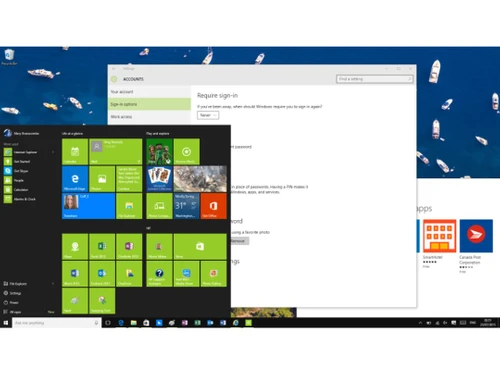
Microsoft Windows 10 Enterprise logo
play Windows 10 Enterprise - The Future of Aviation
Microsoft Windows 10 Enterprise

Microsoft Windows 10 Enterprise

Brand: Microsoft Corporation

  • 4.7

  • 4 Ratings & 4 Reviews

Elevate your business operations with a robust operating system offering advanced security features, seamless integration, and enhanced productivity tools, providing a secure and efficient computing environment.

See More

Have you used Microsoft Windows 10 Enterprise before?

Share your insights for better experience

Add a Review
Starting Price 28% OFF
₹762 excl.GST  ₹1,062
₹ 899 incl. GST

View plans

offer Save upto 18%, Get GST Invoice on your business purchase T&C
offer Buy Now & Pay Later, Check offer on payment page.
Buy Now
100% Genuine
Products
Best Price
Guaranteed
Safe & Secure
Payment
  • Description

  • Pricing

  • Features

  • Specification

  • Review

  • Compare

  • Alternatives

  • FAQ

Starting at ₹762
Buy Now

Microsoft Windows 10 Enterprise Software Overview

What is Microsoft Windows 10 Enterprise?

Microsoft Windows 10 Enterprise is an advanced operating system for large and mid-sized companies, enabling their IT professionals to manage multiple apps and devices comprehensively. The system detects data breaches, accurately protects endpoints against modern cyber threats, improves security postures, and automates security against incident responses in real time. Moreover, IT professionals also get access to a wide variety of tools using which they can simplify updates and deployments, and can even free up resources, driving more value to their business. The intuitive user interface of Microsoft Windows 10 Enterprise accompanied by a wide variety of tools enables individuals and teams to easily collaborate and give their best from time to time.

How does Microsoft Windows 10 Enterprise enhance the productivity levels of individuals and teams?

Microsoft Windows 10 Enterprise offers a wide variety of tools enabling individuals and teams to produce their best.

  • Microsoft Search: The module showcases a wide variety of results from multiple sources along with relevant action options. Further, it also brings intelligent search features over the taskbar, enabling users to quickly find out what they actually need.
  • Focus Assist: Users can create a focused working time of their own by using the particular module to block alerts and notifications from various apps until their work is done.
  • Windows Timeline: The futuristic timeline showcases all the user activities including documents and web pages currently accessed by the user in chronological order. Moreover, it also keeps track of the present location of the user across the OS and enables them to jump back to their earlier location in real time.
  • Microsoft Edge: The all-new Microsoft Bing and Edge increase the working capability of individual users and teams efficiently.

Benefits of Microsoft Windows 10 Enterprise

  • Efficient Planning: By using Microsoft Windows 10 Enterprise, users can get access to a wide variety of deployment capabilities, tools, and scenarios that are generated based on the technologies that were introduced within the previous versions of the particular OS.
  • Connect: Users can share their individual experiences, get access to the best practices, and learn from the best experts in a hassle-free manner.
  • Windows Insider Program: Organisations can validate multiple apps, explore out new features, and prepare themselves for the upcoming versions of Windows 10.
  • Advanced Security: It includes extensive security functionalities like Windows Defender Antivirus, BitLocker Encryption, and Windows Information Protection, ensuring comprehensive protection.
  • Better & Improved Productivity: With a user-friendly interface, and various productivity-enhancing tools like Microsoft 365 Integration, Windows 10 Enterprise facilitates seamless collaboration & efficient workflow management.
  • Flexible Deployment Options: It supports various deployment options & models including in-place upgrades, thereby reducing disruption during migration.

Why Should You Upgrade to Microsoft Windows 10 Enterprise?

  • It will help you stay connected on all the devices, ensuring that all your favorite apps and files are easily accessible whenever you need them.
  • Microsoft Windows 10 will help you maintain efficiency and productivity with a speedy and secure Windows experience.
  • Surf the internet more swiftly and securely using Microsoft Edge.
  • Work in your own comfort and style, as Microsoft Windows 10 Enterprise will adapt itself accordingly thereby accommodating both personal and professional choices.

Microsoft Windows 10 Enterprise Pricing

Microsoft Windows 10 Enterprise is available as per the following pricing options:

  • Windows 10 Enterprise E3: The plan is available for Rs.762 monthly.
  • Windows 10 Enterprise E5: The plan is available for Rs. 1278 monthly.
  • In case you want to know more about the particular product request for a callback, our experts will get back to you in real time.
Read more

Microsoft Corporation Company Details

Founded Year:  1975

Microsoft Corporation is an American multinational technology company with headquarters in Redmond, Washington.

Director/Founders Paul Allen , Bill Gates
Company Size 1000+ Employees

Microsoft Windows 10 Enterprise Pricing & Plans

Windows 10 Enterprise E3 (local only)

Calculated Price

₹ 762 ₹1062
SAVE UPTO 28%
Exclusive of all taxes
  • Options

    • Quantity

      Quantity
      Quantity
    • Monthly

      Monthly
      Monthly

Key Features

  • Windows 10 Enterprise Edition

  • Support from one to Hundreds of users

  • Deploy on up to Five Devices

  • Roll back to Windows 10 Pro at any time

  • Monthly, per-user pricing model

  • Move licenses between users

Windows 10 Enterprise E5

Calculated Price

₹ 1278 ₹1888
SAVE UPTO 32%
Exclusive of all taxes
  • Options

    • Quantity

      Quantity
      Quantity
    • Monthly

      Monthly
      Monthly

Key Features

  • Windows 10 Enterprise Edition

  • Support from one to Hundreds of users

  • Deploy on up to Five Devices

  • Roll back to Windows 10 Pro at any time

  • Monthly, per-user pricing model

  • Move licenses between users

  • Advanced Threat Protection

  • Windows To GO

  • BranchCache

  • Microsoft Defender

  • Microsoft Desktop Optimization Pack

Microsoft Windows 10 Enterprise Features

  • icon_check Windows 10 Enterprise Edition
    Devices with version 1607 of Windows 10 Pro can use the CB and CBB variations.
  • icon_check Support from one to Hundreds of users
    It does not limit the number of licenses an organization can get, but it is designed keeping in mind devices with version 1607.
  • icon_check Deploy on up to Five Devices
    Users with a valid license of Microsoft Windows 10 Enterprise can deploy the particular within five devices.
  • icon_check Roll back to Windows 10 Pro at any time
    Users can downgrade themselves from Microsoft Windows 10 Enterprise to Windows 10 Pro as per their needs.
  • icon_check Monthly, per-user pricing model
    It is available at different pricing plans monthly, depending on the unique needs of clients.
  • icon_check Move licenses between users
    Users can easily relocate their active license with their partner thus optimizing license-related investments easily.
  • icon_check Advanced Threat Protection
    The solution can detect security loopholes, and offer real-time suggestions on threat monitoring and analysis.
  • icon_check Windows To GO
    Users can generate a Windows To Go workspace and boot them up within their PCs using an external USB drive.
  • icon_check BranchCache
    It fetches content from its user’s main office or cloud providing seamless access to files & data.
  • icon_check Microsoft Defender
    The intuitive security platform helps organizational networks in preventing, investigating, & mitigating potential threats.
  • icon_check Microsoft Desktop Optimization Pack
    Users can enhance their compatibility & policy control, & lower down the support costs.
Microsoft Windows 10 Enterprise Demo Video play icon

Get Microsoft Windows 10 Enterprise Demo

Watch the demo video to explore key features, real workflows, and how the software fits your business needs.

Understand
Key Features
Personal
Demo Insights
Interactive
Demo Support

Microsoft Windows 10 Enterprise Specifications

Supported Platforms
Windows Windows
Devices
Desktop Desktop Mobile Mobile
Deployment
Cloud-Based Cloud-Based
Suitable For
All Industries
Business Specific
All Businesses
Business Size
Small Business Startups Medium Business Enterprises SMBs SMEs MSMBs MSMEs
Customer Support
Email Forums
Language
English
Integration
API Integration
Training Resources
Documentation Videos

Explore the Best Alternative Solutions Similar to Your Business Size and Needs

Microsoft Windows 10 Enterprise Reviews

4.7

Out of 5

img

Overall Rating

Based on
4 Verified Reviews

Rating Breakdown

  • Features 4.7
  • Value for Money 4.8
  • Ease of Use 4.7
  • Customer Support 4.7

97% Recommend this Product

Add Review

Microsoft Windows 10 Enterprise Video Reviews

youtubeVideoId

4.8

“Windows 10 review”

Review by: TheVerge

youtubeVideoId

4.8

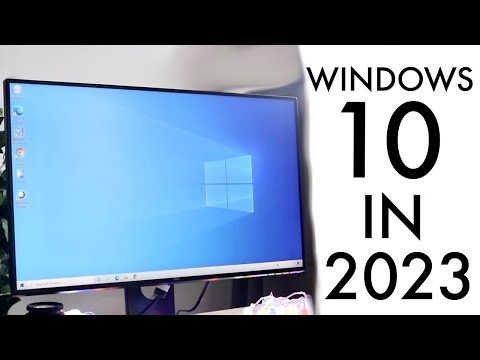
“Windows 10 In 2023! (Still Worth Using?) (Review)”

Review by: SimpleAlpaca

youtubeVideoId

4.8

“What is Windows 10 LTSC”

Review by: ThioJoe

jayasankar

4.8

Reviewed on: Aug 30, 2021

Techjockey Verified

“Great software”

Pros

Amazing software

Cons

NO CONS

See All Microsoft Windows Reviews

Compare Microsoft Windows 10 Enterprise With other Operating System

Products
Ratings
Pricing
Device Supported
Deployment
Supported Platforms
  • img

    Microsoft Windows 10 Enterprise

  • 4.7

  • ₹ 762.00 excl. GST

  • Desktop

    Mobile

  • Web based

    On Premises

  • Windows

    Mac OS

  • img

    AlmaLinux OS

  • 4.2

  • Price On Request

  • Desktop

    Mobile

  • Web based

    On Premises

  • Windows

    Mac OS

  • img

    Veritone aiWARE

  • 4.4

  • Price On Request

  • Desktop

    Mobile

  • Web based

    On Premises

  • Windows

    Mac OS

  • img

    BlackArch Linux

  • 4.3

  • Price On Request

  • Desktop

    Mobile

  • Web based

    On Premises

  • Windows

    Mac OS

(0) Product(s) selected

Microsoft Windows 10 Enterprise Alternatives

See All Microsoft Windows 10 Enterprise Alternatives

Available

Price on Request

Available

Price on Request

Available

Price on Request

Available

Price on Request

Available

Price on Request

Articles for Microsoft Windows 10 Enterprise

See All Related Articles

What is Windows Autopilot within Microsoft Windows 10 Enterprise?

Companies can make new devices get ready for their business or can even manage them through the cloud, without putting on extra burden over the IT professionals by using the autopilot module offered by Microsoft Windows 10 Enterprise.

Is Microsoft Windows 10 Enterprise available in multiple languages?

Yes, the software supports a wide variety of global languages like Spanish, French, Korean, German, Japanese, English (both US and UK) and more.

Can I get a demo of Microsoft Windows 10 Enterprise?

Yes, you can request an online demo for Microsoft Windows 10 Enterprise. Our product experts will get back to you as per the date and time mentioned within your demo schedule.

What are the system requirements for installing Microsoft Windows 10 Enterprise?

You need to have: RAM: 1GB for 32-bit and 2GB for 64-bit., Processor: Any processor running at a minimum clock speed of 1GHz or father than that., Hard Disk: 32GB or greater.

Does Microsoft Windows 10 Enterprise have a dedicated mobile app?

No, Microsoft Windows 10 Enterprise doesnot have a mobile app.

How Much Does Microsoft Windows 10 Enterprise Cost?

Microsoft Windows 10 Enterprise basic pricing starts from INR 762 user/month. It can be integrated with Microsoft Intune for advanced-level threat protection, and PC and mobile device management. It also supports various desktop versions of Microsoft 365 apps, Outlook, and OneDrive.

How Does Microsoft Windows 10 Enterprise Work?

Windows 10 Enterprise is designed to address the basic needs of large-scale organizations by providing them with IT solutions including advanced-level protection against modern security threats, flexible deployments, and support options.

Does Microsoft Windows 10 Enterprise have a free trial?

Yes Microsoft Windows 10 Enterprise offers a free trial.

Is Microsoft Windows 10 Enterprise Free?

No, Microsoft Windows 10 Enterprise is not free. It is a paid solution, and its basic pricing plan starts from INR 2,630 user/month. The pricing model is based on different parameters, including extra features, deployment type, and total users. For further queries related to the product, you can contact our product team and learn more about the pricing and offers.

What is special about Microsoft Windows 10 Enterprise?

Microsoft Windows 10 Enterprise offers advanced-level IT solutions like protection against modern security threats, flexible deployment, updates, and support options to mid-size and large-scale business organizations.

How many devices can you have on Windows 10 Enterprise?

You can connect as many as 5 devices with Windows 10 Enterprise.

What is the maximum RAM for Microsoft Windows 10 Enterprise?

The maximum RAM for Microsoft Windows 10 Enterprise is 4 GB.

How to activate Windows 10 Enterprise?

To activate Windows 10 Enterprise, click on the start button and choose the settings option given at the bottom left of the menu. Once the settings windows open select the activation button and your subscription for Microsoft Windows 10 Enterprise will be successfully activated.

20,000+ Software Listed

Best Price Guranteed

Free Expert Consultation

2M+ Happy Customers

Terms and Condtions

close

Users with registered businesses can purchase goods from merchants on the platform to satisfy their business needs. Users are not permitted to utilize any products acquired through the platform for resale, advertising, business, or further distribution.

For each purchase made, users will receive a Tax Invoice (or 'GST invoice') that includes specific details such as:

  • the GSTIN of the user associated with their registered business, and

  • the specified Entity Name for their business.

It should be noted that not all products are eligible for GST Invoice. Only the products displayed by participating sellers with the 'GST-based Invoice Available' callout on the product description page would qualify.

Certain goods and services are not eligible to get a GST Invoice, including items with VAS, i.e., Value Added Services (e.g., Total Mobile Protection/Assured Buyback) and those involving an exchange offer at the time of purchase.

Users must ensure the accuracy of the GSTIN, and business entity name provided for the GST Invoice. Requests for corrections into GST Invoice would not be accommodated by Techjockey.com or any Seller, and any issues arising from user-provided information are the sole responsibility of users.

Techjockey.com is not liable for the GST Invoice or any associated input tax credit. To efficiently claim an input tax credit, users should select the registered place of business address as per the GST authority's data and follow the provisions of the GST Act and rules.

To claim an input tax credit, the delivery and billing addresses must match. Furthermore, input tax credits will not be granted if the delivery address and GSTIN on the invoice are from different states. In case of incorrect GST details provided during the order placement, the order will be canceled automatically.