linkedin
XMind logo
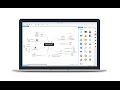
play XMind 8 Introduction
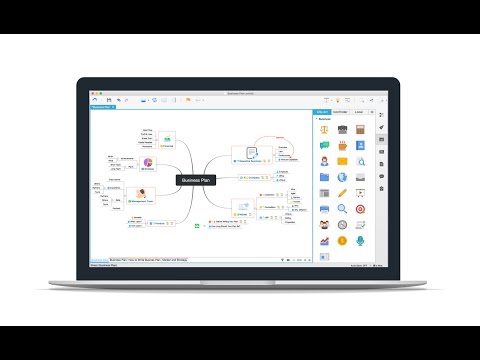
XMind-project plans
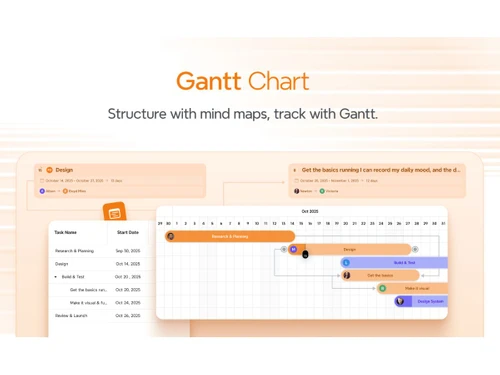
XMind-gantt chart

XMind

Brand: Xmind

  • 4

  • 1 Rating & 1 Review

XMind 8 is a dynamic mind mapping solution that helps elite businesses streamline their organizational structure and makes them function with ease. The system offers a multitude of structures and templates along with features such as brainstorming, presentation mode, Gantt charts and many others, which facilitates the intuitive presentation of relationships between key concepts. The powerful pres...

See More

Have you used XMind before?

Share your insights for better experience

Add a Review
Starting Price
$10

View plans

100% Genuine
Products
Best Price
Guaranteed
Safe & Secure
Payment
  • Description

  • Pricing

  • Features

  • Specification

  • Review

  • Compare

  • Alternatives

  • FAQ

Starting at $10

XMind Software Overview

What is XMind 8?

XMind 8 is a dynamic mind mapping solution that helps elite businesses streamline their organizational structure and makes them function with ease. The system offers a multitude of structures and templates along with features such as brainstorming, presentation mode, Gantt charts and many others, which facilitates the intuitive presentation of relationships between key concepts. The powerful presentation tool offered by XMind 8 comes equipped with a walk-through mode of its own. 

Moreover, organizations can drill down on specific topics and subtopics by generating temporary mind maps without actual deviation. An advanced information card feature enables users to embed topic-related details that are necessary for containing notes, labels and hyperlinks within a single platform. Regarding security, organizations can secure all XMind files with differentiated passwords for active and enhanced protection.  

How does the Mind Toolbox by XMind 8 facilitate office collaboration?

  1. Relationship: The relationship line between any two topics on the map can be customized with different colors, shapes or added word descriptions to emphasize the meaning of the special connection.
  2. Summary: The system adds summary topics for selected contents at an important juncture of your divergent mind map and like other topics, it can also be used to change the style and get extended to subtopics.
  3. Marker: Markers, within mind maps are used to express specific significance such as progress, risk, feeling, priority and more.
  4. Label: Labels are plain text tags that are attached to topics for categorization and annotation purposes. A topic can have multiple labels attached to it.
  5. Note: You can annotate a particular topic with notes. Organizations can also generate new notes and edit existing ones with ease. 
  6. Callout: With callout, you can insert additional texts within a particular topic and also breed sub-topics with ease. 

Pricing of XMind 8 in UAE

The pricing of XMind 8 starts from $10. To know more about the software, request for a callback by our executives. Our in-house product experts will get back to you mentioned in your call back request.

Compatible Platforms for XMind 8

The software is compatible with Windows, Mac and Linux Operating systems. It also has a dedicated mobile app for Android and iOS devices. 

Benefits of XMind 8

  1. Business Charts: With XMind 8, users get access to 4 different types of charts,  improving their overall efficiency levels in real-time. Casual dynamics between complex ideas/events get organized with Fishbone charts. Matrix Charts are used for in-depth comparative analysis. Individual milestones and schedules get tracked in chronological order with timeline. Organisation charts are used to present an organizational overview.
  2. Evernote: Integration with Evernote enables users to save their maps as notes and share the same with team members for enhanced collaboration. Users can also save individual maps in the forms of large images, outline texts or .xmind files.
  3. Fonts And Themes: A pack of 10 cross-platform and open-source fonts ensure enhanced visual presentation of maps on both Windows and Mac devices. Furthermore, users can also design their own themes using the “Theme Editor”.
Read more

XMind Pricing & Plans

Pro
Starting at $10
    • Licenses

      Licenses
      Licenses
    • Monthly

      Monthly
      Monthly

Key Features

  • Add numbering and tasks

  • SVG, markdown, and more export formats

  • Unlimited slides in Pitch

  • Unlimited colored branches

  • Add equations, topic links, and attachements

  • Add numbering and tasks

Premium
Starting at $15
    • Licenses

      Licenses
      Licenses
    • Monthly

      Monthly
      Monthly

Key Features

  • Unlimited storage space

  • Unlimited collaborative files

  • Everything in Pro

  • 500 credits per month

  • AI-generated to-dos

  • Unlimited storage space

XMind Features

  • icon_check In-app Collaboration
    Share and co-create effectively within the app.
  • icon_check Grid Structure
    Efficiently organize complex information to boost productivity.
  • icon_check Relationship Tool
    Connect two relevant ideas with customizable lines and text.
  • icon_check Notes
    Add additional text information into extendable notes for detailed explanations.
  • icon_check Brainstorming
    Facilitate brainstorming sessions with real-time collaboration tools.
  • icon_check Colorful Branches
    Apply different colors for each branch to create visually rich maps.
  • icon_check Map Shot
    Capture any part of your map and adjust the format for display and viewing.
  • icon_check Mind Map Creation
    Create visually structured mind maps to organize thoughts, concepts, plans, and information in a clear, hierarchical layout.
  • icon_check AI Map Generation
    Automatically generate mind maps from keywords or prompts, accelerating brainstorming and reducing manual layout effort.
  • icon_check Template Library
    Provides professional templates for study notes, planning, design thinking, business analysis, and brainstorming sessions.
  • icon_check Gantt View
    Converts project-related mind maps into Gantt charts for task scheduling, milestone tracking, and timeline visualization.
  • icon_check Export & Import Options
    Supports export to PDF, PNG, Markdown, Word, Excel, PowerPoint, and import from OPML or other mind map formats.
  • icon_check Password Protection
    Allows protecting sensitive maps with passwords to ensure privacy and security for personal or confidential projects.
  • icon_check Styling & Themes
    Customize fonts, colors, branch shapes, and layout styles to create polished visual maps with strong design aesthetics.
XMind Demo Video play icon

Get XMind Demo

Watch the demo video to explore key features, real workflows, and how the software fits your business needs.

Understand
Key Features
Personal
Demo Insights
Interactive
Demo Support

XMind Specifications

Supported Platforms
Windows Windows iOS iOS Android Android
Devices
Desktop Desktop Mobile Mobile Tablet Tablet iPad iPad
Deployment
Cloud-Based Cloud-Based Perpetual Perpetual
Suitable For
All Industries
Business Specific
All Businesses
Business Size
Small Business Startups Medium Business Enterprises
Customer Support
Email Communities
Language
English
Training Resources
Videos
AI Features
AI Integrated

Explore the Best Alternative Solutions Similar to Your Business Size and Needs

Small Business

Designed for startups and growing businesses

Mindomo

4.2

MindMup

4.3

GitMind

4.2

See More

XMind Review

4

Out of 5

img

Overall Rating

Based on
1 Verified Review

Rating Breakdown

  • Features 4
  • Value for Money 4
  • Ease of Use 4
  • Customer Support 4

100% Recommend this Product

Add Review

Sarthak Gupta linkedin_verify

Associate Product Manager

Industry: E-commerce User since: < 6 months

4

Reviewed on: Jan 19, 2023

Techjockey Verified

“The perfect tool for brainstorming”

Pros

Xmind has been my go to tool for mind mapping and brain storming. It allows me to map customer journey in a very efficient way.

Cons

The only con i face with xmind is it's inability to move the nodes.

Reason to switch

Xmind helps me with journey mapping and it's very intuitive.
Compare XMind With other Mind Mapping Software

Products
Ratings
Pricing
Device Supported
Deployment
Supported Platforms
  • img

    XMind

  • 4

  • Price On Request

  • Desktop

    Mobile

  • Web based

    On Premises

  • Windows

    Mac OS

  • img

    GitMind

  • 4.2

  • Price On Request

  • Desktop

    Mobile

  • Web based

    On Premises

  • Windows

    Mac OS

  • img

    EdrawMind

  • 4.2

  • ₹ 2559

  • Desktop

    Mobile

  • Web based

    On Premises

  • Windows

    Mac OS

  • img

    Mapify

  • 4.1

  • Price On Request

  • Desktop

    Mobile

  • Web based

    On Premises

  • Windows

    Mac OS

  • img

    MindView

  • 4.2

  • Price On Request

  • Desktop

    Mobile

  • Web based

    On Premises

  • Windows

    Mac OS

  • img

    MindMap AI

  • 3.9

  • Price On Request

  • Desktop

    Mobile

  • Web based

    On Premises

  • Windows

    Mac OS

  • img

    Scapple

  • 4.3

  • ₹ 1439

  • Desktop

    Mobile

  • Web based

    On Premises

  • Windows

    Mac OS

  • img

    FreeMind

  • 4.1

  • Price On Request

  • Desktop

    Mobile

  • Web based

    On Premises

  • Windows

    Mac OS

  • img

    Coggle

  • 4.4

  • Price On Request

  • Desktop

    Mobile

  • Web based

    On Premises

  • Windows

    Mac OS

(2) Product(s) selected

XMind Alternatives

See All XMind Alternatives

Starting Price:

$10 /Month

Starting Price:

$240 /Year

Available

Price on Request

Starting Price:

$5 /Month

Ayoa

3.9

Starting Price:

$17 /Month

Starting Price:

$6 /Month

Starting Price:

$63 /Yearly

SAVE UPTO 50%

Starting Price:

$30 /License

Articles for XMind

See All Related Articles

Which operating system does XMind 8 support?

XMind 8 Mind Mapping Software is compatible with Windows, IOS and Android operating systems.

Is there any XMind 8 app?

XMind 8 Mind Mapping Software app is available for , Mobile, Tablet and iPad.

What is deployment type of XMind 8?

XMind 8 Mind Mapping Software supports Web-Based.

Who are the potential users of XMind 8?

XMind 8 Mind Mapping Software is typically used in All Industries.

Is there any free trial or demo for XMind 8?

XMind 8 Mind Mapping Software demo is available for free at Techjockey.

Is XMind 8 free?

XMind 8 Mind Mapping Software offers a free trial. However, the premium plan with advanced features available at Techjockey.

How can you download XMind 8?

For XMind 8 Mind Mapping Software installation, insert the given CD/USB flash storage in your system and open the Setup Wizard to get started.

How does XMind 8 work?

XMind 8 Mind Mapping Software helps with Working with Office/PDF,Templates,Slide-Base Presentation and Gantt View. It's a complete solution for Brainstorming.

How much does XMind 8 costs?

The pricing of XMind 8 starts from $10.

20,000+ Software Listed

Best Price Guranteed

Free Expert Consultation

2M+ Happy Customers

Terms and Condtions

close

Users with registered businesses can purchase goods from merchants on the platform to satisfy their business needs. Users are not permitted to utilize any products acquired through the platform for resale, advertising, business, or further distribution.

For each purchase made, users will receive a Tax Invoice (or 'GST invoice') that includes specific details such as:

  • the GSTIN of the user associated with their registered business, and

  • the specified Entity Name for their business.

It should be noted that not all products are eligible for GST Invoice. Only the products displayed by participating sellers with the 'GST-based Invoice Available' callout on the product description page would qualify.

Certain goods and services are not eligible to get a GST Invoice, including items with VAS, i.e., Value Added Services (e.g., Total Mobile Protection/Assured Buyback) and those involving an exchange offer at the time of purchase.

Users must ensure the accuracy of the GSTIN, and business entity name provided for the GST Invoice. Requests for corrections into GST Invoice would not be accommodated by Techjockey.com or any Seller, and any issues arising from user-provided information are the sole responsibility of users.

Techjockey.com is not liable for the GST Invoice or any associated input tax credit. To efficiently claim an input tax credit, users should select the registered place of business address as per the GST authority's data and follow the provisions of the GST Act and rules.

To claim an input tax credit, the delivery and billing addresses must match. Furthermore, input tax credits will not be granted if the delivery address and GSTIN on the invoice are from different states. In case of incorrect GST details provided during the order placement, the order will be canceled automatically.