linkedin
Zoho Lens logo
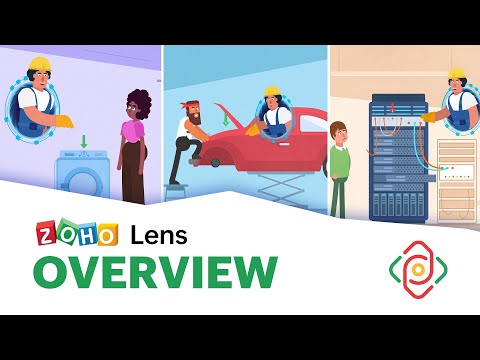
play Zoho Lens - Overview
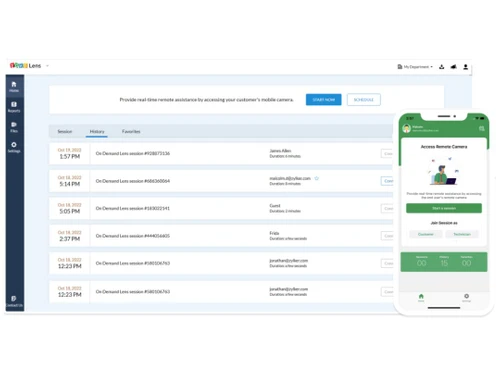
Zoho Lens Dashboard
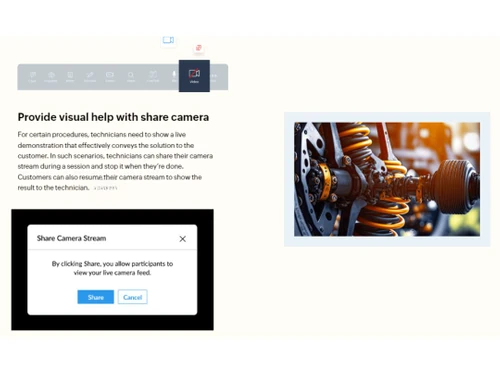
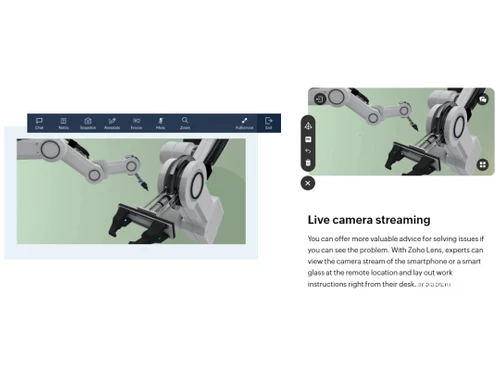
Zoho Lens Scenarios

Zoho Lens

Brand: Zoho Corporation

  • 4.4

  • 4 Ratings

Zoho Lens, an augmented reality platform for businesses, enables the creation of interactive AR experiences.

See More

Have you used Zoho Lens before?

Share your insights for better experience

Add a Review
Starting Price
₹450 excl.GST
₹ 531 incl. GST

View plans

offer Save upto 18%, Get GST Invoice on your business purchase T&C
offer Buy Now & Pay Later, Check offer on payment page.
Buy Now
100% Genuine
Products
Best Price
Guaranteed
Safe & Secure
Payment
  • Description

  • Pricing

  • Features

  • Specification

  • Review

  • Compare

  • Alternatives

  • FAQ

Starting at ₹450
Buy Now

Zoho Lens Software Overview

What is Zoho Lens?

Zoho Lens is an innovative Augmented Reality (AR) software designed to help businesses of all sizes and industries create immersive, interactive, and engaging customer experiences.

Developed by Zoho, a leading provider of business software solutions, Zoho Lens offers a comprehensive platform enabling businesses to leverage AR technology's immense potential without requiring extensive technical expertise.

The software allows businesses to create interactive and immersive AR experiences using a drag-and-drop interface, making it easy for anyone to create engaging experiences without coding knowledge.

Why Choose Zoho Lens Software?

  • Simple and Easy to Use: Zoho Lens is designed to be user-friendly, so you can create engaging AR experiences without any technical expertise.
  • Tailor-Made for Your Business: With its range of customizable features, Zoho Lens can be adapted to meet your business needs.
  • Affordable and Cost-Effective: Starting at just INR450, Zoho Lens is a budget-friendly option for businesses looking to integrate AR technology.
  • Scalable for Growth: Zoho Lens can be scaled to meet the needs of businesses of all sizes, making it a great choice for companies planning to expand their customer engagement strategies.
  • Dedicated Support Team: Zoho Lens offers dedicated customer support to help you get the most out of the platform.
  • Comprehensive Training Resources: Zoho Lens provides easy-to-follow training resources to help you learn how to use the software quickly and effectively.
  • Global Reach with Multiple Languages: Zoho Lens is available in multiple languages, making it accessible to global businesses.
  • Real-Time Engagement: Zoho Lens allows users to interact with AR content in real-time, creating more immersive and engaging experiences.
  • Performance Tracking and Analytics: Track the performance of your AR campaigns and gain insights into how users interact with your content.
  • Seamless Integration with Zoho Products: Integrate Zoho Lens with other Zoho products, such as CRM and marketing automation, to streamline your workflows.

Benefits of Zoho Lens Platform

  • Increased Customer Engagement: Zoho Lens provides immersive and engaging AR experiences for customers, leading to increased brand recognition and sales opportunities.
  • Competitive Advantage: Businesses can set themselves apart from competitors by offering innovative AR experiences, establishing a strong competitive advantage.
  • Enhanced Customer Understanding: Zoho Lens allows businesses to gain invaluable insights into customer behaviour and preferences through advanced tracking and analytics capabilities.
  • Streamlined Customer Support: The software consolidates all customer communication channels into a unified interface, providing a seamless and efficient experience for customers and service agents.
  • Cost Savings: Zoho Lens helps businesses reduce costs and improve operational efficiency by streamlining customer support processes.
  • Increased Productivity: Zoho Lens automates many routine tasks, freeing up customer support teams to focus on more complex issues, resulting in increased productivity.
  • Improved Customer Satisfaction: The intuitive and user-friendly interface of Zoho Lens enhances customer satisfaction by providing a seamless and frustration-free experience.
  • Increased Brand Loyalty: By delivering exceptional customer experiences, Zoho Lens helps businesses foster brand loyalty and build lasting customer relationships.

Pricing of Zoho Lens Augmented Reality Software

Zoho Lens pricing starts at INR 450 per month and is available at techjockey.com.

The pricing model is based on different parameters, including extra features, deployment type, and the total number of users. For further queries related to the product, you can contact our product team and learn more about the pricing and offers.

Read more

Zoho Corporation Company Details

Founded Year:  1996

Zoho Corporation is an Indian multinational company that specialises in software development, cloud computing, and web-based business tools. It is best known for Zoho Office suite and its enterprise IT management division, ManageEngine

Director/Founders Sridhar Vembu / Tony Thomas
Company Size 1000+ Employees

Zoho Lens Pricing & Plans

STANDARD

Calculated Price

₹ 450 Exclusive of all taxes
    • Monthly

      Monthly
      Monthly

Key Features

  • Advanced ChatNEW

  • File Transfer

  • Scheduled sessions

  • Multi-technician support

  • Basic Analytics

  • Session Notes

PROFESSIONAL

Calculated Price

₹ 750 Exclusive of all taxes
    • Monthly

      Monthly
      Monthly

Key Features

  • All in Standard Edition +

  • Session Recording (3GB free storage)

  • Live Snapshots

  • Departments

  • Custom Email Templates

  • Email Configuration

Zoho Lens Features

  • icon_check Augmented Reality
    Lets you add digital content to the real world.
  • icon_check Virtual Reality
    Let you create immersive VR experiences.
  • icon_check Drag & Drop
    Makes it easy to create AR experiences.
  • icon_check 3D Visualization
    Let you create realistic 3D models.
  • icon_check Application Development
    This lets you develop custom AR applications.
  • icon_check Content Creation
    Provides tools to create your own AR content.
  • icon_check 3D Objects
    Gives you access to a library of 3D objects.
  • icon_check Simulation
    Let you create realistic simulations.
  • icon_check Live OCR
    Automatically recognizes and extracts text from labels, serial numbers, or barcodes within the camera view, instantly searching
  • icon_check Session Recording & Snapshot
    Allows for the high-definition recording of the entire remote assistance session, including all AR annotations, for compliance
  • icon_check Multi-Participant Support
    Enables a primary expert to invite additional specialists into a live session, allowing a "council" of experts to collaborate on
  • icon_check Freeze Frame
    Allows the expert to "pause" the live video stream to take a high-resolution snapshot, allowing them to draw detailed
Zoho Lens Demo Video play icon

Get Zoho Lens Demo

Watch the demo video to explore key features, real workflows, and how the software fits your business needs.

Understand
Key Features
Personal
Demo Insights
Interactive
Demo Support

Zoho Lens Specifications

Supported Platforms
Ubuntu Ubuntu Windows Windows MacOS MacOS Linux Linux
Devices
Desktop Desktop
Deployment
Cloud-Based Cloud-Based
Suitable For
All Industries
Business Specific
All Businesses
Business Size
Small Business Medium Business Enterprises
Customer Support
Email Communities
Language
English
Training Resources
Videos

Explore the Best Alternative Solutions Similar to Your Business Size and Needs

Enterprises

Designed for complex and large-scale business needs

ARCore

4.2

Wikitude

4.3

Streem

4.3

See More

Zoho Lens Review

4.4

Out of 5

img

Overall Rating

Based on
4 Verified Ratings

Rating Breakdown

  • Features 4.7
  • Value for Money 4.7
  • Ease of Use 4
  • Customer Support 4.1

87% Recommend this Product

Add Review

Be the First to Review

This product has no reviews yet. Be the first to leave your feedback.

Add Review

Compare Zoho Lens With other Augmented Reality Software

Products
Ratings
Pricing
Device Supported
Deployment
Supported Platforms
  • img

    Zoho Lens

  • 4.4

  • ₹ 450.00 excl. GST

  • Desktop

    Mobile

  • Web based

    On Premises

  • Windows

    Mac OS

  • img

    Streem

  • 4.3

  • Price On Request

  • Desktop

    Mobile

  • Web based

    On Premises

  • Windows

    Mac OS

  • img

    Wikitude

  • 4.3

  • Price On Request

  • Desktop

    Mobile

  • Web based

    On Premises

  • Windows

    Mac OS

  • img

    MirrAR

  • 4.4

  • Price On Request

  • Desktop

    Mobile

  • Web based

    On Premises

  • Windows

    Mac OS

  • img

    Vuforia

  • 4.3

  • Price On Request

  • Desktop

    Mobile

  • Web based

    On Premises

  • Windows

    Mac OS

  • img

    HeroMirror

  • 4.2

  • Price On Request

  • Desktop

    Mobile

  • Web based

    On Premises

  • Windows

    Mac OS

  • img

    ARKit

  • 4

  • Price On Request

  • Desktop

    Mobile

  • Web based

    On Premises

  • Windows

    Mac OS

  • img

    EvolveAR

  • 4.3

  • Price On Request

  • Desktop

    Mobile

  • Web based

    On Premises

  • Windows

    Mac OS

  • img

    ARCore

  • 4.2

  • Price On Request

  • Desktop

    Mobile

  • Web based

    On Premises

  • Windows

    Mac OS

  • img

    Augment

  • 4.1

  • Price On Request

  • Desktop

    Mobile

  • Web based

    On Premises

  • Windows

    Mac OS

  • img

    Blippar Studio

  • 4.3

  • Price On Request

  • Desktop

    Mobile

  • Web based

    On Premises

  • Windows

    Mac OS

(2) Product(s) selected

Zoho Lens Alternatives

See All Zoho Lens Alternatives

Available

Price on Request

Starting Price:

$299 /Month

Starting Price:

$39 /Month

Starting Price:

$95 /Month

Articles for Zoho Lens

See All Related Articles

Which operating system does Zoho Lens Support?

Zoho Lens supports operating systems, including Ubuntu, Windows, and MacOS.

Is there any Zoho Lens App?

Yes, Zoho Lens has a mobile app for Android and iOS users.

What is the deployment type of Zoho Lens Augmented Reality Software?

Zoho Lens Software supports web-based deployment.

How much does the Zoho Lens Platform Cost?

Zoho Lens Software pricing starts at INR 450 at techjockey.com

Who are the potential users of Zoho Lens?

The potential users of Zoho Lens are small business owners, startup entrepreneurs, medium-sized business teams, and even large enterprises that need to efficiently manage digital assets and brand presence. This software helps them streamline content creation and distribution and amplify reach.

Is there any free demo for Zoho Lens?

A demo of Zoho Lens Software is available at techjockey.com.

Is Zoho Lens Free?

No, Zoho Lens Software is not available for free. You can contact our product experts to learn more about the pricing plans.

Does Zoho Lens offer a free trial?

Yes, Zoho Lens offers a 15-day free trial that allows users to test its features and functionality before opting for a paid subscription.

How can you download Zoho Lens?

Since Zoho Lens supports web-based deployment, there is no need for software download.

How does Zoho Lens Work?

Zoho Lens helps to efficiently manage digital assets and brand presence across various platforms. It offers AI-powered features like search and find functionality, content creation, and brand insights, ensuring that businesses stay organised and maintain brand consistency across all touchpoints.

20,000+ Software Listed

Best Price Guranteed

Free Expert Consultation

2M+ Happy Customers

Terms and Condtions

close

Users with registered businesses can purchase goods from merchants on the platform to satisfy their business needs. Users are not permitted to utilize any products acquired through the platform for resale, advertising, business, or further distribution.

For each purchase made, users will receive a Tax Invoice (or 'GST invoice') that includes specific details such as:

  • the GSTIN of the user associated with their registered business, and

  • the specified Entity Name for their business.

It should be noted that not all products are eligible for GST Invoice. Only the products displayed by participating sellers with the 'GST-based Invoice Available' callout on the product description page would qualify.

Certain goods and services are not eligible to get a GST Invoice, including items with VAS, i.e., Value Added Services (e.g., Total Mobile Protection/Assured Buyback) and those involving an exchange offer at the time of purchase.

Users must ensure the accuracy of the GSTIN, and business entity name provided for the GST Invoice. Requests for corrections into GST Invoice would not be accommodated by Techjockey.com or any Seller, and any issues arising from user-provided information are the sole responsibility of users.

Techjockey.com is not liable for the GST Invoice or any associated input tax credit. To efficiently claim an input tax credit, users should select the registered place of business address as per the GST authority's data and follow the provisions of the GST Act and rules.

To claim an input tax credit, the delivery and billing addresses must match. Furthermore, input tax credits will not be granted if the delivery address and GSTIN on the invoice are from different states. In case of incorrect GST details provided during the order placement, the order will be canceled automatically.