Description
Pricing
Features
Specification
Review
Compare
FAQs
Alternatives
 Get Free Advice
Get Quote

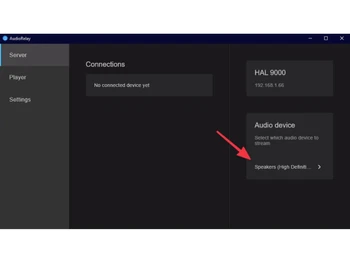
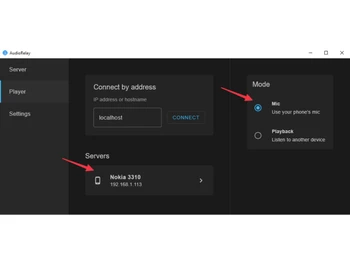
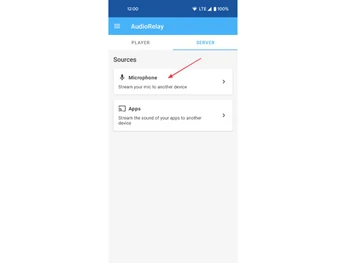


Brand : AudioRelay


Have Questions?
Price On Request
Save Extra with 2 Offers
 Save upto 18%, Get GST Invoice on your business purchase |
Users with registered businesses can purchase goods from merchants on the platform to satisfy their business needs. Users are not permitted to utilize any products acquired through the platform for resale, advertising, business, or further distribution.
For each purchase made, users will receive a Tax Invoice (or 'GST invoice') that includes specific details such as:
the GSTIN of the user associated with their registered business, and
the specified Entity Name for their business.
It should be noted that not all products are eligible for GST Invoice. Only the products displayed by participating sellers with the 'GST-based Invoice Available' callout on the product description page would qualify.
Certain goods and services are not eligible to get a GST Invoice, including items with VAS, i.e., Value Added Services (e.g., Total Mobile Protection/Assured Buyback) and those involving an exchange offer at the time of purchase.
Users must ensure the accuracy of the GSTIN, and business entity name provided for the GST Invoice. Requests for corrections into GST Invoice would not be accommodated by Techjockey.com or any Seller, and any issues arising from user-provided information are the sole responsibility of users.
Techjockey.com is not liable for the GST Invoice or any associated input tax credit. To efficiently claim an input tax credit, users should select the registered place of business address as per the GST authority's data and follow the provisions of the GST Act and rules.
To claim an input tax credit, the delivery and billing addresses must match. Furthermore, input tax credits will not be granted if the delivery address and GSTIN on the invoice are from different states. In case of incorrect GST details provided during the order placement, the order will be canceled automatically.
Buy Now & Pay Later, Check offer on payment page. A cross-platform utility software that lets you stream audio between devices (PC, phone, or tablet) in real time. ...Read more
 Get Instant Expert
  Safe & Secure
  Assured Best Price
 Looking for pricing details or customization options?
Share your requirements and receive a tailored quote
Price Available on Request
Get a customized quotation based on your needs.
Our team will respond within 24 hours.
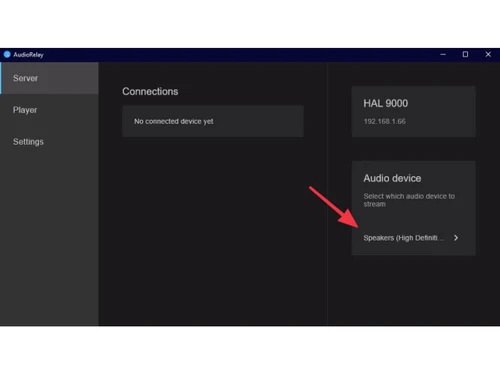
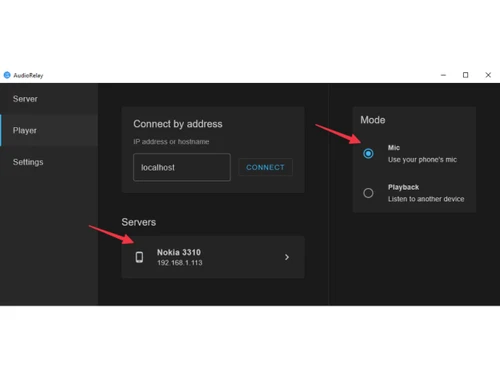
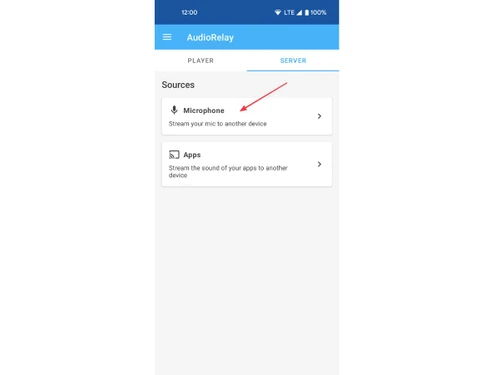
 Audio Source Streaming Transmit audio from one device to another over a network or cable connection in near-real time. Speaker Playback Routing Direct audio output from a host device to a remote device’s speaker or headphone. Wireless Network Transfer Use Wi-Fi connectivity to send audio between connected devices without physical cables. Multiple Device Output Route audio simultaneously to more than one receiver device for concurrent playback. Cross-Platform Support Operate on multiple operating systems such as Windows, macOS, Linux, and Android. Network Audio Server Mode Act as an audio source server to originate a stream for client devices. Local Network Detection Discover devices on the same network that are available for audio streaming Device Identification Identify and name remote devices for easier selection in streaming operations. Network Compression Handling Use audio compression to reduce data traffic over wireless connections. Wireless Audio Bridging Bridge audio between networked devices without localized hardware audio cards Buffer Configuration Controls Modify buffer parameters to balance latency against stability on connections. Audio Relay Operation Work as an independent service without requiring third-party applications.

 20,000+ Software Listed
 Best Price Guaranteed
 Free Expert Consultation
 2M+ Happy Customers
 USA
USA UAE
UAE

 Write a Review