USA
USA UAE
UAESmall Business
Designed for startups and growing businesses

See More



Brand: Cravingcode Technologies
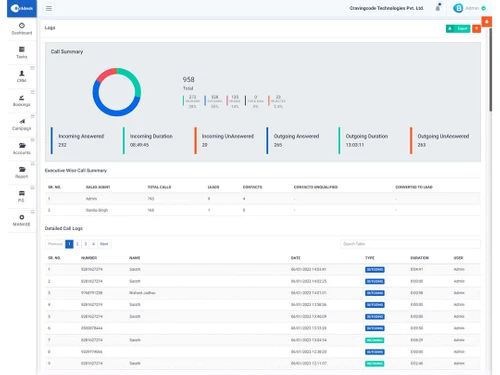
SaaS-based AI-Driven CRM solution for real-estate businesses to respond faster, set appointments & close more deals.
See MoreHave you used Buildesk before?
Share your insights for better experience
View plans
 Save upto 18%, Get GST Invoice on your business purchase T&C Buy Now & Pay Later, Check offer on payment page.
 Brand: Cravingcode Technologies
Founded Year: -0001
Cravingcode Technology is a real estate software company providing solutions built especially for real industry professionals. Our product Buildesk has become the trusted choice for over 400+ Clients to automate their everyday business & manage their Real Estate Sales and Payments.
Contact Management
 Client Management Interaction Tracking Centralized Database Customer History
 Lead Management
Lead Scoring Lead Distribution Lead Nurturing Lead Qualification Lead Capture Lead Segmentation Property Management
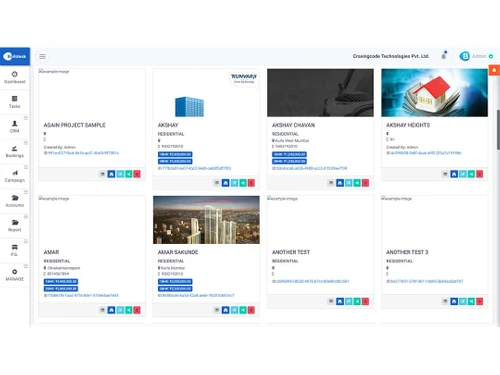
Payment Tracking Transaction Tracking Property Listing Management Property Matching Commission Management Marketing Automation
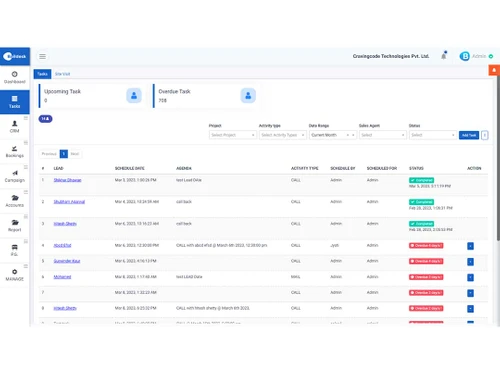
Campaign Management Email Campaigns Landing Page Builder SMS Campaigns Task and Workflow Automation
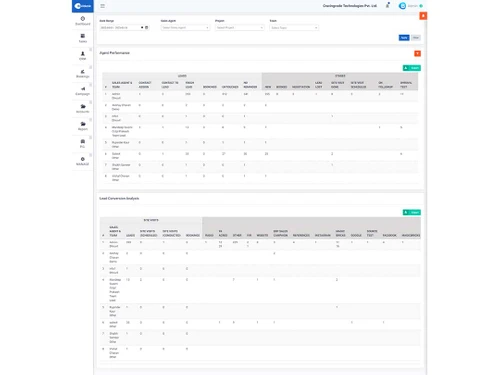
Alerts & Notifications Task Scheduling Automated Workflows Automated Follow-Ups Auto Lead Distribution Analytics and Reporting
AI Insights Real-Time Updates Conversion Rate Tracking Performance Dashboards Commission Tracking Comparative Market Analysis (CMA) Integrations
Payment Gateway Integration Third Party Integrations Multiple Listing Services (MLS) Integration IVR Integration E-Signature Integration API Integration Calendar Integration Collaboration and Communication
Call Tracking and Recording Internal Communication Document Management Bulk Email and SMS Security & Compliance
Data Encryption Role-Based Access Control (RBAC) Audit Logs Audit Trails IP Whitelisting Backup & Disaster Recovery GDPR and CCPA Compliance API Access Others
Sales Pipeline Management 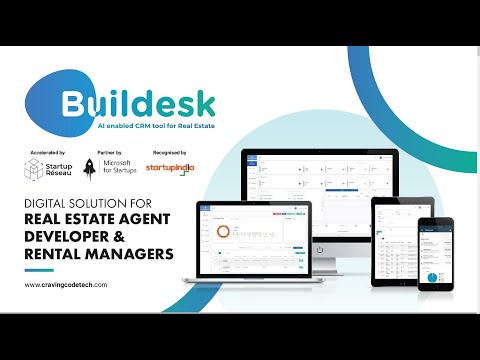

Watch the demo video to explore key features, real workflows, and how the software fits your business needs.
 Windows
  iOS
iOS  Android
  Desktop
  Mobile
  Cloud-Based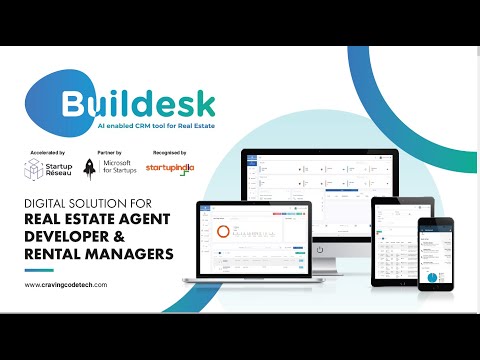
Small Business
Designed for startups and growing businesses
Medium Business
Built for business growth and flexibility
Enterprises
Designed for complex and large-scale business needs
4.9
Out of 5

Overall Rating
Based on
3 Verified Reviews
Rating Breakdown
96% Recommend this Product
Add ReviewUsers generally appreciate Buildesk for its user-friendly interface and strong customer support, with many noting its effectiveness in simplifying daily operations and enhancing team performance. The software is praised for its comprehensive features tailored for real estate and project management. However, some users express a desire for additional functionalities, such as a construction app, and mention potential pricing concerns. Overall, the sentiment is highly positive, with users recommending it for its value and ease of use.

Mar 26, 2024
Techjockey Verified
“Great tool for next generation real estate owners”
Pros
Easy to use, amazing tool for realtors. Build with lots of passion as it includes key features for CP and developers.
Cons
NO CONS
Mar 21, 2023
Techjockey Verified
“The best user friendly software in the market.”
Pros
I was quite surprised with the service from the Buildesk team. They were very professional and understanding of my needs. I was quite happy with the free upgrades and features of the CRM.
Cons
I wanted a construction app as well but It was not available with them.
Reason to switch
For better features and service.
Mar 14, 2023
Techjockey Verified
“Really helpful in simplifying my day-to-day activities and team performance with real-time support”
Pros
Very user-friendly, Microsoft cloud-based CRM and ERP software, all data are encrypted. AI-enabled, performs like how a human being thinks, really impressed. Getting frequent updates, and bug fixing. Good long-term support from the team, good training, and workshop to improve the productivity of the team. Can manage marketing activities, lead managing, booking management, employee management, reporting and analysis, ROI, etc.. from a single platform. Customized as per my company workflow and team
Cons
Don't have it as of now, maybe the price will be a concern, but all CRM and ERP providers are charging almost the same, and looking into this as an investment.

Buildesk
₹ 12000.00 excl. GST
Desktop
Mobile
Web based
On Premises
Windows
Mac OS

Leadrat CRM
Price On Request
Desktop
Mobile
Web based
On Premises
Windows
Mac OS

B2BBricks
₹ 18000
Desktop
Mobile
Web based
On Premises
Windows
Mac OS
TiggerOn
Price On Request
Desktop
Mobile
Web based
On Premises
Windows
Mac OS
HomeLead
₹ 1000
Desktop
Mobile
Web based
On Premises
Windows
Mac OS

WorkVEU
₹ 800
Desktop
Mobile
Web based
On Premises
Windows
Mac OS

REsimpli
Price On Request
Desktop
Mobile
Web based
On Premises
Windows
Mac OS

eBuildAuto
₹ 1500
Desktop
Mobile
Web based
On Premises
Windows
Mac OS

PropFlo
₹ 1200
Desktop
Mobile
Web based
On Premises
Windows
Mac OS

DiscoveriCRM
₹ 5000
Desktop
Mobile
Web based
On Premises
Windows
Mac OS

Aaram CRM
Price On Request
Desktop
Mobile
Web based
On Premises
Windows
Mac OS
(0) Product(s) selected
Starting Price:
₹12,990 /Month
Starting Price:
$199 /Month
Starting Price:
$25 /Month

Available
Price on Request

Available
Price on Request

Starting Price:
₹199 /Month

Available
Price on Request

Available
Price on Request

Starting Price:
$79 /Month

Available
Price on Request
Buildesk Real Estate CRM Software is compatible with all operating systems including Linux, macOS, Windows, etc.
Buildesk app is available for Android as well as iOS devices.
Buildesk Real Estate CRM solution supports SaaS-based deployment.
Buildesk Real Estate CRM system is typically used by property managers, brokers of real estate, consultants, and builders.
Buildesk software solution demo is available for free with techjockey.com.
Buildesk Real Estate CRM Software offers a free trial. However, the premium plan with advanced features starts at Rs. 12000/year per user at techjockey.com.
For Buildesk installation, insert the given CD/USB flash storage in your system and open the Setup Wizard to get started. The web-based version can be accessed directly through Buildesk portal.
Buildesk Real Estate CRM system helps with transforming the sales operations for Real Estate firms. It assists real-estate brokers and developers to accelerate their sales closures, manages pipelines, track ROI, and more.
Buildesk regular updates are available free of cost. There are no hidden software update charges.
Buildesk Real Estate CRM Software used for Lead Management,Lead pipeline,Followup & Reminder and Integration.
You can directly visit Buildesk portal and get in touch with Buildesk customer support for any software-related query.
Please contact our product experts to get Buildesk lifetime deal with exclusive offers.
Buildesk Real Estate CRM Software pricing starts at Rs. 12000/year per user at techjockey.com.
Buildesk is a real estate CRM solution designed to help developers, builders, and agents manage their projects, leads, and client communications. It provides tools for managing construction and real estate development projects, streamlining sales, and enhancing customer interactions throughout the lifecycle of the project.
0 0
Buildesk allows you to set up automated follow-up reminders based on lead activity or specific timelines. You can create recurring reminders, set triggers for email notifications, and integrate these reminders with your calendar. This ensures that no lead is overlooked and that follow-ups are timely and consistent.
0 0
Buildesk offers project management tools specifically for real estate developers. It allows you to manage tasks, timelines, budgets, and teams involved in construction and development projects. It also helps track project milestones and client communication to ensure smooth execution from start to finish.
0 0
Buildesk allows users to customize their dashboards by selecting which widgets and metrics to display. You can choose from lead tracking, task lists, sales performance, and team activity. The layout is flexible, so you can arrange sections and set preferences for quick access to the most relevant data for your business.
0 0
Buildesk integrates with major email marketing platforms, such as Mailchimp and Constant Contact, through API connections. This integration allows you to sync lead data, segment your audience, and trigger personalized email campaigns directly from the Buildesk platform, streamlining your marketing automation efforts.
0 0
20,000+ Software Listed
Best Price Guranteed
Free Expert Consultation
2M+ Happy Customers
Terms and Condtions

Users with registered businesses can purchase goods from merchants on the platform to satisfy their business needs. Users are not permitted to utilize any products acquired through the platform for resale, advertising, business, or further distribution.
For each purchase made, users will receive a Tax Invoice (or 'GST invoice') that includes specific details such as:
the GSTIN of the user associated with their registered business, and
the specified Entity Name for their business.
It should be noted that not all products are eligible for GST Invoice. Only the products displayed by participating sellers with the 'GST-based Invoice Available' callout on the product description page would qualify.
Certain goods and services are not eligible to get a GST Invoice, including items with VAS, i.e., Value Added Services (e.g., Total Mobile Protection/Assured Buyback) and those involving an exchange offer at the time of purchase.
Users must ensure the accuracy of the GSTIN, and business entity name provided for the GST Invoice. Requests for corrections into GST Invoice would not be accommodated by Techjockey.com or any Seller, and any issues arising from user-provided information are the sole responsibility of users.
Techjockey.com is not liable for the GST Invoice or any associated input tax credit. To efficiently claim an input tax credit, users should select the registered place of business address as per the GST authority's data and follow the provisions of the GST Act and rules.
To claim an input tax credit, the delivery and billing addresses must match. Furthermore, input tax credits will not be granted if the delivery address and GSTIN on the invoice are from different states. In case of incorrect GST details provided during the order placement, the order will be canceled automatically.