linkedin
Help Scout logo
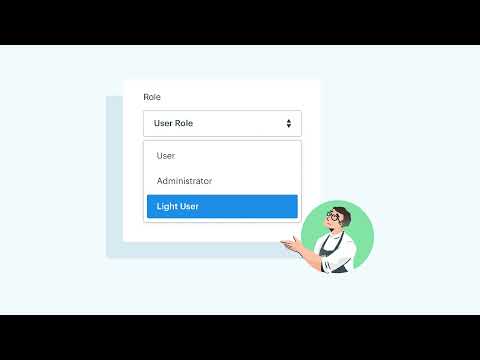
play Introducing: Light Users!
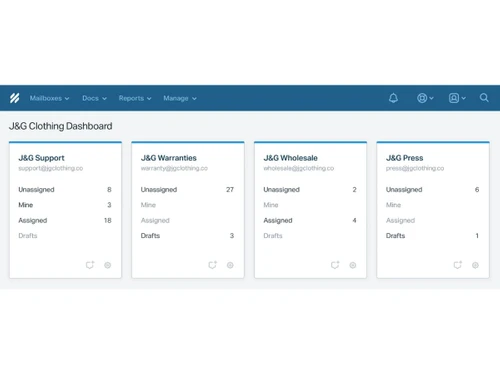
Help Scout dashboard
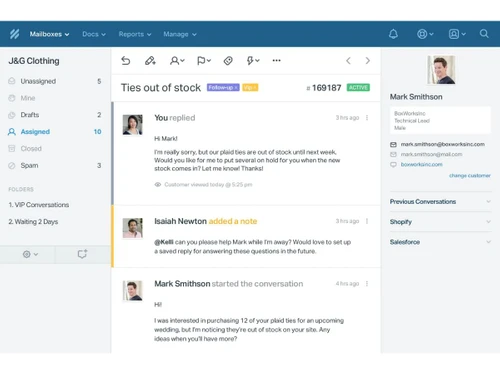
Help Scout assigned

Help Scout

Brand: Help Scout

  • 4.7

  • 3 Ratings & 3 Reviews

Help Scout is a Hospitality Management Software enables businesses to enhance efficiency by through workflow automation.

See More

Have you used Help Scout before?

Share your insights for better experience

Add a Review
Starting Price
$55

View plans

100% Genuine
Products
Best Price
Guaranteed
Safe & Secure
Payment
  • Description

  • Pricing

  • Features

  • Specification

  • Review

  • Compare

  • Alternatives

  • FAQ

Starting at $55

Help Scout Software Overview

What is Help Scout?

Help Scout is a powerful help desk software that empowers your team with a comprehensive tool suite to streamline and elevate your customer communication management. The platform offers a shared inbox, help center, and live chat software that provides the foundation for delivering exceptional customer service.

Built with the needs of growing teams in mind, it offers a shared inbox, which fosters seamless collaboration among team members. You can use private notes and @mentions to enhance teamwork, while its collision detection minimizes duplicate efforts by signaling when an agent is actively engaged in a conversation.

The platform allows you to experience efficiency through automation with its workflows, which can handle routine tasks like conversation sorting, enabling your team to focus on more impactful interactions. It enables you to deepen your understanding of customers with detailed customer profiles to offer valuable context to enrich your engagements.

Why Choose Help Scout?

Help Scout automatically assigns conversations to specific agents or teams based on predefined criteria. It allows you to quickly save and apply custom filters to access specific discussions. The help desk tool allows you to leave internal notes on conversations for seamless collaboration and information sharing. You can set and track service level agreements to ensure timely response and resolution times.

The help desk software allows you to consistently create predefined workflows to handle common scenarios and processes. It enables you to capture specific information from customers through customizable fields to understand their needs better. The platform allows you to prevent simultaneous agent responses by locking a conversation when an agent is engaged. You can avoid spam and irrelevant messages from cluttering the inbox and affecting response times.

Benefits of Help Scout

  • The help desk software allows you to categorize and prioritize conversations with tags and labels,
  • It allows you to prevent duplicate responses by alerting agents when a conversation is being actively worked on.
  • The platform allows you to create and reuse standardized responses to common queries to save time and ensure consistency.
  • You can embed a help widget on your website to provide instant access to your knowledge base and support resources.
  • The help desk solution allows you to collect customer feedback to gauge their experience and continuously improve your support quality.

Help Scout Pricing

Help Scout pricing starts from $55 at techjockey.com.

Help Scout price in India may vary based on factors like customization, additional features required, the number of users, and the deployment type. Please request a call back for subscription-related details and to avail offers on premium packages.

Read more

Help Scout Company Details

Founded Year:  2011

Help Scout offers a help desk invisible to customers, that helps companies deliver outstanding customer support.

Director/Founders Denny Swindle, Jared McDaniel, Nick Francis
Company Size 101-500 Employees

Help Scout Pricing & Plans

Standard
Starting at $55
    • Users

      Users
      Users
    • Monthly

      Monthly
      Monthly

Key Features

  • Starts with 100 contacts per month

  • Unlimited users

  • Multiple Inboxes and Docs sites

  • API and 100+ integrations

Plus
Starting at $83
    • Users

      Users
      Users
    • Monthly

      Monthly
      Monthly

Key Features

  • Starts with 100 contacts per month

  • Unlimited users

  • Custom Fields

  • Advanced Views & Workflows

Help Scout Features

  • icon_check Shared Inbox
    Collaborate as a team by centralizing customer communications to ensure coordinated responses.
  • icon_check Reporting
    Gain insights into team performance and customer interactions through detailed analytics and reporting.
  • icon_check Live Chat
    Engage customers in real-time conversations on your website to provide instant support and assistance.
  • icon_check Knowledge Base
    Empower customers to find answers independently by creating a repository of helpful articles and resources.
  • icon_check Workflow
    Automate repetitive tasks and streamline processes to optimize team efficiency and response times.
  • icon_check Customer Management
    Organize and track customer information, interactions, and history for personalized support.
  • icon_check Integration
    Seamlessly connect with other tools and platforms to enhance workflows and data sharing.
  • icon_check Notification
    Stay informed about important updates, new messages, and critical events through timely notifications.
  • icon_check Mobile App
    Stay connected and manage customer interactions on the go with a dedicated mobile application.
Help Scout Demo Video play icon

Get Help Scout Demo

Watch the demo video to explore key features, real workflows, and how the software fits your business needs.

Understand
Key Features
Personal
Demo Insights
Interactive
Demo Support

Help Scout Specifications

Supported Platforms
Windows Windows iOS iOS Android Android MacOS MacOS
Devices
Desktop Desktop Mobile Mobile
Deployment
Cloud-Based Cloud-Based
Suitable For
All Industries
Business Specific
All Businesses
Business Size
Small Business Startups Medium Business Enterprises SMBs SMEs MSMBs MSMEs
Customer Support
Email Live Chat Communities
Language
English
Integration
API Integration
Training Resources
Documentation Videos
AI Features
AI Integrated

Explore the Best Alternative Solutions Similar to Your Business Size and Needs

Help Scout Reviews

4.7

Out of 5

img

Overall Rating

Based on
3 Verified Reviews

Rating Breakdown

  • Features 4.8
  • Value for Money 4.6
  • Ease of Use 4.6
  • Customer Support 4.8

86% Recommend this Product

Add Review

Help Scout Video Reviews

youtubeVideoId

4.8

“HELPSCOUT REVIEW, PRICING AND PRODUCT DETAILS”

Review by: FionaSite

youtubeVideoId

4.8

“HelpScout, Master your Customer Service | Product Review and Exclusive Deal ”

Review by: SoftwareTrailers

youtubeVideoId

4.8

“Help Scout Review: Customer Support System For Startups And SMBs”

Review by: digitalmarketingtools8792

Compare Help Scout With other Help Desk Software

Products
Ratings
Pricing
Device Supported
Deployment
Supported Platforms
  • img

    Help Scout

  • 4.7

  • Price On Request

  • Desktop

    Mobile

  • Web based

    On Premises

  • Windows

    Mac OS

  • img

    Freshdesk

  • 4.7

  • ₹ 1799

  • Desktop

    Mobile

  • Web based

    On Premises

  • Windows

    Mac OS

  • img

    Nuevadesk

  • 4.2

  • Price On Request

  • Desktop

    Mobile

  • Web based

    On Premises

  • Windows

    Mac OS

  • img

    Support CRM

  • 4.8

  • ₹ 3750

  • Desktop

    Mobile

  • Web based

    On Premises

  • Windows

    Mac OS

  • img

    Spinso ServiceDesk

  • 4.2

  • Price On Request

  • Desktop

    Mobile

  • Web based

    On Premises

  • Windows

    Mac OS

  • img

    Zoho Desk

  • 4.0

  • ₹ 540

  • Desktop

    Mobile

  • Web based

    On Premises

  • Windows

    Mac OS

  • img

    Zendesk

  • 4.5

  • Price On Request

  • Desktop

    Mobile

  • Web based

    On Premises

  • Windows

    Mac OS

  • img

    TxHelpDesk

  • 5

  • ₹ 1250

  • Desktop

    Mobile

  • Web based

    On Premises

  • Windows

    Mac OS

  • img

    Stingo Helpdesk

  • 5

  • ₹ 599

  • Desktop

    Mobile

  • Web based

    On Premises

  • Windows

    Mac OS

  • img

    Vision Helpdesk

  • 4.3

  • Price On Request

  • Desktop

    Mobile

  • Web based

    On Premises

  • Windows

    Mac OS

  • img

    Desku

  • 4.1

  • Price On Request

  • Desktop

    Mobile

  • Web based

    On Premises

  • Windows

    Mac OS

(2) Product(s) selected

Help Scout Alternatives

See All Help Scout Alternatives

Starting Price:

$25 /Agent/Month

Starting Price:

$19 /Month

Available

Price on Request

Starting Price:

$29 /Month

Available

Price on Request

Starting Price:

₹15,600 /Lifetime

Starting Price:

$89 /Month

Starting Price:

$12 /Month

Articles for Help Scout

See All Related Articles

Which operating system does Help Scout support?

Help Scout is compatible with the Windows operating system.

Is there any Help Scout app?

Help Scout is available for android and iOS app users.

What is the deployment type of Help Scout?

Help Scout supports web-based deployment.

How much does Help Scout cost?

Help Scout pricing starts from $55 at techjockey.com.

Who are the potential users of Help Scout?

Help Scout is suitable for Small Business, Startups, Medium Business, Enterprises, SMBs, SMEs, MSMBs, MSMEs.

Is there any free trial or demo for Help Scout?

Help Scout free trial is available at techjockey.com.

Is Help Scout free?

Help Scout is not free. pricing starts from $25 at techjockey.com.

How can you download Help Scout monitoring software?

Help Scout software is a web-based platform. So, installation is not required. Just open the Setup Wizard to get started.

How does Help Scout work?

This tool helps users with Shared Inbox, Reporting, Live Chat, Knowledge Base, Customer Management, and more.

20,000+ Software Listed

Best Price Guranteed

Free Expert Consultation

2M+ Happy Customers

Terms and Condtions

close

Users with registered businesses can purchase goods from merchants on the platform to satisfy their business needs. Users are not permitted to utilize any products acquired through the platform for resale, advertising, business, or further distribution.

For each purchase made, users will receive a Tax Invoice (or 'GST invoice') that includes specific details such as:

  • the GSTIN of the user associated with their registered business, and

  • the specified Entity Name for their business.

It should be noted that not all products are eligible for GST Invoice. Only the products displayed by participating sellers with the 'GST-based Invoice Available' callout on the product description page would qualify.

Certain goods and services are not eligible to get a GST Invoice, including items with VAS, i.e., Value Added Services (e.g., Total Mobile Protection/Assured Buyback) and those involving an exchange offer at the time of purchase.

Users must ensure the accuracy of the GSTIN, and business entity name provided for the GST Invoice. Requests for corrections into GST Invoice would not be accommodated by Techjockey.com or any Seller, and any issues arising from user-provided information are the sole responsibility of users.

Techjockey.com is not liable for the GST Invoice or any associated input tax credit. To efficiently claim an input tax credit, users should select the registered place of business address as per the GST authority's data and follow the provisions of the GST Act and rules.

To claim an input tax credit, the delivery and billing addresses must match. Furthermore, input tax credits will not be granted if the delivery address and GSTIN on the invoice are from different states. In case of incorrect GST details provided during the order placement, the order will be canceled automatically.