linkedin
Vision Helpdesk logo
play Features Vision Helpdesk
play Live Chat Software Quick (DEMO)- Vision Helpdesk
vision helpdesk-image1

Vision Helpdesk

Brand: Vision Helpdesk

  • 4.3

  • 12 Ratings & 9 Reviews

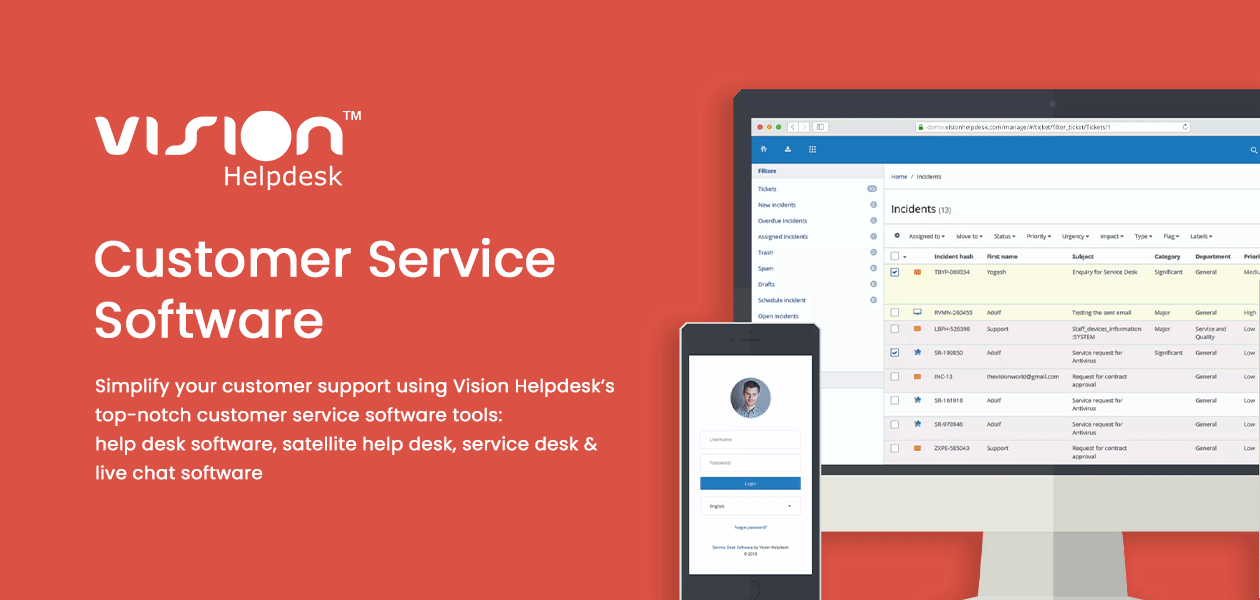
Vision Helpdesk is a customer service software that provides the best-in-class customer support tools to small, mid-sized companies and big enterprises. The customer service software offers help desk ticketing and service desk management modules for managing all customer requests in a single place. The customer support system is a centralized platform for tracking staff replies and handling custo...

See More

Have you used Vision Helpdesk before?

Share your insights for better experience

Add a Review
Starting Price
$12

View plans

100% Genuine
Products
Best Price
Guaranteed
Safe & Secure
Payment
  • Description

  • Pricing

  • Features

  • Specification

  • Review

  • Compare

  • Alternatives

  • FAQ

Starting at $12

Vision Helpdesk Software Overview

What is Vision Helpdesk?

Vision Helpdesk is a customer service software that provides the best-in-class customer support tools to small, mid-sized companies and big enterprises. The customer service software offers help desk ticketing and service desk management modules for managing all customer requests in a single place.

The customer support system is a centralized platform for tracking staff replies and handling customer requests. Integration with CRM, project management & chat tools and SLAs ensure that no customer query ever goes unresolved. The customer service management system supports static code analysis and dynamic vulnerability scanning for securing the customer & helpdesk data.

Key Modules of Vision Helpdesk

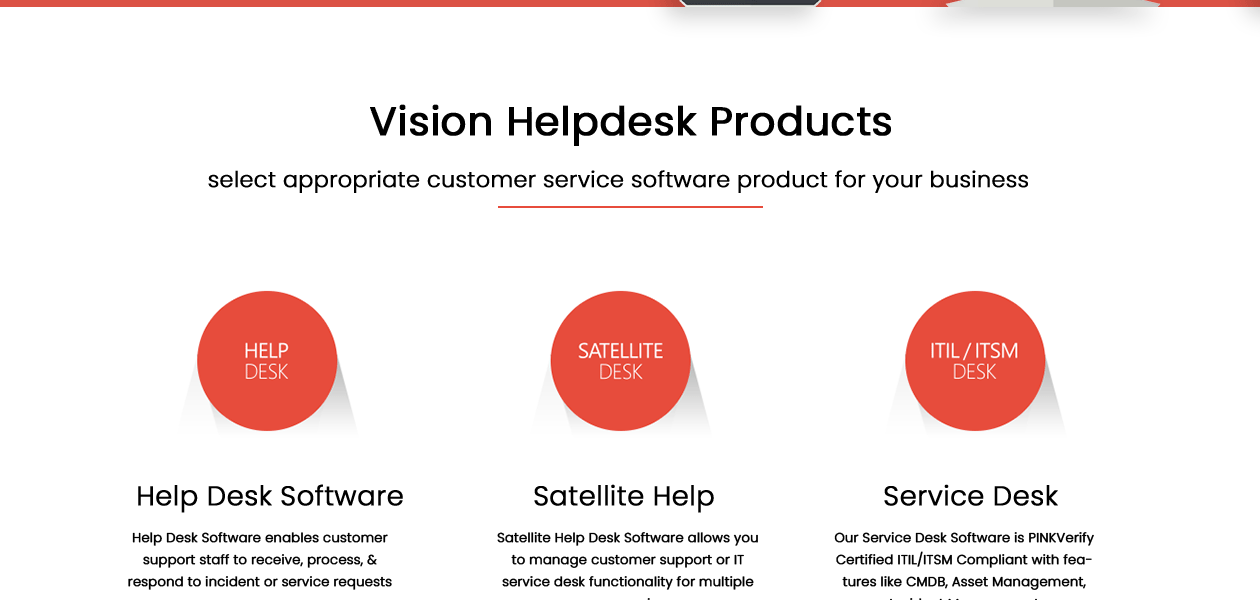
  • Help Desk: The multichannel ticket management software helps with processing, receiving, and responding to service and incident requests. The help desk software centralizes customer conversations via a web portal, email, chat, phone, and Facebook.
  • ITIL/ITSM Desk: This PINKVerify certified service desk software is ITIL/ITSM compliant. The software also ensures the easy management of assets, incidents, service catalog, release management, and knowledgeable management.
  • Satellite Help Desk: Vision Helpdesk is a satellite help desk software best for managing the functionalities of IT service desks and customer support teams across multiple companies.
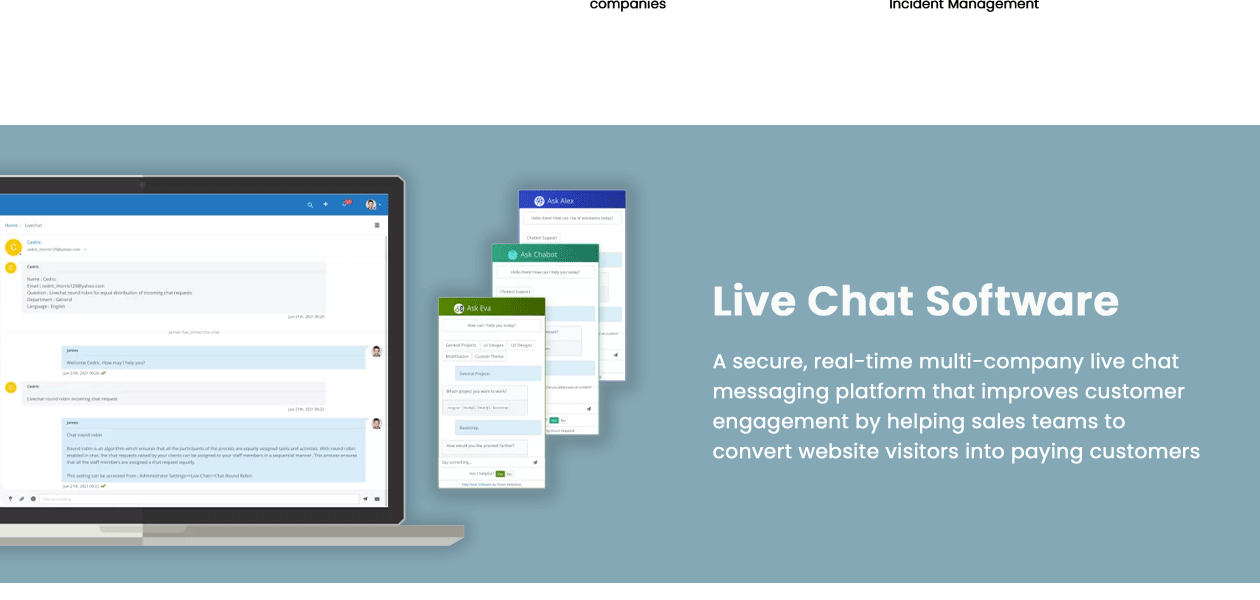
  • Live Chat Software: The live chat messaging platform is a real-time and secured multi-company tool, which ensures higher customer engagement. The software will empower your support team to provide faster service to website visitors and convert them into customers.

Why Use Vision Helpdesk Software?

  • Ticket generation: The ticket management software provides two separate portals, one for staff and the other for customers, for generating tickets about customer requests.
  • Chat integration: The live chat tool supports integration with emails, Twitter, Facebook & more for communicating with the customers across different channels.
  • Achievement levels: Get the best out of your team’s performance by assessing their achievements using the inbuilt leader board.
  • Task progress: Simplify the task workflows, schedule assignments and collaborate with teams using this help desk software.
  • Rule-based criteria: It helps automate the ticket flow to ensure that all customer queries are addressed in real-time.
  • Ticket escalation: Ticket escalation ensures that no tickets are missed or delayed.
  • Localization tool: The tool not just allows you to access the portal in a language of your choice but also permits the admin to add new languages or modify the existing one.

Benefits of Vision Helpdesk

  • Multiple channels for communication ensure greater customer satisfaction.
  • Integration with VOIP & third-party chat software helps staff resolve issues better.
  • Staff collaboration function to manage workloads for reaching organizational goals
  • Payment gateway integration lets customers use their preferred mode.
  • Customized SLAs provide resolution & response times for every individual ticket.
  • Effective time tracking for managing billing client-wise or department-wise

How Does Vision Helpdesk Work?

The latest version of Vision Helpdesk is primarily used for managing helpdesk, service desk, lice chat and customer queries. It has an intuitive interface and is simple to use. Vision Helpdesk can be easily integrated with your existing systems to ensure a smooth workflow. For more information, you can also refer to user manuals and take an online Vision Helpdesk demo at Techjockey.com.

How To Use Vision Helpdesk?

Get started with Vision Helpdesk in five simple steps:

  • Step 1: Buy Vision Helpdesk installation key from techjockey.com.
  • Step 2: Install Vision Helpdesk on your device.
  • Step 3: Sign up & create your account.
  • Step 4: Add users & assign permissions.
  • Step 5: Get started with Vision Helpdesk.

What is the Price of Vision Helpdesk

Vision Helpdesk price in India starts at $ 12 at Techjockey.com.

The pricing model is based on different parameters, including extra features, deployment type, and the total number of users. For further queries related to the product, you can contact our product team and learn more about the pricing and offers.

Read more

Vision Helpdesk Company Details

Founded Year:  2005

Vision Helpdesk offers four products 1) Help Desk Software 2) Satellite Help Desk (Multi Company Help Desk) 3) ITSM Service Desk Software 4) Live Chat Software All products are available in both SaaS and On-Premises versions.

Director/Founders Sachin Jadhav
Company Size 1-100 Employees

Vision Helpdesk Pricing & Plans

Starter Help Desk
Starting at $12
    • Licenses

      Licenses
      Licenses
    • Monthly

      Monthly
      Monthly

Key Features

  • Overview for all the modules

  • Update notification for each module

  • Add private comments to ticket

  • Advance ticket search using different criteria

  • import and export knowledge base area

  • Internal knowledge-base for staff

  • Admin access rights and admin setting permissions

  • Department wise staff access

Pro Help Desk
Starting at $20
    • Licenses

      Licenses
      Licenses
    • Monthly

      Monthly
      Monthly

Key Features

  • Overview for all the modules

  • Update notification for each module

  • Add private comments to ticket

  • Advance ticket search using different criteria

  • import and export knowledge base area

  • Internal knowledge-base for staff

  • Admin access rights and admin setting permissions

  • Department wise staff access

Satellite Help Desk
Starting at $24
    • Licenses

      Licenses
      Licenses
    • Monthly

      Monthly
      Monthly

Key Features

  • Overview for all the modules

  • Update notification for each module

  • Add private comments to ticket

  • Advance ticket search using different criteria

  • import and export knowledge base area

  • Internal knowledge-base for staff

  • Admin access rights and admin setting permissions

  • Department wise staff access

Pro Service Desk
Starting at $32
    • Licenses

      Licenses
      Licenses
    • Monthly

      Monthly
      Monthly

Key Features

  • Overview for all the modules

  • Update notification for each module

  • Add private comments to ticket

  • Advance ticket search using different criteria

  • import and export knowledge base area

  • Internal knowledge-base for staff

  • Admin access rights and admin setting permissions

  • Department wise staff access

Ent Service Desk
Starting at $48
    • Licenses

      Licenses
      Licenses
    • Monthly

      Monthly
      Monthly

Key Features

  • Overview for all the modules

  • Update notification for each module

  • Add private comments to ticket

  • Advance ticket search using different criteria

  • import and export knowledge base area

  • Internal knowledge-base for staff

  • Admin access rights and admin setting permissions

  • Department wise staff access

Vision Helpdesk Features

  • icon_check Ticketing Help Desk
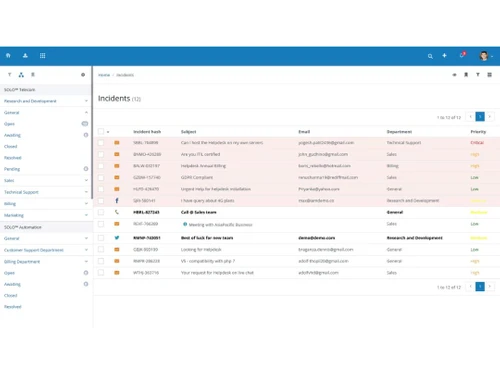
    The help desk software provides a centralized system for your staff to manage all customer queries.
  • icon_check Multi Channel Help Desk
    Connect with your customers on multiple channels like email, phone, twitter & Facebook.
  • icon_check Blabby Collaboration
    Blabby option helps your staff collaborate on ticket issues, and share files, videos & presentations.
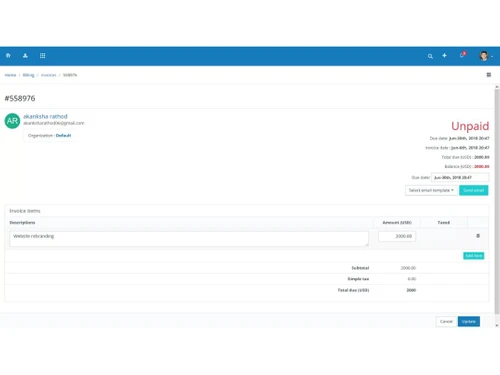
  • icon_check Help Desk Ticket Billing
    Time tracking module can be used for creating and sending professional invoices to the customers.
  • icon_check Gamification
    The support ticketing system lets you set up quests, goals & achievement levels for improving the staff performance.
  • icon_check Task Management
    Manage tasks by creating them and assigning these to the staff for simplifying the workflow.
  • icon_check Knowledgebase & Forums
    Create a categorized knowledge base, rate the content, and share comments with Vision Helpdesk.
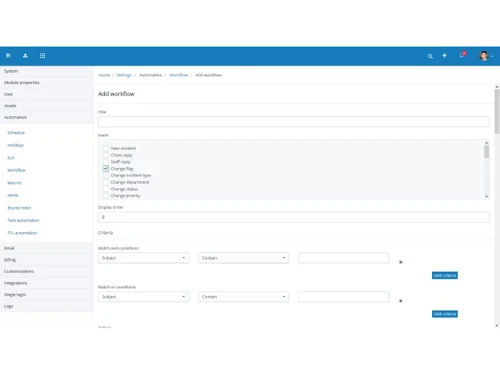
  • icon_check Help Desk Automation
    The software helps define the rules to address customer queries based on various criteria and events.
  • icon_check SLA Rules and Ticket Escalation
    Service level agreement tickets show the ticket resolution & response time for resolving customer issues.
  • icon_check Time Tracking
    It allows time tracking entries for billable & work time, amount and work description.
  • icon_check Multi Language Help Desk
    Translate staff and customer portal in different languages with the live chat tool.
  • icon_check Customer Support Survey
    The customer support software with inbuilt custom form elements helps prepare survey forms.
  • icon_check Self Service Customer Portal
    The portal offers knowledge base and community forums that include FAQs, articles, etc.
  • icon_check Secure Help Desk
    SSL & password encryption, IP restriction and two-factor authentication ensure that the customer data is always protected.
  • icon_check Reporting
    Get access to metrics for analysing staff performance, customer preferences & ticketing.
  • icon_check Apps and Integrations
    Integrates easily with third party software for billing, chat, project management and CRM tools.
Vision Helpdesk Demo Video play icon

Get Vision Helpdesk Demo

Watch the demo video to explore key features, real workflows, and how the software fits your business needs.
Understand
Key Features
Personal
Demo Insights
Interactive
Demo Support
Product Enrichment Section Image

Vision Helpdesk Specifications

Supported Platforms
Ubuntu Ubuntu Windows Windows iOS iOS Android Android MacOS MacOS Linux Linux
Devices
Desktop Desktop Mobile Mobile
Deployment
Cloud-Based Cloud-Based Perpetual Perpetual
Suitable For
All Industries
Business Specific
All Businesses
Language
English

Explore the Best Alternative Solutions Similar to Your Business Size and Needs

Vision Helpdesk Reviews

4.3

Out of 5

img

Overall Rating

Based on
9 Verified Reviews

Rating Breakdown

  • Features 4.1
  • Value for Money 4.4
  • Ease of Use 4.2
  • Customer Support 4.4

86% Recommend this Product

Add Review

怡青 薛

Network Administrator

Industry: Telecommunication User since: 1-2 years

4.3

Reviewed on: Mar 16, 2025

Techjockey Verified

“A Must-Have for Customer Support Teams”

Our customer support team relies on Vision Helpdesk every day. It helps us stay organized, and it works well with our other tools. Occasionally, we run into small bugs, but nothing major.

Pros

Great for managing tickets, integrates well with other tools.

Cons

Some minor bugs occasionally.

Switched from Zoho Desk

Reason to switch

Better integration options.

Philip Manehoua

AVP-IT

Industry: Computer Networking User since: 1-2 years

4.2

Reviewed on: Mar 4, 2025

Techjockey Verified

“Good Software but Needs More Customization”

Vision Helpdesk works well for tracking and managing customer issues. It’s reliable and efficient. However, I wish there were more customization options to match our company’s needs better.

Pros

Reliable and efficient ticketing system.

Cons

Limited customization options.

Switched from HubSpot Service Hub

Reason to switch

More affordable with similar features.

Varsha

Project Manager

Industry: Warehousing User since: 1-2 years

4.2

Reviewed on: Feb 25, 2025

Techjockey Verified

“Cost-Effective and Feature-Rich”

Vision Helpdesk is a great balance between cost and features. It does everything we need, but some parts of the software could be made easier to use. Overall, I’m happy with it.

Pros

Good price, has all necessary features.

Cons

Some features could be more user-friendly.

Switched from Jitbit Helpdesk

Reason to switch

Better value for money.

See All Vision Helpdesk Reviews

Compare Vision Helpdesk With other Help Desk Software

Products
Ratings
Pricing
Device Supported
Deployment
Supported Platforms
  • img

    Vision Helpdesk

  • 4.3

  • Price On Request

  • Desktop

    Mobile

  • Web based

    On Premises

  • Windows

    Mac OS

  • img

    Freshdesk

  • 4.7

  • ₹ 1799

  • Desktop

    Mobile

  • Web based

    On Premises

  • Windows

    Mac OS

  • img

    Nuevadesk

  • 4.2

  • Price On Request

  • Desktop

    Mobile

  • Web based

    On Premises

  • Windows

    Mac OS

  • img

    Support CRM

  • 4.8

  • ₹ 3750

  • Desktop

    Mobile

  • Web based

    On Premises

  • Windows

    Mac OS

  • img

    Spinso ServiceDesk

  • 4.2

  • Price On Request

  • Desktop

    Mobile

  • Web based

    On Premises

  • Windows

    Mac OS

  • img

    Zoho Desk

  • 4.0

  • ₹ 540

  • Desktop

    Mobile

  • Web based

    On Premises

  • Windows

    Mac OS

  • img

    Zendesk

  • 4.5

  • Price On Request

  • Desktop

    Mobile

  • Web based

    On Premises

  • Windows

    Mac OS

  • img

    TxHelpDesk

  • 5

  • ₹ 1250

  • Desktop

    Mobile

  • Web based

    On Premises

  • Windows

    Mac OS

  • img

    Stingo Helpdesk

  • 5

  • ₹ 599

  • Desktop

    Mobile

  • Web based

    On Premises

  • Windows

    Mac OS

  • img

    Desku

  • 4.1

  • Price On Request

  • Desktop

    Mobile

  • Web based

    On Premises

  • Windows

    Mac OS

(2) Product(s) selected

Vision Helpdesk Alternatives

See All Vision Helpdesk Alternatives

Starting Price:

$25 /Agent/Month

Starting Price:

$19 /Month

Starting Price:

$29 /Month

Available

Price on Request

Starting Price:

₹15,600 /Lifetime

Starting Price:

$89 /Month

Starting Price:

$12 /Month

Starting Price:

$699 /year

Articles for Vision Helpdesk

See All Related Articles

Is there any free trial or demo for Vision Helpdesk ?

Vision Helpdesk customer support software demo is available for free with techjockey.com.

Is Vision Helpdesk free?

Vision Helpdesk support ticketing system offers a free trial. However, the premium plan with advanced features is available at techjockey.com with exciting deals.

How can you download Vision Helpdesk ?

For Vision Helpdesk customer support software installation, insert the given CD/USB flash storage in your system and open the Setup Wizard to get started.

How does Vision Helpdesk work?

Vision Helpdesk customer service software helps with managing customer queries and issues. It is a complete solution for tracking ticketing and helpdesk processes and providing live chat support.

Who are the potential users of Vision Helpdesk?

Vision Helpdesk customer service management system is typically used in educational institutes, IT firms and pharma companies.

How much does Vision Helpdesk cost?

Vision Helpdesk price in India starts at $ 12 at Techjockey.com.

What is the deployment type of Vision Helpdesk?

Vision Helpdesk service management system supports on-premise deployment.

Is there any Vision Helpdesk app?

Vision Helpdesk customer service software app is available for Windows and Android.

Which operating system does Vision Helpdesk support?

Vision Helpdesk customer service system is compatible with Windows, Android and Linux operating systems.

20,000+ Software Listed

Best Price Guranteed

Free Expert Consultation

2M+ Happy Customers

Terms and Condtions

close

Users with registered businesses can purchase goods from merchants on the platform to satisfy their business needs. Users are not permitted to utilize any products acquired through the platform for resale, advertising, business, or further distribution.

For each purchase made, users will receive a Tax Invoice (or 'GST invoice') that includes specific details such as:

  • the GSTIN of the user associated with their registered business, and

  • the specified Entity Name for their business.

It should be noted that not all products are eligible for GST Invoice. Only the products displayed by participating sellers with the 'GST-based Invoice Available' callout on the product description page would qualify.

Certain goods and services are not eligible to get a GST Invoice, including items with VAS, i.e., Value Added Services (e.g., Total Mobile Protection/Assured Buyback) and those involving an exchange offer at the time of purchase.

Users must ensure the accuracy of the GSTIN, and business entity name provided for the GST Invoice. Requests for corrections into GST Invoice would not be accommodated by Techjockey.com or any Seller, and any issues arising from user-provided information are the sole responsibility of users.

Techjockey.com is not liable for the GST Invoice or any associated input tax credit. To efficiently claim an input tax credit, users should select the registered place of business address as per the GST authority's data and follow the provisions of the GST Act and rules.

To claim an input tax credit, the delivery and billing addresses must match. Furthermore, input tax credits will not be granted if the delivery address and GSTIN on the invoice are from different states. In case of incorrect GST details provided during the order placement, the order will be canceled automatically.