linkedin
TxHelpDesk logo
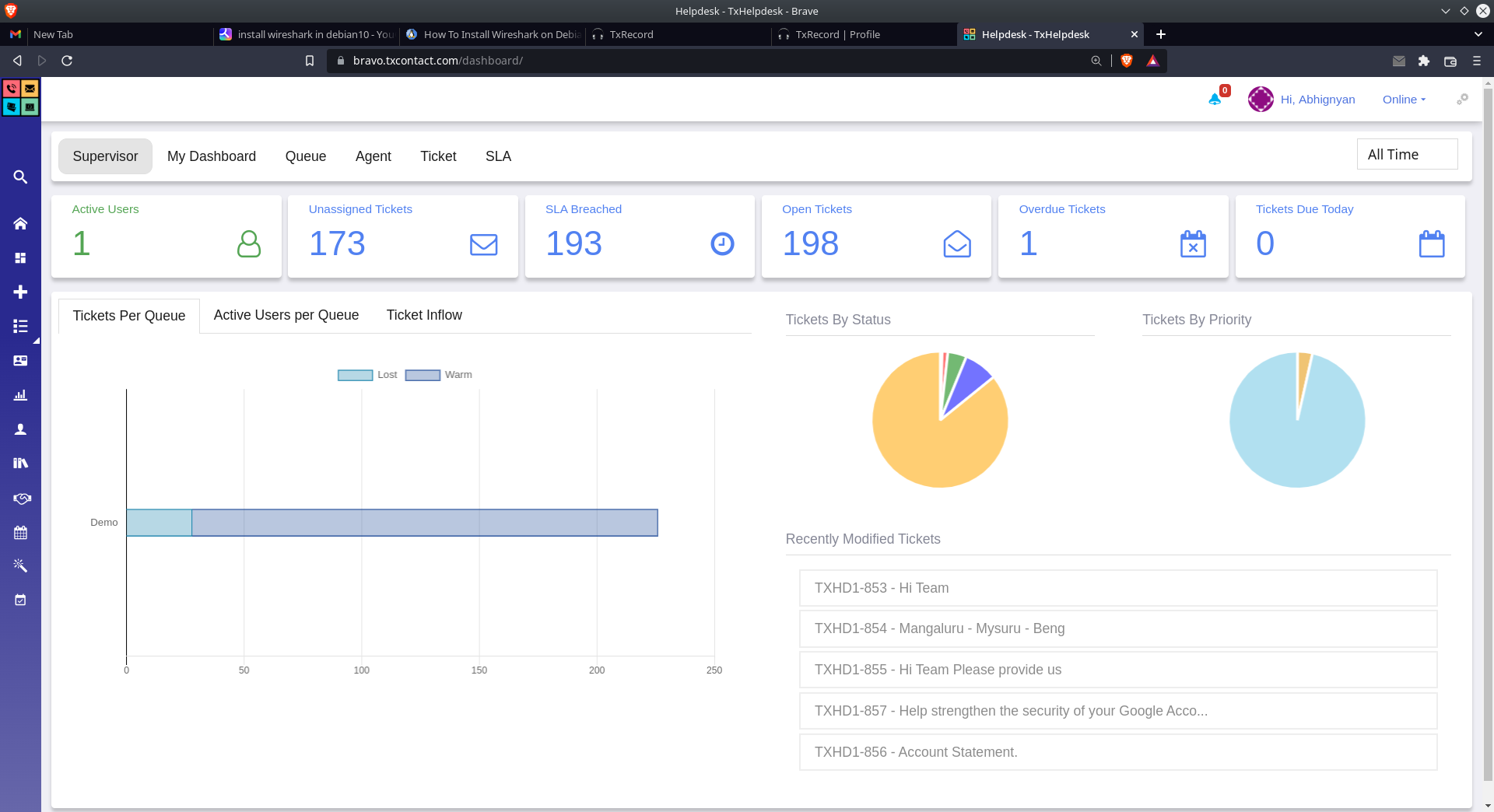
txhelpdesk dashboard
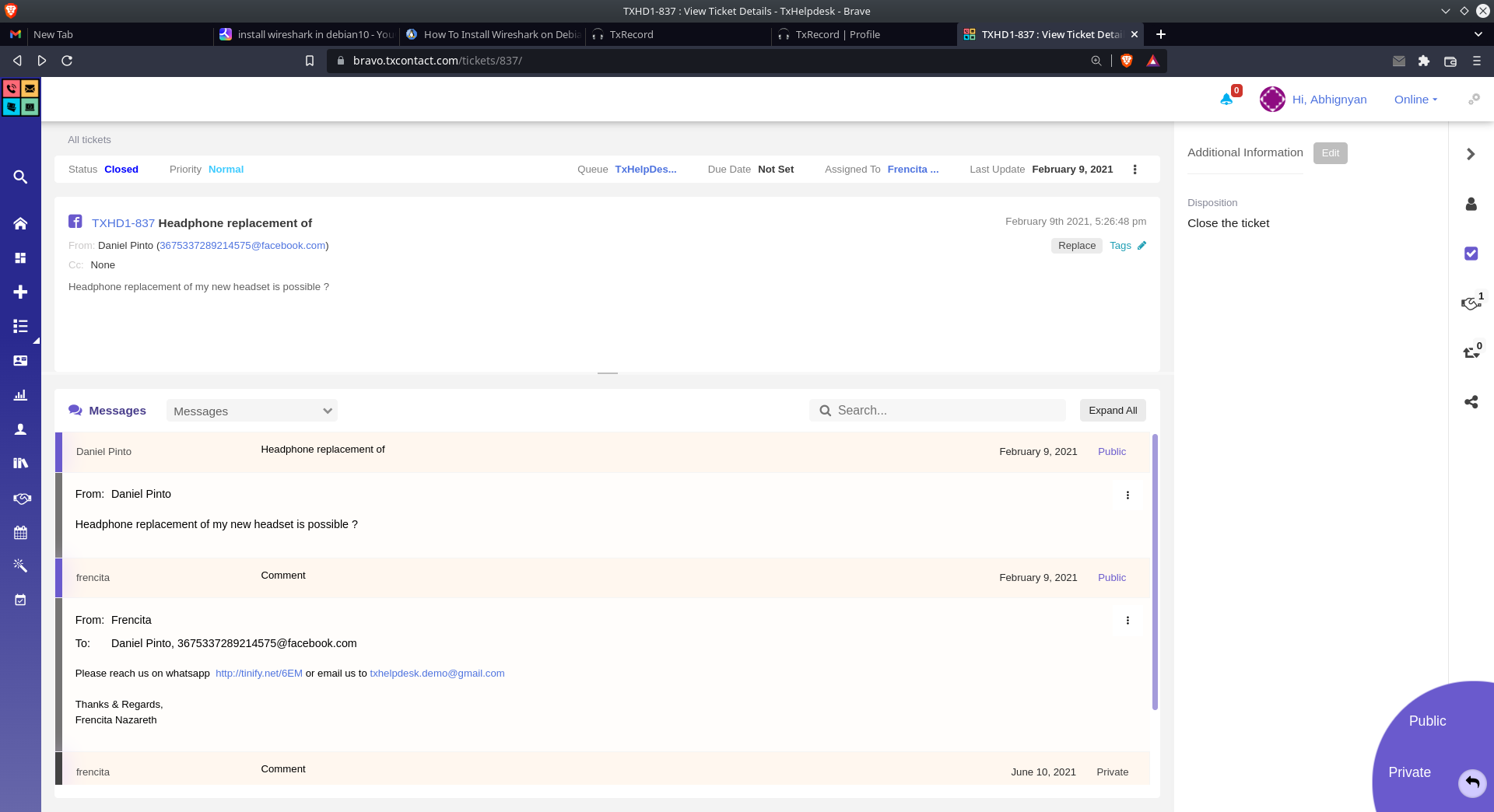
txhelpdesk ticket assignment
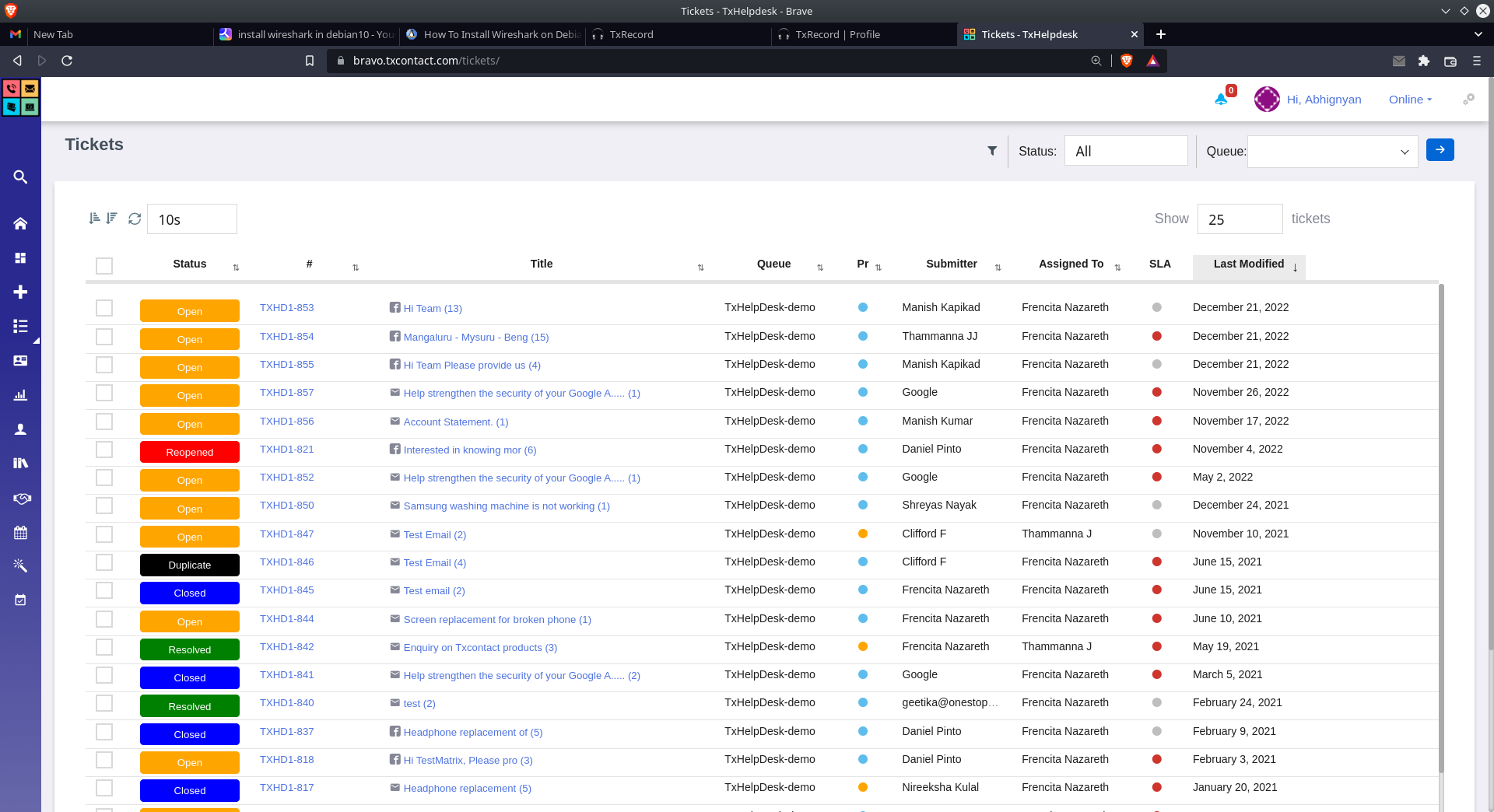
txhelpdesk tickets

TxHelpDesk

Brand: Telenetix

  • 5

  • 1 Rating & 1 Review

  • Unifies customer queries from all channels into a single ticketing system.
  • Automates ticket assignment and tracks SLAs with custom rules.
  • Builds a self-service knowledge base from past resolutions.
  • Provides real-time ticket progress updates to keep customers informed.
See More

Have you used TxHelpDesk before?

Share your insights for better experience

Add a Review
Starting Price
₹1,250 excl.GST
₹ 1,475 incl. GST

View plans

offer Save upto 18%, Get GST Invoice on your business purchase T&C
offer Buy Now & Pay Later, Check offer on payment page.
Buy Now
100% Genuine
Products
Best Price
Guaranteed
Safe & Secure
Payment
  • Description

  • Pricing

  • Features

  • Specification

  • Review

  • Compare

  • Alternatives

  • FAQ

Starting at ₹1,250
Buy Now

TxHelpDesk Software Overview

What is TxHelpDesk?

TxHelpDesk is an omnichannel Help Desk Software created by Telenetix. It aims at transforming interactions between the customers using multiple mediums, such as email, call, chat, and social media, into usable tickets.

The system has a single interface through which the support executives can effectively process these tickets. It also has the features of developing a self-service knowledge base based on previous resolutions. Moreover, it has automation regulations to assign tickets and SLA monitoring to make sure that no tickets are overlooked.

What are the Benefits of TxHelpDesk Software?

  • Unified Omnichannel Support: Brings email, call, chat, and social media communications together in one ticketing interface to manage. This will give an overall picture of all customer transactions in a single location.
  • Enhanced Ticket Management: Provides strong capabilities to work with tickets, such as creating, updating, merging, splitting, cloning, and forwarding. This enables agents to have the flexibility to execute the entire ticket lifecycle in an efficient manner.
  • Improved Self-Service Resolution: Allows past tickets to be built into a knowledge base so that customers can solve their problems without having to contact an agent. This decreases the volume of the tickets and gives power to the customers.
  • Automated Workflow Efficiency: Assigns tickets automatically using rules and triggers, monitors SLAs, and sends notifications so no tickets or delays. The automation assists in achieving customer service expectations regularly.
  • Informed Customer Communication: Auto-informs customers on the ticket progress in the entire lifecycle, thereby enhancing transparency. This proactive communication develops general customer satisfaction and trust.
  • Intelligent Ticket Assignment: Assigns agent-based tickets to prevent inbox flooding and proper distribution of the workload. It results in the harmonized agent productivity and shorter resolution times.

TxHelpDesk Pricing

The pricing of TxHelpDesk starts from INR 1,250 at Techjockey.com. You can contact them for more information related to the software.

Read more

Telenetix Company Details

Founded Year:  2004

Telenetix is a customer experience and universal communications technology firm.

Director/Founders Telenetix
Company Size 1-100 Employees

TxHelpDesk Pricing & Plans

TX helpdesk
Key Features
  • Omnichannel Customer Support
  • Mobile Ticketing
  • Automation
  • Advanced Filters
  • Ticket Assignments
  • Alerts & Notifications
  • Collaboration

Calculated Price

1250 Exclusive of all taxes
    • Users (Users)

      Users (Users)
      Users (Users)
    • Monthly (Months)

      Monthly (Months)
      Monthly (Months)

Key Features

  • Omnichannel Customer Support

  • Mobile Ticketing

  • Automation

  • Advanced Filters

  • Ticket Assignments

  • Alerts & Notifications

  • Collaboration

TxHelpDesk Features

  • icon_check Self-Service Knowledge Base
    Enables customers to resolve issues independently using FAQs built from past tickets.
  • icon_check Ticket Management Operations
    Allows agents to merge, split, clone, and forward tickets for flexible handling.
  • icon_check Customer Progress Updates
    Automatically informs customers about the status of their ticket throughout its lifecycle.
  • icon_check Omnichannel Customer Support
    Converts interactions from email, call, chat, and social media into tickets within a unified interface for efficient support.
  • icon_check Ticket Resolution
    Prioritizes tickets using customer data and facilitates swift resolution through collaboration and self-service options.
  • icon_check Automation
    Implements routing rules and triggers to automate ticket assignments, track SLAs, and send timely notifications.
  • icon_check Advanced Filters
    Utilizes advanced filtering and tagging to monitor ticket statuses and ensure efficient tracking and management.
  • icon_check Ticket Assignments
    Assigns tickets based on user status to prevent overload and ensures effective distribution among support agents.
  • icon_check Alerts & Notifications
    Sends alerts to supervisors for delayed premium tickets and keeps customers informed about ticket progress.
  • icon_check Collaboration
    Enables team collaboration on ticket resolution, enhancing efficiency and reducing response times.

TxHelpDesk Specifications

Supported Platforms
Windows Windows
Devices
Desktop Desktop
Deployment
Cloud-Based Cloud-Based
Suitable For
All Industries
Business Specific
All Businesses
Business Size
Small Business Startups Medium Business Enterprises SMBs SMEs MSMBs MSMEs
Language
English

Explore the Best Alternative Solutions Similar to Your Business Size and Needs

TxHelpDesk Review

5

Out of 5

img

Overall Rating

Based on
1 Verified Review

Rating Breakdown

  • Features 5
  • Value for Money 5
  • Ease of Use 5
  • Customer Support 5

100% Recommend this Product

Add Review

Grandhi Sumanth

Product Manager

Industry: IT User since: 1-2 years

5

Reviewed on: May 22, 2023

Techjockey Verified

“Fully Automated Ticketing platform”

Pros

The product was a great ease of use & gives good user experience. With its fully automatic AI Ticket generation most of our work is going great The feature Smart rule was a great help to our organization.

Cons

NO CONS

Switched from Freshdesk

Reason to switch

TxHelpDesk looks good & also comes with a Premise based setup model

Compare TxHelpDesk With other Help Desk Software

Products
Ratings
Pricing
Device Supported
Deployment
Supported Platforms
  • img

    TxHelpDesk

  • 5

  • ₹ 1250.00 excl. GST

  • Desktop

    Mobile

  • Web based

    On Premises

  • Windows

    Mac OS

  • img

    Freshdesk

  • 4.7

  • ₹ 1799

  • Desktop

    Mobile

  • Web based

    On Premises

  • Windows

    Mac OS

  • img

    Nuevadesk

  • 4.2

  • Price On Request

  • Desktop

    Mobile

  • Web based

    On Premises

  • Windows

    Mac OS

  • img

    Support CRM

  • 4.8

  • ₹ 3750

  • Desktop

    Mobile

  • Web based

    On Premises

  • Windows

    Mac OS

  • img

    Spinso ServiceDesk

  • 4.2

  • Price On Request

  • Desktop

    Mobile

  • Web based

    On Premises

  • Windows

    Mac OS

  • img

    Zoho Desk

  • 4.0

  • ₹ 540

  • Desktop

    Mobile

  • Web based

    On Premises

  • Windows

    Mac OS

  • img

    Zendesk

  • 4.5

  • Price On Request

  • Desktop

    Mobile

  • Web based

    On Premises

  • Windows

    Mac OS

  • img

    Stingo Helpdesk

  • 5

  • ₹ 599

  • Desktop

    Mobile

  • Web based

    On Premises

  • Windows

    Mac OS

  • img

    Vision Helpdesk

  • 4.3

  • Price On Request

  • Desktop

    Mobile

  • Web based

    On Premises

  • Windows

    Mac OS

  • img

    Desku

  • 4.1

  • Price On Request

  • Desktop

    Mobile

  • Web based

    On Premises

  • Windows

    Mac OS

(0) Product(s) selected

TxHelpDesk Alternatives

See All TxHelpDesk Alternatives

Starting Price:

$25 /Agent/Month

Starting Price:

$19 /Month

Starting Price:

$29 /Month

Available

Price on Request

Starting Price:

₹15,600 /Lifetime

Starting Price:

$89 /Month

Starting Price:

$12 /Month

Starting Price:

$699 /year

Articles for TxHelpDesk

See All Related Articles

How much does TxHelpDesk cost?

The pricing of TxHelpDesk starts from INR 1,250 at Techjockey.com

Who uses TxHelpDesk?

TxHelpDesk is widely used by Customer Support Executives, Supervisors, Customers, and more.

How does TxHelpDesk work?

TxHelpDesk works by automatically converting customer interactions from channels like email, call, and social media into trackable tickets. These tickets are then routed, managed, and resolved through a unified interface using automated rules and a knowledge base.

Is TxHelpDesk free?

No, TxHelpDesk is not available for free.

Is TxHelpDesk safe to use?

Yes, the TxHelpDesk is safe to use.

Can TxHelpDesk help deflect support tickets?

Yes, it includes a self-service knowledge base built from past resolutions, enabling customers to solve issues themselves.

Does TxHelpDesk keep customers updated?

Yes, it automatically informs customers about the progress of their tickets throughout their entire lifecycle.

20,000+ Software Listed

Best Price Guranteed

Free Expert Consultation

2M+ Happy Customers

Terms and Condtions

close

Users with registered businesses can purchase goods from merchants on the platform to satisfy their business needs. Users are not permitted to utilize any products acquired through the platform for resale, advertising, business, or further distribution.

For each purchase made, users will receive a Tax Invoice (or 'GST invoice') that includes specific details such as:

  • the GSTIN of the user associated with their registered business, and

  • the specified Entity Name for their business.

It should be noted that not all products are eligible for GST Invoice. Only the products displayed by participating sellers with the 'GST-based Invoice Available' callout on the product description page would qualify.

Certain goods and services are not eligible to get a GST Invoice, including items with VAS, i.e., Value Added Services (e.g., Total Mobile Protection/Assured Buyback) and those involving an exchange offer at the time of purchase.

Users must ensure the accuracy of the GSTIN, and business entity name provided for the GST Invoice. Requests for corrections into GST Invoice would not be accommodated by Techjockey.com or any Seller, and any issues arising from user-provided information are the sole responsibility of users.

Techjockey.com is not liable for the GST Invoice or any associated input tax credit. To efficiently claim an input tax credit, users should select the registered place of business address as per the GST authority's data and follow the provisions of the GST Act and rules.

To claim an input tax credit, the delivery and billing addresses must match. Furthermore, input tax credits will not be granted if the delivery address and GSTIN on the invoice are from different states. In case of incorrect GST details provided during the order placement, the order will be canceled automatically.