linkedin
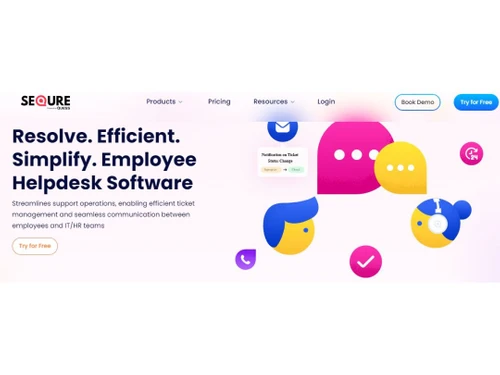
SeQure Employee Helpdesk logo
SeQure dashboard
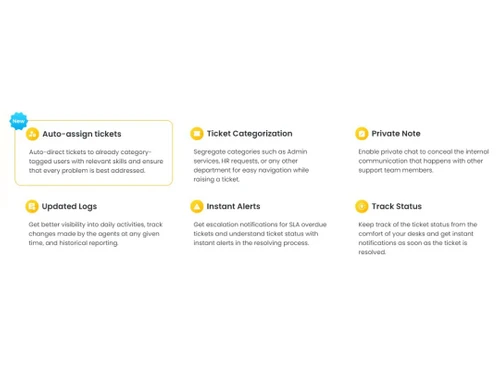
SeQure features
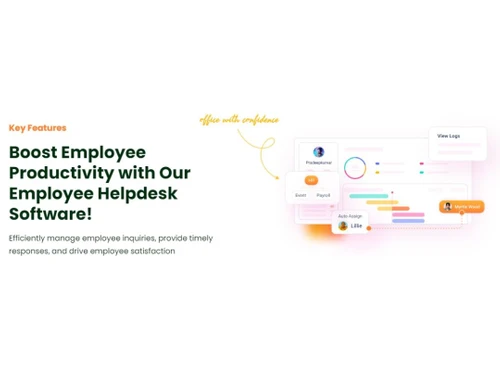
SeQure More features

SeQure Employee Helpdesk

Brand: Heptagon Technologies

  • 4.4

  • 5 Ratings

  • It is an internal employee support and ticket management system.
  • It helps organizations manage employee queries and complaints.
  • The platform streamlines HR, IT, and administrative support processes.
  • It improves response time, tracking, and communication between employees and departments.
See More

Have you used SeQure Employee Helpdesk before?

Share your insights for better experience

Add a Review
Starting Price
₹1,799 excl.GST
₹ 2,123 incl. GST

View plans

offer Save upto 18%, Get GST Invoice on your business purchase T&C
offer Buy Now & Pay Later, Check offer on payment page.
Buy Now
100% Genuine
Products
Best Price
Guaranteed
Safe & Secure
Payment
  • Description

  • Pricing

  • Features

  • Specification

  • Review

  • Compare

  • Alternatives

  • FAQ

Starting at ₹1,799
Buy Now

SeQure Employee Helpdesk Software Overview

What is SeQure Employee Helpdesk?

SeQure Employee Helpdesk is an employee query and employee help desk software that is aimed at assisting organizations to manage their internal service requests in a well-organized and transparent manner. It plays the role of a centralized system through which employees are able to submit tickets concerning HR, payroll, IT support, administration, or any other issues in the workplace.

These requests are grouped, monitored, and allocated to the relevant department through the system, which can be solved faster and become more accountable. SeQure Employee Helpdesk will facilitate workflow by replacing manual emails and scattered communication, which will help in improving employee satisfaction and efficiency.

What are the Benefits of Choosing SeQure Employee Helpdesk?

  • Centralized Ticket Management: The requests of all the employees are registered in a single system that makes the confusion introduced by emails, calls, or manual tracking unnecessary. Every ticket will have an ID number, which will be easily tracked and followed.
  • Faster Issue Resolution: The system automatically deflects tickets to the relevant department or support team. This minimises time wastage and makes sure that the issues of employees are handled promptly.
  • Improved Transparency: Real-time tracking of the status of their requests is possible for employees. Such visibility generates trust and minimizes the number of follow-ups.
  • Multi-Department Support: SeQure Employee Helpdesk will be able to process queries involving HR policies, payroll issues, leave management, IT support, and facility management, among other internal services, in a single platform.
  • Automated Notifications and Alerts: The system sends notifications and reminders to the employees and support teams. This makes sure that no request is left without being addressed, and the deadlines are taken care of.
  • Performance Tracking and Reporting: Managers can produce reports to examine response time, the quantity of tickets, the performance of departments, and the rates of resolution. These learnings are useful in enhancing the quality of services.
  • Customizable Workflows: Organizations are allowed to set up the ticket types, approval chain, escalation policies, and response schedules based on their internal procedures.
  • Enhanced Employee Experience: The platform enhances employee satisfaction and efficiency at the workplace by offering an effective system of support, which is well structured and responsive.

SeQure Employee Helpdesk Pricing

The pricing for SeQure Employee Helpdesk starts from INR 1, 799 at Techjockey. You can get in touch with them for more information related to the software.

Read more

Heptagon Technologies Company Details

Founded Year:  2016

We help your business succeed by building future-ready solutions, with you and with passion.

Director/Founders Rajesh Sankarappan, Vignesh Rengasamy, Vijayramkumar Veeraraghavan
Company Size 1-100 Employees

SeQure Employee Helpdesk Pricing & Plans

Standard

Calculated Price

1799 Exclusive of all taxes
  • Options

    • Quantity

      Quantity
      Quantity
    • Monthly (/location)

      Monthly (/location)
      Monthly (/location)

Key Features

  • Kanban view

  • Intelligent Ticket Assignment

  • Service verticals and Sub-categories 2

  • Multiple user Assigning

  • Automated workflows with SLA

  • Reopen a ticket

  • Ticket Priorities

  • Restrict user access based on roles

  • Scenario Automation/Team colloboration

  • Team /User Management

  • Response and Resolution time

  • 256-bit SSL secure connection

  • Email support

Professional

Calculated Price

3599 Exclusive of all taxes
  • Options

    • Quantity

      Quantity
      Quantity
    • Monthly (/location)

      Monthly (/location)
      Monthly (/location)

Key Features

  • Kanban view

  • Intelligent Ticket Assignment

  • Service verticals and Sub-categories 5

  • Multiple user Assigning

  • Automated workflows with SLA

  • Vendor Tagging

  • Reopen a ticket

  • Ticket Priorities

  • Restrict user access based on roles

  • Scenario Automation/Team colloboration

  • Time Tracking/Feedback Mechanism

  • Team /User Management

  • Response and Resolution time

  • 256-bit SSL secure connection

  • Builtin vendor management

SeQure Employee Helpdesk Features

  • icon_check Open Tickets With QR Code
    Easily raise support tickets by scanning a QR code, enabling instant reporting from any device or location.
  • icon_check Track Communications
    Monitor all communication on tickets in one place, ensuring clear visibility into every employee interaction.
  • icon_check Automate Ticket Management
    Use smart workflows to auto-assign, prioritize, and escalate tickets for faster resolution and lower manual effort.
  • icon_check Insights and Reports
    Access real-time reports and analytics to evaluate performance, spot trends, and improve helpdesk efficiency.
  • icon_check Private Chats
    Enable confidential communication between team members within tickets to resolve issues discreetly.
  • icon_check Custom Ticket Views
    Create tailored views to sort, filter, and track tickets by category, status, or priority for better organization.
  • icon_check Audit Log Tracking
    The system maintains a comprehensive and unalterable record of every action taken on a ticket for compliance and accountability.
  • icon_check Private Agent Comments
    Support staff can use internal private notes to collaborate on complex tickets without sharing technical details with employees.
  • icon_check Role-Based Access Control
    Administrators can restrict access to sensitive data by assigning specific permissions based on the user's role in the company.
  • icon_check Service Category Mapping
    Admins can organize helpdesk requests into specific categories like IT, HR, or Facilities to ensure better data organization.
  • icon_check Recursive Ticket Reopening
    This feature allows employees to reopen previously closed tickets if the issue persists, maintaining the original history log.
  • icon_check Location Based Tagging
    Support requests are automatically tagged with specific office locations or floors to help facility teams find issues quickly.

SeQure Employee Helpdesk Specifications

Supported Platforms
Windows Windows iOS iOS Android Android MacOS MacOS
Devices
Desktop Desktop Mobile Mobile Tablet Tablet iPad iPad
Deployment
Cloud-Based Cloud-Based
Suitable For
All Industries
Business Specific
All Businesses
Business Size
Small Business Startups Medium Business
Customer Support
Phone Email Forums
Language
English
Training Resources
Videos

Explore the Best Alternative Solutions Similar to Your Business Size and Needs

SeQure Employee Helpdesk Review

4.4

Out of 5

img

Overall Rating

Based on
5 Verified Ratings

Rating Breakdown

  • Features 4.2
  • Value for Money 4.6
  • Ease of Use 4.4
  • Customer Support 4.4

84% Recommend this Product

Add Review

Techjockey Trusted Reviews from Verified Users

No reviews are currently available for SeQure Employee Helpdesk. Discover similar Help Desk Software reviews

  • Support CRM

    4.9

    Whats great - Features, Ease of use, Simplicity and Comprehensive customer service management tools read more

  • Uvdesk

    4.4

    Whats great - Stable performance, consistent updates, marketplace extensions, and responsive support team. read more

  • iHelpdesk

    4.2

    Whats great - Reliable ticketing system, easy to use. read more

Compare SeQure Employee Helpdesk With other Help Desk Software

Products
Ratings
Pricing
Device Supported
Deployment
Supported Platforms
  • img

    SeQure Employee Helpdesk

  • 4.4

  • ₹ 1799.00 excl. GST

  • Desktop

    Mobile

  • Web based

    On Premises

  • Windows

    Mac OS

  • img

    Freshdesk

  • 4.7

  • ₹ 1799

  • Desktop

    Mobile

  • Web based

    On Premises

  • Windows

    Mac OS

  • img

    Nuevadesk

  • 4.2

  • Price On Request

  • Desktop

    Mobile

  • Web based

    On Premises

  • Windows

    Mac OS

  • img

    Support CRM

  • 4.8

  • ₹ 3750

  • Desktop

    Mobile

  • Web based

    On Premises

  • Windows

    Mac OS

  • img

    Spinso ServiceDesk

  • 4.2

  • Price On Request

  • Desktop

    Mobile

  • Web based

    On Premises

  • Windows

    Mac OS

  • img

    Zoho Desk

  • 4.0

  • ₹ 540

  • Desktop

    Mobile

  • Web based

    On Premises

  • Windows

    Mac OS

  • img

    Zendesk

  • 4.5

  • Price On Request

  • Desktop

    Mobile

  • Web based

    On Premises

  • Windows

    Mac OS

  • img

    TxHelpDesk

  • 5

  • ₹ 1250

  • Desktop

    Mobile

  • Web based

    On Premises

  • Windows

    Mac OS

  • img

    Stingo Helpdesk

  • 5

  • ₹ 599

  • Desktop

    Mobile

  • Web based

    On Premises

  • Windows

    Mac OS

  • img

    Vision Helpdesk

  • 4.3

  • Price On Request

  • Desktop

    Mobile

  • Web based

    On Premises

  • Windows

    Mac OS

  • img

    Desku

  • 4.1

  • Price On Request

  • Desktop

    Mobile

  • Web based

    On Premises

  • Windows

    Mac OS

(0) Product(s) selected

SeQure Employee Helpdesk Alternatives

See All SeQure Employee Helpdesk Alternatives

Starting Price:

$25 /Agent/Month

Starting Price:

$19 /Month

Available

Price on Request

Starting Price:

$29 /Month

Available

Price on Request

Starting Price:

₹15,600 /Lifetime

Starting Price:

$89 /Month

Starting Price:

$12 /Month

Starting Price:

$699 /year

Articles for SeQure Employee Helpdesk

See All Related Articles

How much does SeQure Employee Helpdesk cost?

The pricing of SeQure Employee Helpdesk starts from INR 1, 799 at Techjockey.

How does SeQure Employee Helpdesk work?

Employees raise support tickets through the platform, which are then assigned to relevant departments. The system tracks progress until the issue is resolved.

Who should use SeQure Employee Helpdesk?

Businesses, HR departments, IT teams, and organizations looking to streamline internal employee support processes can benefit from this system.

Can employees track their requests?

Yes, employees can monitor the status of their tickets in real time.

Does it support multiple departments?

Yes, it allows different departments such as HR, IT, and administration to manage requests within the same system.

Does it provide reporting features?

Yes, the platform offers reports and analytics to monitor ticket trends and service performance.

Is it customizable?

Yes, workflows, categories, and escalation rules can be configured based on company requirements.

Is employee data secure?

Yes, it includes role-based access control to protect sensitive information.

Can it reduce email-based communication?

Yes, it centralizes all employee queries, reducing reliance on scattered email communication.

Is it suitable for growing organizations?

Yes, it is scalable and can be used by small, medium, and large enterprises.

20,000+ Software Listed

Best Price Guranteed

Free Expert Consultation

2M+ Happy Customers

Terms and Condtions

close

Users with registered businesses can purchase goods from merchants on the platform to satisfy their business needs. Users are not permitted to utilize any products acquired through the platform for resale, advertising, business, or further distribution.

For each purchase made, users will receive a Tax Invoice (or 'GST invoice') that includes specific details such as:

  • the GSTIN of the user associated with their registered business, and

  • the specified Entity Name for their business.

It should be noted that not all products are eligible for GST Invoice. Only the products displayed by participating sellers with the 'GST-based Invoice Available' callout on the product description page would qualify.

Certain goods and services are not eligible to get a GST Invoice, including items with VAS, i.e., Value Added Services (e.g., Total Mobile Protection/Assured Buyback) and those involving an exchange offer at the time of purchase.

Users must ensure the accuracy of the GSTIN, and business entity name provided for the GST Invoice. Requests for corrections into GST Invoice would not be accommodated by Techjockey.com or any Seller, and any issues arising from user-provided information are the sole responsibility of users.

Techjockey.com is not liable for the GST Invoice or any associated input tax credit. To efficiently claim an input tax credit, users should select the registered place of business address as per the GST authority's data and follow the provisions of the GST Act and rules.

To claim an input tax credit, the delivery and billing addresses must match. Furthermore, input tax credits will not be granted if the delivery address and GSTIN on the invoice are from different states. In case of incorrect GST details provided during the order placement, the order will be canceled automatically.