linkedin
Magenta BI logo
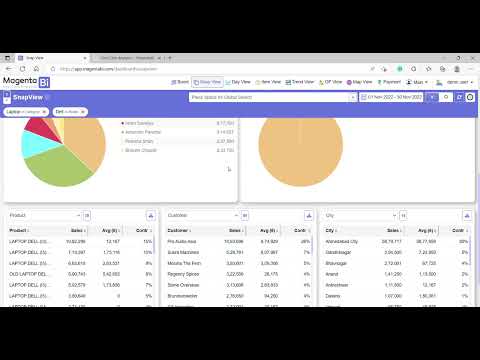
play Magenta BI Quick Product Tour - English
play Magenta Short Video Hindi
Magenta payment

Magenta BI

Brand: Magenta Connect Pvt. Ltd.

  • 4.2

  • 1 Rating & 1 Review

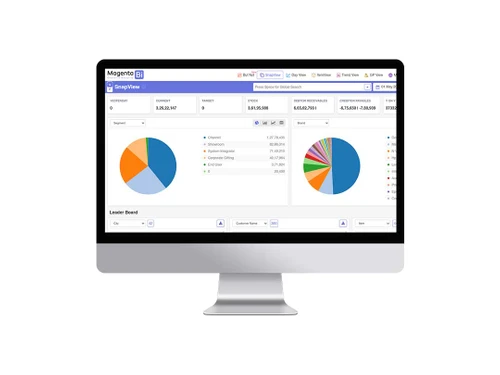
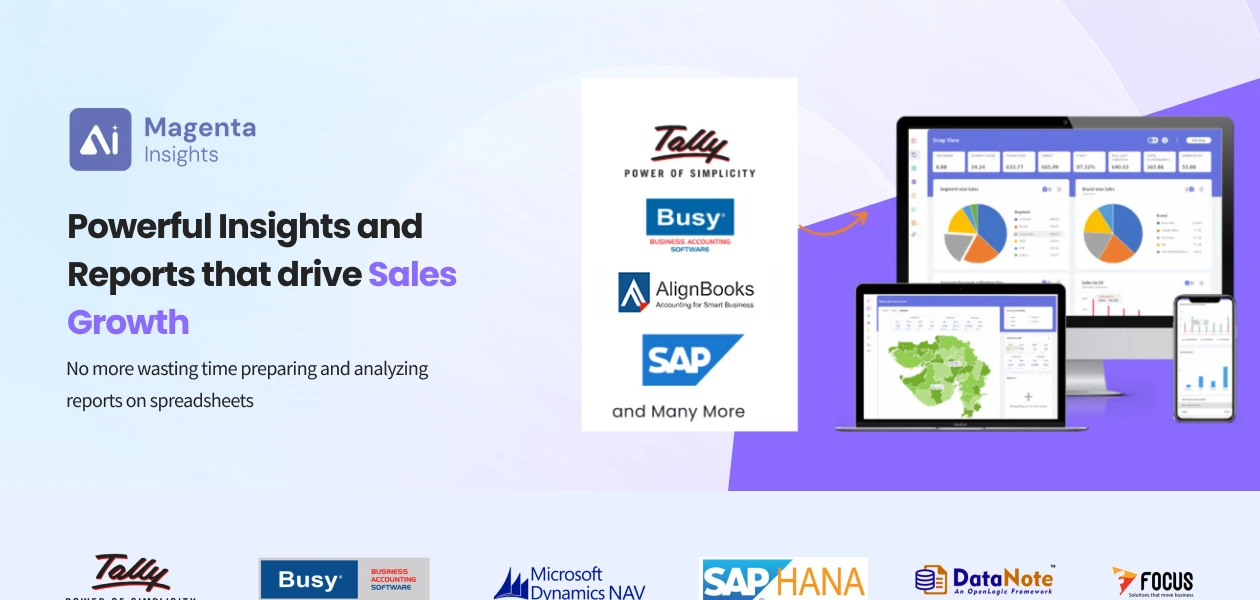
Magenta Insights provides intelligent reports and insights by integrating with ERPs like Tally, Busy, SAP, etc. Magenta helps distributors and traders identify gaps and opportunities in sales, inventory, payments, and purchases.

See More

Have you used Magenta BI before?

Share your insights for better experience

Add a Review
Starting Price
₹36,000 excl.GST
₹ 42,480 incl. GST

View plans

offer Save upto 18%, Get GST Invoice on your business purchase T&C
offer Buy Now & Pay Later, Check offer on payment page.
Buy Now
100% Genuine
Products
Best Price
Guaranteed
Safe & Secure
Payment
  • Description

  • Pricing

  • Features

  • Specification

  • Review

  • Compare

  • Alternatives

  • FAQ

Starting at ₹36,000
Buy Now

Magenta BI Software Overview

What is Magenta BI?

Magenta BI is a Business Intelligence platform designed to empower businesses by seamlessly integrating with their accounting ERP systems.

The focus on delivering actionable insights plays a crucial role in driving profit and identifying growth opportunities for organizations.

The platform integrates with accounting ERP systems to provide a holistic view of crucial business aspects such as sales, purchases, inventory, and payments.

It assists organizations in identifying gaps within their business operations. The platform enables users to pinpoint areas where improvements can be made through powerful analytics and reporting capabilities, leading to increased efficiency and effectiveness across various departments.

Why Choose Magenta Insights Software

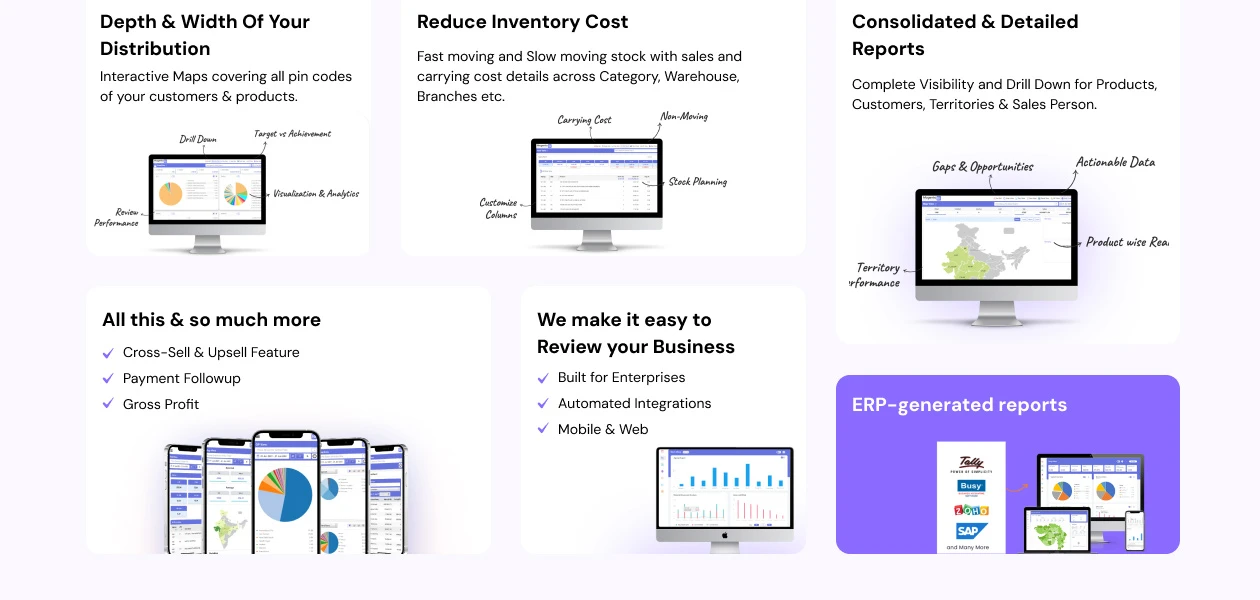
  • This BI tool offers a comprehensive view and detailed analysis capabilities for products, customers, territories, and salespersons.
  • It allows you to identify cross-selling and upselling opportunities to maximize revenue and enhance customer relationships.
  • The platform allows you to view profitability details at various levels, including the Net Landing Cost.
  • It allows you to set and review targets for salespersons, brands, categories, segments, and territories.
  • Magenta Insights has been designed by businesspersons for businesspersons. No tech team is required to implement and use the software.

Benefits of Magenta Insights

  • Magenta offers ready reports and insights and customers from 21+ industries are already using it for the last 2 years.
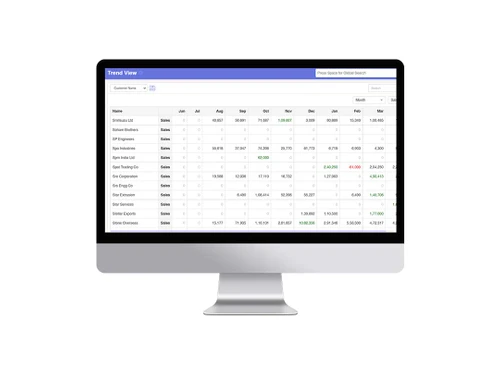
  • It offers visibility of all key performance metrics and dashboards having dynamic filters and columns so that one can customize it based on their preference.
  • You can utilize a relational display to represent relationships between different data points visually.
  • Based on Roles and Rights, you can give access to every team member.
  • This business intelligence tool allows you to compare achievements against set targets effortlessly.

Magenta BI Pricing

Magenta BI software pricing starts from just ₹ 36,000 per year at techjockey.com. It comes with multiple pricing plans depending on ERP, Data Volume and number of users and caters to a diverse customer base.

For subscription-related details and offers on premium packages, please request a call back from our product experts.

Read more

Magenta Connect Pvt. Ltd. Company Details

Founded Year:  2018

Magenta provides Powerful Insights & Reports that drive sales growth.

Director/Founders Magenta
Company Size 1-100 Employees

Magenta BI Pricing & Plans

Basic
Key Features
  • Automated Integrations
  • Sales
  • Purchases
  • Inventory
  • Real-Time Reports
  • Customizable Dashboards
  • Roles & Rights Management
  • Payment Followup

Calculated Price

36000 Exclusive of all taxes
    • Users

      Users
      Users
    • Yearly

      Yearly
      Yearly

Key Features

  • Automated Integrations

  • Sales

  • Purchases

  • Inventory

  • Real-Time Reports

  • Customizable Dashboards

  • Roles & Rights Management

  • Payment Followup

Magenta BI Features

  • icon_check Automated Integrations
    Connect seamlessly to various data sources without manual effort.
  • icon_check Sales
    Track and analyze sales performance to identify trends and optimize strategies.
  • icon_check Purchases
    Gain insights into purchasing patterns and optimize costs for better procurement.
  • icon_check Inventory
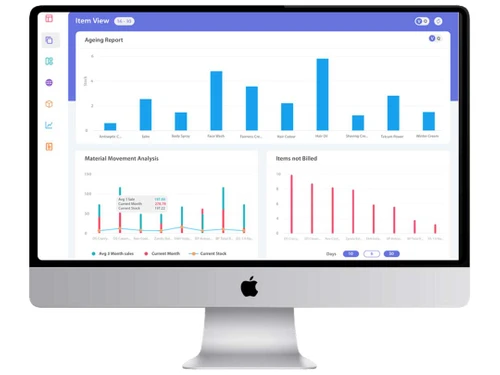
    Monitor inventory levels in real-time to prevent stockouts and optimize stock management.
  • icon_check ERP Data Integration
    Seamlessly connects with popular ERPs like Tally and SAP to transform raw accounting data into actionable business insights.
  • icon_check Sales Analytics Hub
    Provides a comprehensive view of sales performance, highlighting top-performing products, regions, and sales representative data.
  • icon_check Inventory Monitoring
    Tracks stock levels in real-time to identify slow-moving items and prevent stockouts of high-demand products across warehouses.
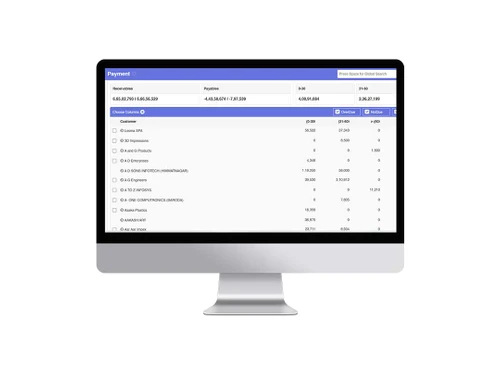
  • icon_check Outstanding Tracking
    Simplifies receivable management by categorizing outstandings by age, helping businesses improve their overall cash flow fast.
  • icon_check Purchase Insights Tool
    Analyzes procurement patterns and vendor performance to help businesses negotiate better terms and optimize their supply chain.
  • icon_check Automated Data Sync
    Ensures that your business dashboards are always updated with the latest entries from your ERP without any manual intervention.
  • icon_check Mobile App Access
    Allows business owners to monitor their key performance indicators and critical data on the go via a secure mobile application.
  • icon_check Real-Time Reports
    Access up-to-date data and insights for immediate decision-making.
  • icon_check Customizable Dashboards
    Build personalized dashboards to visualize key metrics at a glance.
  • icon_check Save Time & Money
    Streamline workflows and automate tasks to boost efficiency and reduce costs.
  • icon_check Roles & Rights Management
    Control access and permissions for different user roles to ensure data security.
  • icon_check Payment Followup
    Automate payment reminders and track outstanding invoices for faster collections.
Magenta BI Demo Video play icon

Get Magenta BI Demo

Watch the demo video to explore key features, real workflows, and how the software fits your business needs.
Understand
Key Features
Personal
Demo Insights
Interactive
Demo Support
Product Enrichment Section Image

Magenta BI Specification

Supported Platforms
Ubuntu Ubuntu Windows Windows iOS iOS Android Android MacOS MacOS Linux Linux
Devices
Desktop Desktop Mobile Mobile Tablet Tablet iPad iPad
Deployment
Web-Based Web-Based
Suitable For
All Industries
Business Specific
All Businesses
Business Size
Small Business Medium Business Enterprises SMBs SMEs
Customer Support
Phone Email Live Chat
Language
English
Integration
API Integration
Training Resources
In Person Documentation Videos

Explore the Best Alternative Solutions Similar to Your Business Size and Needs

Magenta BI Review

4.2

Out of 5

img

Overall Rating

Based on
1 Verified Review

Rating Breakdown

  • Features 4.5
  • Value for Money 4
  • Ease of Use 4
  • Customer Support 4.5

100% Recommend this Product

Add Review

Magenta BI Video Review

youtubeVideoId

4.3

“Achieve Profitable Growth with Magenta Bi”

Review by: Magenta Bi

Compare Magenta BI With other Business Intelligence Software

Products
Ratings
Pricing
Device Supported
Deployment
Supported Platforms
  • img

    Magenta BI

  • 4.2

  • ₹ 36000.00 excl. GST

  • Desktop

    Mobile

  • Web based

    On Premises

  • Windows

    Mac OS

  • img

    TeamOB

  • 5

  • ₹ 399

  • Desktop

    Mobile

  • Web based

    On Premises

  • Windows

    Mac OS

  • img

    Contify

  • 4.2

  • Price On Request

  • Desktop

    Mobile

  • Web based

    On Premises

  • Windows

    Mac OS

  • img

    Credhive

  • 4.3

  • Price On Request

  • Desktop

    Mobile

  • Web based

    On Premises

  • Windows

    Mac OS

  • img

    Alphasheet

  • 4.4

  • Price On Request

  • Desktop

    Mobile

  • Web based

    On Premises

  • Windows

    Mac OS

  • img

    Polymer BI

  • 4.4

  • Price On Request

  • Desktop

    Mobile

  • Web based

    On Premises

  • Windows

    Mac OS

  • img

    Tableau

  • 4.1

  • Price On Request

  • Desktop

    Mobile

  • Web based

    On Premises

  • Windows

    Mac OS

  • img

    Holistics

  • 4.3

  • Price On Request

  • Desktop

    Mobile

  • Web based

    On Premises

  • Windows

    Mac OS

  • img

    Sigma

  • 4.2

  • Price On Request

  • Desktop

    Mobile

  • Web based

    On Premises

  • Windows

    Mac OS

  • img

    Lumenore

  • 4.1

  • Price On Request

  • Desktop

    Mobile

  • Web based

    On Premises

  • Windows

    Mac OS

(0) Product(s) selected

Magenta BI Alternatives

See All Magenta BI Alternatives

Starting Price:

$50 /Month

Starting Price:

$960 /Month

Available

Price on Request

Starting Price:

$50 /Month

Available

Price on Request

Available

Price on Request

Available

Price on Request

Available

Price on Request

Starting Price:

$40 /Month

Domo

4.3

Available

Price on Request

Articles for Magenta BI

See All Related Articles

Which operating system does Magenta BI support?

Magenta BI is a web-based software. It can be accessed from anywhere, anytime across the devices.

Is there any Magenta BI app?

Magenta BI is available for Android and iOS app users.

What is the deployment type of Magenta BI Software?

Magenta BI software supports web-based deployment.

How much does the Magenta BI Platform Cost?

Magenta BI platform pricing starts from just Rs. 3000 per month (paid yearly) at techjockey.com.

Who are the potential users of Magenta BI?

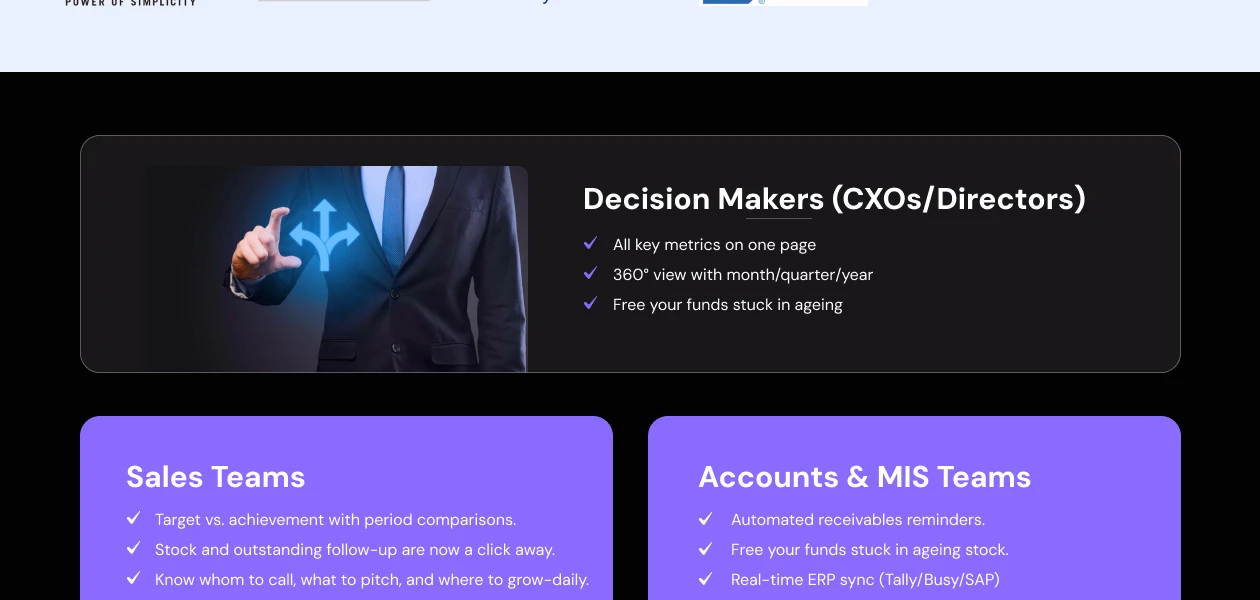
Magenta BI is a valuable tool used by CXOs, decision-makers, Sales heads and Sales teams looking to grow their sales and control inventory movement analysis and payment follow-up.

Is there any free trial or demo for Magenta BI Business Intelligence Software?

Magenta BI business intelligence software free demo is available at techjockey.com.

Is Magenta BI free?

Magenta BI is not a free software. Its pricing starts from INR 3000 3000 per month (paid yearly) at techjockey.com.

Does Magenta BI Business Intelligence Platform offer a free trial?

No, Magenta BI business intelligence platform does not offer a free trial to its users.

How can you download Magenta BI software?

The team from Magenta installs the same at the client’s server. Also, they will soon provide DIY installation from their website. Right now, the Tech team at Magenta does the installation.

How does Magenta BI work?

Magenta BI is a robust solution that helps streamline workflows and automate tasks to boost sales and reduce costs. In addition, you can easily monitor inventory levels in real time to prevent stockouts and optimize stock management along with payment follow-up. They are currently serving customers from 21+ industries.

20,000+ Software Listed

Best Price Guranteed

Free Expert Consultation

2M+ Happy Customers

Terms and Condtions

close

Users with registered businesses can purchase goods from merchants on the platform to satisfy their business needs. Users are not permitted to utilize any products acquired through the platform for resale, advertising, business, or further distribution.

For each purchase made, users will receive a Tax Invoice (or 'GST invoice') that includes specific details such as:

  • the GSTIN of the user associated with their registered business, and

  • the specified Entity Name for their business.

It should be noted that not all products are eligible for GST Invoice. Only the products displayed by participating sellers with the 'GST-based Invoice Available' callout on the product description page would qualify.

Certain goods and services are not eligible to get a GST Invoice, including items with VAS, i.e., Value Added Services (e.g., Total Mobile Protection/Assured Buyback) and those involving an exchange offer at the time of purchase.

Users must ensure the accuracy of the GSTIN, and business entity name provided for the GST Invoice. Requests for corrections into GST Invoice would not be accommodated by Techjockey.com or any Seller, and any issues arising from user-provided information are the sole responsibility of users.

Techjockey.com is not liable for the GST Invoice or any associated input tax credit. To efficiently claim an input tax credit, users should select the registered place of business address as per the GST authority's data and follow the provisions of the GST Act and rules.

To claim an input tax credit, the delivery and billing addresses must match. Furthermore, input tax credits will not be granted if the delivery address and GSTIN on the invoice are from different states. In case of incorrect GST details provided during the order placement, the order will be canceled automatically.