linkedin
Polymer BI logo
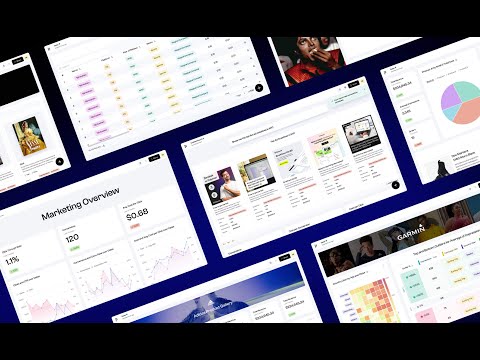
play Polymer Quick Intro
polymer bi analytics
polymer bi dashboard

Polymer BI

Brand: Polymer Search

  • 4.4

  • 6 Ratings

Polymer BI provides comprehensive data analytics and visualization solutions, aiding businesses in making informed decisions based on data insights.

See More

Have you used Polymer BI before?

Share your insights for better experience

Add a Review
Starting Price
$50

View plans

100% Genuine
Products
Best Price
Guaranteed
Safe & Secure
Payment
  • Description

  • Pricing

  • Features

  • Specification

  • Review

  • Compare

  • Alternatives

  • FAQ

Starting at $50

Polymer BI Software Overview

What is Polymer BI?

Polymer BI is a robust business intelligence software designed to empower organizations with data-driven insights. It integrates various data sources, analyzes information, and generates comprehensive reports and visualizations. With advanced features like predictive analytics and real-time monitoring, it helps businesses make informed decisions swiftly.

It offers a user-friendly interface that allows users of all skill levels to explore and interpret data easily. With customizable dashboards, businesses can create tailored reports to meet their specific needs, improving productivity and competitiveness.

Why Choose Polymer BI Software?

  • Powerful Features and Simple Interface: This solution combines robust features with an easy-to-use interface for quick insights.
  • Detailed BI Tools with Easy Setup: Get the benefits of detailed BI tools without complex setups, simplifying the analytics process.
  • Profit Analysis: Easily analyze profitability to make informed decisions and optimize business operations.
  • Forecasting Capabilities: Predict future outcomes and strategize effectively based on data analysis.
  • Data Analysis Support: Analyze raw data efficiently and generate actionable reports for business insights.
  • Benchmarking Functionality: Set standards and targets for teams to ensure optimal performance.
  • Ad Hoc Reporting: Create on-the-fly reports and queries to address specific business needs.
  • Integration with AI Technology: Incorporate AI for effective data analysis and decision-making.
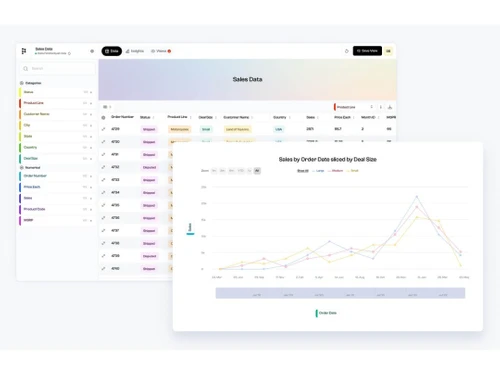
  • Real-Time Dashboards: Create interactive dashboards for real-time data visualization and analysis.

Benefits of Polymer BI Platform

  • Efficient Data Exploration and Visualization: This solution offers an easy way to explore and visualize data, suitable for both experienced analysts and beginners.
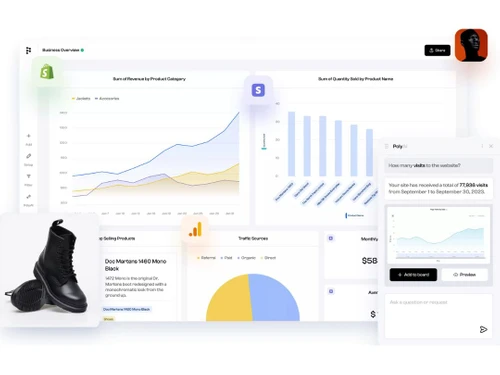
  • Integration with Various Data Sources: Users can connect to different data sources like Shopify, Stripe, and Google Analytics, presenting insights seamlessly.
  • Powerful Business Intelligence Features: It combines robust features with a user-friendly experience, providing quick insights for organizational growth.
  • Easy-to-Use Interface: The interface is designed to guide users through data analysis, leveraging AI to save time.
  • Prompt-Based AI Assistant: Includes an AI assistant that generates visualizations from user queries quickly.
  • Suggested Insights: Offers instant insights to turn data into actionable information, facilitating informed decisions.
  • Affordable Pricing: Various pricing plans cater to different needs, ensuring accessibility for all budgets.
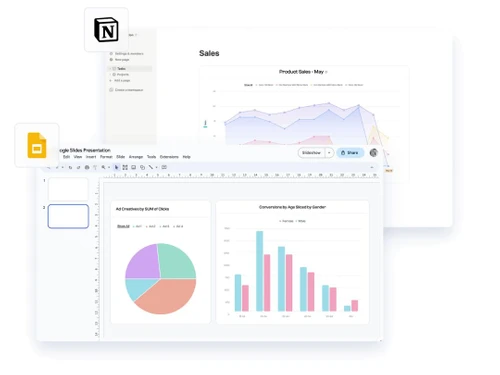
  • Integration with Reporting Tools: Works seamlessly with reporting tools like Power BI and Tableau for comprehensive data analysis.
  • Optimization of Operations: Helps optimize operations, reduce costs, and enhance performance and revenue.
  • Data-Driven Decision Making: This enables organizations to make informed decisions based on data trends and market changes.
  • Improved Business Processes: Enhances work efficiency, reduces costs, and leads to better performance and customer satisfaction.

Pricing of Polymer BI Business Intelligence Software

Polymer BI price in India starts at $50 at techjockey.com.

The pricing model is based on different parameters, including extra features, deployment type, and the total number of users. For further queries related to the product, you can contact our product team and learn more about the pricing and offers.

Read more

Polymer Search Company Details

Founded Year:  2019

Polymer Search

Director/Founders Ashish Gupta, Yasser Ansari
Company Size 1-100 Employees

Polymer BI Pricing & Plans

Starter
Starting at $50
    • Licenses

      Licenses
      Licenses
    • Monthly

      Monthly
      Monthly

Key Features

  • 1 Editor

  • All Data Connectors (Shopify +$3/mo per store)

  • 1 Account Per Data Connector

  • 10 PolymerAI Chat Responses

  • Custom Branding

  • Custom Metrics

  • 1 Custom Template

  • Automatic Daily Data Syncing

Pro
Starting at $100
    • Licenses

      Licenses
      Licenses
    • Monthly

      Monthly
      Monthly

Key Features

  • 1 Editor

  • All Data Connectors (Shopify +$3/mo per store)

  • 5 Accounts / Data Connector

  • Automatic Hourly Data Syncing

  • 20 PolymerAI Chat Responses

  • Custom Branding

  • Custom Metrics

  • 5 Custom Templates

Teams
Starting at $250
    • Licenses

      Licenses
      Licenses
    • Monthly

      Monthly
      Monthly

Key Features

  • 3 Editors

  • All Data Connectors (Shopify +$3/mo per store)

  • 15 Accounts / Data Connector

  • Automatic Hourly Data Syncing

  • 30 PolymerAI Chat Responses

  • Custom Branding

  • Custom Metrics

  • Unlimited Custom Templates

Polymer BI Features

  • icon_check AI-Powered Assistance
    AI guides and recommends, improving user experience and decision-making.
  • icon_check Data Visualizations
    Offers diverse visual data representations for easy understanding.
  • icon_check Heatmaps
    Visualize data intensity for quick pattern identification.
  • icon_check Dynamic Dashboards
    Real-time updating dashboards for monitoring key metrics.
  • icon_check Datadog Dashboard Template
    Pre-built templates for Datadog data visualization.
  • icon_check Real-time Insights
    Access timely information and insights.
  • icon_check Embedded Analytics
    Seamlessly integrate analytics into existing platforms.
  • icon_check Import Data
    Easily import data from various sources for analysis.
  • icon_check Auto-detected tag-based filters
    Automatically apply filters based on data tags.
  • icon_check Protect & Share
    Securely protect and share insights for collaborative decision-making.
Polymer BI Demo Video play icon

Get Polymer BI Demo

Watch the demo video to explore key features, real workflows, and how the software fits your business needs.

Understand
Key Features
Personal
Demo Insights
Interactive
Demo Support

Polymer BI Specifications

Supported Platforms
Ubuntu Ubuntu Windows Windows MacOS MacOS Linux Linux
Devices
Desktop Desktop Mobile Mobile Tablet Tablet iPad iPad
Deployment
Cloud-Based Cloud-Based
Suitable For
ITES
Business Specific
All Businesses
Business Size
Small Business Startups Medium Business Enterprises
Customer Support
Email Live Chat Communities
Language
English
Integration
API Integration
Training Resources
Documentation Videos
AI Features
AI Integrated

Explore the Best Alternative Solutions Similar to Your Business Size and Needs

Polymer BI Review

4.4

Out of 5

img

Overall Rating

Based on
6 Verified Ratings

Rating Breakdown

  • Features 4.4
  • Value for Money 4.4
  • Ease of Use 4.6
  • Customer Support 4.4

86% Recommend this Product

Add Review

Techjockey Trusted Reviews from Verified Users

No reviews are currently available for Polymer BI. Discover similar Business Intelligence Software reviews

  • Counts Tally on Mobile

    5.0

    Whats great - Real time Data, enhanced client transparency & trust, effortless data accessibility, easy to navigate. read more

  • TeamOB

    5.0

    Whats great - Reports give us a good narrative of how our people are giving extra efforts to make the workplace more productive and where t... read more

  • Locus

    4.4

    Whats great - Many users praise the platform’s evolving features, route optimization and usability. read more

Compare Polymer BI With other Business Intelligence Software

Products
Ratings
Pricing
Device Supported
Deployment
Supported Platforms
  • img

    Polymer BI

  • 4.4

  • Price On Request

  • Desktop

    Mobile

  • Web based

    On Premises

  • Windows

    Mac OS

  • img

    TeamOB

  • 5

  • ₹ 399

  • Desktop

    Mobile

  • Web based

    On Premises

  • Windows

    Mac OS

  • img

    Contify

  • 4.2

  • Price On Request

  • Desktop

    Mobile

  • Web based

    On Premises

  • Windows

    Mac OS

  • img

    Credhive

  • 4.3

  • Price On Request

  • Desktop

    Mobile

  • Web based

    On Premises

  • Windows

    Mac OS

  • img

    Magenta BI

  • 4.2

  • ₹ 36000

  • Desktop

    Mobile

  • Web based

    On Premises

  • Windows

    Mac OS

  • img

    Alphasheet

  • 4.4

  • Price On Request

  • Desktop

    Mobile

  • Web based

    On Premises

  • Windows

    Mac OS

  • img

    Tableau

  • 4.1

  • Price On Request

  • Desktop

    Mobile

  • Web based

    On Premises

  • Windows

    Mac OS

  • img

    Holistics

  • 4.3

  • Price On Request

  • Desktop

    Mobile

  • Web based

    On Premises

  • Windows

    Mac OS

  • img

    Sigma

  • 4.2

  • Price On Request

  • Desktop

    Mobile

  • Web based

    On Premises

  • Windows

    Mac OS

  • img

    Lumenore

  • 4.1

  • Price On Request

  • Desktop

    Mobile

  • Web based

    On Premises

  • Windows

    Mac OS

(0) Product(s) selected

Polymer BI Alternatives

See All Polymer BI Alternatives

Available

Price on Request

Starting Price:

$960 /Month

Available

Price on Request

Starting Price:

$50 /Month

Available

Price on Request

Available

Price on Request

Available

Price on Request

Available

Price on Request

Starting Price:

$40 /Month

Domo

4.3

Available

Price on Request

Articles for Polymer BI

See All Related Articles

Which operating system does Polymer BI Support?

Polymer BI is compatible with Ubuntu, Windows, Linux, and MacOS.

Is there any Polymer BI App?

Polymer BI is not available for Android and iOS app users

What is the deployment type of Polymer BI?

It supports web-based deployment.

How much does Polymer BI Software Cost?

Polymer BI price in India starts at $50 at techjockey.com.

Who are the potential users of Polymer BI?

Polymer BI is typically used by ITES to empower organizations with data-driven insights.

Is there any free demo for Polymer BI?

Yes, a demo of Polymer BI is available at techjockey.com.

Is Polymer BI Free?

Polymer BI is not available for free. You can connect with our product experts to learn more about the pricing plans.

Does Polymer BI offer a free trial?

Polymer BI offers a free trial.

How can you download Polymer BI Software?

Polymer BI installation is not required, as it is web-based. Just open the Setup Wizard to get started.

How does Polymer BI Work?

Polymer BI works by integrating, analyzing, and visualizing data from multiple sources to provide actionable insights for informed decision-making.

20,000+ Software Listed

Best Price Guranteed

Free Expert Consultation

2M+ Happy Customers

Terms and Condtions

close

Users with registered businesses can purchase goods from merchants on the platform to satisfy their business needs. Users are not permitted to utilize any products acquired through the platform for resale, advertising, business, or further distribution.

For each purchase made, users will receive a Tax Invoice (or 'GST invoice') that includes specific details such as:

  • the GSTIN of the user associated with their registered business, and

  • the specified Entity Name for their business.

It should be noted that not all products are eligible for GST Invoice. Only the products displayed by participating sellers with the 'GST-based Invoice Available' callout on the product description page would qualify.

Certain goods and services are not eligible to get a GST Invoice, including items with VAS, i.e., Value Added Services (e.g., Total Mobile Protection/Assured Buyback) and those involving an exchange offer at the time of purchase.

Users must ensure the accuracy of the GSTIN, and business entity name provided for the GST Invoice. Requests for corrections into GST Invoice would not be accommodated by Techjockey.com or any Seller, and any issues arising from user-provided information are the sole responsibility of users.

Techjockey.com is not liable for the GST Invoice or any associated input tax credit. To efficiently claim an input tax credit, users should select the registered place of business address as per the GST authority's data and follow the provisions of the GST Act and rules.

To claim an input tax credit, the delivery and billing addresses must match. Furthermore, input tax credits will not be granted if the delivery address and GSTIN on the invoice are from different states. In case of incorrect GST details provided during the order placement, the order will be canceled automatically.