linkedin
Strategy logo
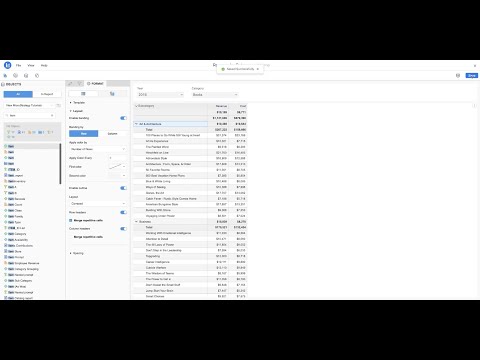
play Creating and Editing Reports in MicroStrategy Library
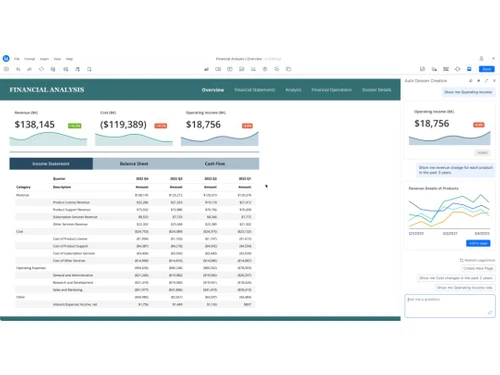
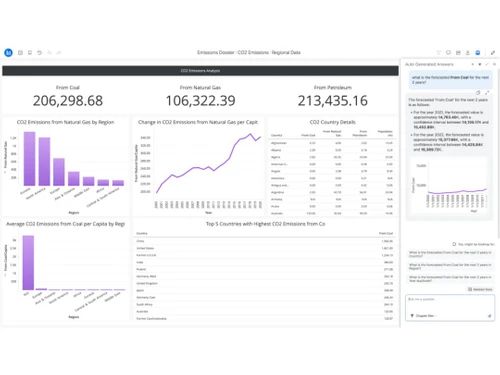
MicroStrategy Dashboard
MicroStrategy Data Analysis

Strategy

Brand: Strategy

  • 4.3

  • 4 Ratings & 1 Review

Strategy software helps organizations analyze data, generate reports, and make data-driven decisions. It offers powerful visualization, AI-driven insights, and mobile BI solutions for enterprises.

See More

Have you used Strategy before?

Share your insights for better experience

Add a Review

Price Available on Request

Questions about pricing or customization? We’re here to help, just a click away.

100% Genuine
Products
Best Price
Guaranteed
Safe & Secure
Payment
  • Description

  • Pricing

  • Features

  • Specification

  • Review

  • Compare

  • Alternatives

  • FAQ

  • Questions

Strategy Overview

What is Strategy?

Strategy, now known as Strategy One, is an AI and Business Intelligence software designed to provide intelligence throughout an organization, accessible on any cloud, and scalable for enterprise use. It aims to empower all employees by offering AI-powered natural language interfaces, mobile analytics for frontline workers, and integration with productivity apps like Microsoft Excel, PowerPoint, and Teams.

The platform emphasizes trusted data through a consistent Semantic Graph, high-performance reporting, and fine-grained security to deliver the right information to the right people.

Designed to be modern and flexible, Strategy One operates within existing ecosystems, offering a containerized architecture that can be deployed on platforms like AWS, GCP, Azure, and Kubernetes. It is built with robust APIs to embed analytics into applications and integrates with CI/CD pipelines for streamlined deployment and configuration.

Trusted by innovative companies, Strategy One tailors solutions for various roles—IT, data, and product leaders—and industries, including financial services, healthcare, retail, and government, aiming to enhance decision-making and drive strategic growth.

Why Choose Strategy Software?

  • Powerful Business Intelligence (BI) Tools: Provides advanced reporting, data visualization, and dashboarding for better decision-making.
  • AI-Driven Insights: Uses artificial intelligence and machine learning to uncover hidden patterns and trends.
  • HyperIntelligence: Offers instant, context-aware insights within business applications without running reports.
  • Scalable & Secure: Ensures enterprise-grade security, governance, and scalability for large data environments.
  • Cloud & On-Premise Deployment: Supports flexible deployment options, including cloud, hybrid, and on-premise solutions.
  • Self-Service Analytics: Empowers business users with easy-to-use, no-code analytics tools.
  • Mobile BI Solutions: Enables real-time analytics and data access on mobile devices.
  • Big Data Integration: Connects seamlessly with various data sources, including databases, cloud platforms, and IoT devices.

Benefits of Strategy Software

  • Multi-Source Data Connectivity: Seamlessly integrates with multiple data sources, including relational databases, cloud storage, and third-party applications.
  • Personalized & Interactive Dashboards: Provides customizable dashboards with drill-down capabilities for deeper insights.
  • Embedded Analytics: Allows integration of analytics into existing applications, portals, and workflows.
  • Collaboration & Sharing: Enables easy sharing of reports and insights across teams for better decision-making.
  • Automated Report Distribution: Delivers scheduled reports and alerts to users via email, mobile, or enterprise applications.
  • In-Memory Analytics: Enhances performance by processing large datasets quickly using in-memory technology.
  • Regulatory Compliance: Helps businesses meet industry-specific compliance and governance requirements.

Strategy Pricing

Strategy price details are available on request at techjockey.com.

The pricing model is based on different parameters, including extra features, deployment type, and the total number of users. For further queries related to the product, you can contact our product team and learn more about the pricing and offers.

Read more

Strategy Company Details

Founded Year:  1989

MicroStrategy provides enterprise software for business intelligence, mobile intelligence, and network applications.

Director/Founders Justin Langseth, Michael Saylor, Sanju Bansal
Company Size 1000+ Employees

Strategy Pricing & Plans

Looking for The Right Pricing?

Share your requirements and get a plan built around your business.

  • Define your business needs
  • Get customised pricing
  • Choose features that fit your workflow

Price Available on Request

Get personalised Strategy pricing that fits your needs. Our team will connect with you.

Strategy Features

  • icon_check Business Intelligence
    Provides enterprise-grade BI solutions for data-driven decision-making.
  • icon_check Predictive Analytics
    Uses AI and machine learning to forecast trends and future outcomes.
  • icon_check Ad Hoc Reports
    Allows users to create customized reports without needing technical expertise.
  • icon_check Dashboards
    Offers interactive, real-time dashboards with rich visual insights.
  • icon_check Data Analysis
    Supports in-depth analysis of structured and unstructured data.
  • icon_check Annotations
    Enables users to add comments and notes on reports for better collaboration.
  • icon_check Data Visualizations
    Provides various chart types and graphical representations for easy data interpretation.
  • icon_check Integrations
    Seamlessly connects with databases, cloud platforms, and third-party apps.
  • icon_check Artificial Intelligence
    Enhances analytics with AI-driven insights, automation, and HyperIntelligence.
Strategy Demo Video play icon

Get Strategy Demo

Watch the demo video to explore key features, real workflows, and how the software fits your business needs.

Understand
Key Features
Personal
Demo Insights
Interactive
Demo Support

Strategy Specifications

Supported Platforms
Ubuntu Ubuntu Windows Windows MacOS MacOS Linux Linux
Devices
Desktop Desktop Mobile Mobile Tablet Tablet iPad iPad
Deployment
Cloud-Based Cloud-Based
Suitable For
All Industries
Business Specific
All Businesses
Business Size
Small Business Medium Business SMBs SMEs
Customer Support
Email Communities
Language
English
Training Resources
Videos
AI Features
AI Integrated

Explore the Best Alternative Solutions Similar to Your Business Size and Needs

Strategy Review

4.3

Out of 5

img

Overall Rating

Based on
1 Verified Review

Rating Breakdown

  • Features 4.2
  • Value for Money 3.7
  • Ease of Use 4.6
  • Customer Support 4.6

87% Recommend this Product

Add Review

Strategy Video Review

youtubeVideoId

4.3

“Enabling Data-Driven Success Strategies for Leading Retailers & Global Brands”

Review by: Strategy

Compare Strategy With other Business Intelligence Software

Products
Ratings
Pricing
Device Supported
Deployment
Supported Platforms
  • img

    Strategy

  • 4.3

  • Price On Request

  • Desktop

    Mobile

  • Web based

    On Premises

  • Windows

    Mac OS

  • img

    TeamOB

  • 5

  • ₹ 399

  • Desktop

    Mobile

  • Web based

    On Premises

  • Windows

    Mac OS

  • img

    Contify

  • 4.2

  • Price On Request

  • Desktop

    Mobile

  • Web based

    On Premises

  • Windows

    Mac OS

  • img

    Credhive

  • 4.3

  • Price On Request

  • Desktop

    Mobile

  • Web based

    On Premises

  • Windows

    Mac OS

  • img

    Magenta BI

  • 4.2

  • ₹ 36000

  • Desktop

    Mobile

  • Web based

    On Premises

  • Windows

    Mac OS

  • img

    Alphasheet

  • 4.4

  • Price On Request

  • Desktop

    Mobile

  • Web based

    On Premises

  • Windows

    Mac OS

  • img

    Tableau

  • 4.1

  • Price On Request

  • Desktop

    Mobile

  • Web based

    On Premises

  • Windows

    Mac OS

  • img

    Polymer BI

  • 4.4

  • Price On Request

  • Desktop

    Mobile

  • Web based

    On Premises

  • Windows

    Mac OS

  • img

    Holistics

  • 4.3

  • Price On Request

  • Desktop

    Mobile

  • Web based

    On Premises

  • Windows

    Mac OS

  • img

    Sigma

  • 4.2

  • Price On Request

  • Desktop

    Mobile

  • Web based

    On Premises

  • Windows

    Mac OS

(0) Product(s) selected

Strategy Alternatives

See All Strategy Alternatives

Available

Price on Request

Starting Price:

$50 /Month

Starting Price:

$960 /Month

Available

Price on Request

Starting Price:

$50 /Month

Available

Price on Request

Available

Price on Request

Available

Price on Request

Available

Price on Request

Starting Price:

$40 /Month

Domo

4.3

Available

Price on Request

Articles for Strategy

See All Related Articles

How much does Strategy Software cost?

Strategy pricing details are available upon request at Techjockey.

Does Strategy Software have a mobile application?

No, Strategy has no mobile app.

Which operating systems support Strategy Software?

Strategy is compatible with Ubuntu, Windows, macOS, and Linux.

Is there a free trial available for Strategy Software?

Yes, Strategy provides a free trial for users to explore its features.

How does Strategy Software work?

Strategy works by providing tools to analyze data and create interactive dashboards and reports for business insights.

Who uses Strategy Software?

Businesses, analysts, and enterprises looking for advanced BI and analytics solutions use Microstrategy.

Can users request a free demo of Strategy Software?

Yes, a free demo is available upon request from Strategy.

Is Strategy Software available for free?

No, Strategy is a paid software, but a free trial is available.

Does Strategy support cloud deployment?

Yes, Strategy can be deployed on AWS, Microsoft Azure, and Google Cloud.

Can Strategy integrate with third-party applications?

Yes, Strategy integrates with databases, cloud platforms, and business applications like Salesforce and SAP.

Strategy Questions

A:

Consider cost, ease of use, data warehouse integrations, scalability, governance, and report migration effort.

narender kumar • Jul 22, 2026
A:

Strategy scales well for large enterprises, comparable to Tableau and Power BI Premium for high-volume deployments.

Lavish kumar • Jul 21, 2026
A:

Looker, Power BI, and Tableau integrate strongly with Snowflake, BigQuery, and Redshift.

Amit Amit. Nishad • Jul 20, 2026
A:

Migration requires rebuilding dashboards and reconnecting data sources; it's moderately complex for large, custom Strategy deployments.

Manish • Jul 16, 2026
A:

Strategy offers enterprise support; Microsoft (Power BI) and Salesforce (Tableau) also provide extensive support and communities.

MPL HACKER • Jul 15, 2026
See All Strategy Questions

20,000+ Software Listed

Best Price Guranteed

Free Expert Consultation

2M+ Happy Customers

Terms and Condtions

close

Users with registered businesses can purchase goods from merchants on the platform to satisfy their business needs. Users are not permitted to utilize any products acquired through the platform for resale, advertising, business, or further distribution.

For each purchase made, users will receive a Tax Invoice (or 'GST invoice') that includes specific details such as:

  • the GSTIN of the user associated with their registered business, and

  • the specified Entity Name for their business.

It should be noted that not all products are eligible for GST Invoice. Only the products displayed by participating sellers with the 'GST-based Invoice Available' callout on the product description page would qualify.

Certain goods and services are not eligible to get a GST Invoice, including items with VAS, i.e., Value Added Services (e.g., Total Mobile Protection/Assured Buyback) and those involving an exchange offer at the time of purchase.

Users must ensure the accuracy of the GSTIN, and business entity name provided for the GST Invoice. Requests for corrections into GST Invoice would not be accommodated by Techjockey.com or any Seller, and any issues arising from user-provided information are the sole responsibility of users.

Techjockey.com is not liable for the GST Invoice or any associated input tax credit. To efficiently claim an input tax credit, users should select the registered place of business address as per the GST authority's data and follow the provisions of the GST Act and rules.

To claim an input tax credit, the delivery and billing addresses must match. Furthermore, input tax credits will not be granted if the delivery address and GSTIN on the invoice are from different states. In case of incorrect GST details provided during the order placement, the order will be canceled automatically.