linkedin
Minop logo
play minop overflow
minop
minop effortlessly

Minop

Brand: Mantra Softech

  • 5

  • 1 Rating & 1 Review

Make attendance tracking easy with automated monitoring and real-time insights to keep your team productive and organized!

See More

Have you used Minop before?

Share your insights for better experience

Add a Review

Price Available on Request

Questions about pricing or customization? We’re here to help, just a click away.

100% Genuine
Products
Best Price
Guaranteed
Safe & Secure
Payment
  • Description

  • Pricing

  • Features

  • Specification

  • Review

  • Compare

  • Alternatives

  • FAQ

  • Questions

MinopSoftware Overview

What is Minop Attendance Management Software?

Minop Attendance Management Software is a cloud-based biometric attendance system for organizations that makes tracking employee attendance less challenging. It utilizes artificial intelligence to track the last punch in and last punch out. Users can interactively view their attendance data using artificial intelligence to track the employees' last punch-in and last punch-out. It should be noted that users can interactively view their attendance data using such gadgets as mobile applications, web applications, and biometric devices. This data is transmitted in real-time to an admin dashboard, which makes it easy to compile the reports.

This Attendance Management System is operating under Mantra Softech which serves as one of the premier biometric solutions providers in India. The software is designed to enhance workplace management and assist companies in the right management of human resources. It has assisted thousands of organizations globally already.

Key Features of Minop

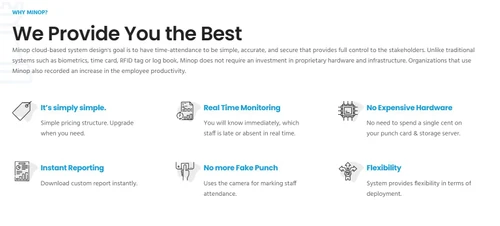
  • AI-Powered Tracking: Employ usage of Artificial Intelligence to ensure that employee attendance is registered as per the facts on the ground.
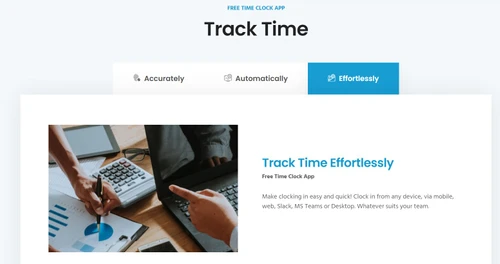
  • Multiple Clock-In Options: Using mobile applications, web applications, or biometric devices, people, especially employees, can check-in.
  • Real-Time Data Access: Real-time statistical information is directly transferred to the admin’s working panel.
  • Cloud-Based System: Minop Attendance Management Software can be operated from any location to allow for easy remote operation.
  • Leave Management: Workers can quickly ask for time off and approval for time off with a click of the button.
  • Remote Tracking: It follows your remote workers and tracks their working status in real time.
  • Integration with Payroll: It reduces payroll processing time since it automatically adjusts depending on attendance and leave.
  • Reporting and Analytics: It produces reports that observe attendance behavior, truancy, and specific work performance indices.

Why Choose Minop?

  • It is useful for tracking overtime and thus it is fair for one to be compensated depending on the hours served without being overworked.
  • You can make templates for holiday timings which should meet the company’s requirements to simplify working with public holidays and special leave.
  • You can see all your employees’ attendance, leave, and even holiday records in one place within the quickest and most understandable format.
  • It respects data protection rules and this ensures that the data of the employees is well protected.

Benefits of Minop

  • It eliminates almost all attendance recording duties and assigns them to be taken automatically.
  • Less expensive than most traditional time-tracking solutions because it doesn’t require additional manpower to monitor attendance.
  • Minop Attendance Management System assists the HR teams in minimizing the time taken to deal with attendance issues so that they can work on other crucial tasks.
  • The best benefit for employers is to check the attendance of employees who work from home, or for employees who work from the office, making it suitable for any working team.
  • Produce detailed reports that assist managers in making prudent decisions on attendance and productivity.
  • It widens the profile visibility between the management and the staff in terms of work hours and leave records.

Pricing of Minop

Minop attendance management software has three plans depending on the business needs which are as follows:

  • The first plan is the Essential plan costs $1.50 per user per month. It includes multi-company support, biometric attendance, shift scheduling, leave management, and email integration. 
  • If you are looking for even more advanced tools, the Elite plan is $2.50 per user per month. It can manage employee attendance, provide your workers with employee self-services to check schedules or request time off, allow geo-tracking, and help with payroll. 
  • The Premium plan costs $4 per user per month and includes facial recognition attendance, top-notch custom reporting, and time-zone-based attendance. 
  • You can also get a discount of 20% off the price of the service if you go for the annual subscription.
Read more

Mantra Softech Company Details

Founded Year:  2006

Mantra is a global hi tech manufacturer of biometric products & AI based facial recognition system and develop integrated security solution.

Director/Founders Hiren Bhandari
Company Size 101-500 Employees

Minop Pricing & Plans

Looking for The Right Pricing?

Share your requirements and get a plan built around your business.

  • Define your business needs
  • Get customised pricing
  • Choose features that fit your workflow

Price Available on Request

Get personalised Minop pricing that fits your needs. Our team will connect with you.

Minop Features

  • icon_check Facial Recognition Based Attendance System
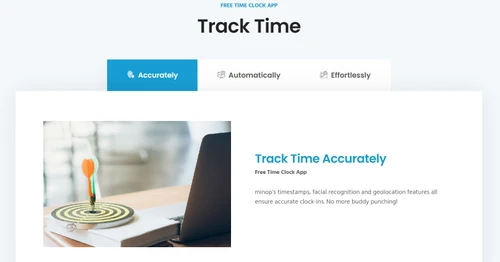
    MINOP supports Facial Recognition technology to record Attendance.
  • icon_check Present & Absent Report Generate on One click
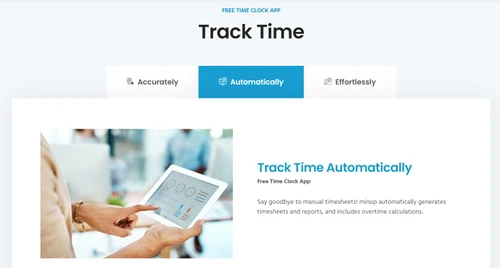
    Minop provides Attendance reports to manage Workforce efficiently.
  • icon_check SMS Notifications for Attendance
    Notifications will sent to users once they mark the attendance.
  • icon_check Real-time attendance based on geo-tagging
    Enables employees to use their self-service portal to check leave balances, apply for them and work accordingly.
  • icon_check Attendance Management
    HR teams can use attendance-recording devices like biometrics and keep track of attendance (incoming/outgoing data).
  • icon_check Employee Self Service
    Offers your staff access to their documents like ESIC, Form 16, PF, and others, through an ESS portal.
  • icon_check Mobile App
    Offers its users mobile apps for Android devices for easy and quick accessibility to the attendance management system.
  • icon_check Email Integration
    Minop provide email integration to get scheduler reports or get Leave approval mails on ingreated email id.
  • icon_check Data Import/Export
    The software allows you to import and export the attendance data of all your employees in the organization.
  • icon_check Multi Companies
    Minop support multi company support to manage the all companies data centrally.
  • icon_check Biometric Integration
    Assists in tracking each employee's check-in/check-out times through biometric connectivity.
  • icon_check Shift Scheduling
    It facilitates smooth functioning, as the HR staff can schedule shifts and assign tasks to employees.
  • icon_check Overtime Tracking
    Assists in tracking the overtime done by employees to measure their actual productivity and release their pay accordingly.
  • icon_check Multiple Time Zones
    Minop attendance management system supports multiple time-zones.
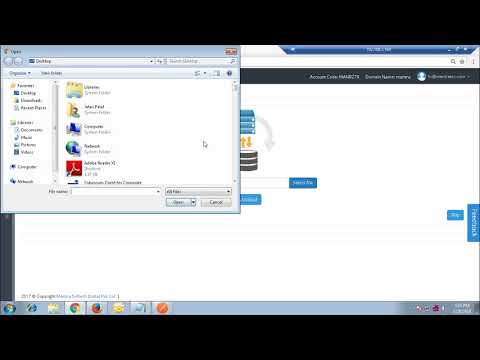
Minop Demo Video play icon

Get Minop Demo

Watch the demo video to explore key features, real workflows, and how the software fits your business needs.

Understand
Key Features
Personal
Demo Insights
Interactive
Demo Support

Minop Specification

Supported Platforms
Ubuntu Ubuntu Windows Windows MacOS MacOS Linux Linux
Devices
Desktop Desktop Mobile Mobile Tablet Tablet iPad iPad
Deployment
Web-Based Web-Based
Suitable For
All Industries
Business Specific
All Businesses
Business Size
Small Business Startups Medium Business Enterprises
Customer Support
Email Communities
Language
English
Training Resources
Videos

Explore the Best Alternative Solutions Similar to Your Business Size and Needs

Minop Review

5

Out of 5

img

Overall Rating

Based on
1 Verified Review

Rating Breakdown

  • Features 5
  • Value for Money 5
  • Ease of Use 5
  • Customer Support 5

100% Recommend this Product

Add Review

Michelle D Barr

Executive

Industry: IT User since: 1-2 years

5

Reviewed on: Mar 17, 2022

Techjockey Verified

“Best software to monitor time and save data for longer use.”

Pros

Easy to install. It is totally worth the money.

Cons

not able to take screenshots of employees system

Reason to switch

Amazingly, I can track my employees' leaves, log in and out time with no issue.

Compare Minop With other Attendance Management Software

Products
Ratings
Pricing
Device Supported
Deployment
Supported Platforms
  • img

    Minop

  • 5

  • Price On Request

  • Desktop

    Mobile

  • Web based

    On Premises

  • Windows

    Mac OS

  • img

    Nialabs

  • 5

  • Price On Request

  • Desktop

    Mobile

  • Web based

    On Premises

  • Windows

    Mac OS

  • img

    PagarGuru

  • 4.3

  • ₹ 500

  • Desktop

    Mobile

  • Web based

    On Premises

  • Windows

    Mac OS

  • img

    Spryple

  • 4.2

  • Price On Request

  • Desktop

    Mobile

  • Web based

    On Premises

  • Windows

    Mac OS

  • img

    Hajiri

  • 4.3

  • ₹ 69

  • Desktop

    Mobile

  • Web based

    On Premises

  • Windows

    Mac OS

  • img

    Tempus Central

  • 4.3

  • Price On Request

  • Desktop

    Mobile

  • Web based

    On Premises

  • Windows

    Mac OS

  • img

    NoQu TAM

  • 4.1

  • Price On Request

  • Desktop

    Mobile

  • Web based

    On Premises

  • Windows

    Mac OS

(2) Product(s) selected

Minop Alternatives

See All Minop Alternatives

Available

Price on Request

Starting Price:

₹600 /Month

Starting Price:

₹69 /Month

Available

Price on Request

Starting Price:

₹200 /Month

Available

Price on Request

FRAS

4.0

Available

Price on Request

Starting Price:

$500 /Month
Articles for Minop

See All Related Articles

Which operating system does Minop support?

Minopattendance management solution is compatible with all operating systems including Linux, Windows, macOS, and more.

Is there any Minop app?

Yes, Minop app is available for Android and iOS devices.

What is deployment type of Minop?

Minopattendance management software supports cloud-based deployment.

Who are the potential users of Minop?

Minopattendance management system is typically used in big and small organizations to manage the attendance of their employees.

Is there any free trial or demo for Minop?

Minops oftware demo is available for free with techjockey.com.

Is Minop free?

Minop solution offers a free trial. However, the premium plan with advanced features is available at techjockey.com with exciting deals.

How can you download Minop?

Minopsoftware installation is not required, as it is cloud-based. Just open the Setup Wizard to get started.

How does Minop work?

Organizations can automate their attendance management processes and maintain tabs on employee working hours with the help of the Minop attendance management system.

How much does Minop cost?

Minopattendance management system pricing is available on request at techjockey.com.

Minop Questions

Q:

How do I add holidays in the Minop?

Raghav Upadhyay kumar Nov 29, 2024
A:

To add holidays in the Minop, follow the steps given below:

  • Open Minop
  • Navigate to Holiday Management
  • Hit Add Holiday
  • Input the required details
  • Hit Save.
Shannon Misquitta Nov 29, 2024
Q:

How do I delete extra created shifts in the Minop?

Rakesh Kumar Nov 29, 2024
A:

To delete extra created shifts in the Minop, follow the steps given below:

  • Open Minop
  • Navigate to Shift Management
  • find the shift
  • Click on the delete option.
Zeeshan zafar Bhatti Nov 29, 2024
A:

To delete extra created employees in the Minop, follow the steps given below:

  • Open Minop
  • Navigate to Employee Management
  • Find the employee
  • Delete their record after verifying dependencies.
Asim Sajjad Nov 29, 2024
A:

To generate leave on behalf of an employee in the Minop, follow the steps given below:

  • Open Minop
  • Navigate to Leave Management
  • Choose the employee
  • Manually create leave under their profile.
Jai Jangid Nov 29, 2024
Q:

How do I enroll an employee's face in the Minop?

Akash Akash Nov 29, 2024
A:

To enroll an employee's face in the Minop, follow the steps given below:

  • Open Minop
  • Navigate to Employee Management
  • Choose the employee
  • Utilize the Enroll Face option via a connected biometric device
Danish Rahmani Nov 29, 2024
See All Minop Questions

20,000+ Software Listed

Best Price Guranteed

Free Expert Consultation

2M+ Happy Customers

Terms and Condtions

close

Users with registered businesses can purchase goods from merchants on the platform to satisfy their business needs. Users are not permitted to utilize any products acquired through the platform for resale, advertising, business, or further distribution.

For each purchase made, users will receive a Tax Invoice (or 'GST invoice') that includes specific details such as:

  • the GSTIN of the user associated with their registered business, and

  • the specified Entity Name for their business.

It should be noted that not all products are eligible for GST Invoice. Only the products displayed by participating sellers with the 'GST-based Invoice Available' callout on the product description page would qualify.

Certain goods and services are not eligible to get a GST Invoice, including items with VAS, i.e., Value Added Services (e.g., Total Mobile Protection/Assured Buyback) and those involving an exchange offer at the time of purchase.

Users must ensure the accuracy of the GSTIN, and business entity name provided for the GST Invoice. Requests for corrections into GST Invoice would not be accommodated by Techjockey.com or any Seller, and any issues arising from user-provided information are the sole responsibility of users.

Techjockey.com is not liable for the GST Invoice or any associated input tax credit. To efficiently claim an input tax credit, users should select the registered place of business address as per the GST authority's data and follow the provisions of the GST Act and rules.

To claim an input tax credit, the delivery and billing addresses must match. Furthermore, input tax credits will not be granted if the delivery address and GSTIN on the invoice are from different states. In case of incorrect GST details provided during the order placement, the order will be canceled automatically.