 USA
USA UAE
UAESmall Business
Designed for startups and growing businesses

See More




Brand: truMe
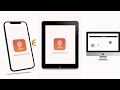
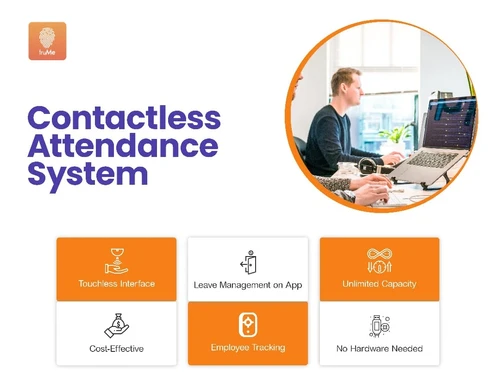
truMe is a contactless attendance management software (AMS) that has been tailor-made for organizations with multiple locations including retail store chains, logistics companies, etc. truMe assists organizations in managing the attendance of their employees in such a way that it results in increased productivity. It gives real-time & central visibility into the attendance status of all kinds...
See MoreHave you used truMe Attendance Management before?
Share your insights for better experience
Brand: truMe
Founded Year: 2016
truMe is a global platform for Identity & Access Management having its presence across 10 countries.
Looking for The Right Pricing?
Share your requirements and get a plan built around your business.
Price Available on Request
Get personalised truMe Attendance Management pricing that fits your needs. Our team will connect with you.
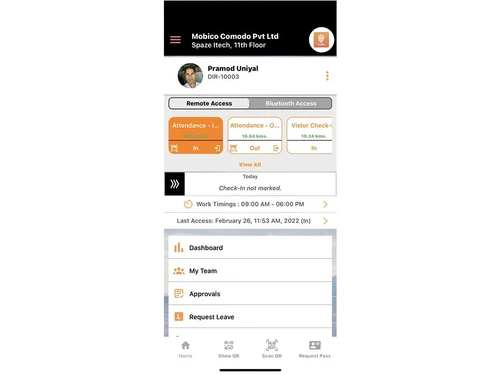
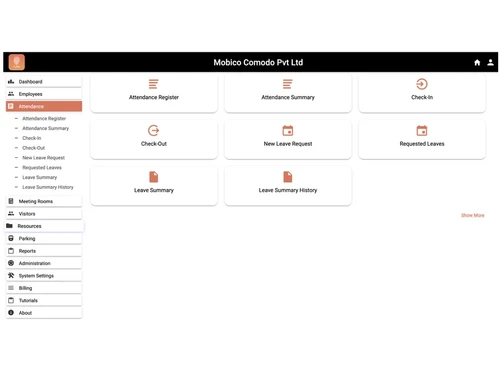
 Attendance Management Live Employee Tracking Touch Free Attendance Face Recognition Attendance Real Time Notification Leave Management Geo Fencing Access Control Seamless Integration with HRMS Reports & MIS Dashboards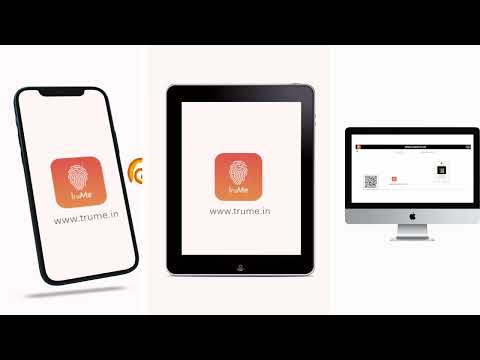

Watch the demo video to explore key features, real workflows, and how the software fits your business needs.
 Ubuntu
  Windows
  iOS
iOS  Android MacOS
  Linux
Linux  Desktop
  Mobile
  Tablet
  iPad
iPad  Cloud-Based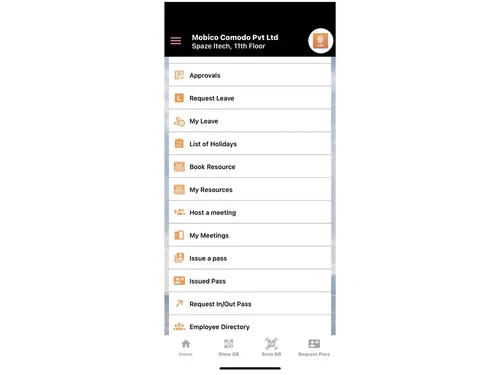
Small Business
Designed for startups and growing businesses
Medium Business
Built for business growth and flexibility
Enterprises
Designed for complex and large-scale business needs
4.8
Out of 5

Overall Rating
Based on
7 Verified Reviews
Rating Breakdown
95% Recommend this Product
Add ReviewCustomers generally appreciate truMe Attendance Management for its user-friendly interface, real-time tracking capabilities, and cost-effectiveness. Users highlight the software's flexibility in deployment options and the ease of integration with existing systems. However, some limitations are noted, including the need for internet connectivity and potential UX improvements. Additionally, customization for specific reports and the absence of certain features on desktop platforms have been mentioned. Overall, the sentiment is positive, with many users recommending the software for its robust functionality.
Pros
"Rule based configuration help you apply your policy on need basis"
"Real-time employee tracking. You can even know the distance covered by your field employees."
"Easy integration with HRMS. Access control in-built. Great shift management and leave management free with it."
Cons
"For employees who don't have mobile phones, we had to put up a tablet interface."

Mar 14, 2022
Techjockey Verified
“Very easy to use and you can track your field staff in realtime.”
Pros
Rule based configuration help you apply your policy on need basis
Cons
Need internet connectivity.
Reason to switch
Software is easy to use.
Mar 13, 2022
Techjockey Verified
“Contactless, user-friendly system. Works well for our employees in the field.”
Pros
Real-time employee tracking. You can even know the distance covered by your field employees.
Cons
UX could be better
Reason to switch
It's great for monitoring the employees in our retail stores. QR code on desktop is an innovative and very smooth feature.
Mar 13, 2022
Techjockey Verified
“Powerful and Great new age attendance system!”
Pros
Easy integration with HRMS. Access control in-built. Great shift management and leave management free with it.
Cons
We had to customize one report

truMe Attendance Management
Price On Request
Desktop
Mobile
Web based
On Premises
Windows
Mac OS

Truein Face Attendance
Price On Request
Desktop
Mobile
Web based
On Premises
Windows
Mac OS

Nialabs
Price On Request
Desktop
Mobile
Web based
On Premises
Windows
Mac OS

InnBuilt Attendance
Price On Request
Desktop
Mobile
Web based
On Premises
Windows
Mac OS

PagarGuru
₹ 500
Desktop
Mobile
Web based
On Premises
Windows
Mac OS

Spryple
Price On Request
Desktop
Mobile
Web based
On Premises
Windows
Mac OS

Kent CamAttendance
₹ 20999
Desktop
Mobile
Web based
On Premises
Windows
Mac OS

Hajiri
₹ 69
Desktop
Mobile
Web based
On Premises
Windows
Mac OS

Tempus Central
Price On Request
Desktop
Mobile
Web based
On Premises
Windows
Mac OS

AttendHRM – Time Attendance Software
₹ 3800
Desktop
Mobile
Web based
On Premises
Windows
Mac OS

NoQu TAM
Price On Request
Desktop
Mobile
Web based
On Premises
Windows
Mac OS
(2) Product(s) selected
Available
Price on Request
Starting Price:
₹69 /Month
Available
Price on Request

Starting Price:
$3 /Month

Starting Price:
₹25,000 /Year

Starting Price:
₹200 /Month

Available
Price on Request

Available
Price on Request

Starting Price:
$500 /Month
Starting Price:
₹999

Available
Price on Request





truMe Attendance Management Software is compatible with Windows, Ubuntu, Linux, macOS, iOS, and Android operating systems.
truMe Attendance Management app is available for both Android and iPhone.
truMe Attendance Management Software solution supports both web-based and on-premises deployment.
truMe Attendance Management system pricing is based on number of employees and locations. Pricing is available on request at techjockey.com.
truMe Attendance Management Software is typically used by HR professionals including HR executives, HR managers, HR directors, business owners, entrepreneurs, etc.
truMe Attendance Management Software demo is available for free with techjockey.com.
truMe Attendance Management solution offers a free trial. However, the premium plan with advanced features is available at techjockey.com with exciting deals.
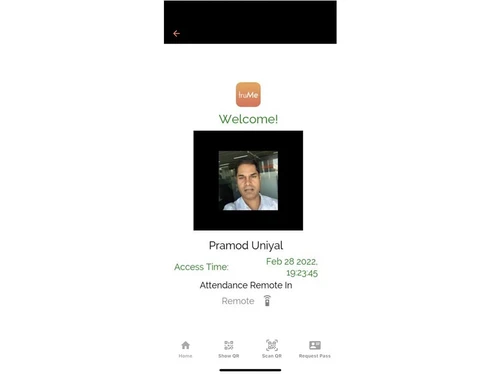
truMe Attendance Management software solution offers features like face-recognition attendance, dashboard, MIS reports, access control option, etc., and helps in managing employee attendance, leave, roster, etc.
Yes, an integration with HRMS or ERP is provided by truMe Attendance Management solution.
No. However, truMe generates Muster Roll Report, which makes payroll easy.
Yes, truMe controls doors with employees’ attendance also.
Ans: Other automated office solutions that are provided by the truMe Attendance Management system include Visitor Management, Meeting Room Management, Hot Desking, Parking Management, and Access Control.
20,000+ Software Listed
Best Price Guranteed
Free Expert Consultation
2M+ Happy Customers
Terms and Condtions

Users with registered businesses can purchase goods from merchants on the platform to satisfy their business needs. Users are not permitted to utilize any products acquired through the platform for resale, advertising, business, or further distribution.
For each purchase made, users will receive a Tax Invoice (or 'GST invoice') that includes specific details such as:
the GSTIN of the user associated with their registered business, and
the specified Entity Name for their business.
It should be noted that not all products are eligible for GST Invoice. Only the products displayed by participating sellers with the 'GST-based Invoice Available' callout on the product description page would qualify.
Certain goods and services are not eligible to get a GST Invoice, including items with VAS, i.e., Value Added Services (e.g., Total Mobile Protection/Assured Buyback) and those involving an exchange offer at the time of purchase.
Users must ensure the accuracy of the GSTIN, and business entity name provided for the GST Invoice. Requests for corrections into GST Invoice would not be accommodated by Techjockey.com or any Seller, and any issues arising from user-provided information are the sole responsibility of users.
Techjockey.com is not liable for the GST Invoice or any associated input tax credit. To efficiently claim an input tax credit, users should select the registered place of business address as per the GST authority's data and follow the provisions of the GST Act and rules.
To claim an input tax credit, the delivery and billing addresses must match. Furthermore, input tax credits will not be granted if the delivery address and GSTIN on the invoice are from different states. In case of incorrect GST details provided during the order placement, the order will be canceled automatically.


