USA
USA UAE
UAESmall Business
Designed for startups and growing businesses


See More





Brand: PeopleStrong
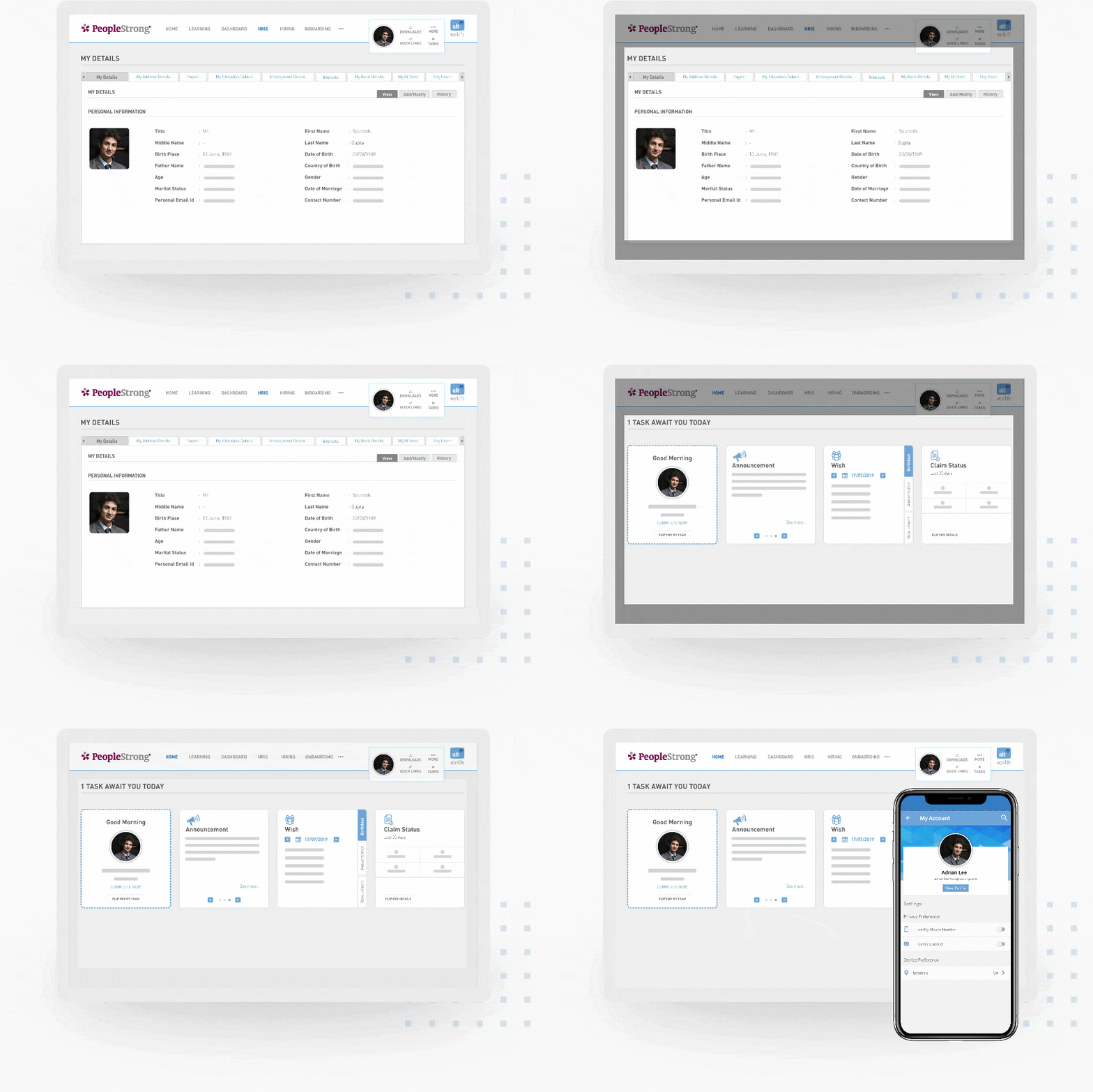
PeopleStrong Alt Worklife is a human resource software for organizations. It automates tedious activities such as journal entries, attendance registers, etc. PeopleStrong Alt Worklife HR management software creates a comprehensive profile for all the employees in the organization. It provides detailed information regarding employee performance and projects they have worked for during their invo...
See MoreHave you used Alt Worklife before?
Share your insights for better experience
Brand: PeopleStrong
Founded Year: 2005
PeopleStrong is Asia’s leading SaaS-based HR Technology company. Our mobile-first, SaaS suite includes robust solutions for Human Capital Management, Talent Management, Collaboration, and Payroll.
Looking for The Right Pricing?
Share your requirements and get a plan built around your business.
Price Available on Request
Get personalised Alt Worklife pricing that fits your needs. Our team will connect with you.
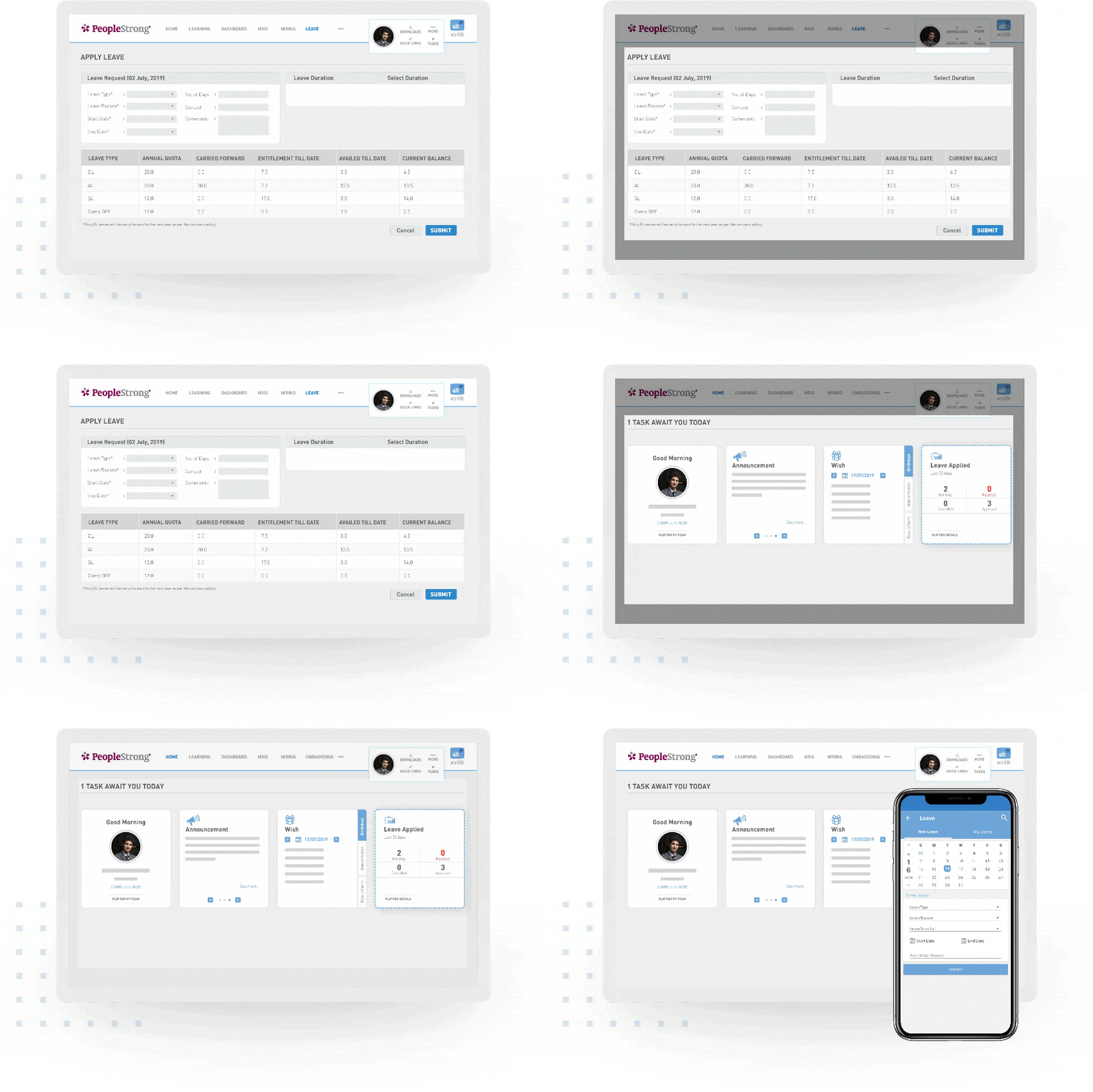
 Employee Data Base Time and Attendance Workflow Management Exit Management & Seperation Management - Full And 360 Degree Feedback HR Management Compensation Management Employee Lifecycle Management Document Management Employee Self Service Leave Management Mobile Support Loan Management API Access Performance Evaluation Learning Management Payroll Management Recruitment Management

Watch the demo video to explore key features, real workflows, and how the software fits your business needs.
 Windows
  Android
  Desktop
  Mobile
  Cloud-Based

Small Business
Designed for startups and growing businesses
Medium Business
Built for business growth and flexibility
Enterprises
Designed for complex and large-scale business needs
4.3
Out of 5

Overall Rating
Based on
4 Verified Reviews
Rating Breakdown
80% Recommend this Product
Add ReviewUsers generally appreciate Alt Worklife for streamlining HR processes, particularly in creating work shifts and managing employee functions efficiently. Many find relief from the complexities of manual management, enhancing their overall experience. However, common concerns include the lack of real-time analytics and performance management functionalities, which some users feel are essential for comprehensive HR management. Despite these limitations, the customer service experience has received positive feedback, indicating a supportive approach in the software selection process.

Apr 15, 2020
Techjockey Verified
“Creating work shifts has become less hectic!”
Pros
The creation of a proper work shift is essential as there may be clients from abroad that we have to serve as well. So, being the shift maker, manual allocation was becoming excessively difficult for me. But thanks to PeopleStrong Alt Worklife, the creation of work shifts and checking on the time served by the employees is a lot easy now.
Cons
At the backend of the software, not many things are possible. We need to submit analytical reports by taking them from the backend and highlighting important aspects. That real-time analytics part is missing in the software.
Apr 2, 2020
Techjockey Verified
“Comprehensive HR software”
Pros
Being an HR, the manual management of employees was becoming quite hectic. But after my company started using this software I was relieved of the stress as it manages all the HR functionalities with utmost efficiency, starting from onboarding to final relieving.
Cons
Although the software serves all the major HR functionalities, yet the lack of a performance management functionality is a big let down. These issues require addressing.
May 30, 2017
Techjockey Verified
“these folks are great”
Pros
When I first starting looking into purchasing a software for my organization, I wasn't sure where to start. After I did some initial research, Robert from Techjockey.com emailed and called me regarding the basic information I entered into their system. Long story short, Robert connected me to four matching companies based on the criteria provided and helped me have a great understanding of how to select the right partner based on my organization's profile. Overall, it was a great experience across the board.
Cons
N/A

Alt Worklife
Price On Request
Desktop
Mobile
Web based
On Premises
Windows
Mac OS

Synergita
₹ 360
Desktop
Mobile
Web based
On Premises
Windows
Mac OS

Planful
Price On Request
Desktop
Mobile
Web based
On Premises
Windows
Mac OS

Keka Performance Management Software
Price On Request
Desktop
Mobile
Web based
On Premises
Windows
Mac OS

Winzard
Price On Request
Desktop
Mobile
Web based
On Premises
Windows
Mac OS

AssessTEAM
Price On Request
Desktop
Mobile
Web based
On Premises
Windows
Mac OS

Peoplebox
Price On Request
Desktop
Mobile
Web based
On Premises
Windows
Mac OS

SkillMetrics
₹ 60000
Desktop
Mobile
Web based
On Premises
Windows
Mac OS

Textio
Price On Request
Desktop
Mobile
Web based
On Premises
Windows
Mac OS

15Five
Price On Request
Desktop
Mobile
Web based
On Premises
Windows
Mac OS

Mesh AI
Price On Request
Desktop
Mobile
Web based
On Premises
Windows
Mac OS
(0) Product(s) selected
Available
Price on Request
Starting Price:
$3 /Month
Available
Price on Request
Starting Price:
$48 /Year

Available
Price on Request

Available
Price on Request

Starting Price:
$5

Available
Price on Request

Available
Price on Request

Starting Price:
$78 /Year
PeopleStrong Alt Worklife HRMS software has cleared auditing from “The Statement on Standards for Attestation Engagements 18.” It comes highly recommended by its users for a simplified user interface.
This HRMS software offers Geo-tagging and Geo-Fencing attendance for the on-field workforce.
Yes, users can utilize a single license to manage the workforce in different places.
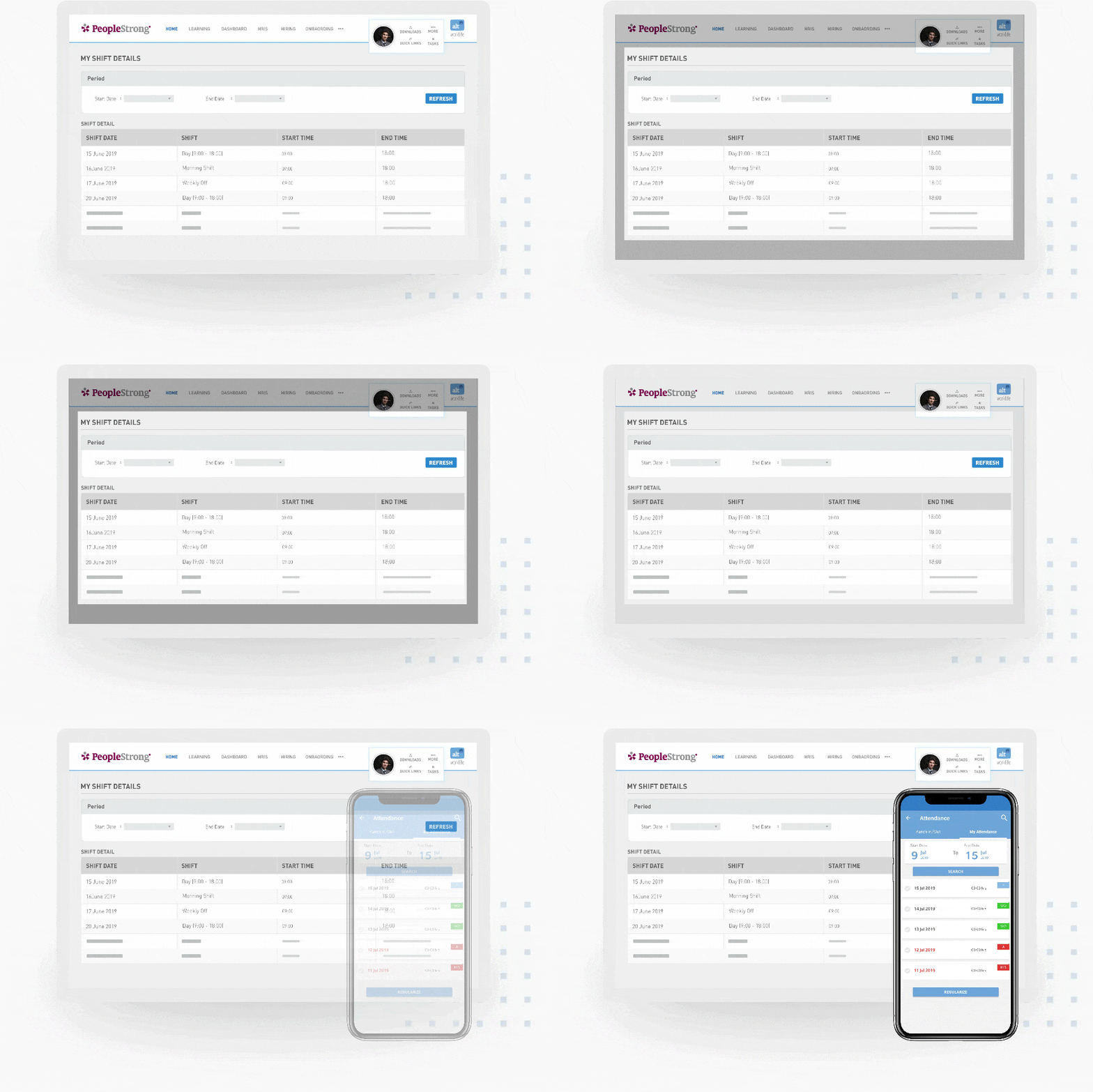
PeopleStrong Alt Worklife HRMS software allows users to create work shifts and assign employees accordingly.
This HRMS software uses on-cloud storage services for better data saving and sharing among employees.
20,000+ Software Listed
Best Price Guranteed
Free Expert Consultation
2M+ Happy Customers
Terms and Condtions

Users with registered businesses can purchase goods from merchants on the platform to satisfy their business needs. Users are not permitted to utilize any products acquired through the platform for resale, advertising, business, or further distribution.
For each purchase made, users will receive a Tax Invoice (or 'GST invoice') that includes specific details such as:
the GSTIN of the user associated with their registered business, and
the specified Entity Name for their business.
It should be noted that not all products are eligible for GST Invoice. Only the products displayed by participating sellers with the 'GST-based Invoice Available' callout on the product description page would qualify.
Certain goods and services are not eligible to get a GST Invoice, including items with VAS, i.e., Value Added Services (e.g., Total Mobile Protection/Assured Buyback) and those involving an exchange offer at the time of purchase.
Users must ensure the accuracy of the GSTIN, and business entity name provided for the GST Invoice. Requests for corrections into GST Invoice would not be accommodated by Techjockey.com or any Seller, and any issues arising from user-provided information are the sole responsibility of users.
Techjockey.com is not liable for the GST Invoice or any associated input tax credit. To efficiently claim an input tax credit, users should select the registered place of business address as per the GST authority's data and follow the provisions of the GST Act and rules.
To claim an input tax credit, the delivery and billing addresses must match. Furthermore, input tax credits will not be granted if the delivery address and GSTIN on the invoice are from different states. In case of incorrect GST details provided during the order placement, the order will be canceled automatically.