 USA
USA UAE
UAESmall Business
Designed for startups and growing businesses

See More





Brand: Septet Systems
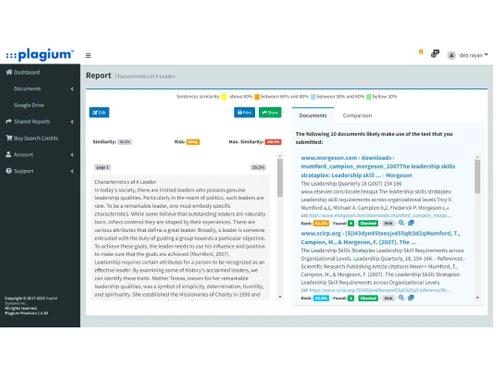
Plagium is a versatile plagiarism detection tool that offers users several different options for checking content. Among these options are deep searches, quick comparisons, and more.
See MoreHave you used Plagium before?
Share your insights for better experience
Brand: Septet Systems
Founded Year: 2005
Septet Systems began as a custom solutions group dedicated to providing leading edge, easy to use tools for extracting and organizing information. Our company draws from decades of expertise in the telecommunications, information sciences, and military information systems.
Looking for The Right Pricing?
Share your requirements and get a plan built around your business.
Price Available on Request
Get personalised Plagium pricing that fits your needs. Our team will connect with you.
Core Detection Features
 Multi Language Support API Access Source Matching Paraphrase Detection Plagiarism Detection AI Detection
 Document Management
Multi Format Support File Upload Management Bulk Document Checking Document Retention and History Performance and Security
Data Security Multi Device Compatibility Scan Speed Automated Alerts and Monitoring Branding & Marketing
Custom Branding White Label Solution Client Based Reporting PDF Reports Productivity and Enhancements
Grammar Checker Citation Generation Collaboration Integrations and Extensions
Browser Extension API Integration Google Docs Integration Microsoft Office Integration Administrative Features
Domain Filtering Content Filtering Global Content Access User Access Management Report and Analysis
Data Export Plagiarism Reports Customizable Exclusion Originality Score Side-by-Side Comparison Paraphrasing Score Writing Statistics 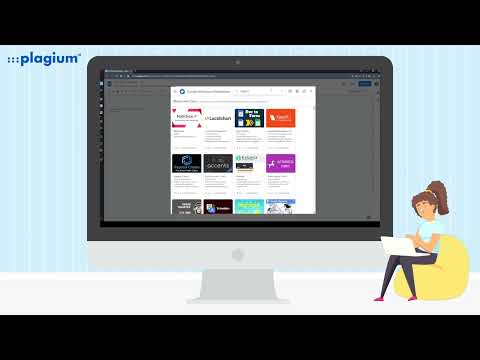

Watch the demo video to explore key features, real workflows, and how the software fits your business needs.
 Ubuntu
  Windows
  MacOS
MacOS  Linux
Linux  Desktop
  Cloud-Based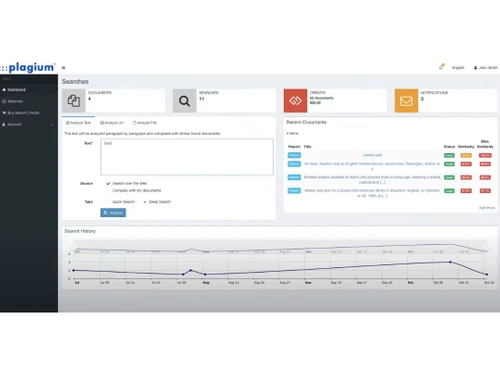
Small Business
Designed for startups and growing businesses
Medium Business
Built for business growth and flexibility
Enterprises
Designed for complex and large-scale business needs
4.3
Out of 5

Overall Rating
Based on
10 Verified Reviews
Rating Breakdown
87% Recommend this Product
Add ReviewOverall, users appreciate Plagium for its convenient web-based functionality, fast results, and effective integration with tools like Google Docs. Many find it valuable for ensuring originality in their work, particularly in educational and research contexts. However, common criticisms include the lack of advanced features compared to competitors, issues with pop-up ads in the free version, and limitations such as the inability to check multiple documents simultaneously. Some users also report occasional performance slowdowns during peak usage times.
Pros
"I like how I can easily integrate smoothly with Google Docs which makes my workflow easier."
"I like that there is no software installation required. It is completely web-based so I do not need to worry about downloading anything."
"I use it for research purposes as it makes sure my research content is original."
Cons
"It is a great tool, but I feel like when compared to it competitors they offer more deeper insights."
"I have been using the free version and saw that it has a lot of pop-up ads which can be distracting."
"The plagiarism detection is mediocre. While the tool is effective, it might not catch everything compared to more advanced options."

Dec 24, 2024
Techjockey Verified
“Convenient Integration but Lacks Advanced Insights”
My workflow is made simpler by Plagium's interaction with Google Docs. Overall but I believe that Plagium lacks some of its competitors' more advanced capabilities and deeper insights.
Pros
I like how I can easily integrate smoothly with Google Docs which makes my workflow easier.
Cons
It is a great tool, but I feel like when compared to it competitors they offer more deeper insights.
Reason to switch
Copyscape is good but it felt less convenient for my day-to-day tasks.
Dec 15, 2024
Techjockey Verified
“Simple Web-Based Tool with Some Annoying Ads”
It is convenient since Plagium is entirely web-based and does not require any installation. However, there are a lot of pop-up advertisements in the free edition, which can be annoying.
Pros
I like that there is no software installation required. It is completely web-based so I do not need to worry about downloading anything.
Cons
I have been using the free version and saw that it has a lot of pop-up ads which can be distracting.
Reason to switch
I switched from Compilatio since Plagium was easier to access and does not require any software downloads.
Nov 1, 2024
Techjockey Verified
“Helpful for Research but Could Be More Advanced”
Plagium has helped me with my study since it guarantees that the material I produce is original. Although it is simple and effective, the plagiarism detection seems a little simplistic.
Pros
I use it for research purposes as it makes sure my research content is original.
Cons
The plagiarism detection is mediocre. While the tool is effective, it might not catch everything compared to more advanced options.
Reason to switch
Winston AI was good, but I did not need all the extra features it offered.

Plagium
Price On Request
Desktop
Mobile
Web based
On Premises
Windows
Mac OS

DrillBit Plagiarism Checker
₹ 4500
Desktop
Mobile
Web based
On Premises
Windows
Mac OS

Plagiarism Detector Pro
₹ 3729
Desktop
Mobile
Web based
On Premises
Windows
Mac OS

Plagiarism Checker X
₹ 3700
Desktop
Mobile
Web based
On Premises
Windows
Mac OS

CopyLeaks
Price On Request
Desktop
Mobile
Web based
On Premises
Windows
Mac OS

Urkund
Price On Request
Desktop
Mobile
Web based
On Premises
Windows
Mac OS

iThenticate Plagiarism
Price On Request
Desktop
Mobile
Web based
On Premises
Windows
Mac OS

PlagAware
Price On Request
Desktop
Mobile
Web based
On Premises
Windows
Mac OS

DupliChecker
Price On Request
Desktop
Mobile
Web based
On Premises
Windows
Mac OS

Unicheck
Price On Request
Desktop
Mobile
Web based
On Premises
Windows
Mac OS

Plag AI
Price On Request
Desktop
Mobile
Web based
On Premises
Windows
Mac OS
(0) Product(s) selected
Starting Price:
€13 /License
Starting Price:
$10 /Month
Available
Price on Request

Available
Price on Request

Starting Price:
€30 /License

Starting Price:
$20 /Month

Available
Price on Request

Starting Price:
$10 /Month

Available
Price on Request

Available
Price on Request

Starting Price:
$15 /Month $30




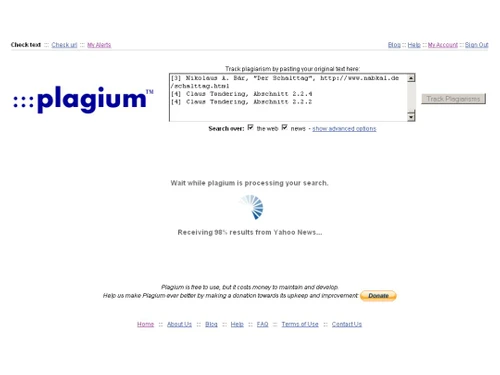
Plagium works by comparing your document against a massive database of academic papers, articles, and websites. It uses advanced algorithms to identify similarities between your text and existing content.
Plagium software is quite an accurate tool with numerous active users trusting its services.
Plagium app is not entirely free. They offer a limited free version with basic features, but for advanced features and unlimited scans, you'll likely need to subscribe.
Yes, Plagium is able to detect plagiarism in multiple languages.
Plagium's price starts from Rs 0.30 per page for file searches, Rs 4 per page for deep searches, and Rs 2 per page for quick searches.
Plagium does allow you to check multiple documents, but this depends on your subscription level. With a higher-tier plan, you can upload and scan several files in a batch, making it more convenient for checking large volumes of content.
0 0
Plagium is not very effective at detecting paraphrased or reworded content. Its algorithm primarily checks for direct text matches, meaning that significant rewording or paraphrasing may go undetected. This is a common limitation among many basic plagiarism detection tools.
0 0
Plagium can process large documents, but depending on the file size, the system may take longer to generate a report. There could also be limitations on word count based on your subscription, with more extensive reports being available to premium users.
0 0
Plagium may miss plagiarized content due to limitations in its database or if the plagiarized text is paraphrased or altered significantly. Additionally, if the content comes from sources not indexed by Plagium, such as certain academic databases or paywalled content, it may fail to identify those matches.
0 0
Yes, Plagium provides a similarity percentage as well as a detailed breakdown of the matched content. The report will highlight matching sections and display the sources that triggered the match, helping users understand the extent and nature of any detected similarities.
0 0
20,000+ Software Listed
Best Price Guranteed
Free Expert Consultation
2M+ Happy Customers
Terms and Condtions

Users with registered businesses can purchase goods from merchants on the platform to satisfy their business needs. Users are not permitted to utilize any products acquired through the platform for resale, advertising, business, or further distribution.
For each purchase made, users will receive a Tax Invoice (or 'GST invoice') that includes specific details such as:
the GSTIN of the user associated with their registered business, and
the specified Entity Name for their business.
It should be noted that not all products are eligible for GST Invoice. Only the products displayed by participating sellers with the 'GST-based Invoice Available' callout on the product description page would qualify.
Certain goods and services are not eligible to get a GST Invoice, including items with VAS, i.e., Value Added Services (e.g., Total Mobile Protection/Assured Buyback) and those involving an exchange offer at the time of purchase.
Users must ensure the accuracy of the GSTIN, and business entity name provided for the GST Invoice. Requests for corrections into GST Invoice would not be accommodated by Techjockey.com or any Seller, and any issues arising from user-provided information are the sole responsibility of users.
Techjockey.com is not liable for the GST Invoice or any associated input tax credit. To efficiently claim an input tax credit, users should select the registered place of business address as per the GST authority's data and follow the provisions of the GST Act and rules.
To claim an input tax credit, the delivery and billing addresses must match. Furthermore, input tax credits will not be granted if the delivery address and GSTIN on the invoice are from different states. In case of incorrect GST details provided during the order placement, the order will be canceled automatically.

