linkedin
Swipe E-Invoicing Software logo
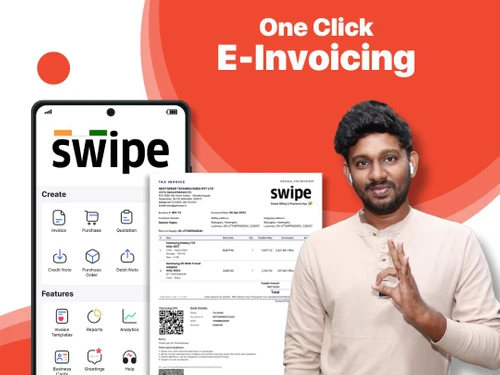
play How to make e-Invoice in 10 seconds, E-invoice under GST, When to make E-invoice,
play How to set up e-invoice | Swipe
swipe e-invoicing software

Swipe E-Invoicing Software

Brand: Nextspeed Technologies Pvt. Ltd.

  • 4.8

  • 45 Ratings & 44 Reviews

Swipe E-Invoicing is a complete e-invoicing and billing software that enables you to create e-invoices, purchase orders, and quotations in less than 10 seconds and share them directly with your customers or vendors via WhatsApp, SMS & Email. Moreover, Swipe helps businesses with a turnover of 10 crores and more to instantly generate GST-compliant e-invoices for their clients. It also enables ...

See More

Have you used Swipe E-Invoicing Software before?

Share your insights for better experience

Add a Review
Starting Price
₹625

View plans

100% Genuine
Products
Best Price
Guaranteed
Safe & Secure
Payment
  • Description

  • Pricing

  • Features

  • Specification

  • Review

  • Compare

  • Alternatives

  • FAQ

Starting at ₹625

Swipe E-Invoicing Software Overview

What is Swipe E-Invoicing?

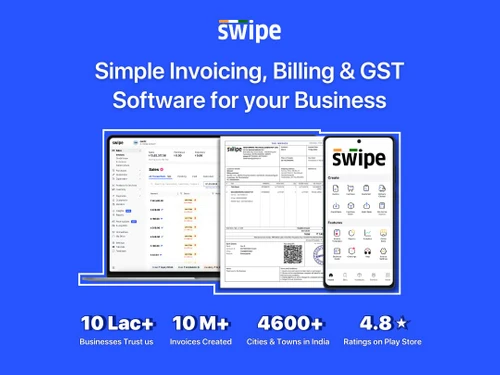
Swipe E-Invoicing is a complete e-invoicing and billing software that enables you to create e-invoices, purchase orders, and quotations in less than 10 seconds and share them directly with your customers or vendors via WhatsApp, SMS & Email.
Moreover, Swipe helps businesses with a turnover of 10 crores and more to instantly generate GST-compliant e-invoices for their clients. It also enables them to quickly print invoices having IRN numbers, QR codes, and other information. This makes it possible for small enterprises to adopt technology and bridge the gaps in tax compliance.

With Swipe eInvoicing software, managing your billing, customers, payments, accounting, stock, and filing GST returns has become easy. You can instantly generate E-way bills, E-invoices, and Export/SEZ/ Multi-currency invoices, GSTR-1 & 30+ other reports with just one click on the Swipe software.

Why Choose Swipe E-Invoicing Software?

  • Automatic Reminders: Enables you to send payment reminders, payment links / QR codes to customers and collect payments quickly via UPI and 100+ payment modes.
  • Branding & Visibility: Allows you to create your own e-commerce store with product catalogs, product images, discounts, pricing, etc. to market your business.
  • Marketing Campaigns: Send SMS/ Email campaigns to your clients to maintain long-term relationships with them and boost your sales by 10 times.
  • Cloud Based: As online billing software, Swipe allows you to manage your account by simply logging in with your registered phone number and OTP.

Benefits of Swipe E-Invoicing

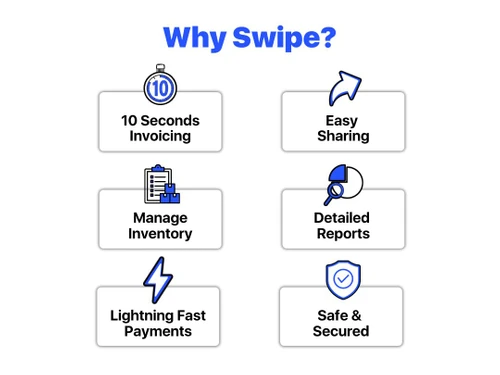
  • Assists with ‘one-click’ e-invoicing
  • Free version & flexible paid plans
  • 100% secure & safe with data backup
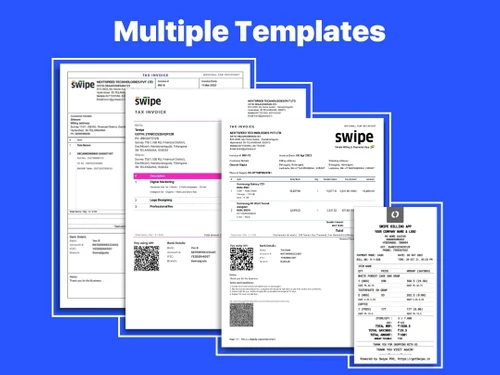
  • Offers a variety of customizable invoice templates.
  • Payments collection via any payment gateway and UPI (QR Codes), and track their status
  • Generate P&L (Profit & Loss), 30+ reports, and GSTR-1 for instant filing of tax
  • Helps manage your inventory in real time
  • Allows you to record your expenses easily
  • Provides analytics and business metrics to help you take wise business decisions.
  • With just one click, it enables you to set up an e-commerce/online store.
  • Using Swipe e-invoicing software, you can create export invoices and E-way bills on the go.
  • Create price lists, POS billing, and recurring invoices along with barcodes.

Pricing of Swipe E-Invoicing

Swipe E-Invoicing price details are available at INR 625 per month/user at techjockey.com.

Swipe E-Invoicing price in India may vary based on factors like customization, additional features required, number of users, and the deployment type. Please request a call back for subscription-related details and to avail offers on premium packages.

Read more

Nextspeed Technologies Pvt. Ltd. Company Details

Founded Year:  2021

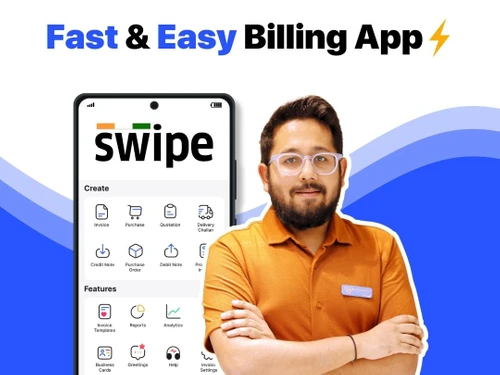
Swipe is a simple and easy-to-use billing app. Along with a user-friendly interface, it allows you to make unlimited invoices for FREE.

Director/Founders Aditya Vemuganti, Sri Teja Allaparthi
Company Size 1-100 Employees

Swipe E-Invoicing Software Pricing & Plans

E-invoicing Plan
Key Features
  • Everything in RISE +
  • E-Invoicing (Unlimited on Web/Android/iOS)
  • One-Click Multi E-Invoicing Beta
  • Batch & Expiry
  • Serial No./ IMEI Tracking
  • Subscriptions/ Recurring Invoices
  • POS Billing/Product Grouping Manufacturing Invento
  • Bank Reconciliation (Beta)
Starting at ₹625
    • Users

      Users
      Users
    • Monthly

      Monthly
      Monthly

Key Features

  • Everything in RISE +

  • E-Invoicing (Unlimited on Web/Android/iOS)

  • One-Click Multi E-Invoicing Beta

  • Batch & Expiry

  • Serial No./ IMEI Tracking

  • Subscriptions/ Recurring Invoices

  • POS Billing/Product Grouping Manufacturing Invento

  • Bank Reconciliation (Beta)

Swipe E-Invoicing Software Features

  • icon_check Real-Time GSTN Validation
    Automatically verify customer GSTINs in real-time to prevent filing errors and ensure complete tax compliance for every bill.
  • icon_check WhatsApp Invoice Sharing
    Send professional GST and E-invoices directly to your customers' WhatsApp numbers for faster communication and payment today.
  • icon_check Bulk E-Invoice Uploading
    Process hundreds of invoices simultaneously using the bulk upload feature to eliminate manual entry and boost productivity.
  • icon_check Customizable Bill Themes
    Choose from a variety of professional templates and add your business logo to create branded and compliant GST documents.
  • icon_check Digital Signature
    Ensure your electronic invoices are legally binding by adding authorized digital signatures directly within the software.
  • icon_check Tally Integration
    Import and export your accounting data to Tally Prime seamlessly to maintain consistent financial records across platforms.
  • icon_check Payment Links
    Attach secure UPI or bank payment links to your E-invoices to allow customers to pay you instantly with just a single click.
  • icon_check Inventory Management
    Track stock levels automatically as you generate invoices to maintain an accurate record of your current warehouse supply.
  • icon_check Purchase Order Tracking
    Convert received purchase orders into E-invoices with one click to maintain a smooth and efficient sales procurement flow.
  • icon_check Sales
    This enables you to track all your sales transactions to quickly generate receipts from sales vouchers.
  • icon_check Purchases
    This allows you to maintain a record of all your purchases to manage the inventory accordingly.
  • icon_check Expense Management
    Assists you in keeping track of all your business expenses and saves every piece of information for proper audit & tax filing.
  • icon_check E-Invoicing
    Enables businesses with 10-crore plus turnover to generate e-invoices and adhere to the latest e-invoicing policies.
  • icon_check Customer Management
    Offers you a summary of your customer-related transactions and outstanding to manage your customers effectively.
  • icon_check Cost-effective
    As a cost-effective e-invoicing software, Swipe is ideal for small businesses to instantly create GST-compliant invoices.
  • icon_check E-way Bills
    Assists in automating the process of E-way bill generation in bulk for your business.
Swipe E-Invoicing Software Demo Video play icon

Get Swipe E-Invoicing Software Demo

Watch the demo video to explore key features, real workflows, and how the software fits your business needs.

Understand
Key Features
Personal
Demo Insights
Interactive
Demo Support

Swipe E-Invoicing Software Specifications

Supported Platforms
Ubuntu Ubuntu Windows Windows iOS iOS Android Android MacOS MacOS Linux Linux
Devices
Desktop Desktop Mobile Mobile Tablet Tablet iPad iPad
Deployment
Cloud-Based Cloud-Based
Suitable For
All Industries
Business Specific
All Businesses
Business Size
Individual Small Business Startups Medium Business Enterprises SMBs SMEs MSMBs Freelancers
Customer Support
Phone Email Live Chat
Language
English
Integration
API Integration
Training Resources
Live Online Documentation Videos
AI Features
AI Integrated
Technology
Next Generation

Swipe E-Invoicing Software Reviews

4.8

Out of 5

img

Overall Rating

Based on
44 Verified Reviews

Rating Breakdown

  • Features 4.8
  • Value for Money 4.8
  • Ease of Use 4.8
  • Customer Support 4.9

96% Recommend this Product

Add Review

Pros

  • "The App provides a one-stop solution for all the billing needs of your business."

    Rehan DasNov 4, 2024

  • "Their excellent customer support is responsive and knowledgeable, ensuring help is readily available."

    Anika RaoNov 3, 2024

  • "I like the E-Way and E-invoice features on the mobile app, I can create those even while I am traveling."

    Diya BhattNov 3, 2024

Cons

  • "None to be honest. but at times there are some glitches that exist with any app."

    Aditya SenNov 4, 2024

  • "I just need a feature where we can modify the templates based on our preferences."

    Diya BhattNov 3, 2024

  • "I really like Swipe! It saves me a lot of time! I don't have any dislikes at all."

    Sanya KapoorOct 10, 2024

Swipe E-Invoicing Software Video Review

youtubeVideoId

5

“Swipe has made our life very easy. It”

Review by: CA Pradyumna Teja K

Anika Rao

Executive

Industry: Marketing and Advertising User since: 1-2 years

5

Reviewed on: Nov 3, 2024

Techjockey Verified

“good customer support”

super billing software, easy to use, convenient software

Pros

Their excellent customer support is responsive and knowledgeable, ensuring help is readily available.

Cons

No cons

Reason to switch

looking for convenient and good customer support

Jay Iyer

Founder

Industry: Food & Beverages User since: 6-12 months

4.6

Reviewed on: Oct 24, 2024

Techjockey Verified

“excellent customer support”

Their excellent customer support is responsive and knowledgeable, ensuring help is readily available.

Pros

It provides Updated features

Cons

if I can get all these for free I would be super happy.

Switched from Vyapar Billing Software

Reason to switch

Good Features in this App

Radhika Patil

Founder

Industry: Marketing and Advertising User since: 1-2 years

5

Reviewed on: Oct 3, 2024

Techjockey Verified

“Easy and Affordable”

I love this software and its dashboard is so simple for everyone.

Pros

Easy and Affordable

Cons

NO CONS

Switched from Zoho Invoice

Reason to switch

Easy and affordable.

See All Swipe E-Invoicing Reviews

Compare Swipe E-Invoicing Software With other e-Invoicing Software

Products
Ratings
Pricing
Device Supported
Deployment
Supported Platforms
  • img

    Swipe E-Invoicing Software

  • 4.8

  • Price On Request

  • Desktop

    Mobile

  • Web based

    On Premises

  • Windows

    Mac OS

  • img

    IQ Invoice

  • 4.2

  • Price On Request

  • Desktop

    Mobile

  • Web based

    On Premises

  • Windows

    Mac OS

  • img

    Serina

  • 4.5

  • Price On Request

  • Desktop

    Mobile

  • Web based

    On Premises

  • Windows

    Mac OS

  • img

    EasyACC

  • 4.4

  • ₹ 11000

  • Desktop

    Mobile

  • Web based

    On Premises

  • Windows

    Mac OS

  • img

    Moon Invoice

  • 4.3

  • ₹ 499

  • Desktop

    Mobile

  • Web based

    On Premises

  • Windows

    Mac OS

(2) Product(s) selected

Swipe E-Invoicing Software Alternatives

See All Swipe E-Invoicing Software Alternatives

Available

Price on Request

Starting Price:

$1,000 /Month

Which operating system does Swipe E-Invoicing support?

Swipe E-Invoicing software is compatible with Ubuntu, Windows, macOS, Linux, and Android operating systems.

Is there any Swipe E-Invoicing app?

Yes, Swipe E-Invoicing app is available on Android devices.

What is the deployment type of Swipe E-Invoicing?

Swipe eInvoicing supports web-based deployment.

How much does Swipe E-Invoicing cost?

Swipe E-Invoicing price details are available at INR 625 per month/user at techjockey.com.

Who are the potential users of Swipe E-Invoicing?

The potential users of Swipe E-Invoicing software solutions are wholesalers, distributors, resellers & traders, manufacturers, enterprises, retailers, electronic/hardware stores, general stores/ Kirana stores, supermarkets, & many more.

Is there any free trial or demo for Swipe E-Invoicing?

Yes, you can schedule a free demo with the Swipe team on Google Meet/ AnyDesk. Swipe E-Invoicing solution demo is available for free with techjockey.com.

Is Swipe E-Invoicing free?

Swipe E-Invoicing software offers a free trial. However, the premium plan with advanced features is available at techjockey.com with exciting deals.

How does Swipe E-Invoicing work?

With Swipe E-Invoicing software, you can create unlimited invoices for free. Also, there are additional paid plans that include features like GSTR-1, e-Invoicing, E-way bills, Export/SEZ, SMS campaigns, Online store, etc.

20,000+ Software Listed

Best Price Guranteed

Free Expert Consultation

2M+ Happy Customers

Terms and Condtions

close

Users with registered businesses can purchase goods from merchants on the platform to satisfy their business needs. Users are not permitted to utilize any products acquired through the platform for resale, advertising, business, or further distribution.

For each purchase made, users will receive a Tax Invoice (or 'GST invoice') that includes specific details such as:

  • the GSTIN of the user associated with their registered business, and

  • the specified Entity Name for their business.

It should be noted that not all products are eligible for GST Invoice. Only the products displayed by participating sellers with the 'GST-based Invoice Available' callout on the product description page would qualify.

Certain goods and services are not eligible to get a GST Invoice, including items with VAS, i.e., Value Added Services (e.g., Total Mobile Protection/Assured Buyback) and those involving an exchange offer at the time of purchase.

Users must ensure the accuracy of the GSTIN, and business entity name provided for the GST Invoice. Requests for corrections into GST Invoice would not be accommodated by Techjockey.com or any Seller, and any issues arising from user-provided information are the sole responsibility of users.

Techjockey.com is not liable for the GST Invoice or any associated input tax credit. To efficiently claim an input tax credit, users should select the registered place of business address as per the GST authority's data and follow the provisions of the GST Act and rules.

To claim an input tax credit, the delivery and billing addresses must match. Furthermore, input tax credits will not be granted if the delivery address and GSTIN on the invoice are from different states. In case of incorrect GST details provided during the order placement, the order will be canceled automatically.