linkedin
Vyapar Billing Software logo
play Vyapar billing software Demo
play Vyapar Desktop Demo LIVE
Vyapar-billing-accounting

Vyapar Billing Software

Brand: Vyapar

  • 4.5

  • 94 Ratings & 86 Reviews

A complete billing & invoicing solution to streamline business operations & boost productivity with multi-user access, inventory management, invoicing, expense management, etc.

See More

Have you used Vyapar Billing Software before?

Share your insights for better experience

Add a Review
Starting Price 42% OFF
₹699 ₹1,199

View plans

100% Genuine
Products
Best Price
Guaranteed
Safe & Secure
Payment
  • Description

  • Pricing

  • Features

  • Specification

  • Review

  • Compare

  • Alternatives

  • FAQ

  • Questions

Starting at ₹699

Vyapar Billing Software Overview

What is Vyapar Billing Software?

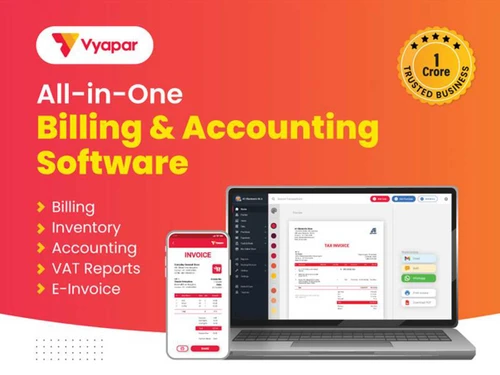
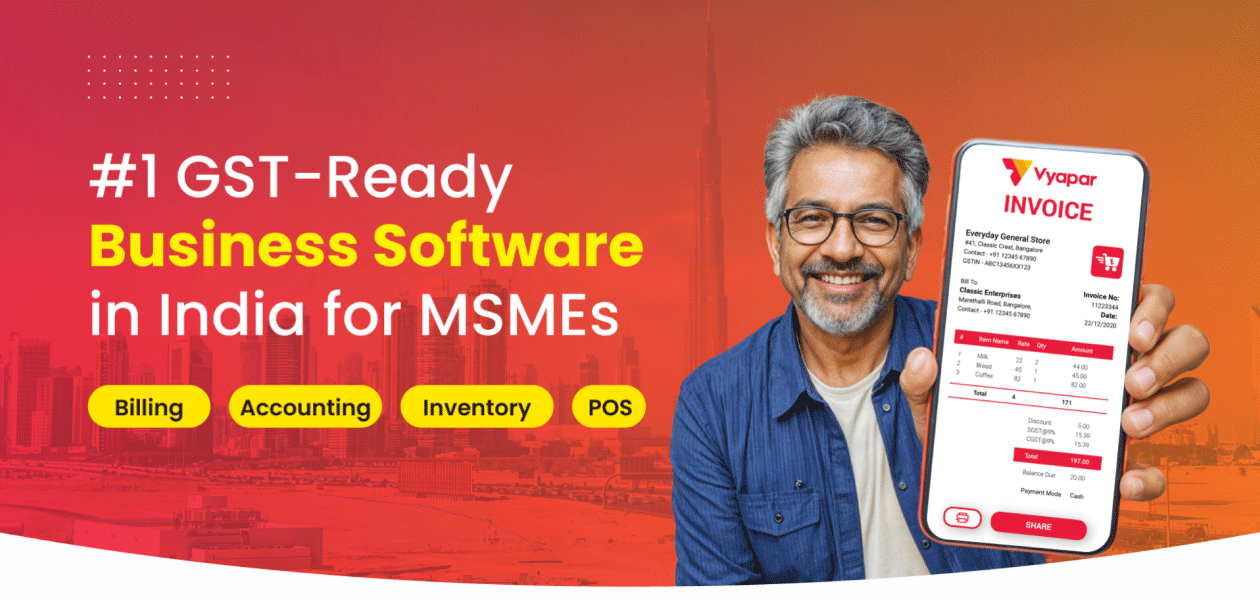
Vyapar is an all-in-one business management software that helps small and medium businesses manage GST billing, invoicing, accounting, inventory, and POS operations efficiently. Built for Indian businesses, it simplifies daily operations by bringing sales, purchases, stock, and financial records onto a single platform.

By enabling accurate billing, real-time inventory tracking, and clear financial visibility, this billing and invoicing software helps businesses reduce errors, improve cash flow management, and make informed decisions. Its support for online and offline operations, along with availability on mobile and desktop, allows businesses to scale efficiently while maintaining control across both front-end billing and back-office processes.

Key Functionalities of Vyapar

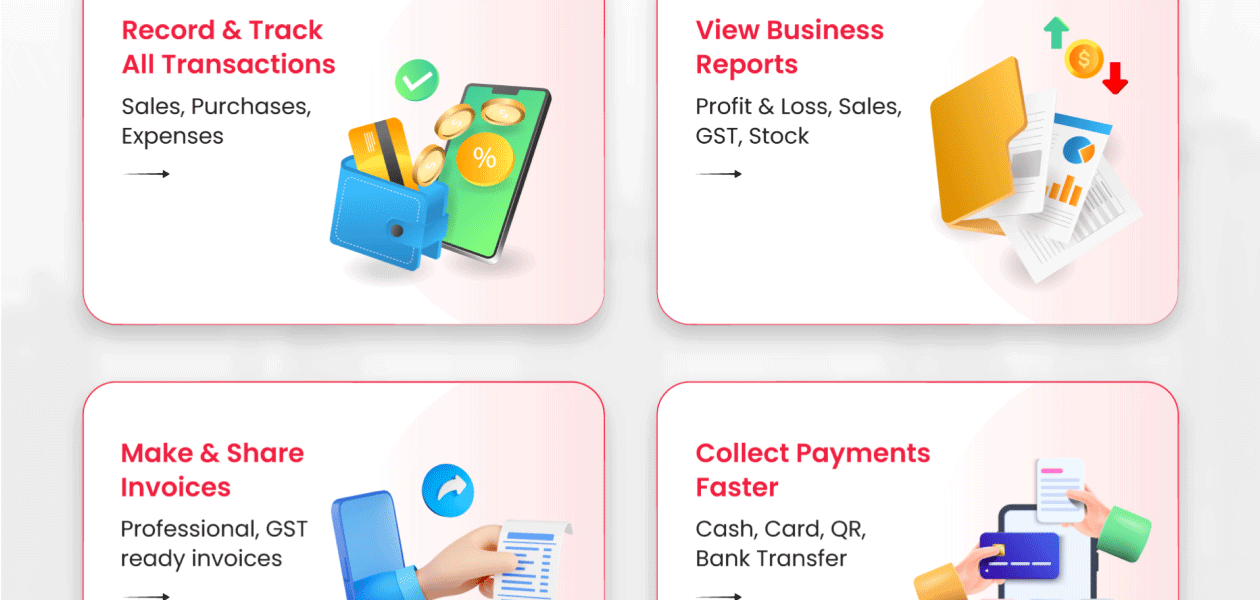
  • GST & non-GST billing and invoicing: Create compliant GST and non-GST invoices for sales transactions with accurate tax calculations.
  • Accounting, expense tracking, and financial reports: Record expenses, manage accounts, and generate financial reports to track business performance.
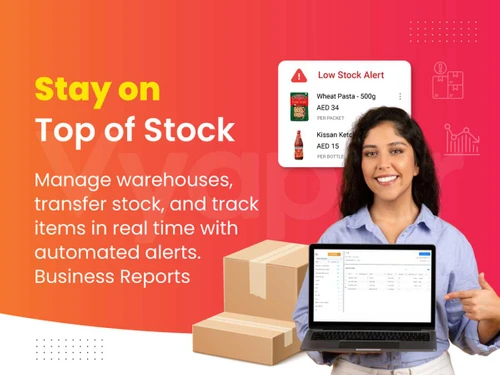
  • Inventory management with item-wise stock tracking: Monitor stock levels at the item level to maintain accurate inventory and avoid shortages.
  • POS billing with barcode support: Speed up billing at the counter using POS workflows and barcode-based item scanning.
  • Online and offline functionality with data sync: Continue business operations in both online and offline modes, with data synced when connectivity is available.
  • Multi-business and multi-device access: Manage multiple businesses and access data across mobile and desktop devices from a single account.

Benefits of Using Vyapar Billing Software

  • Reduces Errors: Vyapar’s e-invoice management software is a robust solution that will help businesses generate bills accurately and precisely.
  • Streamlined GST Compliance: It helps in automating the process of generating GST-compliant invoices with important tax-related details, thereby reducing the risk of errors.
  • Hassle-Free Inventory Management: With the Vyapar app for PC, businesses can easily monitor and keep track of their stock levels, track sales, and manage the movement of goods efficiently.
  • Efficient Invoicing and Billing: Being an extensive billing and invoicing solution Vyapar app will help businesses to create professional and customizable invoices without any hassles.
  • Speed and Accuracy: Vyapar billing software has an easy-to-use interface that will enable users to add items, apply discounts, include taxes, and generate invoices in different formats.

Who Can Use Vyapar?

  • Retailers and Shop Owners: Vyapar's inventory management and billing features benefit retail store owners. It allows them to track stock levels, create GST-compliant invoices, and manage their sales effectively.
  • Wholesalers and Distributors: For efficient inventory, sales, and financial management, enabling automated GST billing, real-time stock tracking with alerts, batch/expiry management.
  • Small and Medium Traders: It is an ideal solution for small businesses who need an efficient solution for their billing, accounting, and invoicing needs.
  • Manufacturers and Production Units: For streamlined production by managing raw materials, creating work orders, tracking real-time inventory (raw, WIP, finished goods), automating BOM (Bill of Materials) consumption, generating barcodes, and creating GST-compliant invoices.
  • Service-based Businesses: Service-based businesses such as repair shops, consultants, and various other service providers can benefit from Vyapar’s invoicing feature that will help them generate bills professionally.
  • Businesses managing billing, stock, and accounts together.

Vyapar Software Price

Vyapar pricing starts from Rs 699 per year at techjockey.com. It offers multiple pricing plans:

Platforms Plans Vyapar Price Tenure
Mobile Silver Plan 699/- 1 Year
  Gold Plan 799/- 1 Year
Desktop Silver Plan 3799/- 1 Year
  Gold Plan 4099/- 1 Year
Mobile + Desktop Silver Plan 4399/- 1 Year
  Gold Plan 4799/- 1 Year


Platforms Plans Vyapar Price Tenure
Mobile Silver Plan 1499/- 3 Year
  Gold Plan 1699/- 3 Year
Desktop Silver Plan 8599/- 3 Year
  Gold Plan 9099/- 3 Year
Mobile + Desktop Silver Plan 9599/- 3 Year
  Gold Plan 9899/- 3 Year

To know more about customization and other price-related details, please request a call. Our sales team will contact you as soon as possible.

Read more

Vyapar Company Details

Founded Year:  2017

Vyapar is the simplest and easy to use Billing, Accounting and Inventory management software.

Director/Founders Ruqiya Irum, Shubham Agrawal, Sumit Agarwal
Company Size 501-1000 Employees

Vyapar Billing Software Pricing & Plans

Silver Plan
Starting at ₹699 ₹1199 SAVE UPTO 42%
  • Options

    • Quantity

      Quantity
      Quantity
    • Yearly

      Yearly
      Yearly

Key Features

  • Balance Sheet & Bill Wise Profit & Loss Reports

  • E-way Bills & e-invoices-Upto 10/Month

  • Add Fixed Assets

  • Cancelling Sale

  • Hyper Billing

  • Automate Payment Reminders

  • Sync data across devices

  • Report-Item Batch, Item Serial, GSTR

  • Journal Entries, Chart of Accounts, Account Statem

  • Share with CA (GSTR report) & Vyapar Network

Gold Plan
Starting at ₹799 ₹1399 SAVE UPTO 43%
  • Options

    • Quantity

      Quantity
      Quantity
    • Yearly

      Yearly
      Yearly

Key Features

  • Balance Sheet & Bill Wise Profit & Loss Reports

  • Everything in Silver

  • E-way Bills & e-invoices-Unlimited

  • Set credit limit for parties

  • Partywise Item rates & Unlock Vyapar Smart Connect

  • Create Upto 5 companies

  • Restore Backup Upto 5 companies

  • Add TCS on Invoices & TDS on invoices

  • Journal Entries, Chart of Accounts, Account Statem

  • OCR Astro Vyapar

Retail Pro
Starting at ₹1599
  • Options

    • Quantity

      Quantity
      Quantity
    • Yearly

      Yearly
      Yearly

Key Features

  • Balance Sheet & Bill Wise Profit & Loss Reports

  • Combine multiple orders/challans into one sale

  • E-way Bills & e-invoices-Unlimited

  • Accept POS payments & Vyapar POS

  • Integration-Weighing Scale, POS Payment Machine

  • Create Unlimited companies

  • Restore Backup Unlimited

  • Transaction Messages to Self & Check Profit on Inv

  • Journal Entries, Chart of Accounts, Account Statem

  • Google business manager-desktop

Distributor Pro
Starting at ₹1599
  • Options

    • Quantity

      Quantity
      Quantity
    • Yearly

      Yearly
      Yearly

Key Features

  • Balance Sheet & Bill Wise Profit & Loss Reports

  • Combine multiple orders/challans into one sale

  • E-way Bills & e-invoices-Unlimited

  • Send Invoice(s) on Whatsapp (Unlimited)

  • OCR for Purchase Bills

  • Create Unlimited companies

  • Restore Backup Unlimited

  • Report-Item Batch, Item Serial, GSTR

  • Journal Entries, Chart of Accounts, Account Statem

  • AdsKriti & Contact Picker

Manufacturing Pro
Starting at ₹1599
  • Options

    • Quantity

      Quantity
      Quantity
    • Yearly

      Yearly
      Yearly

Key Features

  • Balance Sheet & Bill Wise Profit & Loss Reports

  • Combine multiple orders/challans into one sale

  • E-way Bills & e-invoices-Unlimited

  • Send Invoice(s) on Whatsapp (Unlimited)

  • Job Work Challan

  • Create Unlimited companies

  • Restore Backup Unlimited

  • Report-Item Batch, Item Serial, GSTR

  • Journal Entries, Chart of Accounts, Account Statem

  • AdsKriti & Contact Picker

Platinum
Starting at ₹2399
  • Options

    • Quantity

      Quantity
      Quantity
    • Yearly

      Yearly
      Yearly

Key Features

  • Balance Sheet & Bill Wise Profit & Loss Reports

  • Combine multiple orders/challans into one sale

  • E-way Bills & e-invoices-Unlimited

  • Send Invoice(s) on Whatsapp (Unlimited)

  • Integration-Weighing Scale, POS Payment Machine

  • Create Unlimited companies

  • Restore Backup Unlimited

  • Report-Item Batch, Item Serial, GSTR

  • Journal Entries, Chart of Accounts, Account Statem

  • Google business manager-desktop, AdsKriti, Contact

Vyapar Billing Software Features

  • icon_check Customize invoices
    Personalize invoices with your logo, fields, taxes, and formats to match your brand and business needs
  • icon_check Print/Share Invoices
    Instantly print invoices or share them via PDF, email, or messaging apps in just one click.
  • icon_check Send Invoice on WhatsApp
    Send invoices directly to customers on WhatsApp for faster delivery and quicker payments.
  • icon_check TDS/TCS Management
    Easily calculate, track, and manage TDS/TCS deductions while staying compliant with regulations.
  • icon_check Hyper Billing
    Create bills faster with quick item search, shortcuts, and smart workflows for high-speed billing.
  • icon_check Check Profit Invoices
    View profit margins on each invoice to track earnings and make better pricing decisions.
  • icon_check Inventory Tracking
    Track stock levels in real time to avoid shortages, overstocking, and manual errors.
  • icon_check Item Management
    Organize items with categories, prices, taxes, and units for smooth billing and inventory control
  • icon_check Item Batches & Serials
    Manage batch numbers, serial numbers, and expiry dates for accurate stock tracking.
  • icon_check Barcode Management
    Generate and scan barcodes to speed up billing and improve inventory accuracy.
  • icon_check Godown Management
    Manage stock across multiple godowns or warehouses with clear location-wise tracking.
  • icon_check Stock Management
    Monitor stock movement, adjustments, and valuation to keep inventory always under control.
  • icon_check Discount Management
    Apply item-wise or invoice-level discounts easily while maintaining profit visibility.
  • icon_check Manufacturing Management
    Track raw materials, production costs, and finished goods with built-in manufacturing tools.
  • icon_check Order Management
    Manage sales and purchase orders from creation to fulfillment with complete order visibility.
  • icon_check Delivery Challan
    Create delivery challans and convert them into invoices seamlessly when the sale is completed.
  • icon_check OCR for Purchase Bills
    Scan purchase bills using OCR to auto-extract data and save time on manual entry.
  • icon_check Party Management
    Manage all parties, balances, transactions, and contact details from a single dashboard.
  • icon_check Customer Management
    Track customer details, purchase history, and outstanding balances for better relationships.
  • icon_check Credit Limit
    Set credit limits for customers to control risk and avoid overdue payments.
  • icon_check Multi-Device Sync
    Sync your data across multiple devices in real time for uninterrupted business operations.
  • icon_check Multi User Access
    Allow multiple users with role-based access to work securely on the same business data.
  • icon_check GST Reports
    Generate accurate GST reports like GSTR-1, GSTR-3B, and more with minimal effort.
  • icon_check Balance Sheet
    View a clear balance sheet to understand your business assets, liabilities, and overall health.
  • icon_check Profit & Loss Statement
    Track income, expenses, and net profit with easy-to-understand P&L reports.
  • icon_check Payment Management
    Record, track, and reconcile payments to stay on top of receivables and payables
  • icon_check Online Banking
    Connect with online banking to track transactions and manage payments more efficiently.
  • icon_check Data Security
    Keep your business data safe with secure storage, encryption, and controlled access
  • icon_check Automatic Payment Reminders
    Send automatic reminders to customers and reduce delays in payment collection.
  • icon_check Purchase Order Tracking
    Track purchase orders from creation to delivery for better supplier coordination.
  • icon_check Online Store
    Create your own online store and sell products directly to customers with real-time sync.
  • icon_check Auto Backup
    Automatically back up your data to prevent loss and ensure business continuity.
  • icon_check Journal Entries
    Record manual journal entries easily for accurate accounting and financial adjustments.
  • icon_check Transaction Management
    Track all business transactions in one place for complete financial visibility.
  • icon_check Pricing Management
    Manage multiple price lists and rates to suit different customers and sales channels.
Vyapar Billing Software Demo Video play icon

Get Vyapar Billing Software Demo

Watch the demo video to explore key features, real workflows, and how the software fits your business needs.
Understand
Key Features
Personal
Demo Insights
Interactive
Demo Support
Product Enrichment Section Image

Vyapar Billing Software Specifications

Supported Platforms
Windows Windows Android Android
Devices
Desktop Desktop Mobile Mobile
Deployment
Cloud-Based Cloud-Based
Suitable For
All Industries
Business Specific
All Businesses
Business Size
Small Business Startups Medium Business Enterprises SMBs SMEs MSMBs MSMEs
Customer Support
Phone Email Live Chat Communities
Language
English
Training Resources
Documentation Videos

Explore the Best Alternative Solutions Similar to Your Business Size and Needs

Vyapar Billing Software Reviews

4.5

Out of 5

img

Overall Rating

Based on
86 Verified Reviews

Rating Breakdown

  • Features 4.6
  • Value for Money 4.5
  • Ease of Use 4.6
  • Customer Support 4.5

91% Recommend this Product

Add Review

Pros

  • "This was an easily understandable software. This was a eco friendly software kit it is used by any person easily."

    AttackerMay 13, 2025

  • "the software UI is very good all the features are aligned and spotlighted so that you can find it easily"

    KunalFeb 7, 2025

  • "Vyapar is one of the simplest and easiest accounting software to use."

    Varsha Jul 3, 2024

Cons

  • "Honestly, I haven't found anything I dislike about Vyapar. Everything works smoothly and it's been really helpful for my business. "

    Nidhi Shah Jul 5, 2024

  • " It's missing some features like credit expense entries or party-wise other income entries. "

    Varsha Jul 3, 2024

  • "The date feature is annoying and hard to change. It also doesn't support multiple languages."

    Ramesh KumarJul 3, 2024

Vyapar Billing Software Video Reviews

youtubeVideoId

5

“Best Accounting Software - Video review”

Review by: Javed Shaikh

youtubeVideoId

5

“Vyapar Experience video review”

Review by: Manish Kumar

youtubeVideoId

5

“Vyapar User Invoicing Review”

Review by: Deependar kumar

Ashok Tanwer

Owner

Industry: Retail User since: 6-12 months

5

Reviewed on: Apr 8, 2020

Techjockey Verified

“The software is easy to use and operate. One can add entries at any time of the day without much hassle.”

Pros

You can do all your business transactions through Vyapar software. There is no need to carry account books everywhere or maintain ledgers manually. I have been using this application for the past two years and the experience so far has been good and satisfactory. Vyapaar has done its job well in updating me regularly on a daily basis about all business activities and transactions.

Cons

Multilanguage support seems to be missing, something that could have eased a lot of business work that I do every day. Also, the up-to-the-mark mobile updates and features perform only on one single device and not any other device.

Switched from TallyPrime

Laksh Hardwares

Owner

Industry: Retail User since: 6-12 months

5

Reviewed on: Mar 16, 2020

Techjockey Verified

“You can do all types of business transactions with Vyapaar. No need to carry any account books or managing manually ledgers.”

Pros

Overall, Vyapar is a fine software that is always working towards improvising its features. Through the software, you can assess the stock value, stock quantity, profit, expenses, losses, etc. Vayapar also helps with easy filing of GSTR returns. The Vyapar team was also quite supportive with all notification related information for GST. Upload your products in Excel sheet easily with the software and divide these into proper categories.

Cons

Frankly speaking I don't think any least about this software. However, nothing is perfect and so one con would be the missing Multilanguage support. Banking integration too required. Currently, the development team is focused on resolving only one request at a time.

Switched from QuickBooks

Bhupinder Singh

Associate

Industry: Finance User since: 6-12 months

4.6

Reviewed on: Apr 12, 2020

Techjockey Verified

“They are really doing great making accounting easy for everyone. If you are not from commerce field than also you can manage it easily.”

Pros

I found the development very positive when government declared GST compulsory for every business. My friend suggested Vyapaar to me as I was finding the GST calculation process a bit difficult. I tried the demo version and it did solve my problem to a great extent.

Cons

The software works only on a single system and mobile version too isn’t available at the moment. System for calculating customer wise profit and loss also is unavailable. No option depicting purchase price history or budgeting.

Switched from Marg ERP 9+

Reason to switch

Best software from small to large scale business.

See All Vyapar Billing Reviews

Compare Vyapar Billing Software With other Billing And Invoicing Software

Products
Ratings
Pricing
Device Supported
Deployment
Supported Platforms
  • img

    Vyapar Billing Software

  • 4.5

  • ₹ 699.00 excl. GST

  • Desktop

    Mobile

  • Web based

    On Premises

  • Windows

    Mac OS

  • img

    Zoho Invoice

  • 4.5

  • Price On Request

  • Desktop

    Mobile

  • Web based

    On Premises

  • Windows

    Mac OS

  • img

    Hitech BillSoft

  • 4.4

  • ₹ 4000

  • Desktop

    Mobile

  • Web based

    On Premises

  • Windows

    Mac OS

  • img

    KaroSauda

  • 4.0

  • ₹ 1999

  • Desktop

    Mobile

  • Web based

    On Premises

  • Windows

    Mac OS

  • img

    InvoiceZy

  • 4.5

  • ₹ 99

  • Desktop

    Mobile

  • Web based

    On Premises

  • Windows

    Mac OS

  • img

    Billing Fast

  • 4.6

  • ₹ 3588

  • Desktop

    Mobile

  • Web based

    On Premises

  • Windows

    Mac OS

  • img

    BillClap

  • 4.8

  • ₹ 3599

  • Desktop

    Mobile

  • Web based

    On Premises

  • Windows

    Mac OS

  • img

    Raseed

  • 4.5

  • Price On Request

  • Desktop

    Mobile

  • Web based

    On Premises

  • Windows

    Mac OS

  • img

    Apna Billbook

  • 4.2

  • ₹ 6998

  • Desktop

    Mobile

  • Web based

    On Premises

  • Windows

    Mac OS

  • img

    Petpooja Invoice

  • 4.2

  • ₹ 5000

  • Desktop

    Mobile

  • Web based

    On Premises

  • Windows

    Mac OS

(2) Product(s) selected

Vyapar Billing Software Alternatives

See All Vyapar Billing Software Alternatives

Available

Price on Request

Starting Price:

$10 /Month

Articles for Vyapar Billing Software

See All Related Articles

What is the price of Vyapar GST Software?

Vyapar GST Software starts from Rs 699 per year at techjockey.com.

Can I avail Vyapar for trial?

Vyapar is available for a 15-days trial. You can avail it by requesting a call. Our sales team will contact you shortly.

What are the system requirements to run Vyapar efficiently?

Vyapar is a native software that you can access from your browser and android device. In order to operate Vyapar on an Android device, you need Android version 5 & above. And in the desktop, it should be Windows 7 & above.

Is Vyapar available for one-time purchase?

No, Vyapar GST billing and accounting software is available as a subscription software on an yearly basis .

How can I access the data from last year?

Vyapar billing software creates a backup of previous year’s data on your device or integrated google-drive at the time of closing the financial books. These files can be restored for quick access through Vyapar software.

Can I reset my invoice to count to the beginning of Vyapar billing software?

Yes, you can restore Vyapar billing software to the beginning. You have to go to utilities in the menu and click on the “Close Financial Year” option. Once you click that, you will see “Restart Transaction Numbers,” click on that, and change the prefixes for the invoice. This is how, you will reset your invoice number

Is Vyapar free?

While Vyapar is a free-to-use software for Android devices. However, it only offers a 15-day trial period on its Windows app, where you can explore and test its premium features. After the completion of trial period, a small annual fee is required to continue accessing the advanced features of the Vyapar app.

How Does Vyapar Work?

Vyapar is a powerful invoicing and accounting tool tailored for small businesses. It allows them to generate GST bills, monitor payments and expenses, and handle inventory efficiently. The software also offers the flexibility to personalize invoices and accept online payments.

Is the Vyapar app free for a lifetime?

Vyapar app for Android mobile devices is free for a lifetime. However, if you want to access the premium features, you can try their 15-day free trial period, and once the trial period is over, you’ll be charged a small yearly fee.

Can We File GST With Vyapar?

With Vyapar, you can easily file GSTR-3B on time and precisely. This will help you to stay compliant with GST regulations and avoid fines.

Does Vyapar Work Offline?

Vyapar is both an online and offline accounting software that can be operated with and without an internet connection. This means that you can manage the accounts in real time.

Is Vyapar App Safe?

The Vyapar app is safe and compliant with government’s GST billing and invoicing guidelines.

Is Vyapar App Free of Cost?

Yes, Vyapar offers a free app for Android mobile devices. However, if you want to explore premium features, you can take the 15-day free trial period, after which you will be charged a yearly fee.

Vyapar Billing Software Questions

A:

To install the Vyapar app on a desktop or laptop, go to the official Vyapar website. Go to the download area and choose the version that works with your system (Windows or Mac). Once you have downloaded the setup file, launch it and adhere to the on-screen prompts to install the application. After installation, you can either create an account or log in to efficiently handle your business finances.

Rajdeep Mahajan Feb 20, 2025
A:

To generate a PDF of outstanding bills in Vyapar, follow the steps given below:

  • Open your Vyapar account
  • Go to the 'Reports' section
  • Click on 'Outstanding Report' and you will get an option to download or generate a PDF of outstanding bills.
ashish kumar Oct 18, 2024
Q:

How to add freight charges in Vyapar?

ASHISH ANAND Oct 18, 2024
A:

To add freight charges in Vyapar, follow the steps given below:

  • Open your Vyapar account
  • Navigate to the Invoices section
  • Create a new Invoice
  • Select the ‘Additional Charges’ option
  • Add freight charges by entering the relevant amount
Krishna Oct 18, 2024
Q:

How can I upload Tally data into Vyapar App?

Sahu Sakshi Oct 18, 2024
A:

To upload Tally data into Vyapar App, follow the steps given below:

  • Open your tally account
  • Export your Tally data in a CSV or Excel format
  • Open your Vyapar account
  • Navigate to the import section
  • Upload the file to sync your data.
Shivakumar Kumar Oct 18, 2024
A:

To track the order details of your online store in Vyapar, follow the steps given below:

  • Open your Vyapar account
  • Navigate to 'Sales'
  • Click on 'Orders'
  • Now, you can view all of your order details, statuses, and generate reports for tracking.
Anas Javed Oct 18, 2024
See All Vyapar Billing Software Questions

20,000+ Software Listed

Best Price Guranteed

Free Expert Consultation

2M+ Happy Customers

Terms and Condtions

close

Users with registered businesses can purchase goods from merchants on the platform to satisfy their business needs. Users are not permitted to utilize any products acquired through the platform for resale, advertising, business, or further distribution.

For each purchase made, users will receive a Tax Invoice (or 'GST invoice') that includes specific details such as:

  • the GSTIN of the user associated with their registered business, and

  • the specified Entity Name for their business.

It should be noted that not all products are eligible for GST Invoice. Only the products displayed by participating sellers with the 'GST-based Invoice Available' callout on the product description page would qualify.

Certain goods and services are not eligible to get a GST Invoice, including items with VAS, i.e., Value Added Services (e.g., Total Mobile Protection/Assured Buyback) and those involving an exchange offer at the time of purchase.

Users must ensure the accuracy of the GSTIN, and business entity name provided for the GST Invoice. Requests for corrections into GST Invoice would not be accommodated by Techjockey.com or any Seller, and any issues arising from user-provided information are the sole responsibility of users.

Techjockey.com is not liable for the GST Invoice or any associated input tax credit. To efficiently claim an input tax credit, users should select the registered place of business address as per the GST authority's data and follow the provisions of the GST Act and rules.

To claim an input tax credit, the delivery and billing addresses must match. Furthermore, input tax credits will not be granted if the delivery address and GSTIN on the invoice are from different states. In case of incorrect GST details provided during the order placement, the order will be canceled automatically.