USA
USA UAE
UAESmall Business
Designed for startups and growing businesses

See More





Brand: Sleek Bill
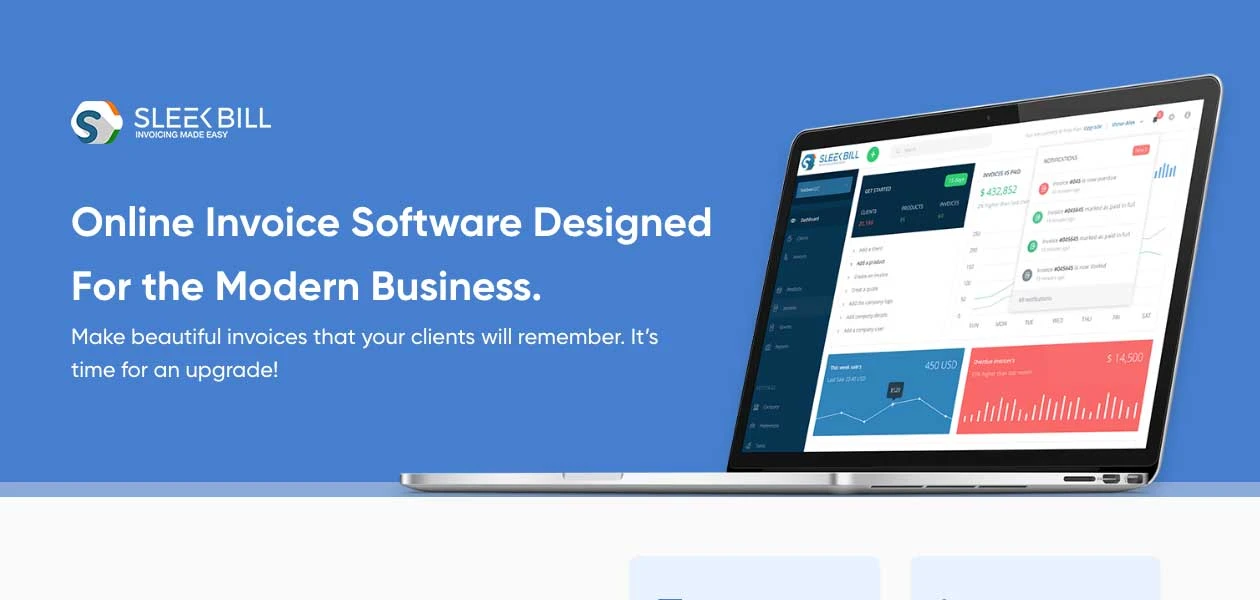
Sleek Bill is a powerful, user-friendly invoicing software designed for small and medium-sized businesses.
See MoreHave you used Sleek Bill before?
Share your insights for better experience
Brand: Sleek Bill
Founded Year: 2015
Sleek Bill
 Analytics & Reporting Backup & Restore Online Banking Manage Quotations Document Management Email Support Import & Export GST Compliance Billing & Invoicing Multi User Access Purchase Invoice Expense Management Inventory Management Support Team Invoice Generation GST Report Purchase Management Password Protection Back Order Management SMS & Email Support GST Auto Calculation

Watch the demo video to explore key features, real workflows, and how the software fits your business needs.
 Ubuntu
  Windows
  iOS
iOS  Android MacOS
  Linux
Linux  Desktop
  Mobile
  Tablet
  iPad
iPad  Cloud-Based
  Perpetual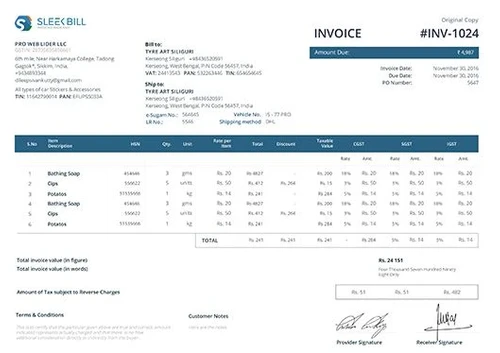
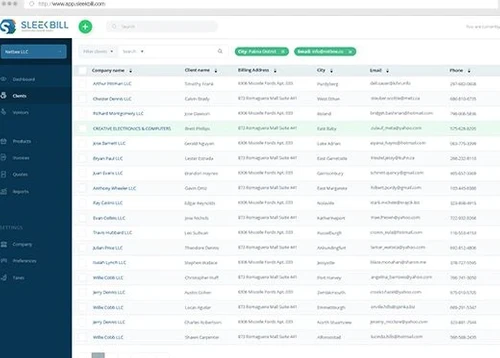
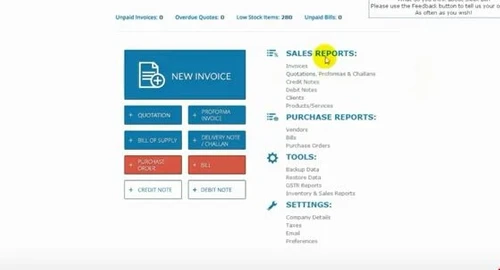
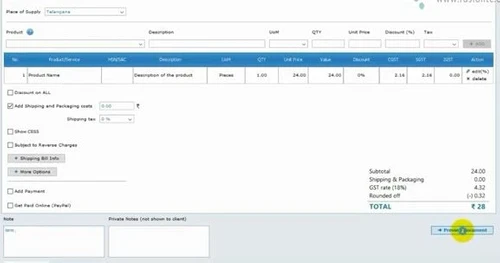
Small Business
Designed for startups and growing businesses
Medium Business
Built for business growth and flexibility
Enterprises
Designed for complex and large-scale business needs
4.4
Out of 5

Overall Rating
Based on
10 Verified Reviews
Rating Breakdown
82% Recommend this Product
Add ReviewCustomers generally appreciate Sleek Bill for its user-friendly interface and efficiency in creating and managing invoices, making it particularly suitable for small to medium businesses. Many users highlight the simplicity and time-saving aspects of the software, especially for recurring invoices. However, some complaints revolve around limited customization options for templates and a lack of essential features like expense tracking and detailed reporting capabilities. Overall, while users find value in its ease of use, there are notable areas for improvement.
Pros
"Easy to use anyone can use easily no need to install any addition software."
"User friendly design, invoice with GST is available, high usability. "
"I had a good experience with this service. I found it very convenient to have a list of possibilities presented to me instead of searching all over the place. "
Cons
"Many features are not added like expenses, balance sheet report, cash flow I suggest Vypaar software that is cheaper and much more features then sleek bill"

Sep 13, 2024
Techjockey Verified
“SleekBill Review: Easy Invoicing with Some Limitations”
SleekBill is a reliable invoicing software for small to medium businesses. It simplifies generating invoices and managing them in one place. The layout is neat, and it offers pre-designed templates to make invoicing faster.
Pros
SleekBill has been a helpful tool for creating and managing invoices quickly. The layout is simple, and the templates make it easier to format professional-looking invoices without much effort. It saves a lot of time when dealing with recurring invoices, and I like how everything is accessible in one place.
Cons
One issue I’ve encountered is with customization. While the templates are nice, there aren’t enough options to make them feel unique to my business. Also, the reporting features feel a bit limited if you need in-depth details for larger operations.
Reason to switch
I switched to SleekBill because I wanted something simpler that focuses only on invoicing without added complexity, which fits my current needs better.
Aug 1, 2020
Techjockey Verified
“Expense option not added Waste of money dnt buy it”
Pros
No
Cons
Many features are not added like expenses, balance sheet report, cash flow I suggest Vypaar software that is cheaper and much more features then sleek bill
Apr 23, 2019
Techjockey Verified
“Great economic software”
Pros
My team did a huge amount of research work before picking any software and finished up with SleekBill. It is a great economics software with low cost and best suitable for startups. Helpful and easy to use tool.
Cons
Add shortcuts

Sleek Bill
₹ 2360.00 excl. GST
Desktop
Mobile
Web based
On Premises
Windows
Mac OS

Vyapar Billing Software
Price On Request
Desktop
Mobile
Web based
On Premises
Windows
Mac OS
Raseed
Price On Request
Desktop
Mobile
Web based
On Premises
Windows
Mac OS
InvoiceZy
₹ 99
Desktop
Mobile
Web based
On Premises
Windows
Mac OS

KaroSauda
₹ 1999
Desktop
Mobile
Web based
On Premises
Windows
Mac OS

Billing Fast
₹ 3588
Desktop
Mobile
Web based
On Premises
Windows
Mac OS

Apna Billbook
₹ 6998
Desktop
Mobile
Web based
On Premises
Windows
Mac OS

Swipe - Billing Software
₹ 2796
Desktop
Mobile
Web based
On Premises
Windows
Mac OS

Petpooja Invoice
₹ 5000
Desktop
Mobile
Web based
On Premises
Windows
Mac OS

Billing Buddy
₹ 5000
Desktop
Mobile
Web based
On Premises
Windows
Mac OS
Asli Bill
₹ 7000
Desktop
Mobile
Web based
On Premises
Windows
Mac OS
(0) Product(s) selected


To begin using Sleek Bill, download the software from the official website, install it on your computer, and follow the setup guide. You can then import your existing data or manually enter customer details to start generating invoices immediately.
Yes, Sleek Bill supports invoicing in multiple currencies, allowing you to easily cater to clients across the globe.
Absolutely! Sleek Bill offers a range of customization options for your invoices, including adding your logo, choosing color schemes, and tailoring the layout to match your brand identity.
Yes, Sleek Bill provides dedicated customer support to help you with any issues or questions. You can contact their support team via email or through the support portal.
Sleek Bill offers basic inventory management features that allow you to track your products' stock levels, ensuring you always know what's available for sale.
To edit document labels or hide/show quantity, UOM, or unit price in Sleek Bill, follow the steps given below:
0 0
Sleek Bill does not directly generate e-way bills. You need to use the e-way bill portal provided by the government to manually input the invoice details generated from Sleek Bill.
0 0
To make a GST tax invoice for export in Sleek Bill, follow the steps given below:
0 0
To make and use credit notes in Sleek Bill, follow the steps given below:
0 0
To get your GSTR 1 report in Sleek Bill, follow the steps given below:
0 0
20,000+ Software Listed
Best Price Guranteed
Free Expert Consultation
2M+ Happy Customers
Terms and Condtions

Users with registered businesses can purchase goods from merchants on the platform to satisfy their business needs. Users are not permitted to utilize any products acquired through the platform for resale, advertising, business, or further distribution.
For each purchase made, users will receive a Tax Invoice (or 'GST invoice') that includes specific details such as:
the GSTIN of the user associated with their registered business, and
the specified Entity Name for their business.
It should be noted that not all products are eligible for GST Invoice. Only the products displayed by participating sellers with the 'GST-based Invoice Available' callout on the product description page would qualify.
Certain goods and services are not eligible to get a GST Invoice, including items with VAS, i.e., Value Added Services (e.g., Total Mobile Protection/Assured Buyback) and those involving an exchange offer at the time of purchase.
Users must ensure the accuracy of the GSTIN, and business entity name provided for the GST Invoice. Requests for corrections into GST Invoice would not be accommodated by Techjockey.com or any Seller, and any issues arising from user-provided information are the sole responsibility of users.
Techjockey.com is not liable for the GST Invoice or any associated input tax credit. To efficiently claim an input tax credit, users should select the registered place of business address as per the GST authority's data and follow the provisions of the GST Act and rules.
To claim an input tax credit, the delivery and billing addresses must match. Furthermore, input tax credits will not be granted if the delivery address and GSTIN on the invoice are from different states. In case of incorrect GST details provided during the order placement, the order will be canceled automatically.