linkedin
Vmware Horizon logo
play What is VMware Horizon? Desktop & Application Virtualization Solution
Vmware Horizon End user experience
Vmware Horizon Multi tenancy

Vmware Horizon

Brand: VMware

  • 4.2

  • 6 Ratings

VMware Horizon is a secure virtual desktop delivery offering optimal user experience, robust security, and scalable multi-cloud deployment.

See More

Have you used Vmware Horizon before?

Share your insights for better experience

Add a Review

Price Available on Request

Questions about pricing or customization? We’re here to help, just a click away.

100% Genuine
Products
Best Price
Guaranteed
Safe & Secure
Payment
  • Description

  • Pricing

  • Features

  • Specification

  • Review

  • Compare

  • Alternatives

  • FAQ

Vmware Horizon Software Overview

What is VMware Horizon Software?

VMware Horizon is a solution that provides secure delivery and management of virtualized or hosted desktops and apps to end users on any device and location. It creates and delivers virtual desktops and apps to end users on any device and location. It uses a Connection Server to broker connections and a Horizon Agent to run the desktops and apps. It supports various platforms and features for security, performance, and management. The interface is the Horizon Console, a web-based tool for creating and managing desktops and apps. It has a navigation pane, a search filter, a table view, and a toolbar.

It enables cloud-based deployment and management of desktops and apps across private, hybrid, and multi-cloud infrastructure. Integrated with VMware Cloud Foundation, delivering consistent digital architecture and management with hyper-converged infrastructure.

Deploy and manage desktops and apps on-premises or in public or hybrid clouds with automation and SaaS services. Single Sign-On access to virtual desktops and apps from any device and location. Session collaboration to share desktops and apps with other users for teamwork and support. Support hundreds of peripherals such as printers, scanners, cameras, and smart cards. Monitor infrastructure stack performance with Aria Operations for Horizon, providing actionable insights and customizable dashboards with Workspace ONE Intelligence and Digital Employee Experience Management.

Why Choose VMware Horizon Platform?

  • Remote and Hybrid Work: Help access secure virtual desktops and apps to users in the office, at home, or anywhere between.
  • Desktop as a Service: Manage the infrastructure on Microsoft Azure and save time and costs with automation and power management.
  • Hybrid Cloud: Manage all desktops and apps from a single pane of glass and use cloud-based deployment and monitoring.
  • Business Continuity: Ensure uninterrupted operations by providing secure access to critical resources during disruptions or emergencies, supporting seamless remote work.
  • Enhanced Security: Implement end-to-end security measures, protecting corporate resources from devices to data centers to the cloud.

Benefits of VMware Horizon Desktop as a Service Software

  • Anywhere Access: Enable secure access to virtual desktops and apps from any device, fostering flexible work environments.
  • Security: Single Sign-On access and encryption for virtual desktops and apps, ensuring secure remote access and safeguarding corporate resources.
  • Speed: Instant Clone Technology and Blast Extreme protocol for fast delivery and performance.
  • Scale: Hybrid cloud and Horizon Control Plane for flexible and elastic deployment and orchestration.
  • User Experience: Personalized desktops, session collaboration, and device redirection for optimal user satisfaction.

Pricing of VMware Horizon Desktop as a Service Platform

VMware Horizon Desktop as a Service Platform pricing is available on request at techjockey.com.

Its pricing in India may vary based on factors like customization, additional features required, the number of users, and the deployment type. Please request a call back for subscription-related details and to avail offers on premium packages.

Read more

VMware Company Details

Founded Year:  1998

Pivotal Tracker is the story-based product management tool that makes collaboration easy and keeps cross-functional agile teams in sync.

Director/Founders Rob Mee and Sherry Erskine
Company Size 1000+ Employees
Other info This foundation empowers businesses to build, run, manage, connect, and protect applications, anywhere–enabling technology-driven transformation without disruption.

Vmware Horizon Pricing & Plans

Looking for The Right Pricing?

Share your requirements and get a plan built around your business.

  • Define your business needs
  • Get customised pricing
  • Choose features that fit your workflow

Price Available on Request

Get personalised Vmware Horizon pricing that fits your needs. Our team will connect with you.

Vmware Horizon Features

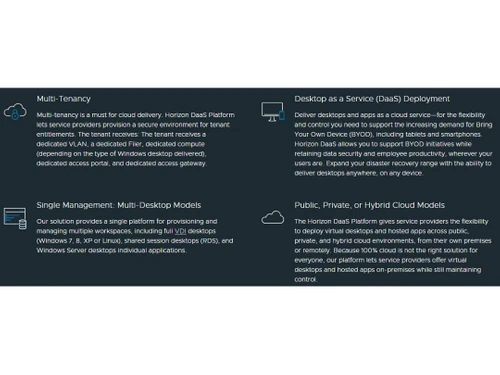
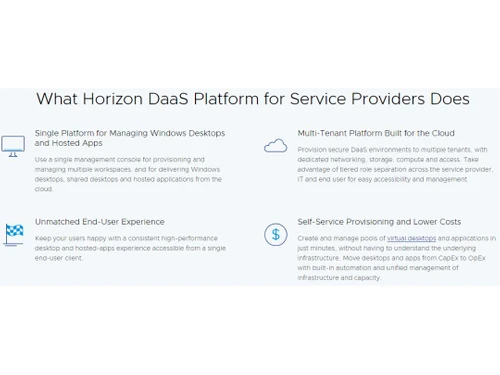
  • icon_check Multi-Tenancy
    Allows service providers to create secure and isolated environments for different tenants.
  • icon_check Desktop as a Service (DaaS) Deployment
    Enables users to access virtual desktops and applications from any device and location.
  • icon_check Multi-Desktop Models
    Supports various desktops, including full VDI, shared session, and Windows Server desktops.
  • icon_check Public, Private, or Hybrid Cloud Models
    Provides choice and flexibility for where to host virtual desktops and applications.
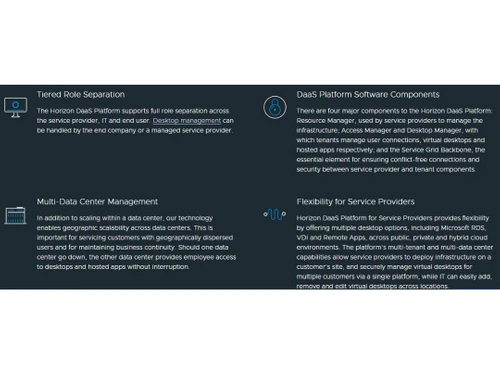
  • icon_check Tiered Role Separation
    Supports role-based access and management across service provider, IT, and end-user levels.
  • icon_check Multi-Data Center Management
    Enables geographic scalability and business continuity across multiple data centers.
  • icon_check Flexibility for Service Providers
    Offers multiple desktop options, including Microsoft RDS, VDI, & Remote Apps, across different environments.
  • icon_check Unmatched End-User Experience
    Delivers consistent and high-performance desktop and hosted app experience from a single end-user client.
  • icon_check Self-Service Provisioning
    Allows users to create and manage pools of virtual desktops and applications in minutes.
  • icon_check Unlimited Scalability
    Enables unlimited scalability through a grid-based architecture, with everything deployed in a high availability pair.
Vmware Horizon Demo Video play icon

Get Vmware Horizon Demo

Watch the demo video to explore key features, real workflows, and how the software fits your business needs.

Understand
Key Features
Personal
Demo Insights
Interactive
Demo Support

Vmware Horizon Specifications

Supported Platforms
Ubuntu Ubuntu Windows Windows MacOS MacOS Linux Linux
Devices
Desktop Desktop Mobile Mobile Tablet Tablet iPad iPad
Deployment
Cloud-Based Cloud-Based Perpetual Perpetual
Suitable For
All Industries
Business Specific
All Businesses
Business Size
Small Business Startups Medium Business Enterprises
Customer Support
Email Live Chat Communities
Language
Nederlands English français Italiano 日本人 한국어 普通话 Português Español
Training Resources
Documentation Videos

Explore the Best Alternative Solutions Similar to Your Business Size and Needs

Vmware Horizon Review

4.2

Out of 5

img

Overall Rating

Based on
6 Verified Ratings

Rating Breakdown

  • Features 4.2
  • Value for Money 4.1
  • Ease of Use 4.5
  • Customer Support 4

88% Recommend this Product

Add Review

Be the First to Review

This product has no reviews yet. Be the first to leave your feedback.

Add Review

Compare Vmware Horizon With other Desktop as a Service (DAAS)

Products
Ratings
Pricing
Device Supported
Deployment
Supported Platforms
  • img

    Vmware Horizon

  • 4.2

  • Price On Request

  • Desktop

    Mobile

  • Web based

    On Premises

  • Windows

    Mac OS

  • img

    Kasm Workspaces

  • 4.7

  • Price On Request

  • Desktop

    Mobile

  • Web based

    On Premises

  • Windows

    Mac OS

  • img

    dinCloud HVD

  • 4.7

  • Price On Request

  • Desktop

    Mobile

  • Web based

    On Premises

  • Windows

    Mac OS

  • img

    Dell APEX (PCaaS)

  • 4.7

  • Price On Request

  • Desktop

    Mobile

  • Web based

    On Premises

  • Windows

    Mac OS

  • img

    Cloud Workstations

  • 4.7

  • Price On Request

  • Desktop

    Mobile

  • Web based

    On Premises

  • Windows

    Mac OS

  • img

    Citrix DaaS

  • 4.4

  • Price On Request

  • Desktop

    Mobile

  • Web based

    On Premises

  • Windows

    Mac OS

  • img

    Amazon WorkSpaces

  • 4.0

  • Price On Request

  • Desktop

    Mobile

  • Web based

    On Premises

  • Windows

    Mac OS

  • img

    Nutanix DaaS

  • 4.4

  • Price On Request

  • Desktop

    Mobile

  • Web based

    On Premises

  • Windows

    Mac OS

  • img

    zDesk

  • 4.3

  • Price On Request

  • Desktop

    Mobile

  • Web based

    On Premises

  • Windows

    Mac OS

(0) Product(s) selected

Vmware Horizon Alternatives

See All Vmware Horizon Alternatives

Available

Price on Request

Starting Price:

$18 /Month

Which operating system does VMware Horizon support?

Vmware Horizon is compatible with Windows, Linux, and macOS operating systems.

Is there any Vmware Horizon app?

Vmware Horizon app is available for Android and iOS mobile devices.

What is the deployment type of VMware Horizon?

Vmware Horizon supports web-based deployment.

How much does Vmware Horizon cost?

Vmware Horizon pricing is available on request at techjockey.com.

Who are the potential users of Vmware Horizon?

Vmware Horizon is typically used in IT, healthcare, finance, and education industries by remote and hybrid workers for secure and flexible virtual desktops and apps.

Is there any free trial or demo for Vmware Horizon?

Vmware Horizon demo is available for free with techjockey.com.

Is VMware Horizon free?

Vmware Horizon does not offer a free trial. However, the premium plan with advanced features is available at techjockey.com with exciting deals.

How can you download Vmware Horizon?

Vmware Horizon installation is not required, as it is web-based. Just open the Setup Wizard to get started.

How does VMware Horizon work?

Vmware Horizon helps with secure, flexible virtual desktop delivery, ensuring optimal user experience, robust security, scalable multi-cloud deployment, and streamlined management for enhanced productivity and adaptability.

20,000+ Software Listed

Best Price Guranteed

Free Expert Consultation

2M+ Happy Customers

Terms and Condtions

close

Users with registered businesses can purchase goods from merchants on the platform to satisfy their business needs. Users are not permitted to utilize any products acquired through the platform for resale, advertising, business, or further distribution.

For each purchase made, users will receive a Tax Invoice (or 'GST invoice') that includes specific details such as:

  • the GSTIN of the user associated with their registered business, and

  • the specified Entity Name for their business.

It should be noted that not all products are eligible for GST Invoice. Only the products displayed by participating sellers with the 'GST-based Invoice Available' callout on the product description page would qualify.

Certain goods and services are not eligible to get a GST Invoice, including items with VAS, i.e., Value Added Services (e.g., Total Mobile Protection/Assured Buyback) and those involving an exchange offer at the time of purchase.

Users must ensure the accuracy of the GSTIN, and business entity name provided for the GST Invoice. Requests for corrections into GST Invoice would not be accommodated by Techjockey.com or any Seller, and any issues arising from user-provided information are the sole responsibility of users.

Techjockey.com is not liable for the GST Invoice or any associated input tax credit. To efficiently claim an input tax credit, users should select the registered place of business address as per the GST authority's data and follow the provisions of the GST Act and rules.

To claim an input tax credit, the delivery and billing addresses must match. Furthermore, input tax credits will not be granted if the delivery address and GSTIN on the invoice are from different states. In case of incorrect GST details provided during the order placement, the order will be canceled automatically.