linkedin
Zen Flowchart logo
play Zen Flowchart Tutorials - How to create a basic flowchart - Zen Flowchart Demo
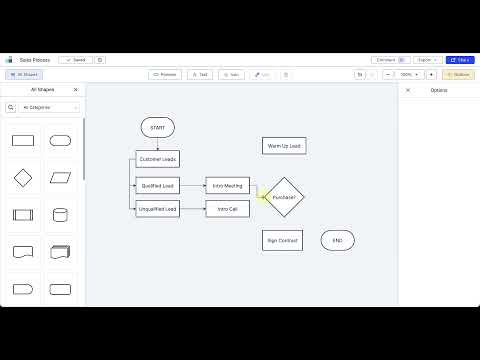
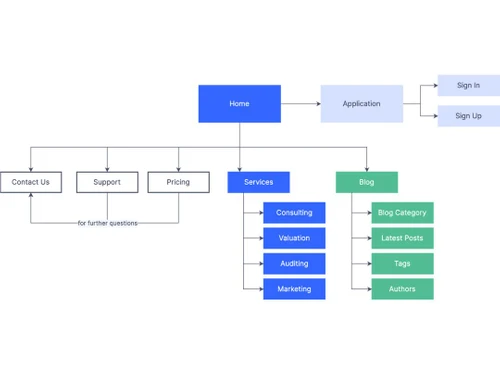
Zen Flowchart shapes
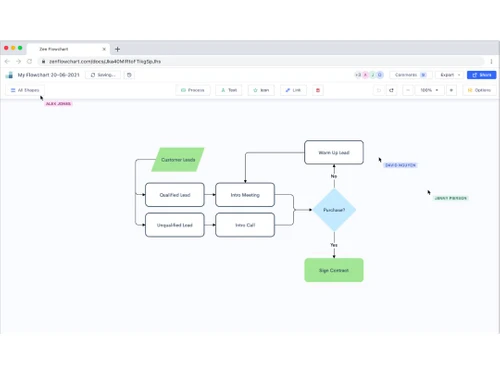
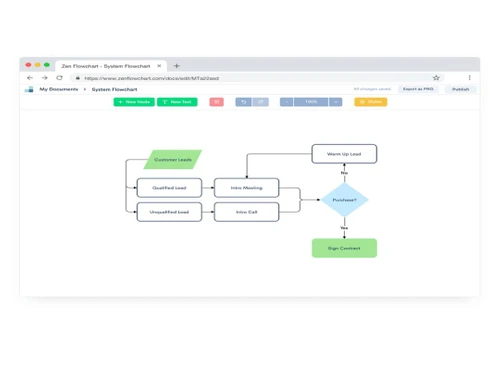
Zen Flowchart document

Zen Flowchart

Brand: Zen Flowchart

  • 4.5

  • 3 Ratings

Create flowcharts, org charts, process charts, and sitemaps online like a pro with Ze Flowchart in seconds.

See More

Have you used Zen Flowchart before?

Share your insights for better experience

Add a Review

Price Available on Request

Questions about pricing or customization? We’re here to help, just a click away.

100% Genuine
Products
Best Price
Guaranteed
Safe & Secure
Payment
  • Description

  • Pricing

  • Features

  • Specification

  • Review

  • Compare

  • Alternatives

  • FAQ

Zen FlowchartSoftware Overview

What Is Zen Flowchart?

Zen Flowchart is a powerful and intuitive tool for creating professional flowcharts and diagrams. It is designed to make the process of creating complex diagrams quick and easy, while still giving you full control over the result.

With Zen Flowchart, you can create flowcharts, mind maps, organization charts, network diagrams, and more. The software is perfect for both beginners and experienced professionals, thanks to its simple drag-and-drop interface and a wide range of customization options.

You can choose from a variety of shapes, colors, and fonts to create a diagram that perfectly represents your ideas. The software also allows you to collaborate with others in real-time, making it easy to work on projects with a team.

Key Functionalities of Zen Flowchart

  • Wireframes: This flowchart software allows you to create low-fidelity website & app wireframes without any coding. You can add and rearrange from +56 ready-made components to create your desired user interface.
  • Customizable shapes: You can choose from a range of shapes, including basic shapes, flowchart shapes, and UML shapes. It also allows you to customize the size, color, and style of each shape.
  • Sounds: It has a large library of white noises and background sounds. There are many free sounds available to help you focus, meditate, calm down, and sleep.
  • OKRs: The flowchart creator allows users to implement a goal-setting framework to manage personal & team goals easily with the OKR (Objectives and Key Results) feature. Users can create an OKR page, assign members, add notes, or set due dates for team members or clients.
  • Single-click styling: The software allows you to apply pre-designed styles to your shapes, lines, and text with just one click, saving you time and effort.

Benefits of Zen Flowchart

  • The flowchart software automatically adds connector lines between shapes, making it easy to connect your diagram elements.
  • It offers a wide range of templates to choose from, including flowcharts, mind maps, org charts, network diagrams, and more.
  • You can customize the font, size, and color of your text, as well as add bold, italic, or underlined text.
  • It allows you to export and share your diagram in a variety of formats, including PNG, PDF, SVG, and Visio.
  • This flowchart software allows you to collaborate with others in real time. You can share your diagram with others and work on it together, making it a great tool for teamwork.
  • You can add sticky notes to your whiteboard to annotate ideas, comments, or feedback.

Zen Flowchart Pricing

Zen Flowchart price details are available on request at techjockey.com.

Zen Flowchart price in India may vary based on factors like customization, additional features required, number of users, and the deployment type. Please request a call back for subscription-related details and to avail offers on premium packages.

Read more

Zen Flowchart Company Details

Founded Year:  2018

Zen Flowchart provides software to create flowcharts, organizational charts, process flows, and sitemaps.

Director/Founders Zen Flowchart
Company Size 1-100 Employees

Zen Flowchart Pricing & Plans

Looking for The Right Pricing?

Share your requirements and get a plan built around your business.

  • Define your business needs
  • Get customised pricing
  • Choose features that fit your workflow

Price Available on Request

Get personalised Zen Flowchart pricing that fits your needs. Our team will connect with you.

Zen Flowchart Features

  • icon_check Easy to Use
    With an intuitive interface, Zen Flowchart is easy to use, and it enables the user to create flowcharts easily.
  • icon_check Drag & Drop
    You can easily drag and drop shapes, symbols, and text boxes onto your diagram, which saves time.
  • icon_check Intuitive Interface
    The online software has a clean and easy-to-use interface, making it simple to get started with your diagram.
  • icon_check 1-Click Styling
    Customize your flowcharts and diagrams with simple styling options in a hassle-free manner.
  • icon_check Collaboration
    You can create diagrams or illustrations and collaborate with others in real-time using a whiteboard.
  • icon_check Mind Map
    It allows you to create custom mind maps or use pre-defined templates to create your personalized maps.
  • icon_check Minimalist UI
    Clean, distraction-free interface that focuses on content over clutter, ideal for simple, fast diagramming.
  • icon_check Smart Connectors
    Automatically link nodes with smart connectors that maintain clear, logical flow between elements.
  • icon_check Cloud-Based
    Access and edit flowcharts anywhere through a browser with project data stored securely in the cloud.
  • icon_check Pre-Built Templates
    Start quickly with ready-to-use templates for flowcharts and diagram types to accelerate creation.
  • icon_check Real-Time Collaboration
    Invite others to view, comment, or edit charts simultaneously for team co-creation.
  • icon_check System Flow Diagrams
    Map system logic and component interactions for software or business processes.
  • icon_check Algorithm Flows
    Represent algorithm steps and logic flows for technical planning or documentation.
  • icon_check Organizational Structuring
    Build org charts to visualize structures and reporting relationships easily.
  • icon_check Extensive Symbol Library
    Use a comprehensive set of shapes and symbols to represent processes, decisions, and workflows.
Zen Flowchart Demo Video play icon

Get Zen Flowchart Demo

Watch the demo video to explore key features, real workflows, and how the software fits your business needs.

Understand
Key Features
Personal
Demo Insights
Interactive
Demo Support
Product Enrichment Section Image

Zen Flowchart Specification

Supported Platforms
Windows Windows
Devices
Desktop Desktop Mobile Mobile Tablet Tablet
Deployment
Web-Based Web-Based
Suitable For
All Industries
Business Specific
All Businesses
Business Size
Small Business Startups Medium Business Enterprises SMBs SMEs
Customer Support
Email
Language
English
Training Resources
Live Online Documentation
Compliance Regulation
CCPA CPRA

Explore the Best Alternative Solutions Similar to Your Business Size and Needs

Zen Flowchart Review

4.5

Out of 5

img

Overall Rating

Based on
3 Verified Ratings

Rating Breakdown

  • Features 4.3
  • Value for Money 4.5
  • Ease of Use 4.5
  • Customer Support 5

83% Recommend this Product

Add Review

Techjockey Trusted Reviews from Verified Users

No reviews are currently available for Zen Flowchart. Discover similar Flowchart Software reviews

  • SmartDraw

    4.4

    Whats great - Excellent service and aftercare with helping with questions relating to installation. Also a price that is amazing.? read more

  • Creately

    4.5

    Whats great - Visual collaboration features are ideal for brainstorming plans and processes. Highly suited for teams as in-built video conf... read more

  • ConceptDraw MINDMAP

    4.5

    Whats great - Project planning and management software with built-in themes. Allows you to customize themes accordingly. read more

Compare Zen Flowchart With other Flowchart Software

Products
Ratings
Pricing
Device Supported
Deployment
Supported Platforms
  • img

    Zen Flowchart

  • 4.5

  • Price On Request

  • Desktop

    Mobile

  • Web based

    On Premises

  • Windows

    Mac OS

  • img

    Diagrams.Net

  • 4.4

  • Price On Request

  • Desktop

    Mobile

  • Web based

    On Premises

  • Windows

    Mac OS

  • img

    thinkComposer

  • 4.3

  • Price On Request

  • Desktop

    Mobile

  • Web based

    On Premises

  • Windows

    Mac OS

  • img

    Lucidchart

  • 4.4

  • Price On Request

  • Desktop

    Mobile

  • Web based

    On Premises

  • Windows

    Mac OS

  • img

    SmartDraw

  • 4.3

  • Price On Request

  • Desktop

    Mobile

  • Web based

    On Premises

  • Windows

    Mac OS

  • img

    Creately

  • 4.5

  • Price On Request

  • Desktop

    Mobile

  • Web based

    On Premises

  • Windows

    Mac OS

  • img

    Terrastruct

  • 4.1

  • Price On Request

  • Desktop

    Mobile

  • Web based

    On Premises

  • Windows

    Mac OS

  • img

    Microsoft Visio

  • 4.5

  • ₹ 498

  • Desktop

    Mobile

  • Web based

    On Premises

  • Windows

    Mac OS

  • img

    Gliffy

  • 4.1

  • Price On Request

  • Desktop

    Mobile

  • Web based

    On Premises

  • Windows

    Mac OS

  • img

    Visme

  • 4.4

  • Price On Request

  • Desktop

    Mobile

  • Web based

    On Premises

  • Windows

    Mac OS

  • img

    Cacoo

  • 4.0

  • Price On Request

  • Desktop

    Mobile

  • Web based

    On Premises

  • Windows

    Mac OS

(2) Product(s) selected

Zen Flowchart Alternatives

See All Zen Flowchart Alternatives

Starting Price:

$20 /User/Month

Starting Price:

$18 /3Month

Starting Price:

$129 /Device

Starting Price:

$20 /Month
Starting Price:

$10 /Quantity

Starting Price:

$7 /Month
Articles for Zen Flowchart

See All Related Articles

Which operating system does Zen Flowchart support?

Zen software is compatible with Windows operating system.

Is there any Zen Flowchart app?

There is no app for Zen Flowchart.

What is the deployment type of Zen Flowchart?

Zen Flowchart software supports web-based deployment type.

How much does Zen Flowchart cost?

Zen Flowchart software pricing is available on request at techjockey.com.

Who are the potential users of Zen Flowchart?

Zen Flowchart software is typically used by programmers and business users.

Is there any free trial or demo for Zen Flowchart?

Zen Flowchart software demo is available for free with techjockey.com.

Is Zen Flowchart free?

Zen Flowchart software offers a free trial. However, the premium plan with advanced features is available at techjockey.com with exciting deals.

How can you download Zen Flowchart?

Zen Flowchart software installation is not required as it is web-based. Just open the Setup Wizard to get started.

How does Zen Flowchart work?

Zen Flowchart helps with seamless collaboration by creating flowcharts, process charts, sitemaps, org charts, and more.

Can Zen Flowchart be used online or offline?

Zen Flowchart software is a web-based software tool that can be accessed through any web browser.

What types of diagrams can be created using Zen Flowchart?

Zen Flowchart software supports a wide variety of diagram types including flowcharts, mind maps, organization charts, network diagrams, and more.

Is Zen Flowchart easy to use for beginners?

Yes, Zen Flowchart software is designed with a simple and intuitive interface, making it easy for beginners to create flowcharts, diagrams, or charts, etc.

20,000+ Software Listed

Best Price Guranteed

Free Expert Consultation

2M+ Happy Customers

Terms and Condtions

close

Users with registered businesses can purchase goods from merchants on the platform to satisfy their business needs. Users are not permitted to utilize any products acquired through the platform for resale, advertising, business, or further distribution.

For each purchase made, users will receive a Tax Invoice (or 'GST invoice') that includes specific details such as:

  • the GSTIN of the user associated with their registered business, and

  • the specified Entity Name for their business.

It should be noted that not all products are eligible for GST Invoice. Only the products displayed by participating sellers with the 'GST-based Invoice Available' callout on the product description page would qualify.

Certain goods and services are not eligible to get a GST Invoice, including items with VAS, i.e., Value Added Services (e.g., Total Mobile Protection/Assured Buyback) and those involving an exchange offer at the time of purchase.

Users must ensure the accuracy of the GSTIN, and business entity name provided for the GST Invoice. Requests for corrections into GST Invoice would not be accommodated by Techjockey.com or any Seller, and any issues arising from user-provided information are the sole responsibility of users.

Techjockey.com is not liable for the GST Invoice or any associated input tax credit. To efficiently claim an input tax credit, users should select the registered place of business address as per the GST authority's data and follow the provisions of the GST Act and rules.

To claim an input tax credit, the delivery and billing addresses must match. Furthermore, input tax credits will not be granted if the delivery address and GSTIN on the invoice are from different states. In case of incorrect GST details provided during the order placement, the order will be canceled automatically.