Miro vs Figma for Teams with High Collaboration Requirements
Navigating the modern digital workspace means choosing the tools that streamline creativity and execution. Figma and Miro are top names, each judged not just by their feature sets but by their impact on real working teams. Although both promote collaboration, their workflows, user appeal, and integration options differ.
Rather than a generic feature list, let’s explore which fits your goals, how their strengths and weaknesses influence enterprise adoption, and exactly where each shines.
How Figma and Miro Differ?
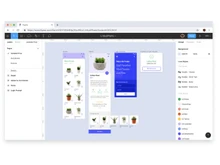
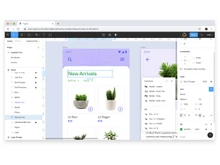
Figma is a cloud-based UI/UX design tool. It also serves as prototyping software, helping teams collaboratively design, test, and build digital products like websites and apps in real-time. Figma provides easy collaboration; however, it is not limited to collaboration workflows. Think of pixel-perfect interfaces and seamless prototyping for web and mobile, and design system development. This is what Figma does. It’s a code-friendly canvas.
Miro, on the other hand, is virtual whiteboard software. Instead of worrying about crisp corners and icon sizes, here ideas flow in sticky notes, mind maps, and connection diagrams that grow organically during project meetings. Miro excels at remote ideation, workshop facilitation, strategy mapping, and cross-team brainstorming when the workflow of a project is still forming.
Detailed Comparison of Figma vs Miro
| Feature |
Miro |
Figma |
| Core Purpose |
Collaborative online whiteboarding and visual teamwork. |
Professional UI/UX design, prototyping, and digital product creation. |
| Primary Users |
Cross-functional teams (design, PM, business, educators). |
Designers, developers, product managers, digital agencies. |
| Collaboration Style |
Open, accessible, visual brainstorming and strategic mapping. |
Live, high-fidelity design, interface prototyping, and comments. |
| Templates & Assets |
2,500+ templates (SWOT, mind map, agile, etc.), easy use for all. |
Library of design system components, reusable widgets, and UI starter kits. |
| Prototyping |
Basic diagramming, no advanced interactive prototyping. |
Full-featured prototypes, digital flow simulation, and hand-off to code. |
| Visual Editing |
Infinite flexible canvas, sticky notes, connectors, and free placement. |
Precise vector tools, pixel accuracy, layer control, and asset export. |
| Integration Options |
Connects with 100+ tools (Jira, Asana, Slack, Google Suite). |
Connects with PM tools, dev environments, Figma plugins, and Slack. |
| Security & Scale |
Enterprise-grade controls, SSO, and advanced governance. |
Good for teams, but less advanced security for enterprise. |
| Platform Support |
Web, desktop app, mobile, browser, strong cross-device access. |
Web, desktop app, mobile, browser, excellent multi-device support. |
| Learning Curve |
Easy for all users (including non-designers). |
Moderate; steep for non-designers due to advanced features. |
| Best For |
Ideation, workshops, project planning, and strategic meetings. |
UI design, prototyping, developer hand-offs, and branded digital products. |
| Pricing |
Free; $8/month per user |
Free; $20/month for full seat |
Practical Recommendations Based on Industry Needs
For mixed teams or those wanting to cut onboarding time, Miro is more approachable with a shallower learning curve for non-designers. For those focused on product quality, Figma’s technical prowess and design depth are irreplaceable.
- Design-led agencies: Start with Miro for workshops, move to Figma for layout and prototyping. Export feedback from Miro into Figma to maintain momentum.
- Startups: Small teams on a budget should use Figma for product design and Miro for business planning, ensuring no licensing barrier for the latter.
- Enterprises: Use Miro’s governance, compliance, and onboarding to unify remote, hybrid teams across strategy, then cross over to Figma for core product design.
- Educators and trainers: Miro for visual collaboration in classrooms and Figma for teaching design fundamentals.
SWOT Analysis: Miro vs Figma
| Basis |
Figma |
Miro |
| Strengths |
• Precision vector and layout tools.
• Deep prototyping, no extra software required.
• Live collaboration speeds up design cycles.
• Custom libraries support design system growth.
• Security and governance built for large enterprises. |
• Instantly accessible to non-designers.
• Templates for every collaboration need (SWOT, user story, mind map), faster onboarding.
• Real-time integrations with virtually all major PM tools (Jira, Asana, Slack, Google Workspace). |
| Weaknesses |
• Whiteboarding features are limited for broad ideation.
• Steep learning curve for team members not familiar with design tools.
• License requirements can slow non-designer participation. |
• Not suitable for final, developer-ready designs.
• Visual editing isn’t pixel-perfect; basic art board style. |
| Opportunities |
• Growth in plugin ecosystem and integrations.
• Hybrid workspace features (ex: FigJam for lightweight ideation).
• Expansion into enterprise (compliance, SSO, advanced data controls). |
• Real-time integrations with virtually all major PM tools (Jira, Asana, Slack, Google Workspace).
• Growth in collaboration adoption for distributed teams. |
| Threats |
• Platforms like Canva, Sketch, and Affinity are rapidly closing feature gaps.
• Design role fragmentation: PMs, devs, and researchers may lean on less design-heavy alternatives. |
• UX/design teams may see Miro as “too basic” for their core tasks.
• Alternatives (Jamboard, Lucidspark) are gaining traction for brainstorming. |
What Should You Ask Before Choosing Between Miro and Figma?
Focus on these key context questions:
- Primary Objective: Are you iterating visual designs or facilitating broader strategic collaboration?
- Team Composition: Are most team members designers or a mix of PMs, developers, marketers, and clients?
- Security Needs: Is enterprise-grade security and SSO crucial, or is streamlined access more important?
- Workflow Stage: Are you at the start (ideation, mapping) or in the middle/end (prototyping, developer hand-off)?
The answers will guide the right tool for each scenario. For most businesses, using both sequentially allows each platform to shine when needed.
When to Choose Miro or Figma?
Rather than static checklists, think about the project lifecycle and team backgrounds. If the goal is to build design assets, prototypes, and provide developers with source-of-truth files, choose Figma. Additionally, for running a design sprint, stakeholder workshop, user story mapping, or portfolio review where everyone is involved (from dev, PM, marketing), choose Miro.
Figma is best suited for:
- Web/mobile app design sprints.
- Creating interactive components for rapid prototyping and usability testing.
- Managing shared design systems for visual consistency.
- Developer hand-offs or code inspection.
Miro works well, in:
- Kickoff workshops and stakeholder mapping.
- Portfolio reviews and feedback loops with large, diverse groups.
- OKR and strategic planning in fast-moving organizations.
- Daily agile practices (standups, retros, flowcharts, scrum boards).
Step back and assess: Is your current struggle clarity of design (Figma) or clarity of strategy/organization (Miro)?
Techjockey Verdict
The truth: Miro and Figma don’t compete; they complement. Think in terms of workflow sequence, not exclusivity. With Miro streamlining planning and Figma perfecting execution, teams upgrade creativity and product efficiency.
Strategize with Miro for what and why, design in Figma for how and wow. Let the process drive the outcome, not the tool.
For all creative, remote, hybrid, or enterprise teams seeking excellence and speed, use the strengths above as your “right tool, right stage” roadmap. With this knowledge, select confidently, collaborate freely, and innovate at scale.
These real-world voices highlight an important divide: Figma is optimized for building products; Miro is optimized for building teams. For more information and software-related advice, contact our Techjockey Team.
 USA
USA UAE
UAE


 Comparison


 4 Ratings & 1 Reviews


 Free Trial









 Get directly in your email inbox on your Whatsapp


