USA
USA UAE
UAESmall Business
Designed for startups and growing businesses
See More




Brand: Autodesk
AutoCAD Raster Design helps users convert scanned drawings into editable DWG files, vectorize raster images, and simplify CAD editing workflows.
See MoreHave you used AutoCAD Raster Design before?
Share your insights for better experience
Brand: Autodesk
Founded Year: 1982
Autodesk makes software for people who make things. If you’ve ever driven a high-performance car, admired a towering skyscraper, used a smartphone, or watched a great film, chances are you’ve experienced what millions of Autodesk customers are doing with our software.
Looking for The Right Pricing?
Share your requirements and get a plan built around your business.
Price Available on Request
Get personalised AutoCAD Raster Design pricing that fits your needs. Our team will connect with you.
 Raster Entity Manipulation (REM) OCR (Optical Character Recognition) Image Correction Cropping and Masking Vectorization tools Merge and Insert Correlation and Scaling Layer Management Multi Format Support Raster Snapping (OSNAP) Image Cleanup Raster-to-Vector Conversion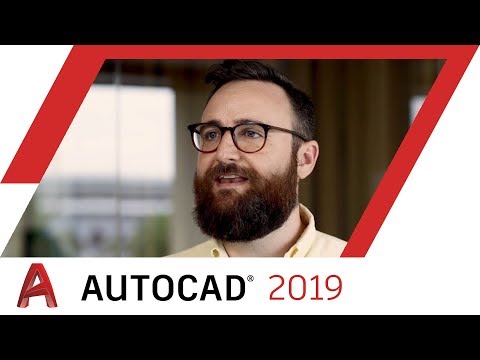

Watch the demo video to explore key features, real workflows, and how the software fits your business needs.
 Windows
  Desktop
  Perpetual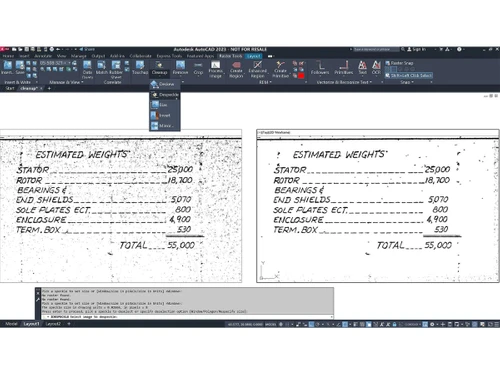
Small Business
Designed for startups and growing businesses
Medium Business
Built for business growth and flexibility
Enterprises
Designed for complex and large-scale business needs
4.3
Out of 5

Overall Rating
Based on
3 Verified Reviews
Rating Breakdown
90% Recommend this Product
Add ReviewUsers generally appreciate AutoCAD Raster Design for its robust capabilities and tools, making it a strong choice for experienced professionals in CAD drawing and raster creation. Many highlight its time-saving benefits and effective performance, often recommending it for its value. However, the software's complexity may pose a challenge for less experienced users, indicating that a solid understanding of CAD is essential for optimal use. Overall, the sentiment is positive, with users valuing the support and effectiveness of the product.

Apr 15, 2019
Techjockey Verified
“For experienced people”
Pros
In general, AutoCAD Raster Design can be figured among the best decisions in its class on account of the strong pack of capacities and apparatuses that are a piece of the bundle. Not very simple to use as it requests strong learning in CAD drawing and raster creation, this product arrangement is plainly one for the exceptionally experienced clients.
Cons
NO CONS
Jun 14, 2018
Techjockey Verified
“Thanks for your support.”
Pros
This is a great way to go when looking for an software!
Cons
N/A
Jun 7, 2018
Techjockey Verified
“saves time, highly recommended”
Pros
I bought software from here..cheaper and it works perfect?
Cons
N/A
AutoCAD Raster Design
Price On Request
Desktop
Mobile
Web based
On Premises
Windows
Mac OS

Adobe Creative Cloud for Teams All Apps
Price On Request
Desktop
Mobile
Web based
On Premises
Windows
Mac OS

Desygner
Price On Request
Desktop
Mobile
Web based
On Premises
Windows
Mac OS
Rapid Resizer
Price On Request
Desktop
Mobile
Web based
On Premises
Windows
Mac OS

Adobe Premiere Pro CS6
Price On Request
Desktop
Mobile
Web based
On Premises
Windows
Mac OS

Placeit
Price On Request
Desktop
Mobile
Web based
On Premises
Windows
Mac OS

Kittl
₹ 1000
Desktop
Mobile
Web based
On Premises
Windows
Mac OS

Penpot
Price On Request
Desktop
Mobile
Web based
On Premises
Windows
Mac OS

Texware Textile Designing Software
₹ 30000
Desktop
Mobile
Web based
On Premises
Windows
Mac OS

MyMemories Suite
Price On Request
Desktop
Mobile
Web based
On Premises
Windows
Mac OS

Glyphs
Price On Request
Desktop
Mobile
Web based
On Premises
Windows
Mac OS
(0) Product(s) selected
Starting Price:
$19 /Month
Starting Price:
$39 /Year
Starting Price:
$24 /Year
Starting Price:
$7 /Editor/Month
Starting Price:
$40 /License
Starting Price:
€299 /Quantity

Starting Price:
$20 /Month

Starting Price:
₹65,364 /Year

Starting Price:
$15 /Month

Starting Price:
$25 /Month
Starting Price:
$19


Subscribers will no longer have to access AutoCAD vertical functionality through separate offerings– by subscribing to AutoCAD, you will now have access to the capabilities of multiple AutoCAD vertical toolsets in one AutoCAD. Subscribers will be able to customize their AutoCAD experience to meet their evolving business needs
Previously, subscribers had to choose which AutoCAD-based vertical products were right for them. As of March 22, 2018, AutoCAD vertical toolsets are now included with AutoCAD subscription (and referred to as specialized toolsets)
AutoCAD including specialized toolsets
Yes, the functionality and offering of AutoCAD Architecture is the same as the Architecture toolset. This is true for the other specialized toolsets (Mechanical, Electrical, Map 3D, etc.)
AutoCAD Raster Design is a specialized toolset used to edit scanned drawings, clean up raster images, and convert them into DWG vector objects directly within the AutoCAD environment.
Yes, the Raster Design toolset is included as part of a standard subscription to AutoCAD, providing powerful raster editing and vectorization capabilities.
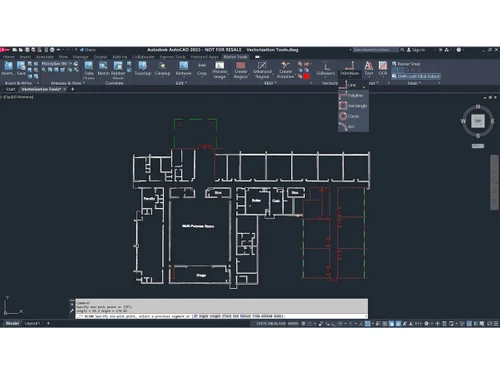
You can convert a raster image to a vector using the built-in vectorization tools, which allow you to create lines and polylines from raster images and transform raster files into vector drawings.
Since the Raster Design toolset is included with an AutoCAD subscription, it is typically available for use after installing the main AutoCAD software and does not require a separate activation.
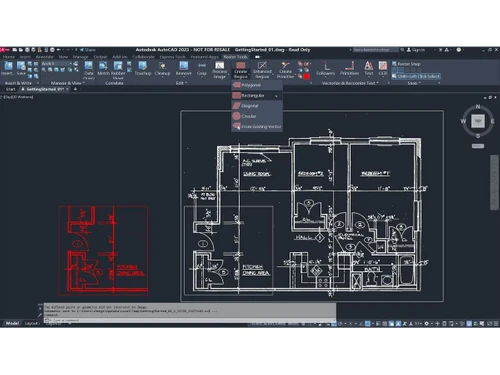
Raster Entity Manipulation (REM) is a feature that allows you to use standard AutoCAD commands like move, copy, and rotate directly on raster regions and primitives such as lines, arcs, and circles.
The toolset provides several image editing and cleanup tools to improve image quality, including features to despeckle, bias, mirror, and touch up your images.
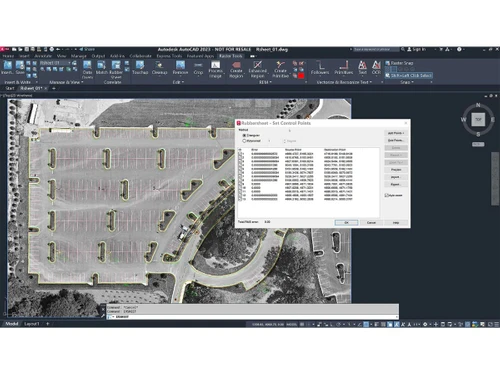
Yes, the software includes image transformation functionality that enables you to display and analyze geo-referenced images, which is especially useful in civil engineering and mapping workflows.
AutoCAD Raster Design pricing details are available on request on techjockey.com.
AutoCAD Raster Design is ideal for architects, facility managers, civil engineers, surveyors, GIS professionals, manufacturing and mechanical engineers, and government or utility agencies working with scanned drawings and raster-based design data.
20,000+ Software Listed
Best Price Guranteed
Free Expert Consultation
2M+ Happy Customers
Terms and Condtions

Users with registered businesses can purchase goods from merchants on the platform to satisfy their business needs. Users are not permitted to utilize any products acquired through the platform for resale, advertising, business, or further distribution.
For each purchase made, users will receive a Tax Invoice (or 'GST invoice') that includes specific details such as:
the GSTIN of the user associated with their registered business, and
the specified Entity Name for their business.
It should be noted that not all products are eligible for GST Invoice. Only the products displayed by participating sellers with the 'GST-based Invoice Available' callout on the product description page would qualify.
Certain goods and services are not eligible to get a GST Invoice, including items with VAS, i.e., Value Added Services (e.g., Total Mobile Protection/Assured Buyback) and those involving an exchange offer at the time of purchase.
Users must ensure the accuracy of the GSTIN, and business entity name provided for the GST Invoice. Requests for corrections into GST Invoice would not be accommodated by Techjockey.com or any Seller, and any issues arising from user-provided information are the sole responsibility of users.
Techjockey.com is not liable for the GST Invoice or any associated input tax credit. To efficiently claim an input tax credit, users should select the registered place of business address as per the GST authority's data and follow the provisions of the GST Act and rules.
To claim an input tax credit, the delivery and billing addresses must match. Furthermore, input tax credits will not be granted if the delivery address and GSTIN on the invoice are from different states. In case of incorrect GST details provided during the order placement, the order will be canceled automatically.