USA
USA UAE
UAESmall Business
Designed for startups and growing businesses
See More




Brand: StoryRock
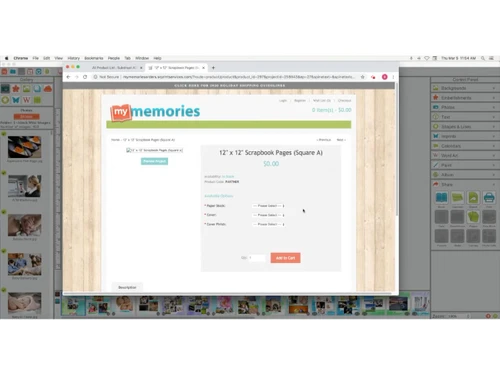
My Memories Suite is a designing solution, which allows users to create customized merchandise with personalized images and artwork. It helps users design: Photobooks Calendars Cards Posters Metal Prints Canvas Prints Coffee Mugs Water Bottles Mousepad My Memories Suite provides image editing features that enable designers to make edits to any image before finalising them for the merchandise. It...
See MoreHave you used MyMemories Suite before?
Share your insights for better experience
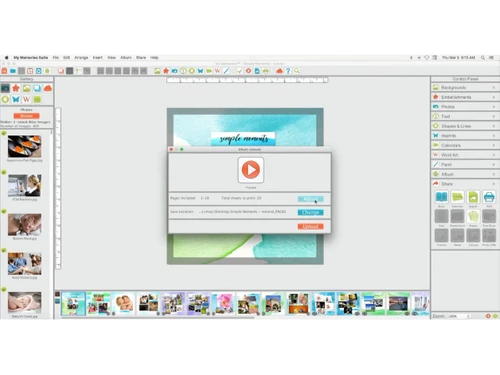
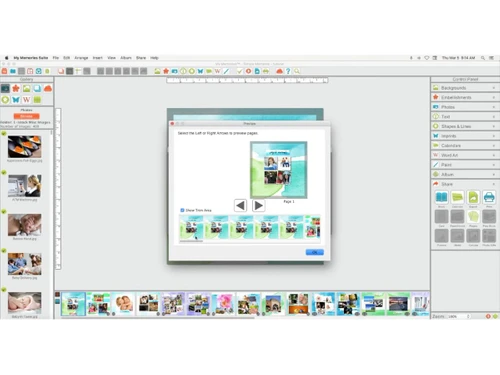
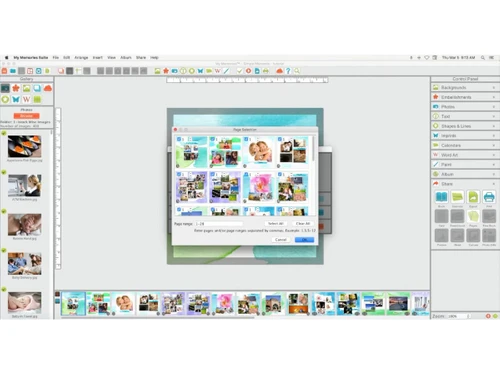
 Drag & Drop Template Library Photo Editing Text Editing & Typography Layer Management Background Customization Slideshow creation Project Sharing Undo & Redo Functionality Media Integration Multi-Page Project Support Import & Organization Design Elements Print & Export Options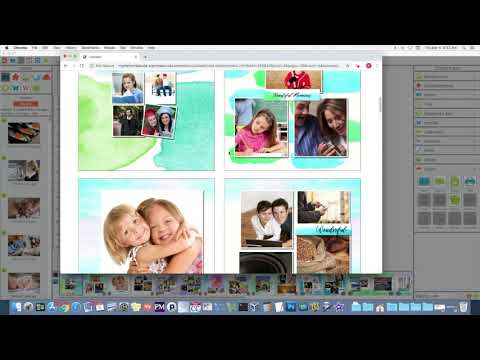

Watch the demo video to explore key features, real workflows, and how the software fits your business needs.
 Windows
  MacOS
MacOS  Desktop
  Perpetual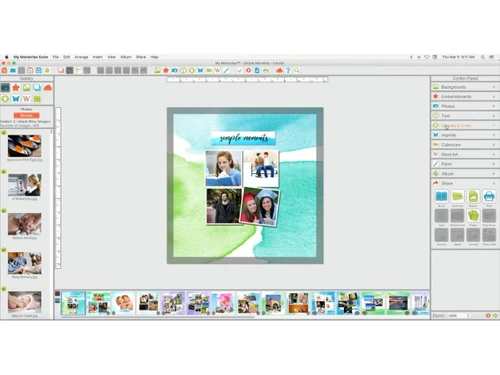
Small Business
Designed for startups and growing businesses
Medium Business
Built for business growth and flexibility
Enterprises
Designed for complex and large-scale business needs
4.2
Out of 5

Overall Rating
Based on
6 Verified Ratings
Rating Breakdown
88% Recommend this Product
Add ReviewTechjockey Trusted Reviews from Verified Users
No reviews are currently available for MyMemories Suite. Discover similar Designing Solutions reviews

Kittl
Whats great - Kittl helps me create product images for my Etsy listings. read more

Adobe Creative Cloud for Teams All Apps
Whats great - The convenience of having all my projects synced across devices is a huge plus. Saving to the cloud and accessing work from a... read more
Rapid Resizer
Whats great - If you want to create different types of digital paintings, then Rapid Resizer is all you need. It’s wonderful to create diff... read more

MyMemories Suite
Price On Request
Desktop
Mobile
Web based
On Premises
Windows
Mac OS
Adobe Creative Cloud for Teams All Apps
Price On Request
Desktop
Mobile
Web based
On Premises
Windows
Mac OS

Desygner
Price On Request
Desktop
Mobile
Web based
On Premises
Windows
Mac OS
Kittl
₹ 1000
Desktop
Mobile
Web based
On Premises
Windows
Mac OS
Rapid Resizer
Price On Request
Desktop
Mobile
Web based
On Premises
Windows
Mac OS

Penpot
Price On Request
Desktop
Mobile
Web based
On Premises
Windows
Mac OS

Placeit
Price On Request
Desktop
Mobile
Web based
On Premises
Windows
Mac OS

Adobe Premiere Pro CS6
Price On Request
Desktop
Mobile
Web based
On Premises
Windows
Mac OS
Album Sense cc
Price On Request
Desktop
Mobile
Web based
On Premises
Windows
Mac OS

Texware Textile Designing Software
₹ 30000
Desktop
Mobile
Web based
On Premises
Windows
Mac OS

Adobe Creative Cloud for Enterprise
Price On Request
Desktop
Mobile
Web based
On Premises
Windows
Mac OS
(0) Product(s) selected
Starting Price:
$19 /Month
Starting Price:
$39 /Year
Starting Price:
$7 /Editor/Month
Starting Price:
$24 /Year
Starting Price:
₹65,364 /Year

Starting Price:
€299 /Quantity

Starting Price:
$20 /Month

Starting Price:
$15 /Month

Starting Price:
$25 /Month
Starting Price:
$19

Starting Price:
$10 /Month


The operating systems required to run My Memories Suite smoothly are: 1. Windows 7, 8, 8.1, 10 2. MS OSX 10.13.6 or higher It also requires a hard disk space of 2.5 GB
My Memories Suite exports shapes as SVG files for easy electronic die cutting.
No, My Memories Suite provides you calendar of any year you want. You don’t need to import it from external sources or perform manual entry.
The latest version of this designing software is My Memories Suite 9.
Techjockey provides an online demo for My Memories Suite, please request a call to get your demo scheduled.
20,000+ Software Listed
Best Price Guranteed
Free Expert Consultation
2M+ Happy Customers
Terms and Condtions

Users with registered businesses can purchase goods from merchants on the platform to satisfy their business needs. Users are not permitted to utilize any products acquired through the platform for resale, advertising, business, or further distribution.
For each purchase made, users will receive a Tax Invoice (or 'GST invoice') that includes specific details such as:
the GSTIN of the user associated with their registered business, and
the specified Entity Name for their business.
It should be noted that not all products are eligible for GST Invoice. Only the products displayed by participating sellers with the 'GST-based Invoice Available' callout on the product description page would qualify.
Certain goods and services are not eligible to get a GST Invoice, including items with VAS, i.e., Value Added Services (e.g., Total Mobile Protection/Assured Buyback) and those involving an exchange offer at the time of purchase.
Users must ensure the accuracy of the GSTIN, and business entity name provided for the GST Invoice. Requests for corrections into GST Invoice would not be accommodated by Techjockey.com or any Seller, and any issues arising from user-provided information are the sole responsibility of users.
Techjockey.com is not liable for the GST Invoice or any associated input tax credit. To efficiently claim an input tax credit, users should select the registered place of business address as per the GST authority's data and follow the provisions of the GST Act and rules.
To claim an input tax credit, the delivery and billing addresses must match. Furthermore, input tax credits will not be granted if the delivery address and GSTIN on the invoice are from different states. In case of incorrect GST details provided during the order placement, the order will be canceled automatically.