linkedin
ERPNext logo
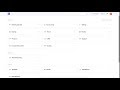
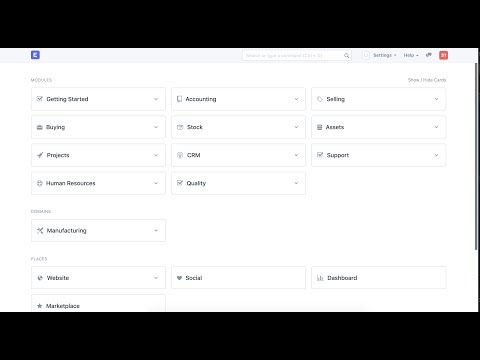
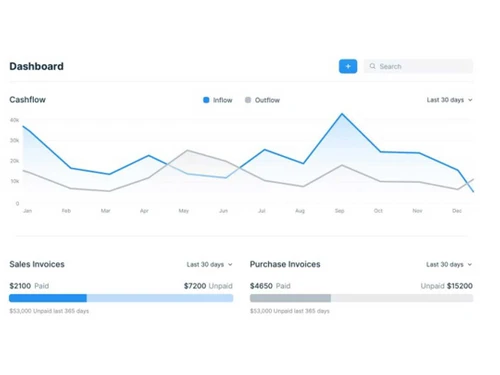
play ERPNext - New Dashboard in Version 12 - ERPNext Demo
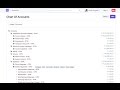
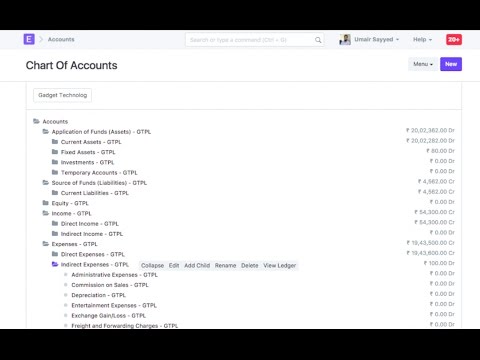
play ERPNext - Chart of Accounts - ERPNext Demo
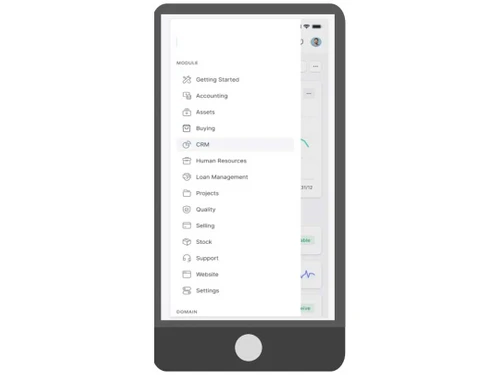
ERPNext CRM

ERPNext

Brand: Step Tech

  • 4.2

  • 5 Ratings & 1 Review

ERPNext software offers comprehensive business management tools, integrating accounting, inventory, and CRM to enhance operational efficiency.

See More

Have you used ERPNext before?

Share your insights for better experience

Add a Review
Starting Price
₹410

View plans

100% Genuine
Products
Best Price
Guaranteed
Safe & Secure
Payment
  • Description

  • Pricing

  • Features

  • Specification

  • Review

  • Compare

  • Alternatives

  • FAQ

  • Questions

Starting at ₹410

ERPNext Software Overview

What is ERPNext Software?

ERPNext presents a comprehensive solution for smooth management and the optimization of businesses. It ensures proper financial management and reporting. The abilities of sales, billing, and manufacturing management enable companies to optimize supply chains and their customer relationships. It helps to provide a competitive advantage in the market. It also enables organizations in establish engaging relationships with customers, promote growth, and retain customers.

Businesses that require an application of flexible and comprehensive ERP system to manage all their business affairs would aptly use the ERPNext cloud. This application software shall give you the tools and insights to ensure optimization of operations, growth, and therefore, to achieve success itself-be it a small business or large enterprise.

Key Features of ERPNext

  • It comes with some of the most advanced HRM (human resource management) tools that help simplify HR processes, from employee records to payroll management, fostering a productive work environment.
  • ERPNext offers payment gateway integration and API capabilities, offering extensive customization options. You can tailor the platform to suit your unique business needs, from workflows to reports, ensuring your business processes are as efficient as possible.
  • The Inventory Management module enables companies to effectively monitor stock levels in various warehouses, ensuring product availability when required while avoiding excess inventory. It provides instant insight into inventory conditions, automates inventory restocking via reordering guidelines, and connects smoothly with purchasing and sales activities.
  • The Manufacturing module in ERPNext simplifies the complete production cycle, from generating Bills of Materials (BOM) to overseeing work orders and monitoring production advancements. It allows companies to organize production timelines, distribute resources effectively, and monitor material usage.
  • The Financial Management module in ERPNext assists companies in handling their accounting operations effectively, providing features such as general ledger, accounts payable/receivable, and bank reconciliation.

Why Choose ERPNext?

With ERPNext, businesses of all sizes can streamline their operations, improve financial management, and improve growth. There is a lot that small and medium-sized businesses (SMBs) can benefit from using ERPNext for managing their finances, sales, and supply chain operations.

Therefore, ERPNext is the cost-effective solution for SMBs to increase productivity, improve management of finance, and maximize customer relations.

Medium to large companies can also leverage the capabilities of ERPNext to consolidate their business operations. ERPNext provides scalability and flexibility through strong project management features, payment gateway integration, and API support.

Businesses can utilize ERPNext to simplify intricate workflows, enhance project management, and integrate smoothly with additional systems, guaranteeing their operations stay efficient and adaptable

Benefits of ERPNext Software

  • It helps streamline business operations with a comprehensive suite of integrated modules.
  • You can enhance financial transparency and accuracy with robust accounting and finance tools.
  • It will help you to optimize sales processes and boost revenue through efficient management.
  • With ERPNext, you can simplify billing, invoicing, and supply chain operations for seamless transactions.
  • It will help you to foster growth with powerful CRM capabilities for cultivating meaningful customer relationships.
  • You can tailor the platform to your unique needs and access valuable insights for informed decision-making.

ERPNext Pricing

ERPNext pricing starts from Rs 410/- per month for small businesses and for enterprises, custom prices are available at techjockey.com. It comes with multiple pricing plans and caters to a diverse customer base. For subscription-related details and offers on premium packages, please request a call back from our product experts.

Read more

Step Tech Company Details

Founded Year:  1988

STEP Technology is a full-service information technology development company.

Director/Founders Laxman Tandon
Company Size 1-100 Employees

ERPNext Pricing & Plans

Small Business
Key Features
  • Unlimited Users
  • Managed Hosting
  • Product Warranty
Starting at ₹410
    • Monthly

      Monthly
      Monthly

Key Features

  • Unlimited Users

  • Managed Hosting

  • Product Warranty

ERPNext Features

  • icon_check Accounting
    Helps streamline financial management for accurate reporting.
  • icon_check Finance
    Offers comprehensive financial tools for better business control.
  • icon_check Sales
    Optimizes sales processes to boost revenue.
  • icon_check Billing
    Simplifies billing and invoicing for efficient transactions.
  • icon_check Manufacturing Management
    Streamlines the production and supply chain operations.
  • icon_check CRM
    Cultivates meaningful customer relationships for growth.
  • icon_check Human Resource Management
    Simplifies HR processes, from records to payroll.
  • icon_check Project Management
    Efficiently manages projects from inception to completion.
  • icon_check Inventory Management
    Track stock levels across multiple warehouses using batch and serial number tracking with automated reorder triggers fast.
  • icon_check CRM & Sales Pipeline
    Capture leads from your website and manage the entire sales cycle from quotations to final delivery and payment collection.
  • icon_check Human resources services
    Automate payroll, recruitment, and employee lifecycle management while tracking attendance and expenses in one central hub.
  • icon_check Payment Gateway
    Seamlessly integrates payment processing for efficient transactions.
  • icon_check API Integration
    It connects and expands your software ecosystem effortlessly.
  • icon_check Customization
    You can customize the features of this platform to your unique business needs.
  • icon_check Reports
    Provides detailed insights and data for informed decision-making.
ERPNext Demo Video play icon

Get ERPNext Demo

Watch the demo video to explore key features, real workflows, and how the software fits your business needs.

Understand
Key Features
Personal
Demo Insights
Interactive
Demo Support

ERPNext Specifications

Supported Platforms
Ubuntu Ubuntu Windows Windows iOS iOS Android Android MacOS MacOS Linux Linux
Devices
Desktop Desktop Mobile Mobile Tablet Tablet iPad iPad
Deployment
Cloud-Based Cloud-Based Perpetual Perpetual
Suitable For
All Industries
Business Specific
All Businesses
Business Size
Small Business Startups Medium Business Enterprises SMBs SMEs MSMBs MSMEs
Customer Support
Email Communities
Language
English
Integration
API Integration
Training Resources
In Person Live Online Webinars Documentation Videos
AI Features
AI Integrated
Technology
Next Generation
Compliance Regulation
HIPAA CCPA

Explore the Best Alternative Solutions Similar to Your Business Size and Needs

ERPNext Review

4.2

Out of 5

img

Overall Rating

Based on
1 Verified Review

Rating Breakdown

  • Features 4
  • Value for Money 4.1
  • Ease of Use 4.4
  • Customer Support 4.6

92% Recommend this Product

Add Review

ERPNext Video Review

youtubeVideoId

4.4

“Independent Review of ERPNext Open Source ERP Software”

Review by: Digital Transformation with Eric Kimberling

Compare ERPNext With other ERP Software

Products
Ratings
Pricing
Device Supported
Deployment
Supported Platforms
  • img

    ERPNext

  • 4.2

  • Price On Request

  • Desktop

    Mobile

  • Web based

    On Premises

  • Windows

    Mac OS

  • img

    Fablead ERP

  • 5

  • ₹ 999

  • Desktop

    Mobile

  • Web based

    On Premises

  • Windows

    Mac OS

  • img

    Odoo ERP

  • 4.7

  • ₹ 760

  • Desktop

    Mobile

  • Web based

    On Premises

  • Windows

    Mac OS

  • img

    iXpert ERP

  • 4.7

  • ₹ 19999

  • Desktop

    Mobile

  • Web based

    On Premises

  • Windows

    Mac OS

  • img

    Bigsun ERP

  • 4.0

  • ₹ 6000

  • Desktop

    Mobile

  • Web based

    On Premises

  • Windows

    Mac OS

  • img

    Axolon ERP

  • 5

  • Price On Request

  • Desktop

    Mobile

  • Web based

    On Premises

  • Windows

    Mac OS

  • img

    MenThee ERP

  • 4.2

  • Price On Request

  • Desktop

    Mobile

  • Web based

    On Premises

  • Windows

    Mac OS

(2) Product(s) selected

ERPNext Alternatives

See All ERPNext Alternatives

Starting Price:

₹6,000 /User/Month

Starting Price:

$300 /Year

Available

Price on Request
Available

Price on Request

Available

Price on Request
Articles for ERPNext

See All Related Articles

Which operating system does ERPNext Software Support?

ERPNext software is compatible with Windows and macOS operating systems.

Is there any ERPNext App?

The ERPNext app is currently unavailable on android and iOS devices.

What is ERPNext used for?

ERPNext is utilized to oversee business operations such as finance, inventory, sales, manufacturing, HR, and CRM all on one platform.

How much does the ERPNext Software Cost?

ERPNext pricing starts from Rs 410/- per month for small businesss.

Who uses ERPNext?

ERPNext is utilized by businesses in diverse sectors such as manufacturing, retail, education, and healthcare, including small and medium-sized enterprises (SMEs).

Is there any free trial or demo for the ERPNext Software?

ERPNext Software demo is available for free with techjockey.com.

Is ERPNext free to use?

Yes, you can use open-source ERPNext for free.

How can you download ERPNext Software?

ERPNext software installation is not required, as it is cloud-based. Just open the Setup Wizard to get started.

How does ERPNext ERP Software work?

ERPNext connects and streamlines essential business processes, offering real-time information and insights via a web interface.

What language is used in ERPNext?

ERPNext is developed with Python for the backend and JavaScript for the frontend, utilizing the Frappe Framework.

How to use ERPNext?

You can access ERPNext by either installing the software or subscribing to the cloud version and subsequently configuring your business modules.

ERPNext Questions

A:

ERPNext offers features like inventory tracking, automated stock replenishment, barcode integration, batch management, and FIFO-based stock valuation. These tools simplify warehouse operations and improve efficiency.

Ravi Thakur • Dec 9, 2024
A:

To close or resolve a ticket in ERPNext, follow the steps givne below:

  • Open ERPNext
  • Navigate to the Support module
  • Choose the ticket you wish to close
  • Update the status to 'Closed' and add any resolution comments
  • Ensure all associated tasks or follow-ups are completed.
Sayan Nandi • Dec 7, 2024
A:

To create and manage Service Level Agreements reports in ERPNext, follow the steps given below:

  • Open ERPNext
  • Navigate to Support
  • Click on Settings
  • Choose Service Level Agreement
  • Set SLA rules like priority and response/resolution times
  • Link them to customer issues under the Issue module
  • Click on Support
  • Choose Reports
  • Click on SLA Compliance
  • Monitor SLA compliance
  • Customize the reports if needed via the report builder.
Amit • Dec 8, 2024
A:

ERPNext improves maintenance management with capabilities for scheduling, tracking, and documenting equipment service. One can create maintenance plans, keep track of service orders, and manage the inventory of replacement components.

Sushil • Dec 13, 2024
A:

To manage master data in ERPNext, follow the steps given below:

  • Open ERPNext
  • Go to the relevant module
  • Input the required details
  • Master data centralizes information and ensures consistency across modules
Ankit • Dec 5, 2024
See All ERPNext Questions

20,000+ Software Listed

Best Price Guranteed

Free Expert Consultation

2M+ Happy Customers

Terms and Condtions

close

Users with registered businesses can purchase goods from merchants on the platform to satisfy their business needs. Users are not permitted to utilize any products acquired through the platform for resale, advertising, business, or further distribution.

For each purchase made, users will receive a Tax Invoice (or 'GST invoice') that includes specific details such as:

  • the GSTIN of the user associated with their registered business, and

  • the specified Entity Name for their business.

It should be noted that not all products are eligible for GST Invoice. Only the products displayed by participating sellers with the 'GST-based Invoice Available' callout on the product description page would qualify.

Certain goods and services are not eligible to get a GST Invoice, including items with VAS, i.e., Value Added Services (e.g., Total Mobile Protection/Assured Buyback) and those involving an exchange offer at the time of purchase.

Users must ensure the accuracy of the GSTIN, and business entity name provided for the GST Invoice. Requests for corrections into GST Invoice would not be accommodated by Techjockey.com or any Seller, and any issues arising from user-provided information are the sole responsibility of users.

Techjockey.com is not liable for the GST Invoice or any associated input tax credit. To efficiently claim an input tax credit, users should select the registered place of business address as per the GST authority's data and follow the provisions of the GST Act and rules.

To claim an input tax credit, the delivery and billing addresses must match. Furthermore, input tax credits will not be granted if the delivery address and GSTIN on the invoice are from different states. In case of incorrect GST details provided during the order placement, the order will be canceled automatically.